User Roles and Permissions
Everything a staff member can see and do in CareVision is controlled by their assigned security roles and permissions. Your organisation should assign roles carefully to ensure that sensitive and confidential information remain secure.
- Access the management portal, mobile app or both
- Open the rostering module
- View claims and funding information
- Access reports and dashboards
- Manage staff profiles
- Change organisation settings and configurations
Organisation scope is also connected to CareVision’s user-based licensing. Changing a staff member’s organisation scope may have licensing and cost implications. For this reason, role and scope changes must be assessed through the appropriate account and project process. See How to Manage Your User Licenses.
ViewClientsData
EditClientsData
DeleteClientsData
AddCaseNotes
EditCaseNotes
DeleteCaseNotes
Each permission is also linked to a scope. A staff member may appear to have the correct permission but still be unable to complete an action if the permission is assigned at the wrong scope.
When this occurs, confirm:
- Which page or feature the staff member was trying to access.
- Which action they were trying to complete.
- Which security roles are assigned to them.
- Whether the required permission is included.
- Whether the permission has the correct organisation or circle scope.
- Whether branch, filtering or classification settings limit their access.
This is important for organisations with a head office and multiple branches.
- Filtered roles
- Classified roles
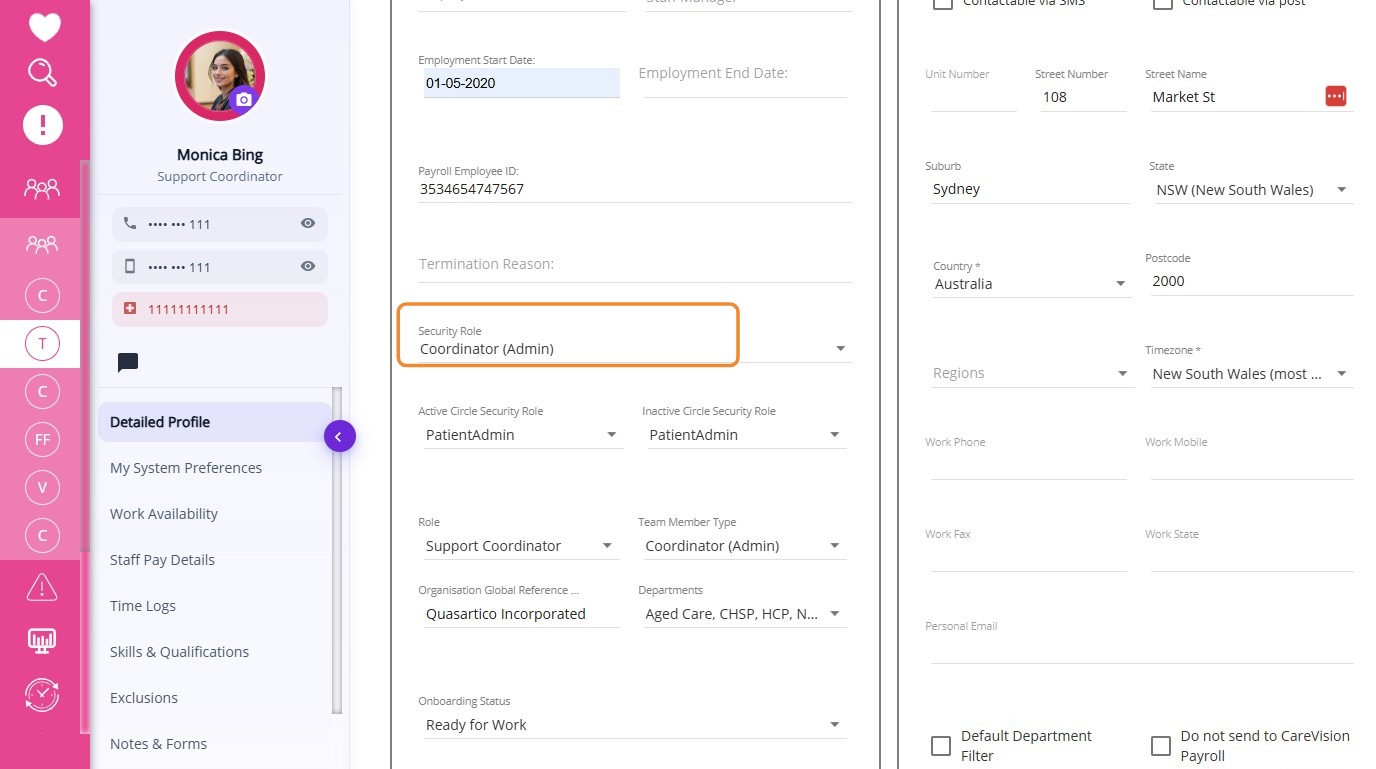
- Coordinator Admin Security Role
- Coordinator Admin Filtered and Classified Variants
- Field Care Professional
- Patient Admin
- Patient Admin Filtered and Classified Variants
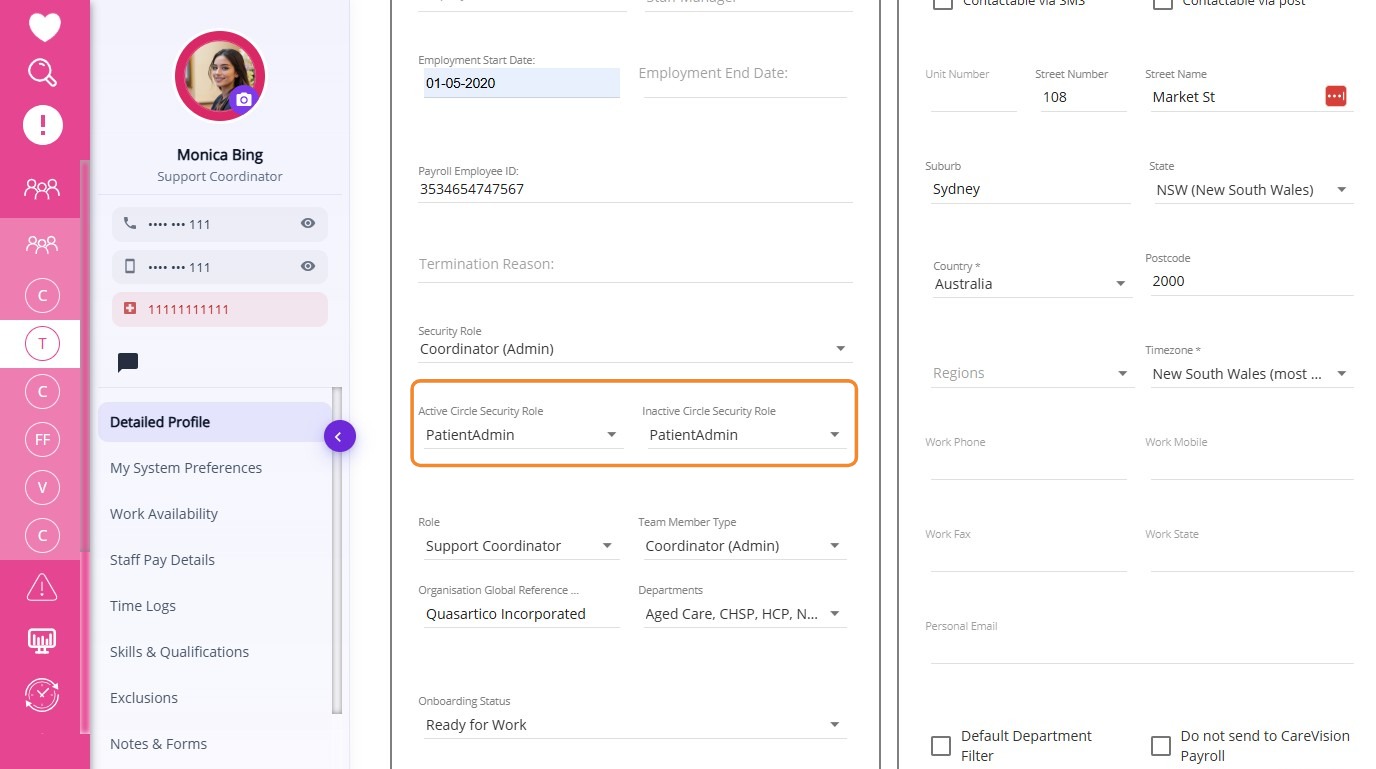
- Active Carer is assigned in the Active Circle Security Role field.
- Inactive Carer is assigned in the Inactive Circle Security Role field.

For more information about user roles and permissions, contact the CareVision Support Team.
Related Articles
Account Access and Security
CareVision provides authorized users with access to the platform based on their assigned roles and permissions. Secure login practices protect personal and vital information from unauthorized access. This topic describes how to access CareVision, use ...Submit a Ticket to CareVision
CareVision aims to provide assistance so you can make the most of our platform and maintain smooth operations. We provide several ways for you to receive help quickly and easily. Submitting a ticket is one of the fastest ways to reach our support ...CareVision’s Knowledge Base
CareVision provides a Knowledge Base where you can find articles, step-by-step guides, troubleshooting resources, and tutorial videos to help you get the most out of CareVision products. The Knowledge Base is updated regularly, with new documentation ...CareVision Academy
CareVision Academy is the central learning hub for CareVision users, designed to support onboarding and continuous skill development. It provides a repository of training resources, including introductory system guides, major learning series such as ...How to Change Your Password in CareVision
I. Change Your Password To keep your account secure, we recommend changing your password after your first login. Follow these steps to change your password: Log in to the CareVision portal using your username and password. In the left menu, click My ...