How to Roll Over Funding Sources for a New Quarter
This topic describes how to roll over funding sources to generate funding for the next quarter.
Keywords: rollover funding sources, funding source generation, quarterly funding rollover, carevision funding, statement period management, client funding balance, new quarter setup
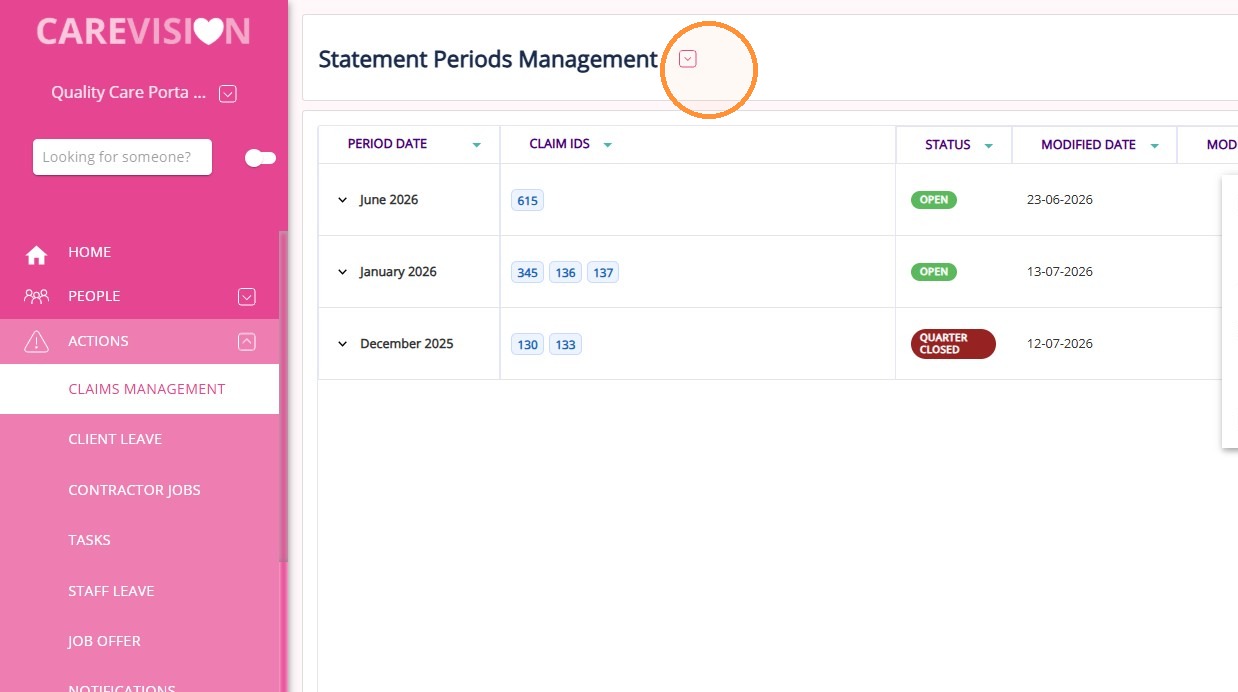
1. Go to Actions > Claims Management and open the Statement Periods Management section. This is where finalized claims are grouped into periods.
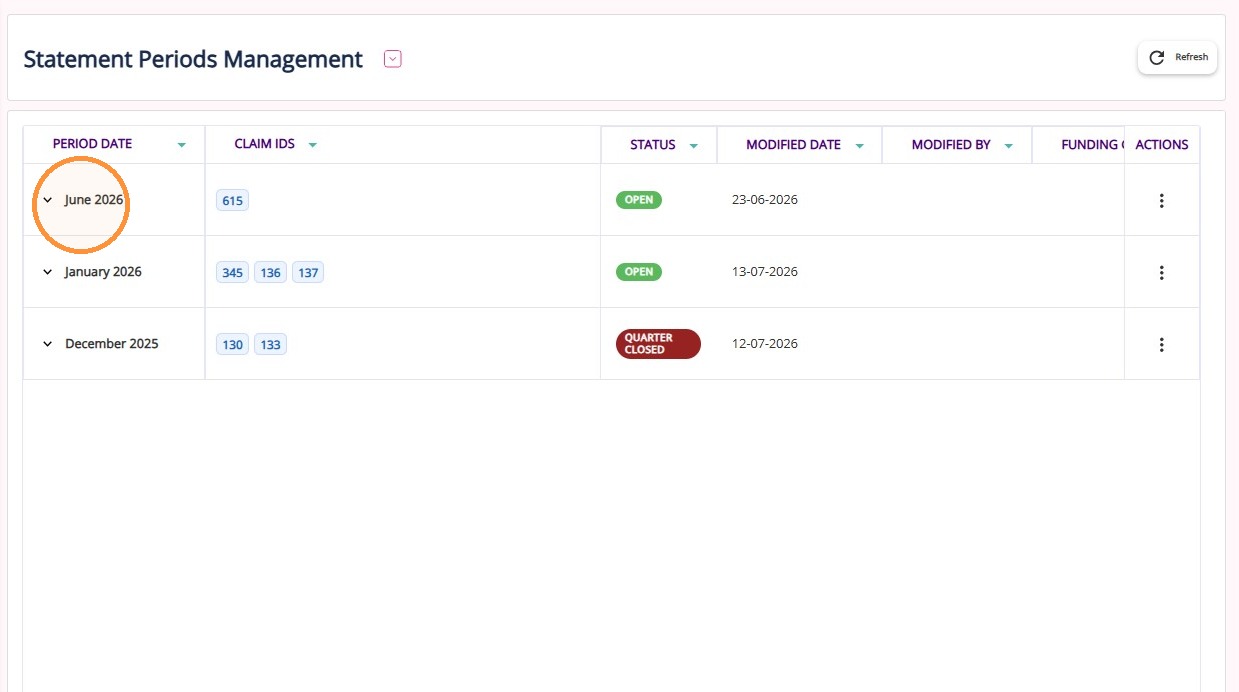
2. Locate the last period of the quarter (March, June, September, or December), as the rollover option is only available for these periods.
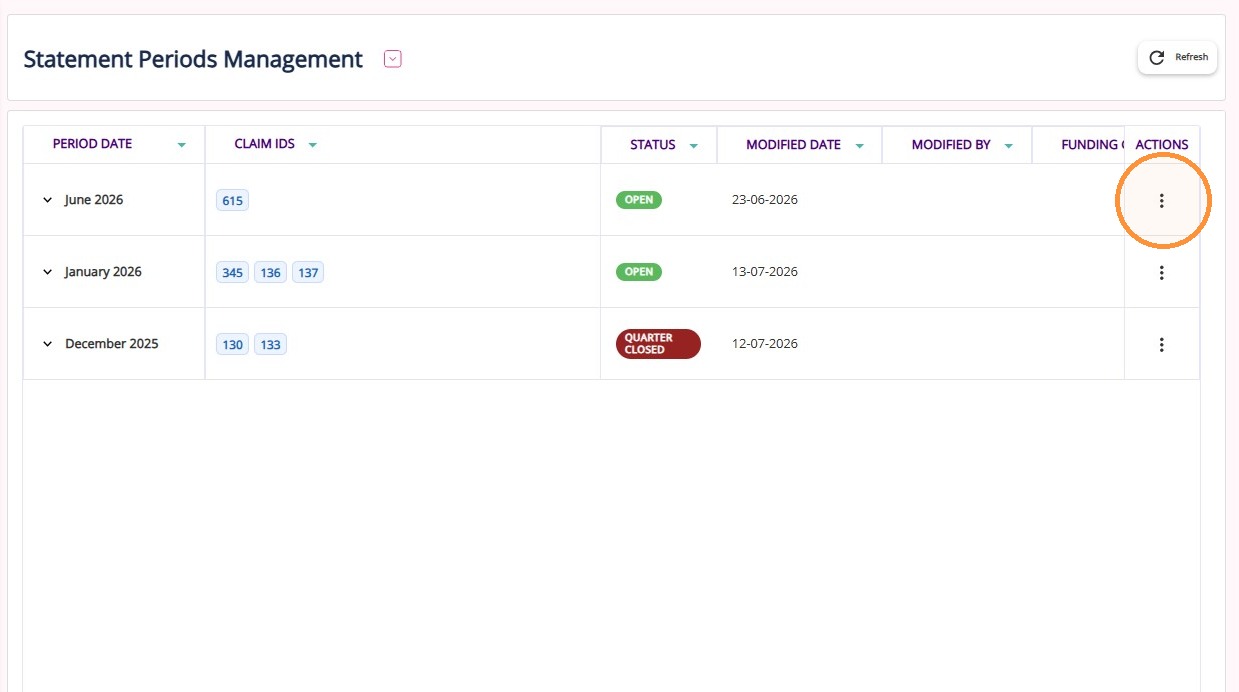
3. Under the Actions column click the three dots.
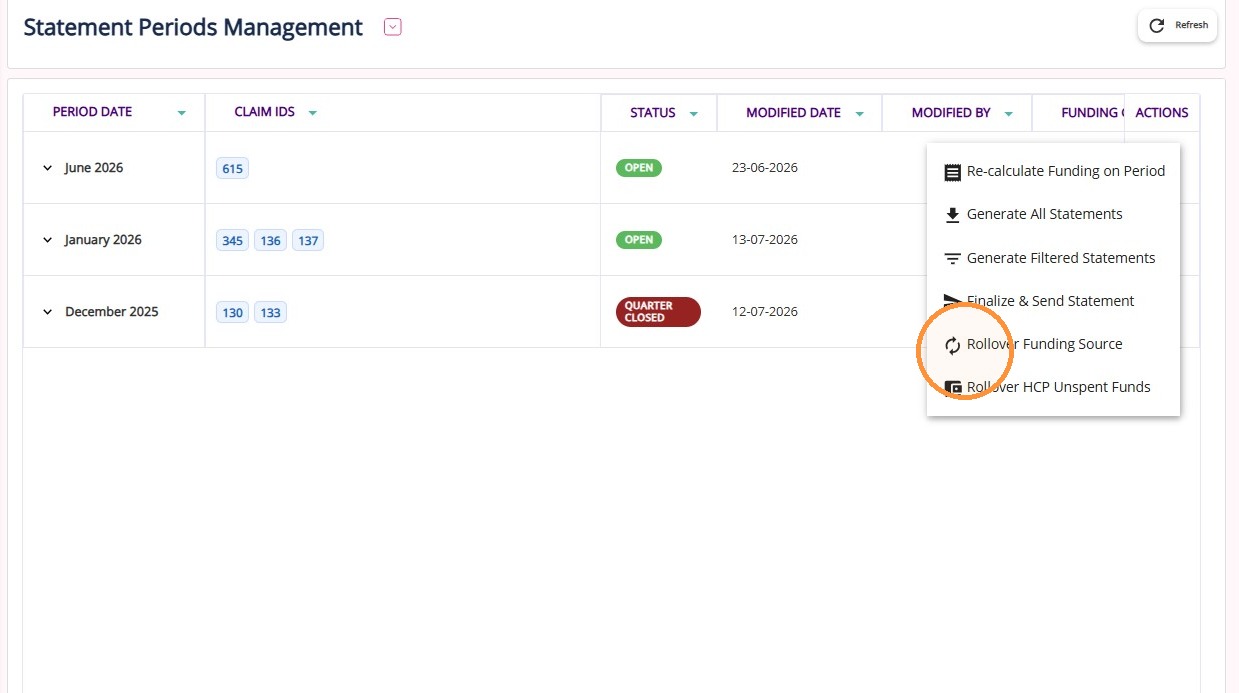
4. Select Rollover Funding Source. This can be clicked regardless of the period status, whether it is Open or Closed.
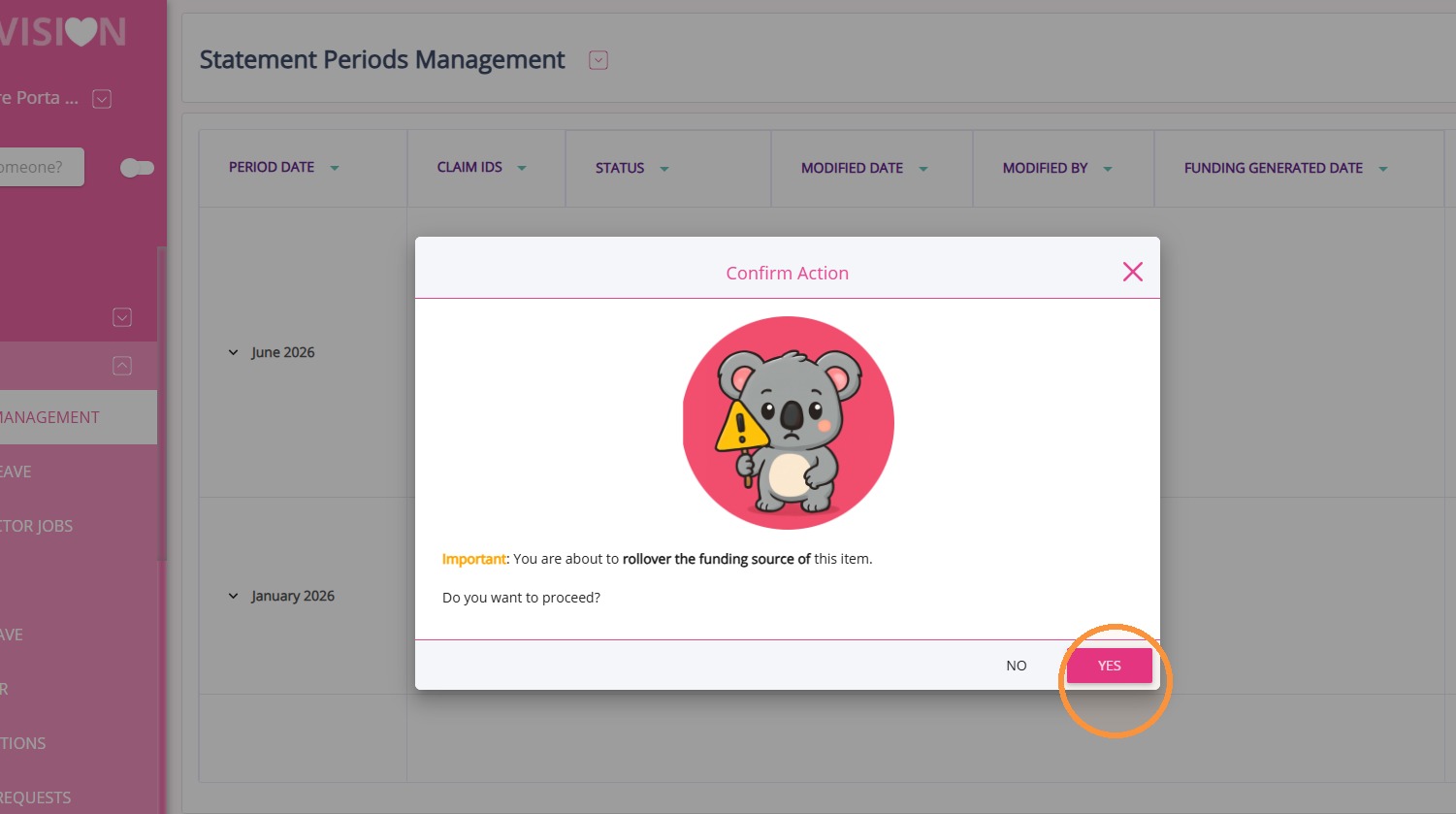
5. Click Yes to confirm and generate funding sources for the next quarter.
What happens after rollover:
New client funding sources are created for the next quarter. You can then review the funding sources or perform a requote if there are changes in client's care plan.
Who can perform this action:
Users with the following roles: Super User II, Concierge, Patient Admin, Patient Admin (Filtered), Customer Care (Circle), Patient Admin (Filtered Departments & Regions – Circle), Finance Administration (Circle), Concierge (Circle).
Related Articles
How to use the Close Quarter Button
This topic explains how to use the Close Quarter button to calculate and roll over remaining SAH balances. Keywords: close quarter sah, support at home rollover, sah remaining balance, claims management carevision, finalize period, statement periods ...
How to Finalize a Period
Finalizing a period is a process where all claims are processed and CareVision and Services Australia data has been reconciled, after which the period is locked and ready for funding source generation and rollovers. This topic describes how to ...
How to Roll Over HCP Unspent Funds
This topic describes how to roll over HCP unspent funds, including where to view updated balances in the client profile. Keywords: hcp unspent funds, rollover hcp funds, finalize period, statement periods management, claims management, funding ...
Claims Management
The Claims Management Dashboard allows you to manage, review, and reconcile Support at Home claims against Services Australia payment statements. It supports the claiming workflow, from uploading payment statements and reviewing variances to ...
Notifications for Staff Leave Management
Staff Leave Workflow Organisations regularly receive new staff leave requests and it is important that the proper team is notified at the appropriate stage of the staff leave process so they can follow up and complete any required actions. Timely ...
Request an Article or Guide
We are keen to know what you want to know more about? Let us know on chat or raise a ticket for an article or topic you would like covered in more detail. We have a team of technical writers and learning content creators keen for your suggestions.