How to Regenerate Statements to Include Variations from Previous Periods
This guide walks you through the process of recalculating a previous period to ensure any variations are correctly reflected in the subsequent statement period.
Keywords: statement regeneration, billing periods, recalculation, claims management, statement periods, funding adjustments, generate statement, finalize period, reopen period
1. Go to Actions > Claims Management > Statement Periods Management.
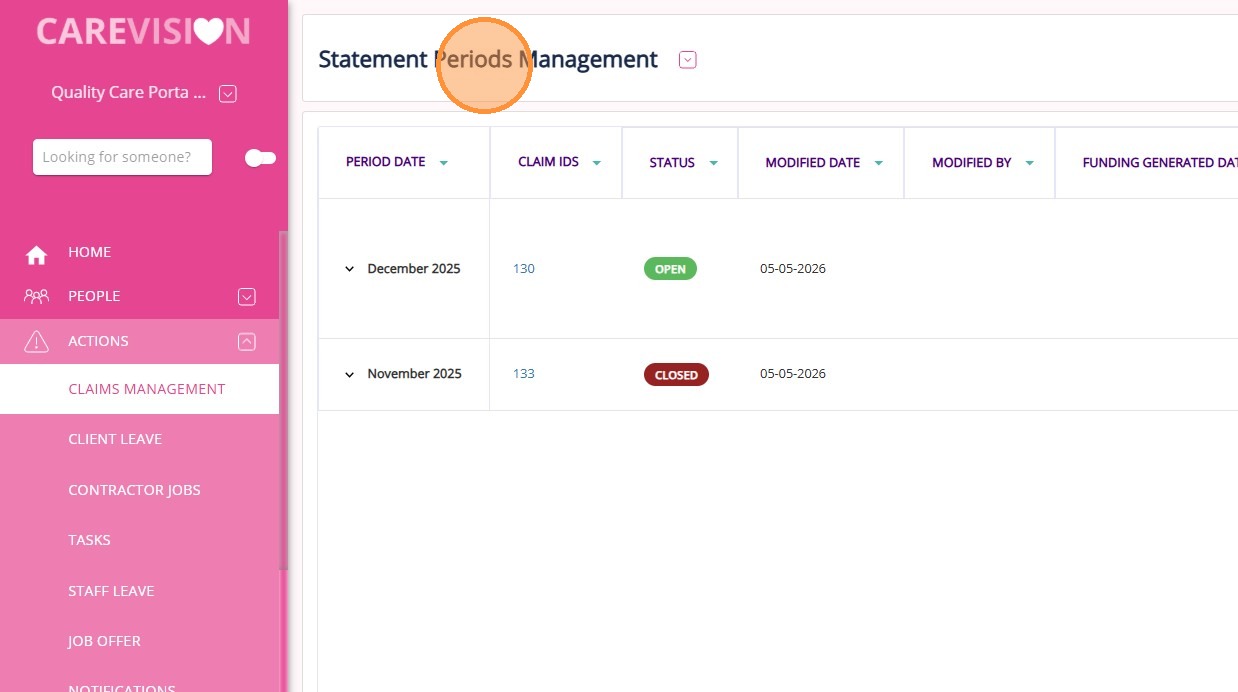
2. Identify the statement period you want to update (Example: December 2025). Then, determine the previous period that needs recalculation (Example: November 2025).
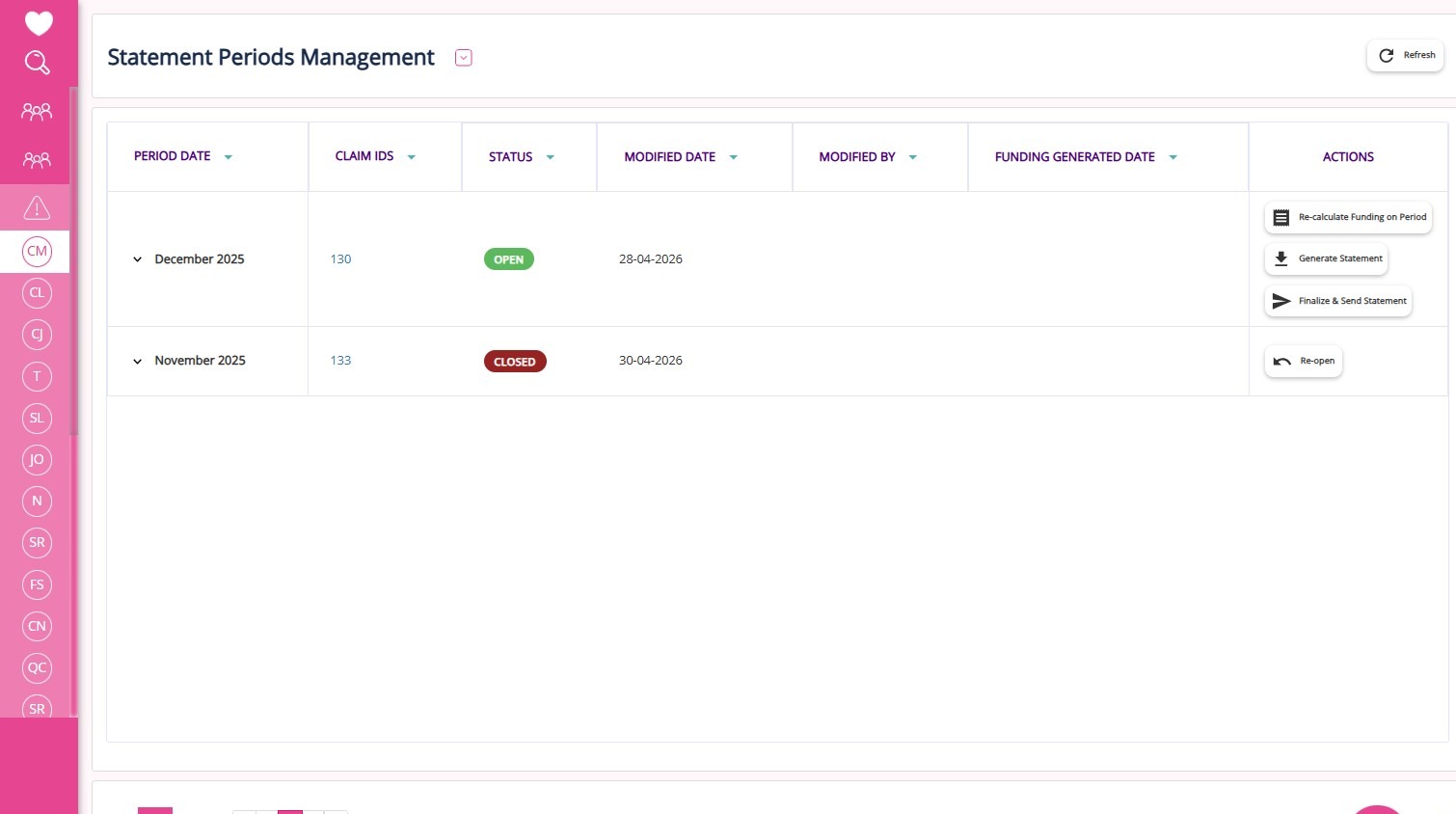
3. Click Re-open for the Statement Period for November 2025.
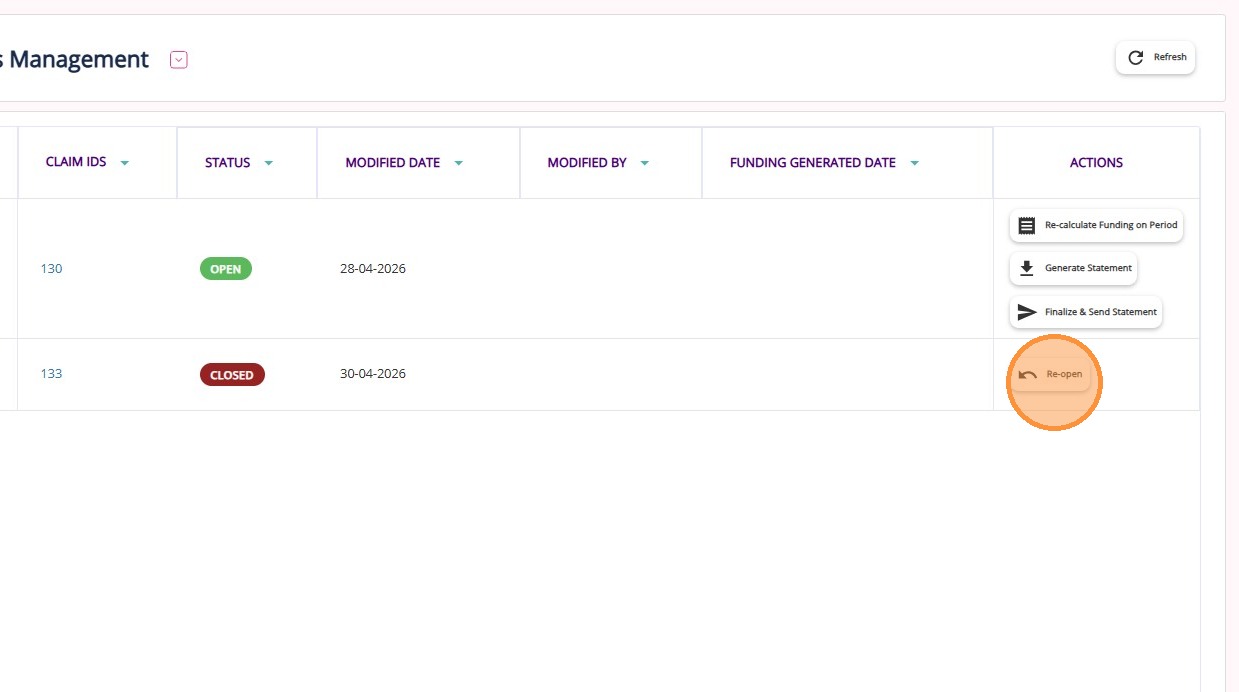
4. Click Finalize & Send Statement for November to trigger recalculation.
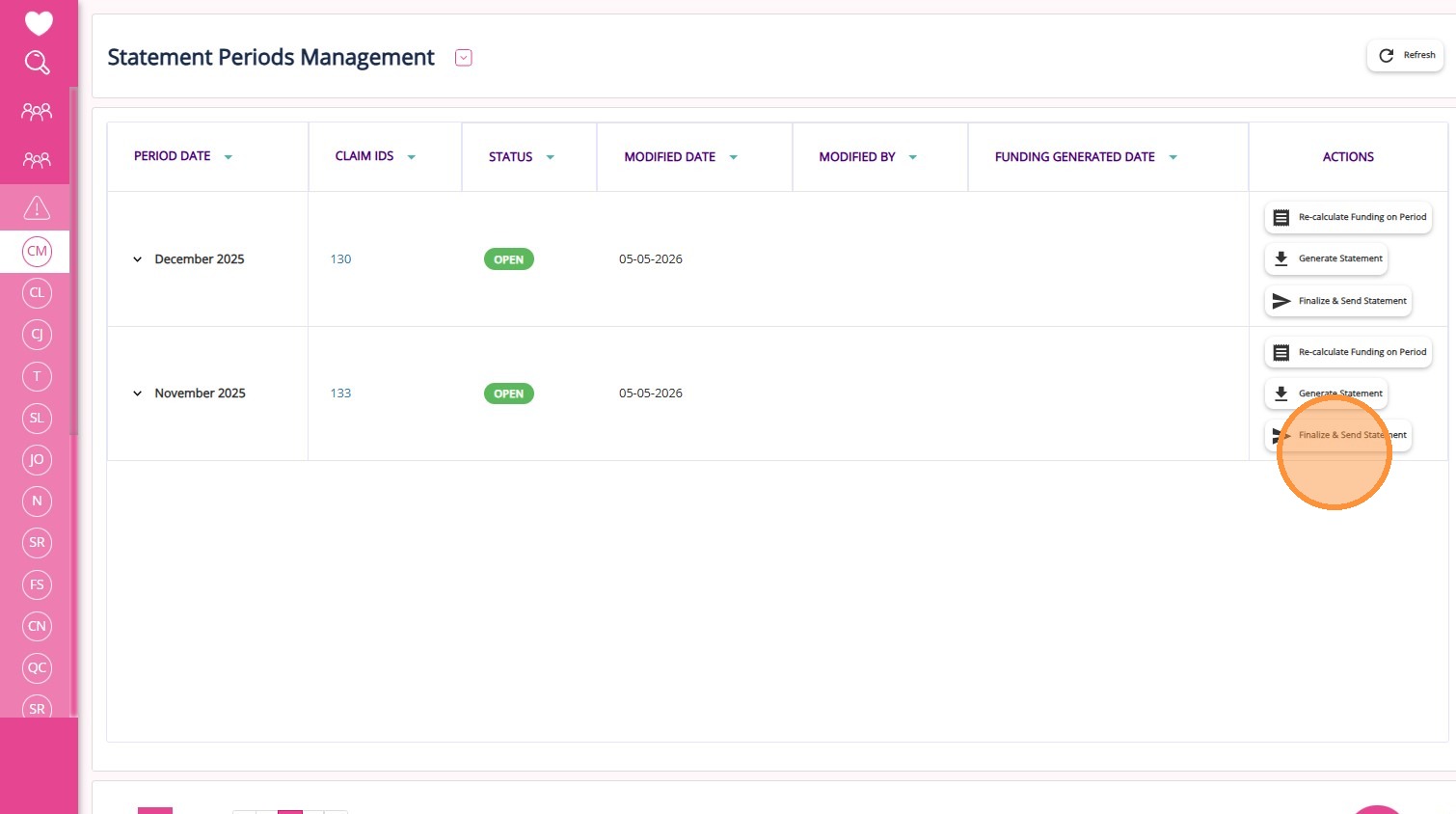
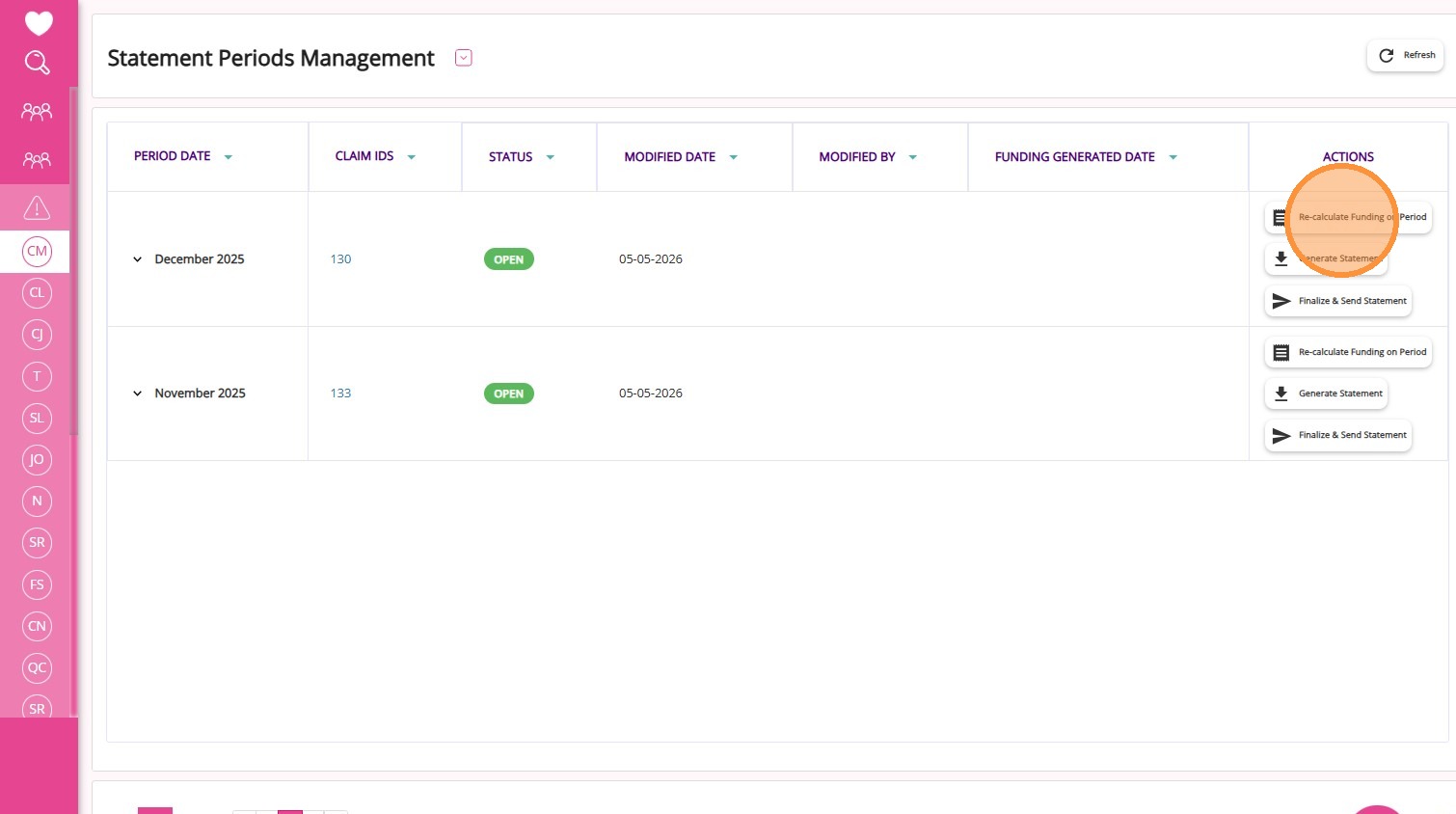
5. Go to the December period and click Re-calculate Funding on Period for December.
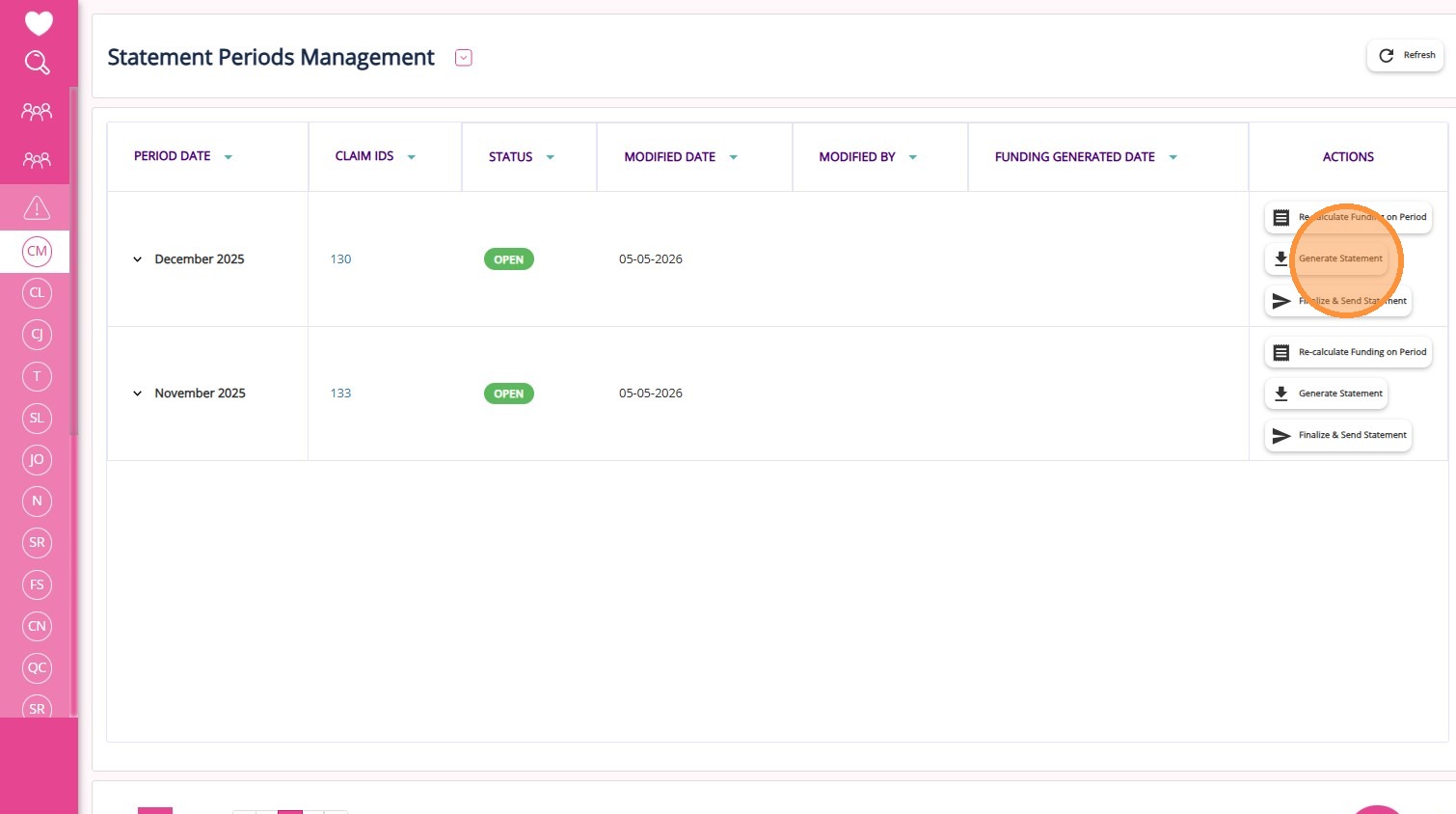
6. Click Generate Statement to generate the statement for December.
This topic walked you through how to recalculate a previous period so any variations are correctly reflected in the subsequent statement period. For more information about statement recalculations, contact the CareVision Support Team.
Related Articles
Claims Management
The Claims Management Dashboard allows you to manage, review, and reconcile Support at Home claims against Services Australia payment statements. It supports the claiming workflow, from uploading payment statements and reviewing variances to ...Service Review
Service Review is a section in the left navigation pane of the CareVision portal, found under Actions > Service Review. In this section, teams handle all service processing and approvals. Users often refer to this area as the Service Review Board or ...Notifications for Staff Leave Management
Staff Leave Workflow Organisations regularly receive new staff leave requests and it is important that the proper team is notified at the appropriate stage of the staff leave process so they can follow up and complete any required actions. Timely ...Resolve Warnings in the Service Review Board
The Service Review Board highlights warnings when there are issues with a booking. It is important to resolve these issues before exporting your data. This topic describes the most common warnings that may appear in the Service Review Board and ...Create Staff Leave in Bulk
A new feature has been added to support bulk creation and approval of staff leave. This feature is designed to streamline leave management, especially for public holidays or other scenarios requiring leave entries for multiple staff members at once. ...
Request an Article or Guide
We are keen to know what you want to know more about? Let us know on chat or raise a ticket for an article or topic you would like covered in more detail. We have a team of technical writers and learning content creators keen for your suggestions.