How to Intake HACC Clients

How to Intake HACC Clients

This topic describes how to set up and manage HACC client profiles, including the required fields for personal details. Completing all relevant data supports accurate reporting and streamlines future billing and claiming processes.

Keywords: hacc client profile, hacc data management, hacc carer information, client group set, hacc funding source, aged care documentation, care recipient details, australian hacc program

I. Set Up Profile of HACC Clients

  1. Navigate to People > Clients, select a client, and open the detailed profile section. 
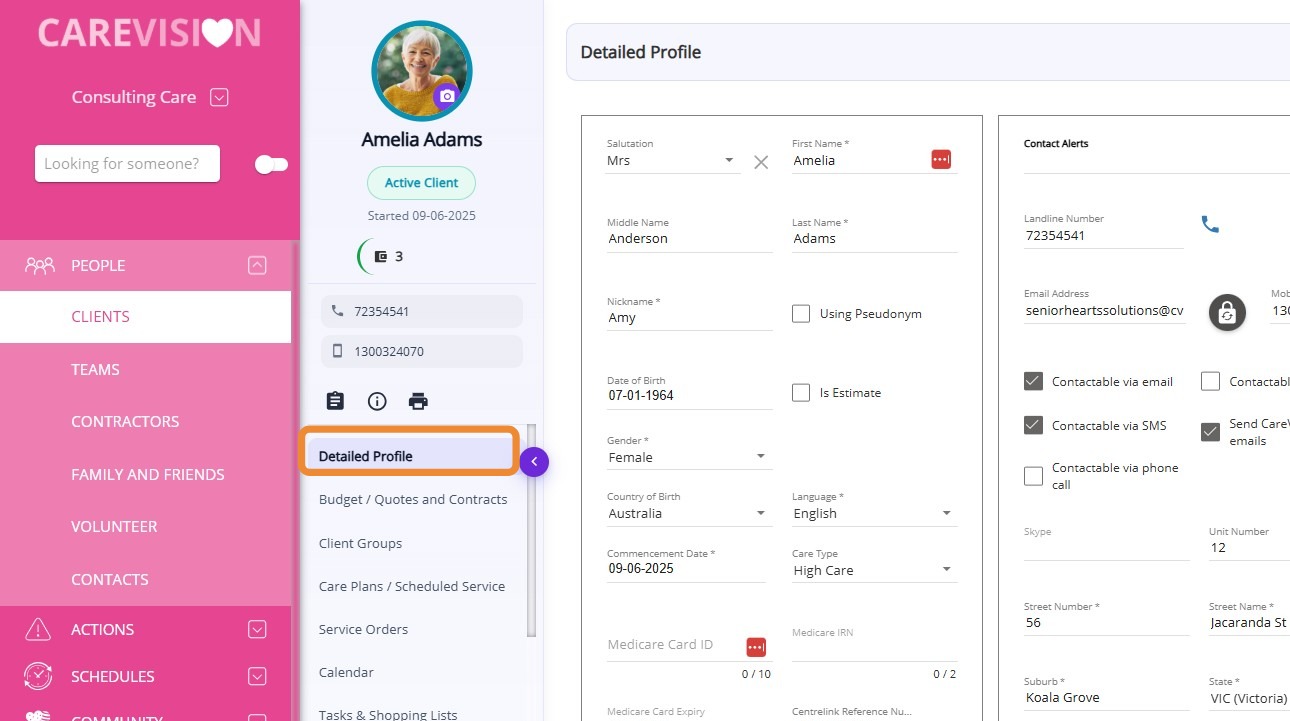
  1. Make sure that the following fields are populated in the Detailed Profile section of the client:

Field

Description

First Name

The care recipient's first given name.

Last Name

The care recipient's family or surname.

Is Estimate

Indicates if the date of birth is an estimate (checkbox). Tick if the person’s exact age is not known.

Gender

The care recipient's gender. Options: Female, Male, Other, or Prefer Not to Say.

Country of Birth

The country where the care recipient was born.

Language

The care recipient's preferred language for communication. This is the language the care recipient uses to communicate with family and friends.

State

The Australian state or territory of the client’s address.

Suburb

The suburb, town, or locality where the care recipient lives while receiving HACC services.

Postcode

The postal code of the client’s address. Postcodes should correspond to the client’s home.

DVA Card Status

Indicates if the care recipient holds a Department of Veterans’ Affairs entitlement card, specifying if it is gold, white, none, or other.

II. Manage the Client Group Section in the Client’s Profile

Notes
Prerequisite: Your organisation must have set up the relevant Group Sets and Client Groups in the system. For more details, see How to Set Up Your Organisation’s HACC Data.

  1. In the client profile, go to the Client Groups section and collect key information about each client, such as their need for an interpreter, indigenous status, and living arrangements.
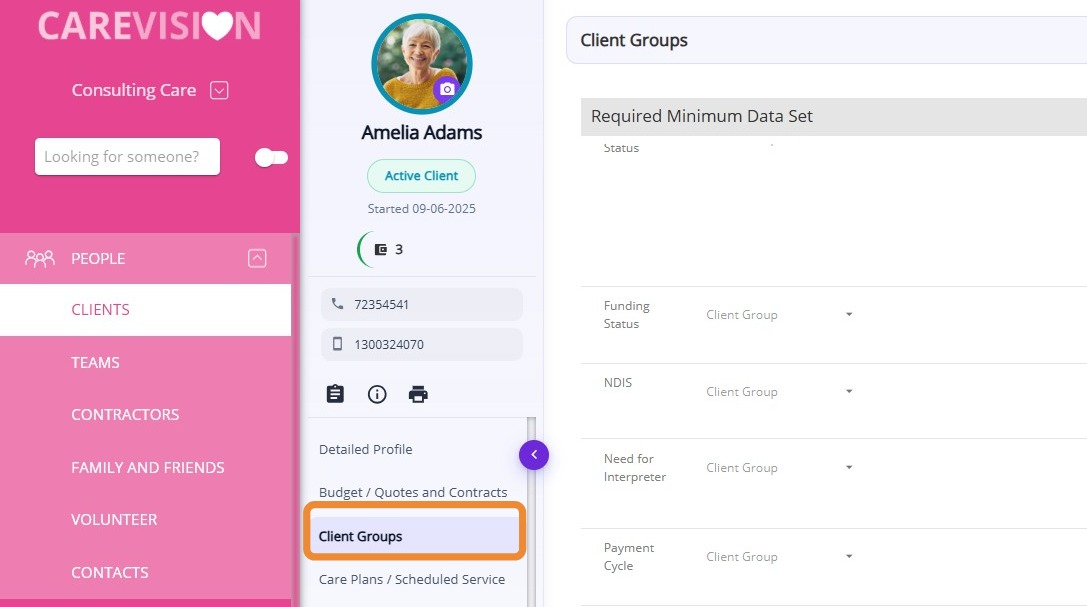
  1. Refer to the list below for the minimum required data. For the complete list, see this documentation.

Client Group Set

Description

Need for Interpreter

Indicates if the client requires an interpreter for communication.

Indigenous Status

Identifies the client's Aboriginal or Torres Strait Islander background.

Living Arrangement

Describes the client's current living situation.

Government Pension / Benefit Status

Specifies the type of government pension or benefit the client receives.

Accommodation

Type of accommodation or housing where the client resides.

Functional Status - Housework

Level of assistance required with housework tasks.

Functional Status - Transport

Ability to use transport, including need for specialised vehicles.

Functional Status - Shopping

Level of assistance required for shopping.

Functional Status - Medication

Ability to manage and take medication.


III. Manage the Contacts & Connections Section in the Client’s Profile

Under HACC, collecting information about the carers of HACC care recipients is essential. Carers are formally recognized as part of the HACC Program’s target population and are also a primary focus of the DHS Aged Care Support for Carers program.

Steps on How to Add a HACC Carer in the Client Profile

III. Manage the Contacts & Connections Section in the Client’s Profile

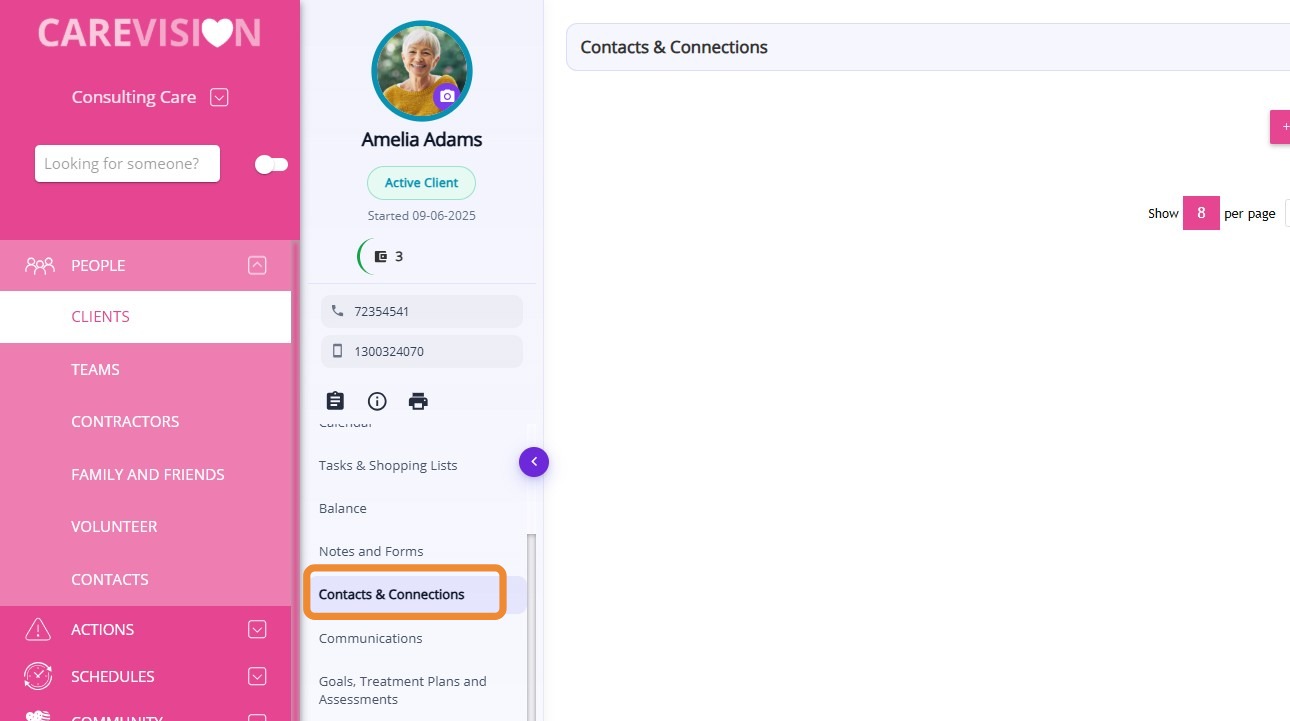
1. Go to the Contacts & Connections module in the client’s profile.
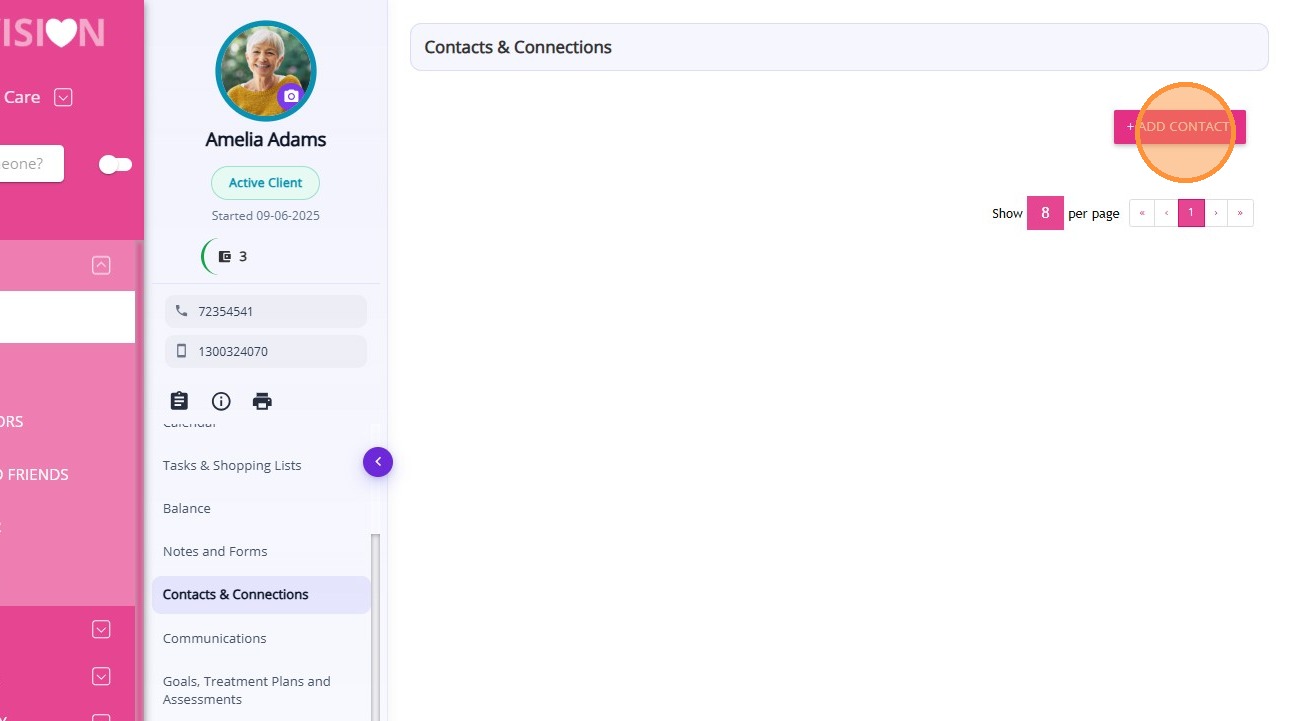
2. Click +Add Contact.
3. In the Search from Organisation Contact bar, type the name of the contact you want to add.
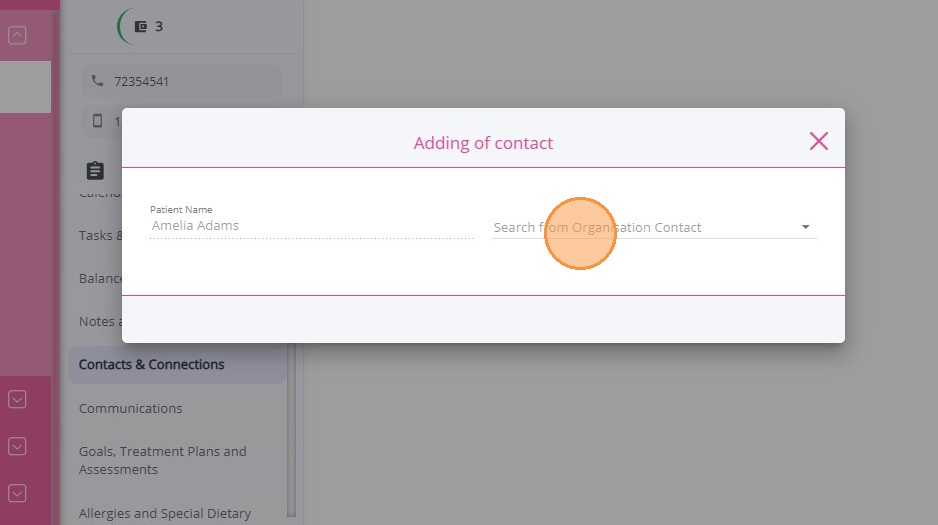
4. If the name does not appear, click +New to create a new contact.
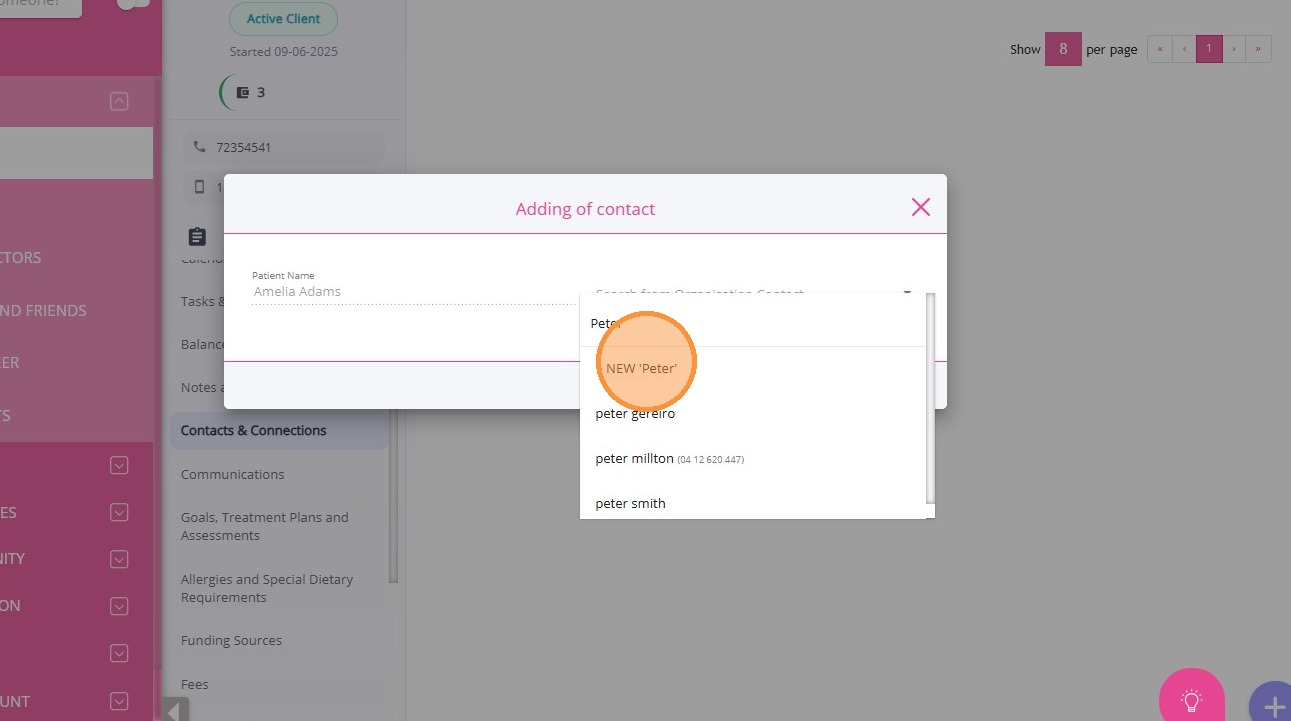
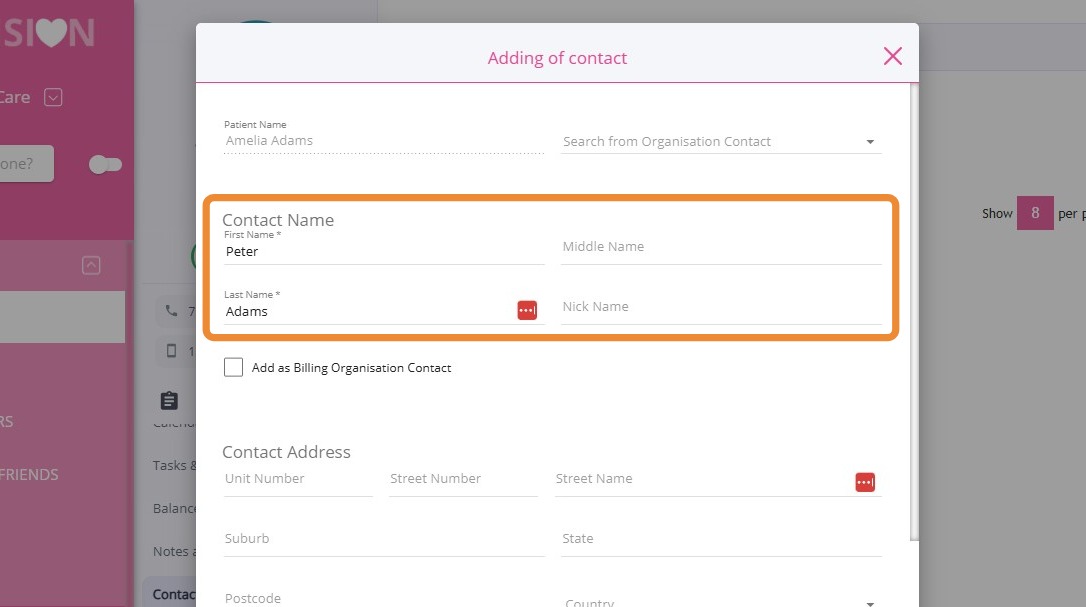
5. Enter the basic contact information, such as first name and last name.
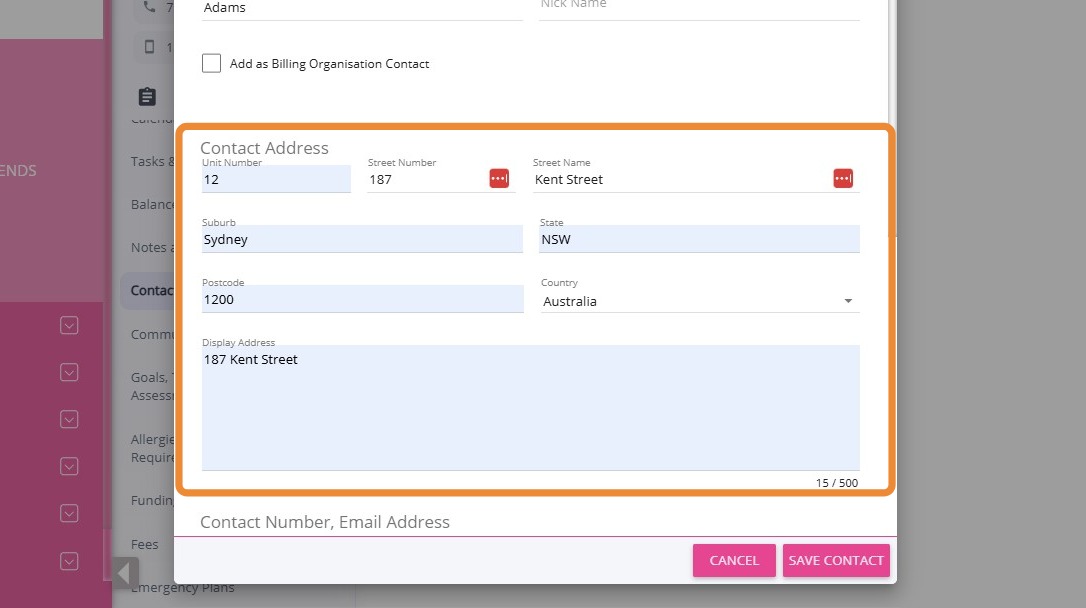
6. Complete the contact’s address.
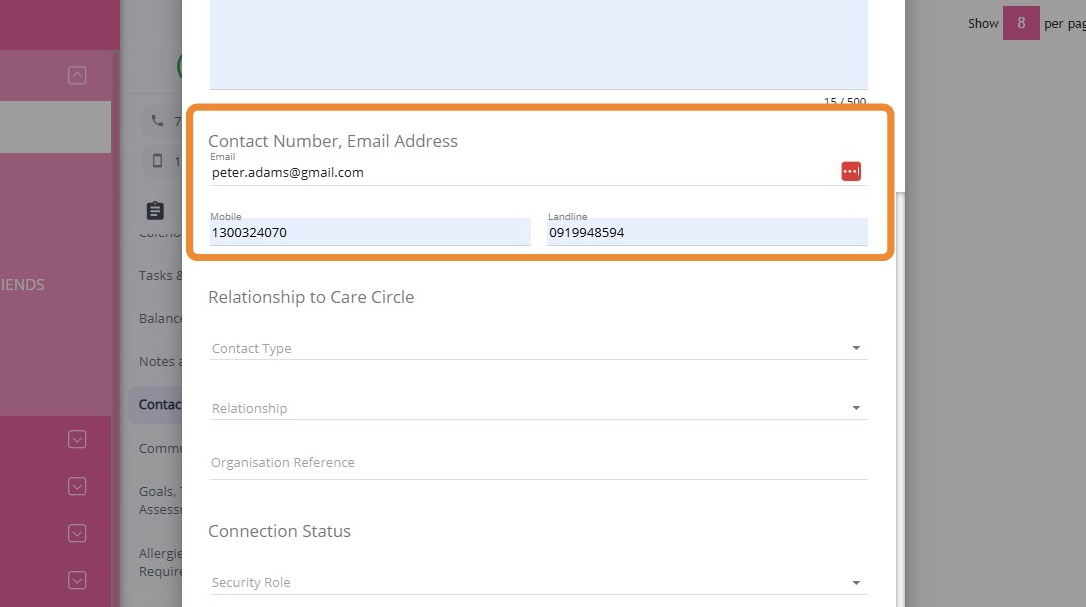
7. Provide the contact’s phone number and email address.
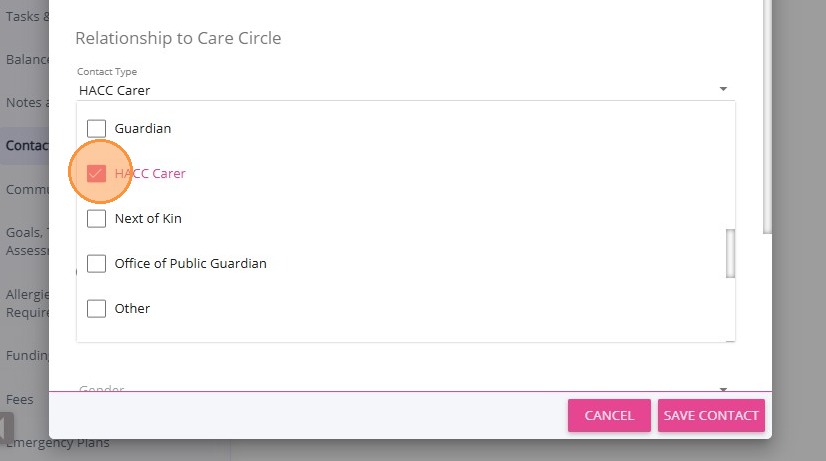
8. Set the Contact Type to HACC Carer.
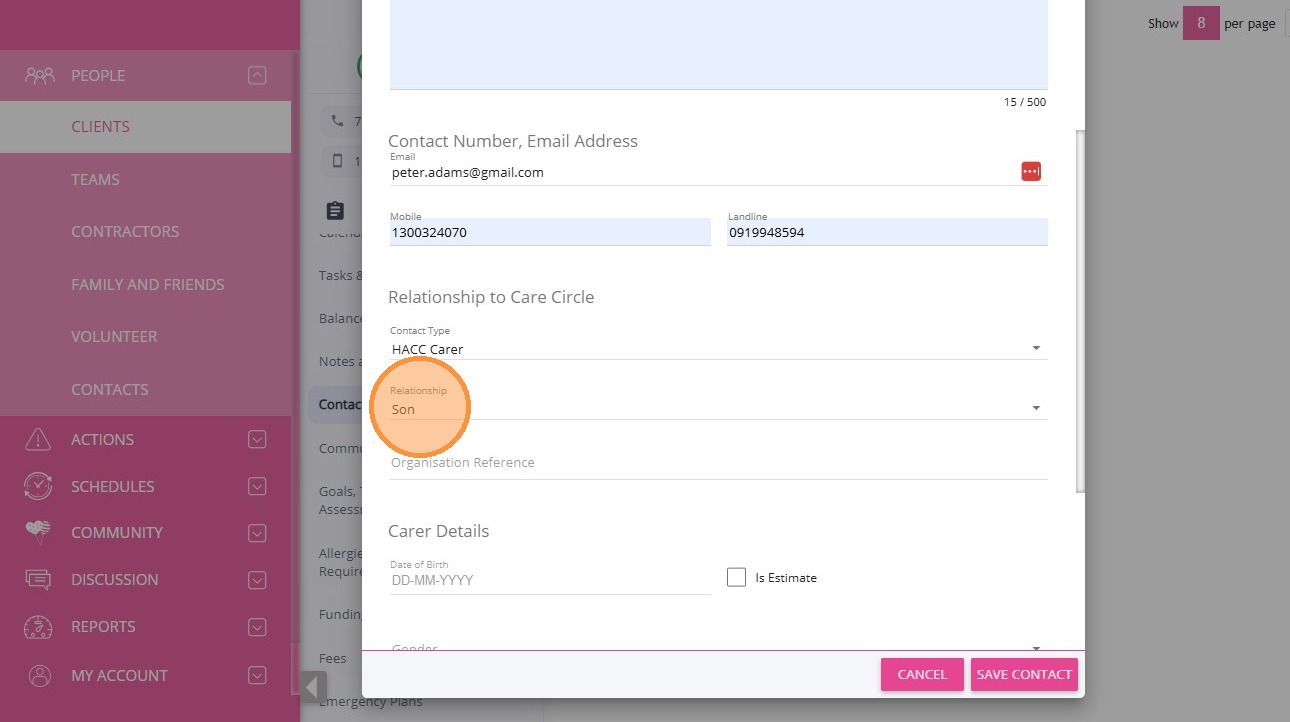
9. Set the Relationship field to the appropriate carer’s relationship to the care recipient.
10. Fill in the Carer Details section (see table below for required fields).
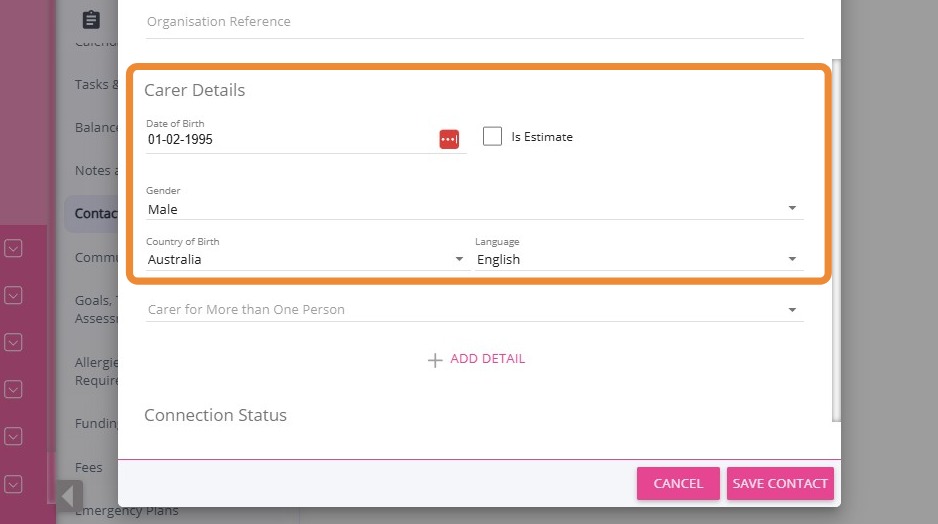
11. Click +Add Detail if the carer has additional information to record. In this section, you can specify if the carer is associated with a specific group set.
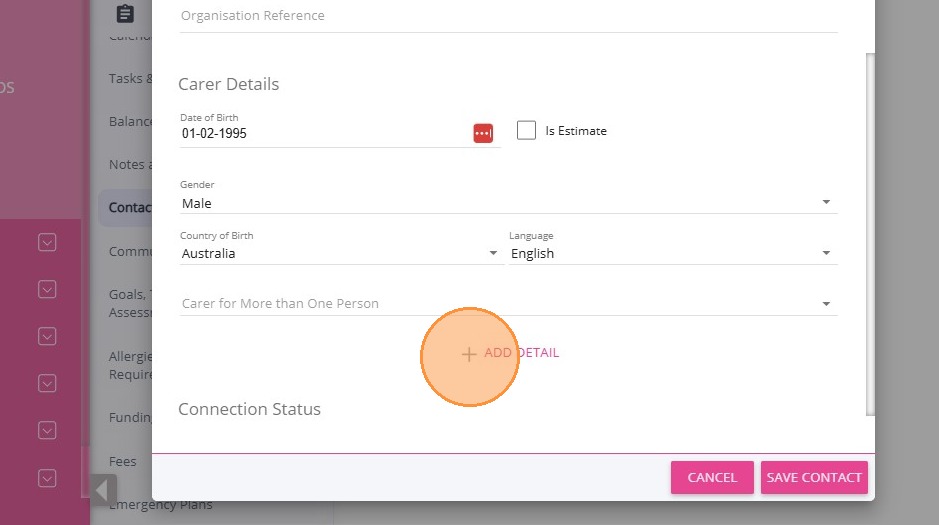
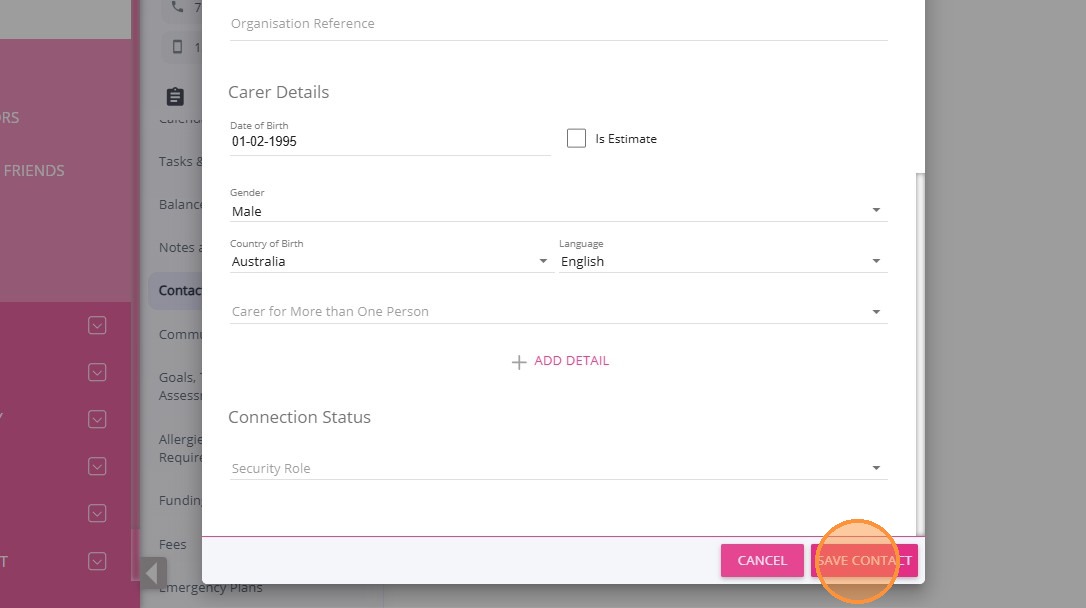
12. Click Save Contact to save the new contact details.
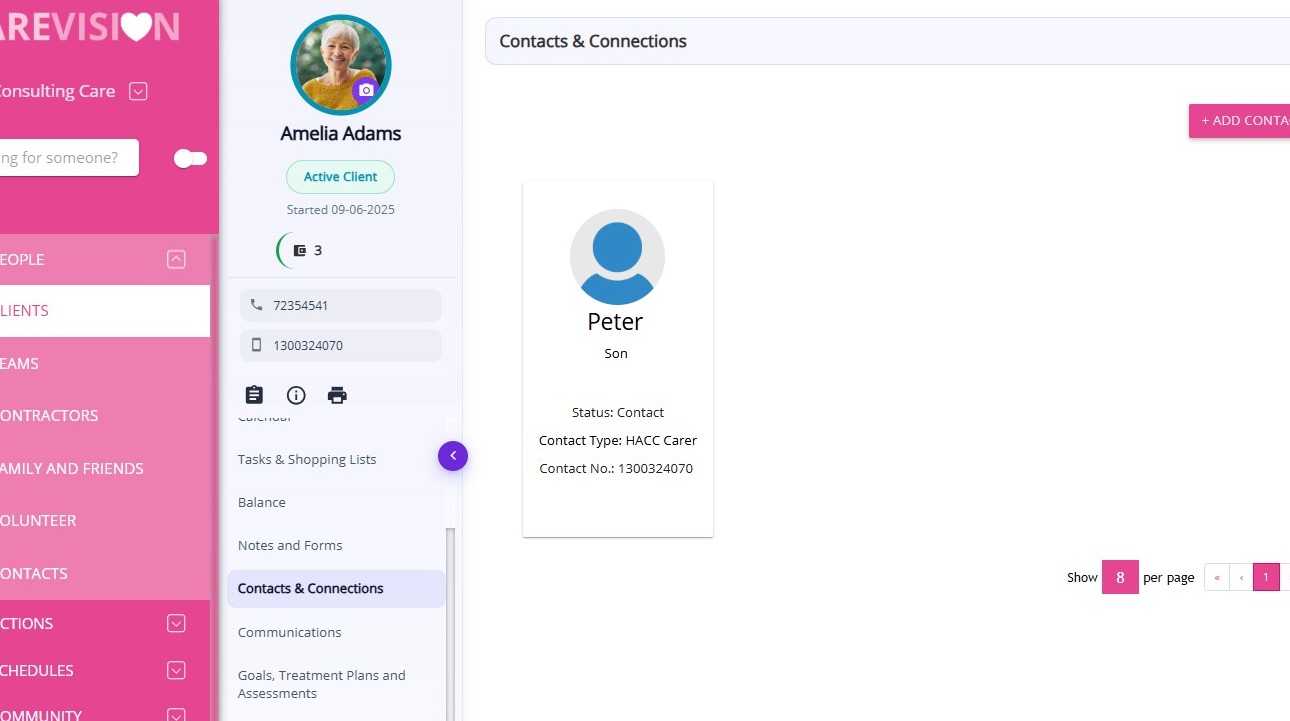
The newly created carer information is displayed in the Contacts & Connections module within the client’s profile.
See the table below for the required fields when recording HACC Carer data.

Field

Description

First Name

The carer’s first given name.

Last Name

The carer’s family or surname.

Date of Birth

The carer’s date of birth.

Is Estimate

Indicates if the date of birth is an estimate (checkbox). Tick if the person’s exact age is not known.

Gender

The carer’s gender. Options: Female, Male, Other, or Prefer Not to Say.

Country of Birth

The country where the carer was born.

Language

The carer’s preferred language for communication. This is the language the carer uses to communicate with family and friends.

Indigenous Status

The carer’s Aboriginal or Torres Strait Islander background, if applicable.

State

The Australian state or territory of the carer’s address.

Suburb

The suburb, town, or locality where the carer lives while receiving HACC services.

Postcode

The postal code of the carer’s address. Postcodes should correspond to the carer’s home.

Residency Status

The carer’s residency status in Australia (citizen, permanent resident, temporary visa holder).

Relationship

The carer’s relationship to the care recipient.

Carer for More Than One Person

Indicates if the carer provides care for more than one person (Yes, No, Not Specified).


IV. Manage Client’s Funding Source

Manage client HACC funding source information by using either of the following methods:

  • Go to Settings > Funding Sources, or
  • Open the client profile and navigate to the Funding Sources section
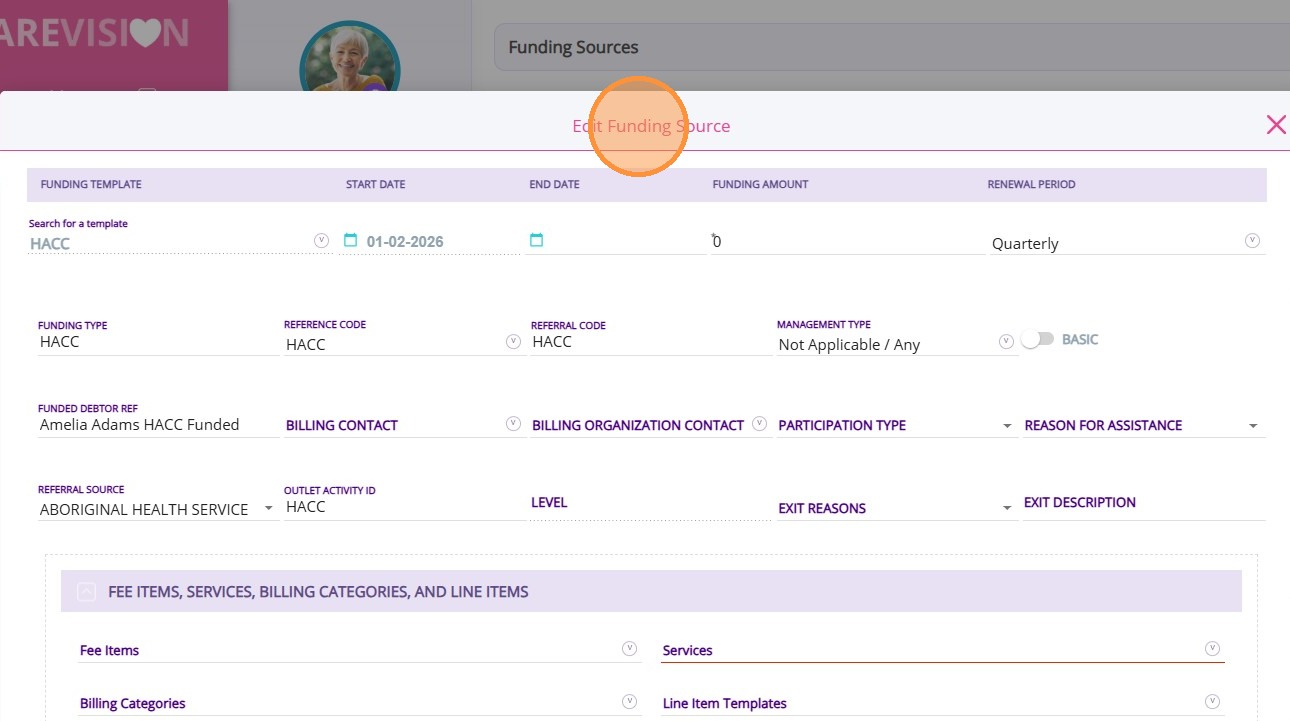
The table below lists the required fields for recording client funding source details. 

Field

Description

Referral Source

The origin of the client’s referral to your organisation (self, family, GP, hospital, community service).

Start Date

The date the client began receiving HACC-funded assistance.

Exit Date

The date the client stopped receiving HACC-funded assistance.

Exit Reason

The reason the client no longer receives assistance from your organisation.


This topic explained how to set up HACC client profiles. For more information about managing HACC client profiles, contact the CareVision Support Team.
    • Related Articles

    • Detailed Profile Section in Client Profile

      The Detailed Profile section in the client profile provides an overview of each client, supporting personalized care and efficient communication. This topic describes the Detailed Profile section, explains how to complete client profile details, and ...
    • Set Up the Client Groups Section in the Client Profile

      Setting up this section is important for capturing information that will be included in relevant forms, such as Contractor Service Agreements. Keywords: client groups, client profile, living arrangements, client lives alone, client lives with, ...
    • Set Up Staff Pay Details

      Accurate staff pay details are important for effective team management and payroll processing. CareVision supports organizations by centralizing staff information while ensuring sensitive data remain protected. This topic describes the basic concepts ...
    • Adding and Updating Client Group Meta Data on Client Profile

      Coordinators are able to add a Client to a particular Client Group. Organisations create Client Groups as a way to sort out Clients according to their care or medical needs, rates, status and other specifications. The Client Minimum Data Set is ...
    • Client Status and Stages

      In CareVision, Client Status indicates the current phase of a client’s journey with your organisation, from initial contact through active service and subsequent exit. Keeping client status up to date is important for ensuring that records reflect ...

    Request an Article or Guide

    We are keen to know what you want to know more about? Let us know on chat or raise a ticket for an article or topic you would like covered in more detail. We have a team of technical writers and learning content creators keen for your suggestions.