How to Apply a 10% Markup on SAH Line Items
This document guides you through applying a 10% markup to Support at Home (SAH) manual line items. You will do this by adding a second line item using the same template and entering the 10% markup rate.
Keywords: how to apply a 10% markup, sah line items, manual line item template, add line item, assistive technology, home modifications
Prerequisites
- Set Up Manual Line Item Templates for Assistive Technology and Home Modifications. See detailed instructions here.
- Note: We recommend that you do not create new line items. Instead, use your preconfigured templates to ensure Ref codes for claiming are in place.
Steps
1. Create an adhoc booking or a one-off service for the client
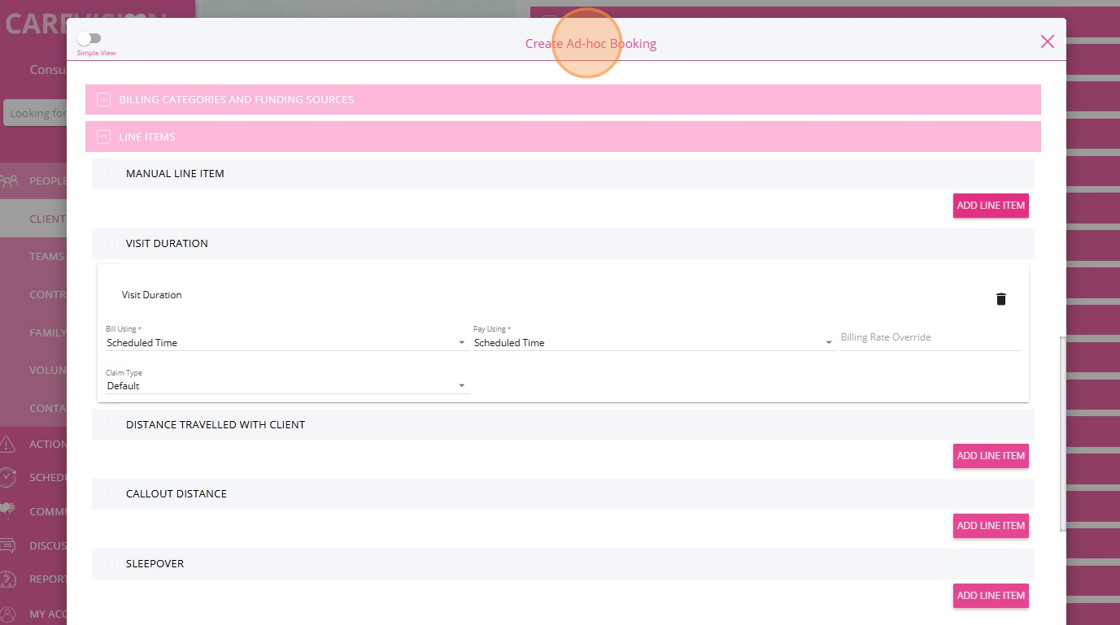
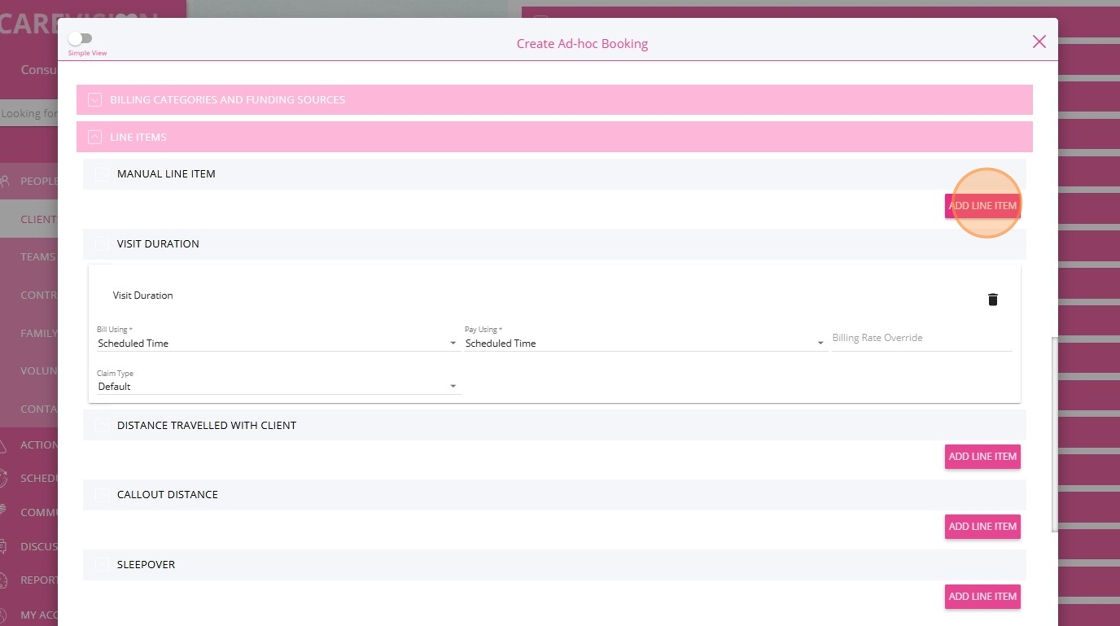
2. In the Manual Line Item section, click Add Line Item.
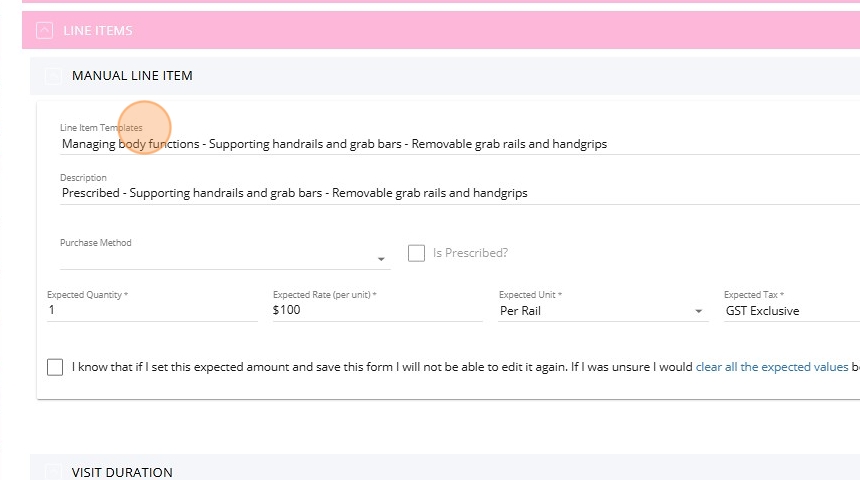
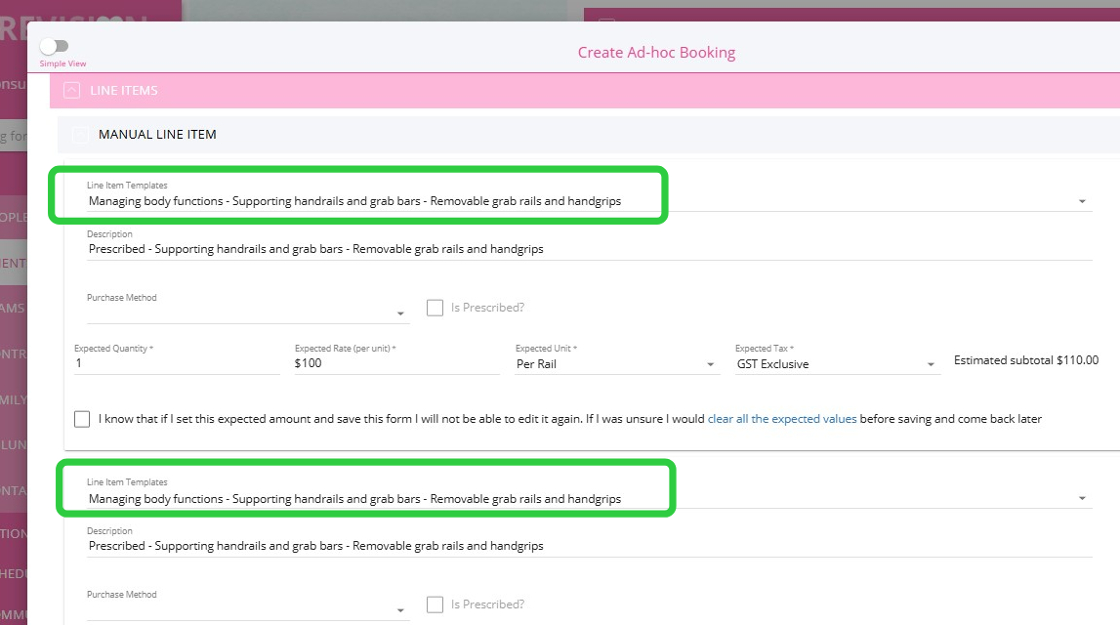
3. Select the appropriate template for the SAH line item. In this example, "Managing body functions - Supporting handrails and grab bars - Removable grab rails and handgrips" is selected.
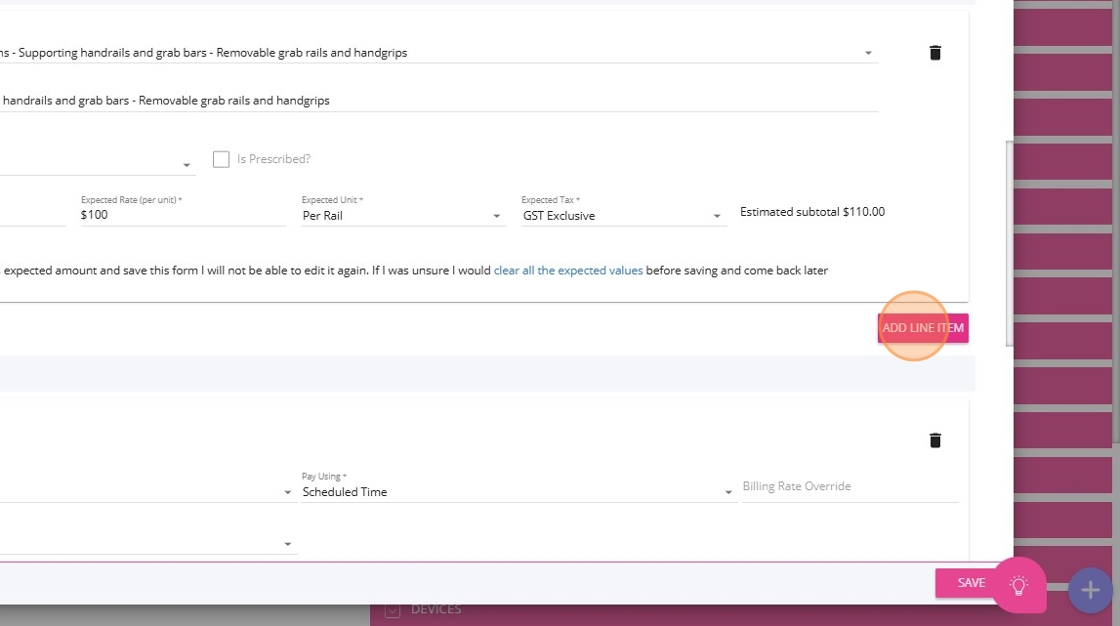
4. Click Add Line Item to add a second line item for the markup.
5. Use the same template you added for the first line item.
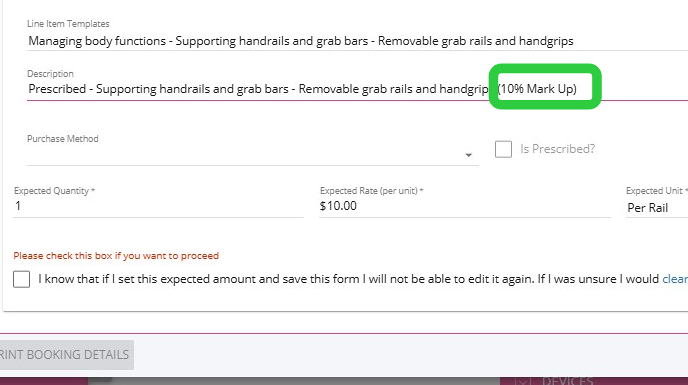
6. In the Description field, add a note indicating “10% Mark Up.” Please consult your organisation regarding the preferred labeling format.
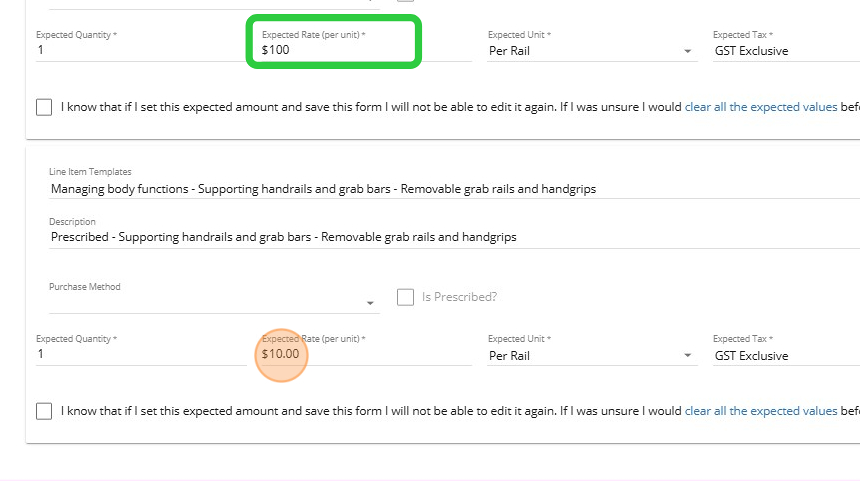
7. In the Expected Rate (per unit) field, calculate 10% of the rate from the first line item. For example, if the rate in the first manual line item is $100, enter $10 as the rate for the markup line item.
8. A checkbox will appear at the bottom of the form. Check this box if you are ready to finalize, acknowledging that the expected amount cannot be edited after saving.
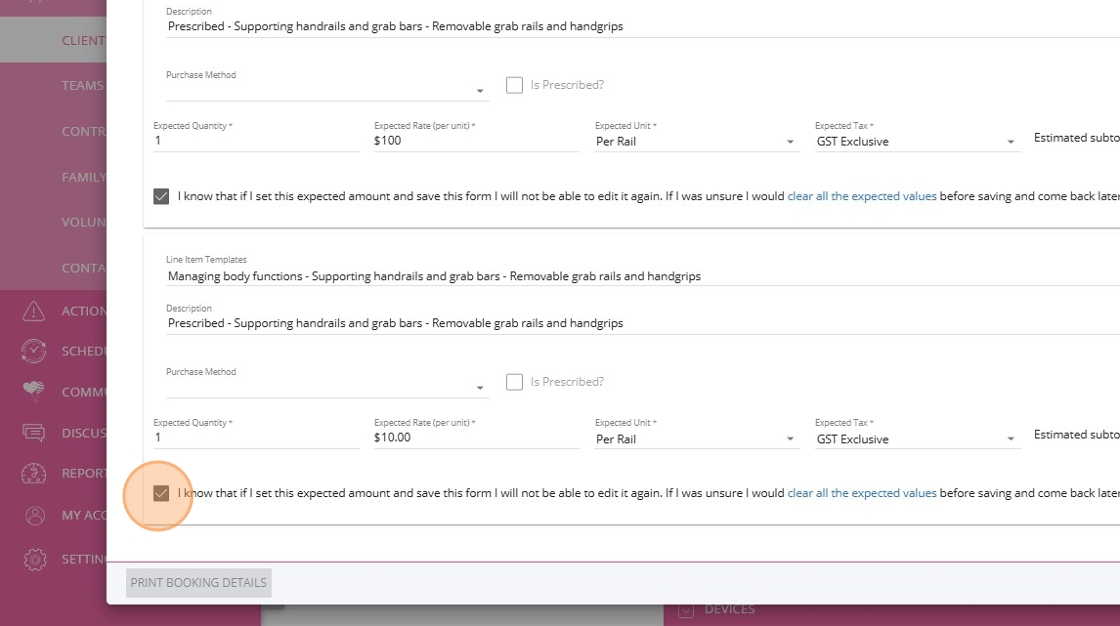
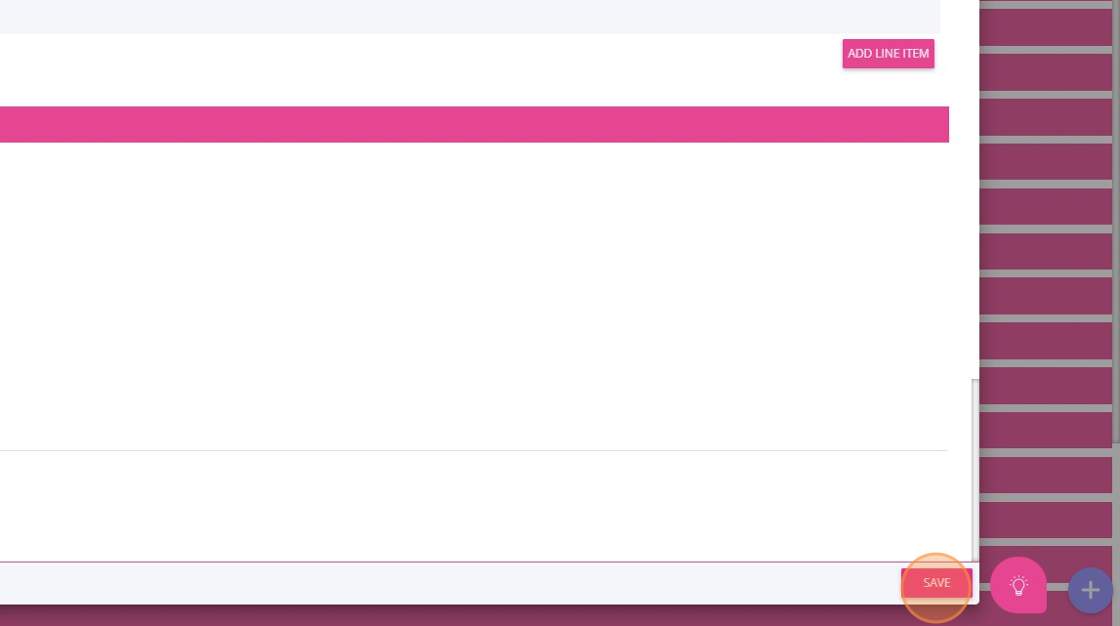
9. Review all required fields in the booking and click Save to finalize.
Related Articles
How to Create a Quote for Assistive Technology and Home Modifications Package
Assistive Technology and Home Modifications provide Support at Home participants with equipment and home changes to improve daily living, safety, and independence. Examples of assistive technology include mobility aids, toileting supports, and ...
Quoting for Support at Home Clients in Advanced Mode
With the introduction of the Support at Home (SAH) program, CareVision has launched an Advanced Mode to meet new quoting requirements. Compared to Basic, Advanced Mode provides enhanced features such as budget tracking, live budget updates, and the ...
Manual Line Item-OnceOff Booking Import File
Overview The process of importing Once-off bookings into CareVision involves several key steps. Firstly you have to export your data from your Xero accounting system using the <> Report. It is important to set this report up in a way that results ...
Support at Home Q&A
This document compiles questions submitted by participants in the Q&A box during Support at Home Training Sessions and provides corresponding answers. For each training session, click the topic to expand. Questions and answers are organised under ...
How to Requote Clients for the Support at Home Transition
As Support at Home (SAH) launches on November 1, clients may experience changes to their funding and care arrangements. You may need to transition existing Home Care Packages (HCP) clients to the new program or assist new clients as they receive ...
Request an Article or Guide
We are keen to know what you want to know more about? Let us know on chat or raise a ticket for an article or topic you would like covered in more detail. We have a team of technical writers and learning content creators keen for your suggestions.