FAQs: Support at Home Rollover Funding
Support at Home - Rollover Funding
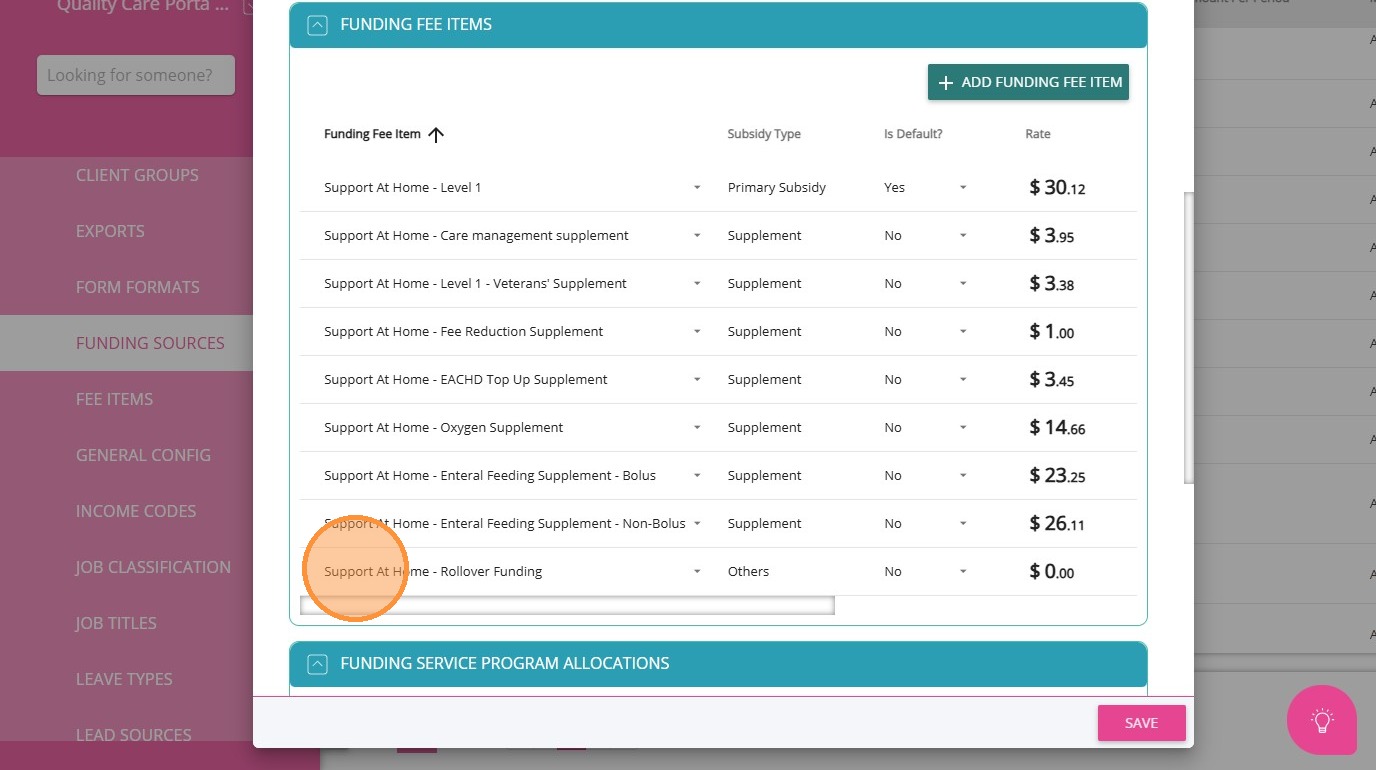
A new fee item, Support at Home - Rollover Funding, has been introduced to the following funding source templates:
Support At Home - HCP Transitional - Level 1 to Level 8
Support At Home - Level 1 to Level 8
This fee item allows the tracking and management of rollover funds under the Support at Home program. Find out more here.
Rollover funds are calculated when a quarter is closed, but only after the required processing timeframe has passed. This can be done using the Close Quarter button in the portal.
The system enforces a 60-day threshold from the end of the quarter, with an additional 2-day allowance. Rollover calculations will only occur after this period.
If you close a quarter before the threshold date, the system will prevent the action and display an error message.
The rollover amount is based on the participant’s Remaining Balance at the end of the quarter, with a cap applied depending on their budget. The rollover amount will be limited to: $1,000 or 10% of the participant’s quarterly budget (whichever is higher)
- If the remaining balance is less than or equal to $1000, then the full remaining amount rolls over.
- If the remaining balance is more than $1000, compare $1000 with 10% of the quarterly budget, and roll over whichever amount is higher.
Scenario 1 : Simple Rollover with One Funding Source
This scenario demonstrates a rollover process using a single eligible funding source. It shows how remaining balances are rolled over based on the rollover cap rule.
A participant has a single funding source: Support At Home – Level 1.
Step 1 : Review Existing Statements
Open the November and December statements and confirm the remaining balance at the end of the quarter. This balance will determine the rollover amount. See How to Generate SAH Statements.
Click the Finalize & Send Statement button to lock the period. The quarter cannot proceed to closure unless all periods are finalised.
Close the quarter using the Close Quarter action. The system will calculate the remaining Support At Home balance and apply the rollover rules.
Step 4: Verify Rolled-Over Funding
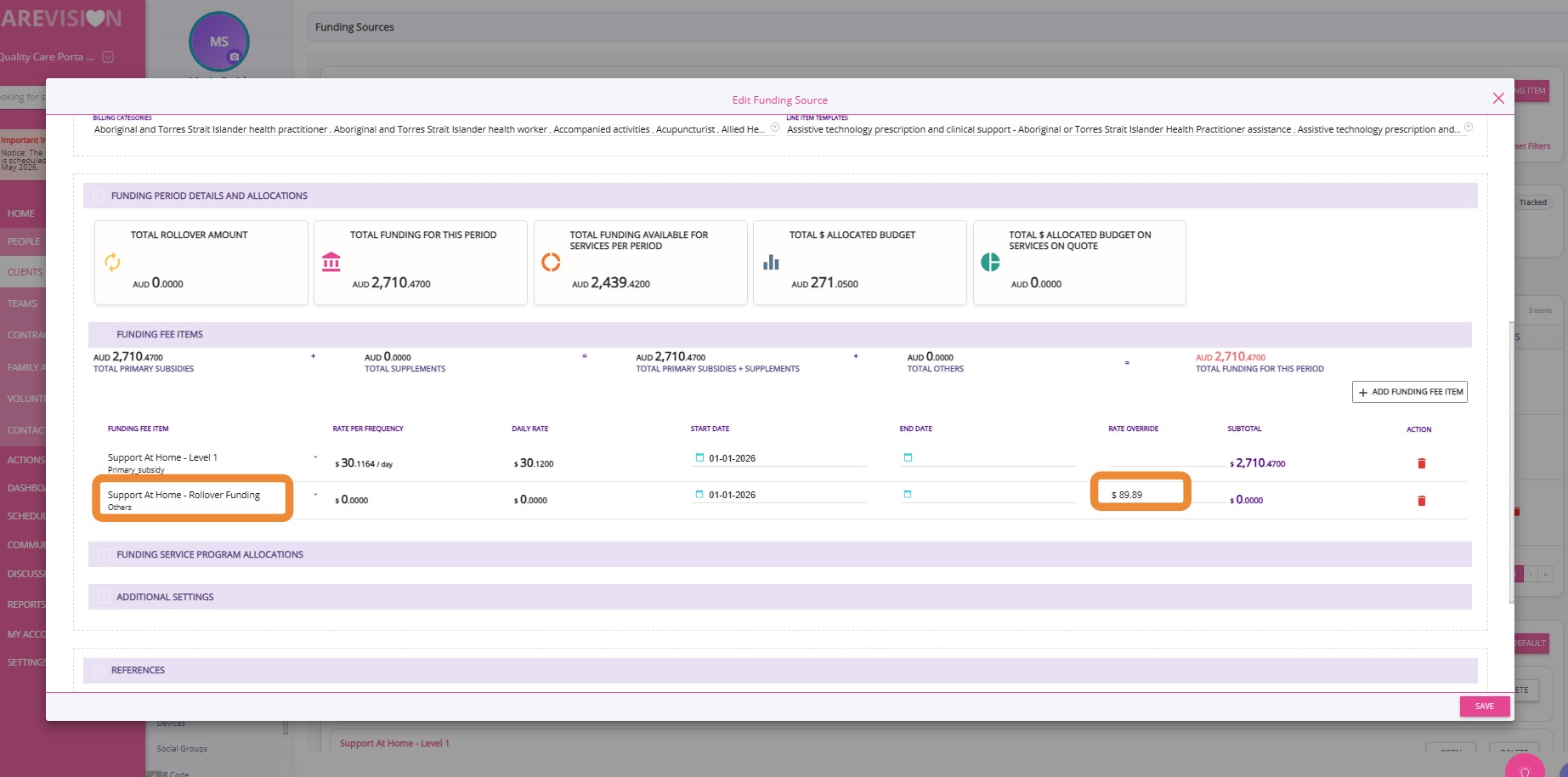
When you do a requote, the fee item associated with the rollover amount will automatically appear. The rollover amount is $89.89 because the rule applies: if the remaining balance is less than or equal to $1,000, the full remaining amount will roll over.
Step 5: Review January Statement
Confirm that the rollover amount appears in the January statement as Carry Over Funding From Past Periods.
Scenario 2: Assistive Technology Excluded
This scenario demonstrates that Assistive Technology funding is excluded from rollover calculations and only eligible Support At Home funding is considered.
A participant has two funding sources: Support At Home – Level 1 and Support At Home – Assistive Technology Low.
Review the November and December statements and confirm the remaining balances for each funding source, clearly identifying Assistive Technology funding. See How to Generate SAH Statements.
December
Click the Finalize & Send Statement button to lock the period. The quarter cannot proceed to closure unless all periods are finalised.
Close the quarter using the Close Quarter action. The system will calculate the remaining Support At Home balance and apply the rollover rules.
Step 4: Verify Rolled-Over Funding
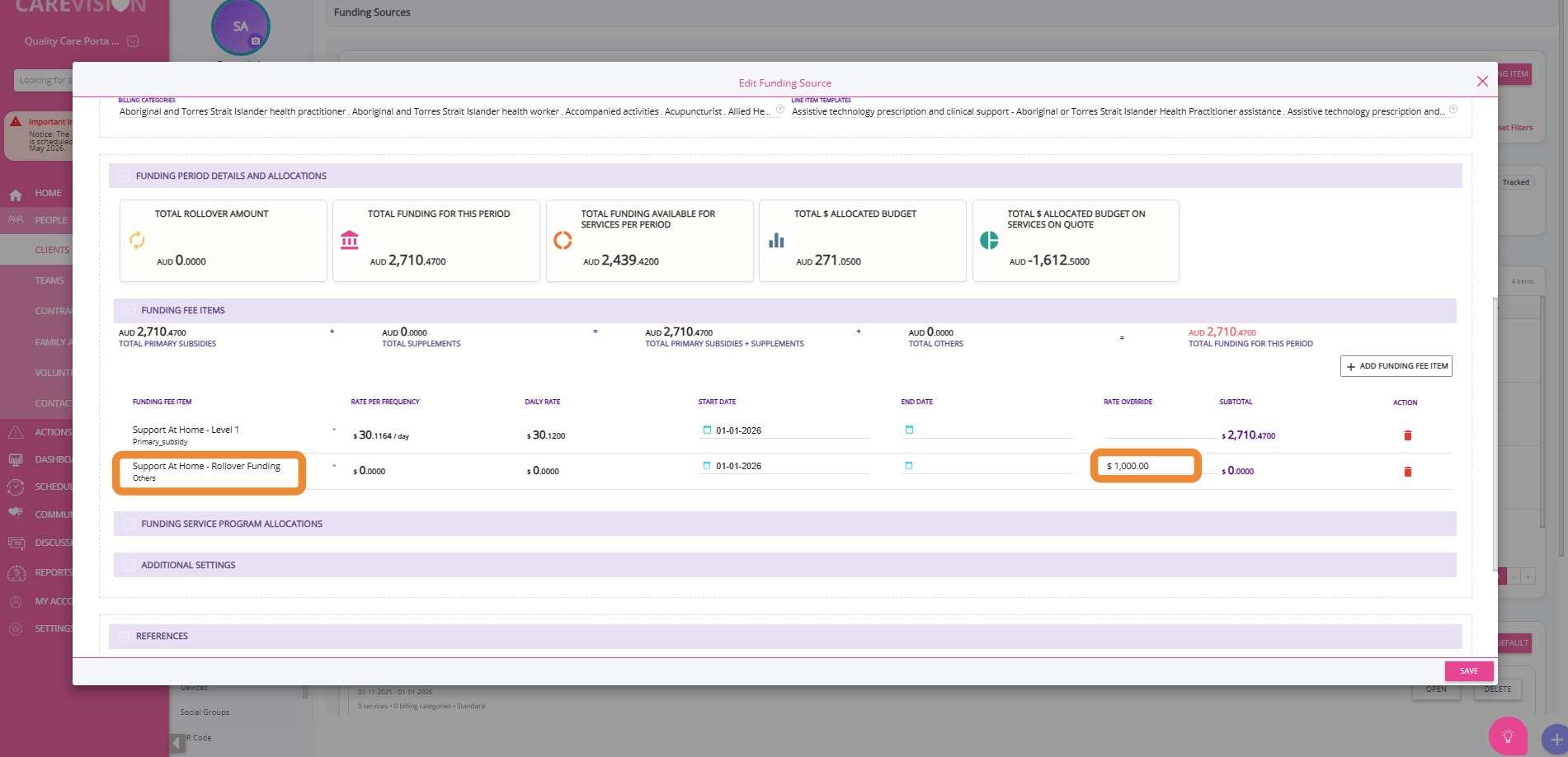
Confirm that a rollover entry is created only for the Level 1 funding source using the “Support at Home – Rollover Funding” fee item. No rollover should exist for Assistive Technology.
- In this case, the Support At Home (SAH) balance is $1,837.10. Ten percent of the quarterly budget is $183.71.
- And the remaining balance is $1,550.61. As this amount exceeds $1,000, the cap rule applies. The system will again compare $1,000 with 10% of the quarterly budget and roll over the higher value.
- Since $1,000 is higher than $183.71, the rollover amount is capped at $1,000.
Step 5: Review January Statement
Verify that rollover appears only for eligible funding and that Assistive Technology funding is not included.
Scenario 3: Funding Level Change Mid-Quarter
This scenario demonstrates that rollover is applied only to the original eligible funding source when funding levels change mid-quarter, and does not transfer to upgraded funding.
A participant has the following funding sources:
SAH Level 1 from November 1 to January 1
SAH Level 1 from January 1 to January 15
SAH Level 2 from January 16 to April 1
Review November and December statements and confirm the remaining balance associated with the Level 1 funding periods. See How to Generate SAH Statements.
December
Click the Finalize & Send Statement button to lock the period. The quarter cannot proceed to closure unless all periods are finalised.
Close the quarter using the Close Quarter action. The system will calculate the remaining Support At Home balance and apply the rollover rules.
Step 4: Verify Rolled-Over Funding
Confirm that the rollover is created using the “Support at Home – Rollover Funding” fee item and is linked to the original Level 1 funding source. The rollover amount is $960.17 because the rule applies: if the remaining balance is less than or equal to $1,000, the full remaining amount will roll over.
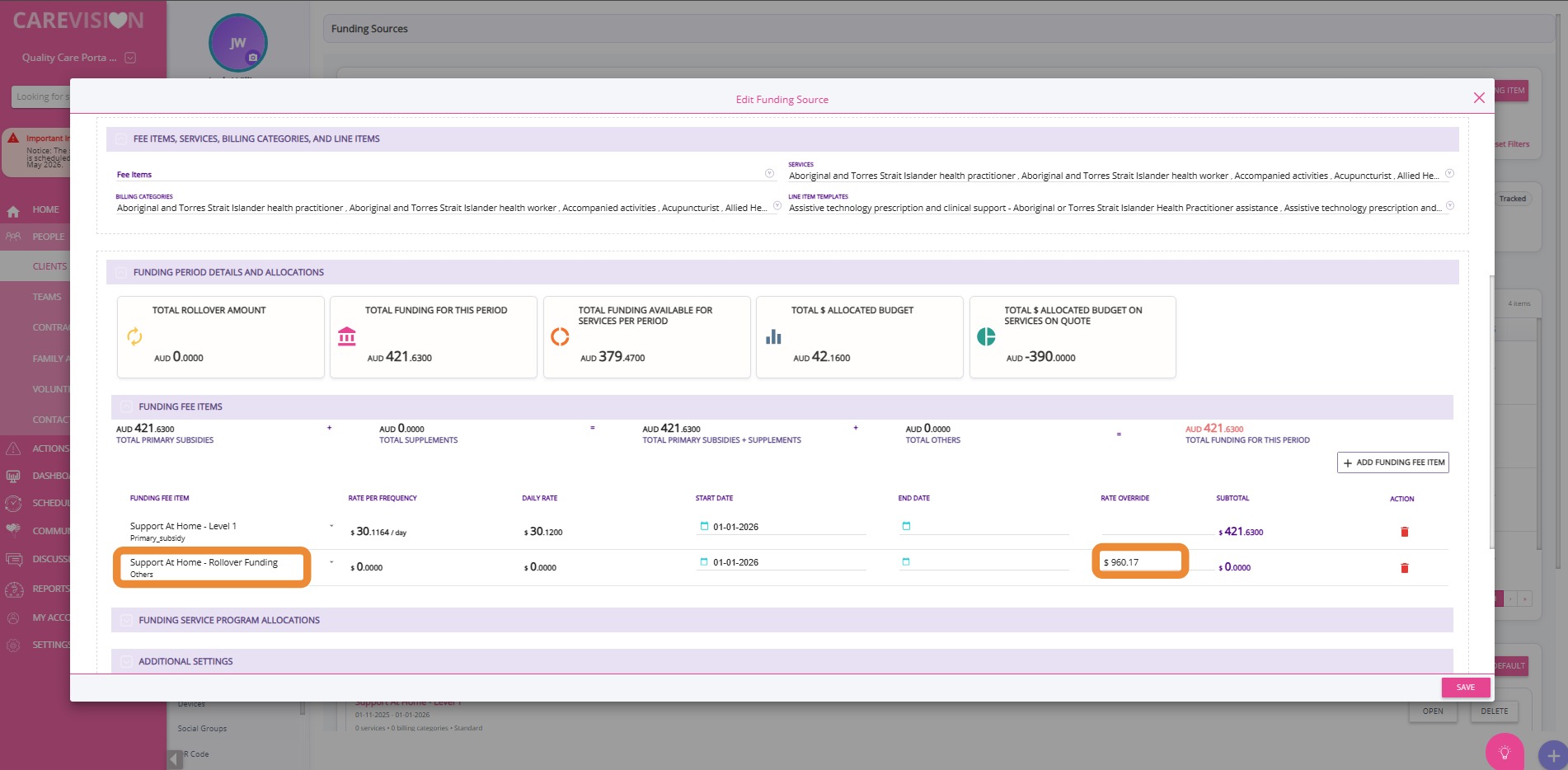
Verify that the rollover appears correctly and remains associated with Level 1 funding.
If a participant has upgraded funding, the rollover will not be applied to the new funding level.
The system preserves the original funding source for rollover tracking and audit purposes.