FAQ: DEX Stage 3 Changes - CHSP Reporting
DEX Stage 3 introduces new CHSP reporting requirements from July 2026. The department is finalising updates after testing, with the new format scheduled to go live on 11 August 2026.
Q: Do we need to configure anything in CareVision?
A: Major system configuration is not required. However, providers must understand how each reporting element is captured in CareVision and follow the correct data-entry processes and workflows.
Q: What are the key new data requirements?
Stage 3 Changes at a Glance
Q: How do these fields translate into CareVision?
A: Refer to the checklist below for guidance on capturing DEX Stage 3 data in CareVision.
Checklist for Capturing DEX Stage 3 Data in CareVision
Client MAC ID
Client MAC ID
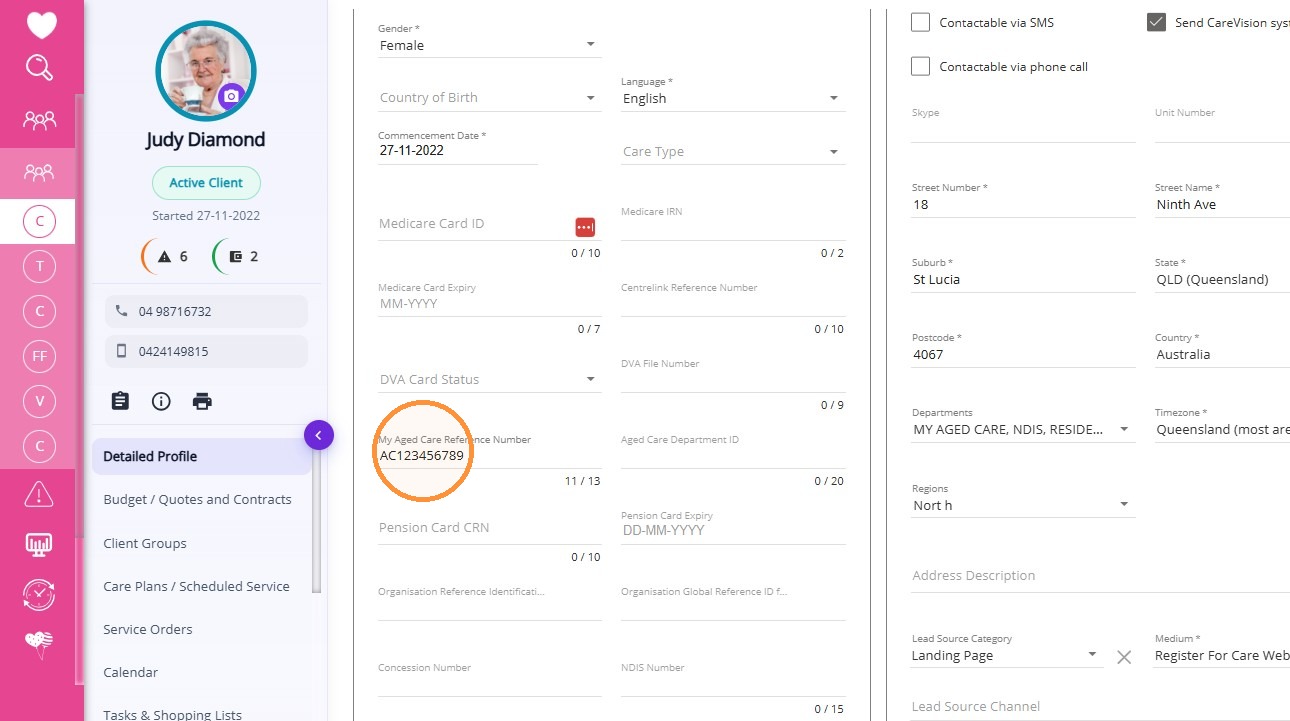
This reporting element records the client’s My Aged Care ID (MAC ID), which is mandatory for DEX reporting by all providers.
CareVision capture method
Recorded in Client Profile > My Aged Care Reference Number. Enter the MAC ID in the required format: AC followed by 8 digits.
Recorded in Client Profile > My Aged Care Reference Number. Enter the MAC ID in the required format: AC followed by 8 digits.
 Note: Do not leave this field blank. If the MAC ID is missing or incorrect, the client’s remaining service information may not flow correctly into the DEX file.
Session Delivered by a Subcontractor
Session Delivered by a Subcontractor
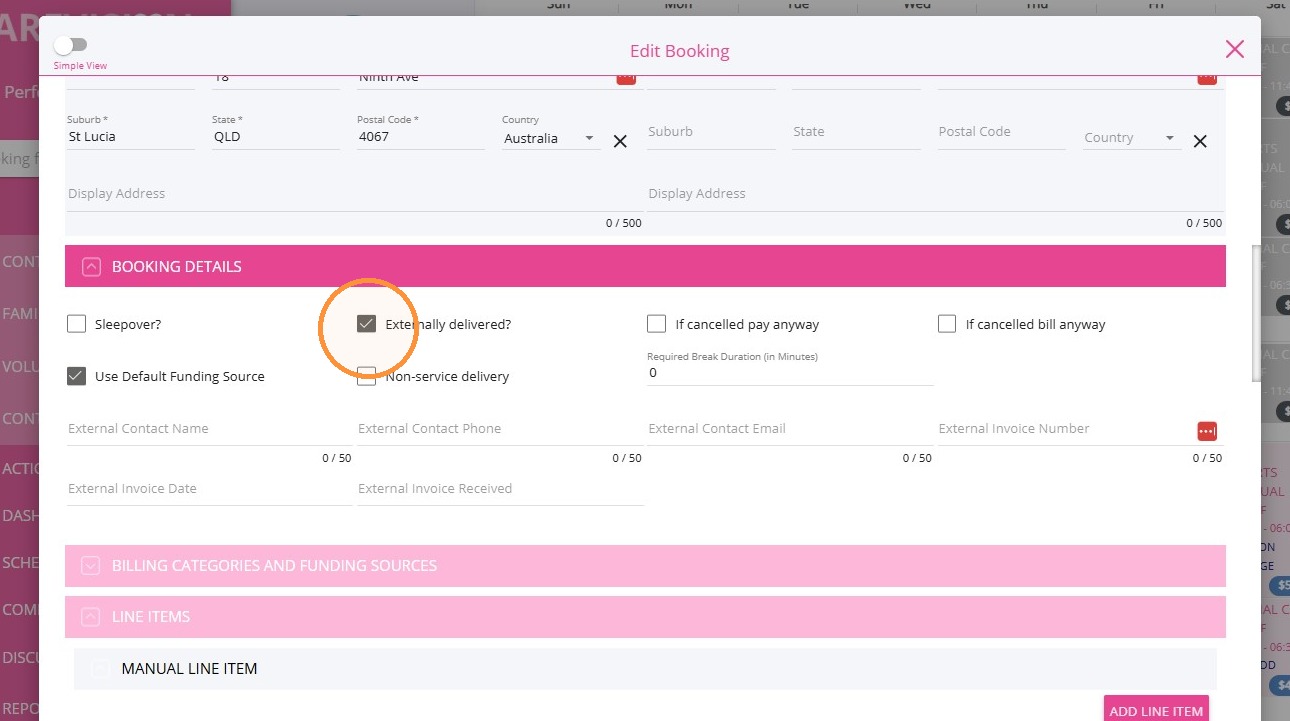
This field identifies whether a session was delivered under a subcontracting arrangement.
CareVision capture method
Select the Externally Delivered checkbox on the booking.
Volunteer Involvement
Volunteer Involvement
This field identifies whether a session was delivered predominantly to the client by a volunteer. It also applies to a group session led by a trained staff member where volunteers support clients to participate in activities.
CareVision capture method
Select the Volunteer Involved checkbox on the booking. Availability is restricted according to Ref 3.
Does not apply to:
• Allied health and therapy services
• Equipment and products
• Nursing care
• Personal care
• Therapeutic services for independent living
• Allied health and therapy services
• Equipment and products
• Nursing care
• Personal care
• Therapeutic services for independent living
Session Location
Session Location
This field identifies whether a session was delivered at Home or in the Community for services that may be provided in different locations. It replaces the At home / At centre service subtypes previously used to report against the Meals service type under earlier CHSP Funding Agreements.
CareVision capture method
Select the location from the booking dropdown. The default is Home. For a Social Group Event, the default is Community.
If no specific location is selected, CareVision will use the default configured against the billing category.
Order of precedence
- Location selected for the individual booking, care plan item or quote
- Default location configured against the billing category
Overnight Service
Overnight Service
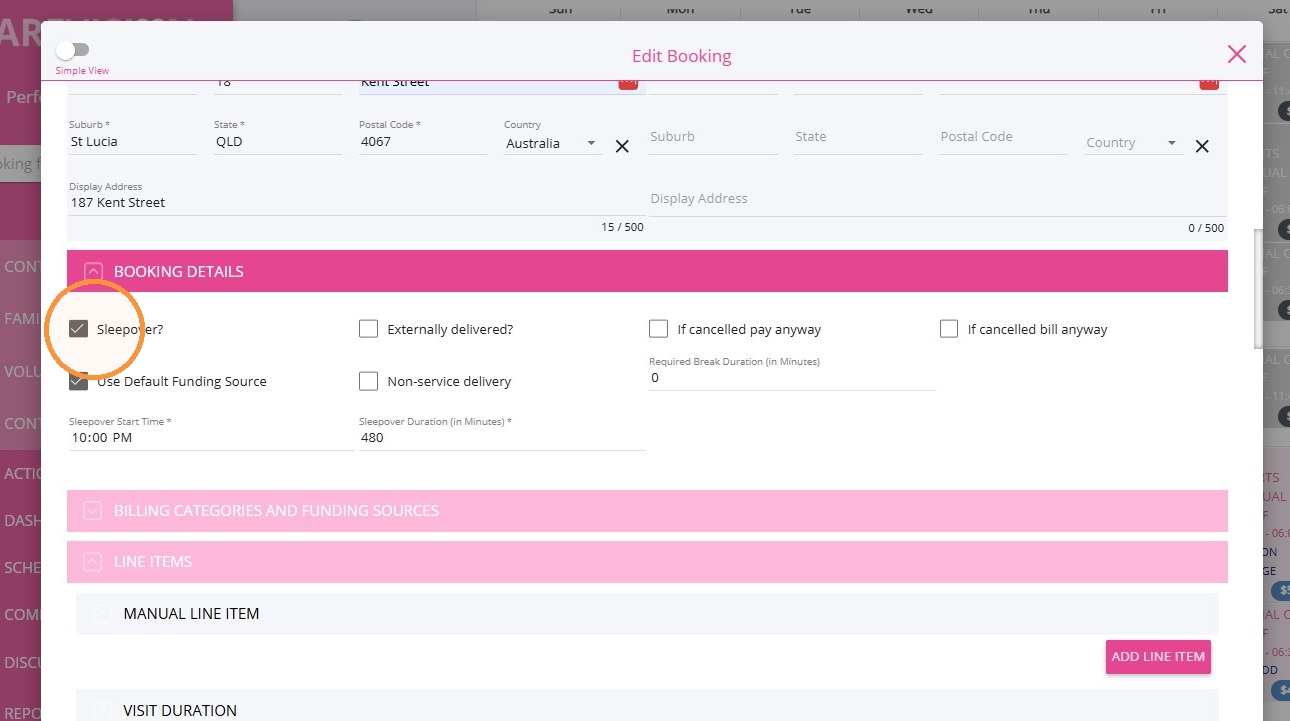
This field identifies whether a session included overnight attendance at the client’s home.
CareVision capture method
Determined from the booking’s start time and duration when the shift extends past midnight.
Meals Provided
Meals Provided
This field identifies whether meals were provided during a respite session. Add the relevant Meal Line Item Templates to the booking.
What You Need to Do
Please make sure your organisation’s Meal Line Item Templates are configured according to the guidance provided last year. See the Config Workbook for more information about the configuration setup.
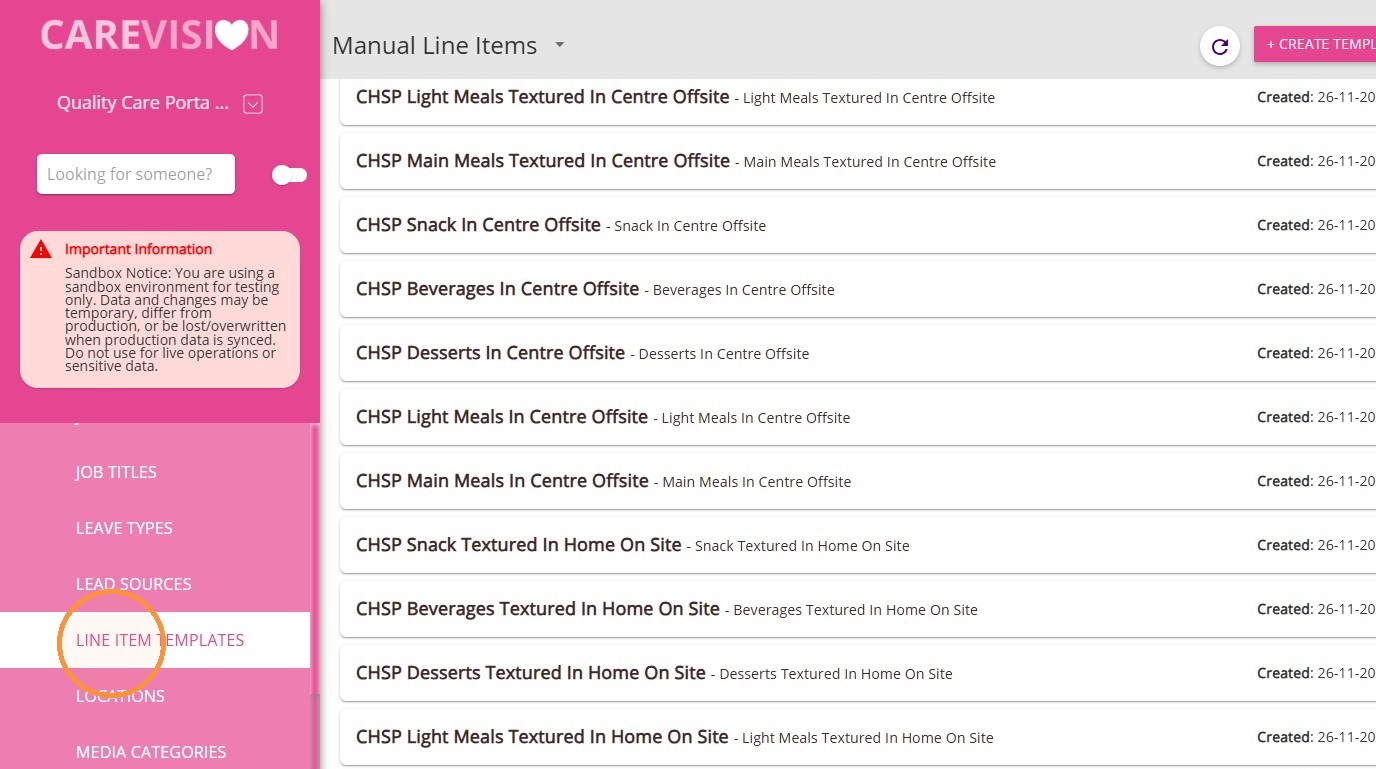
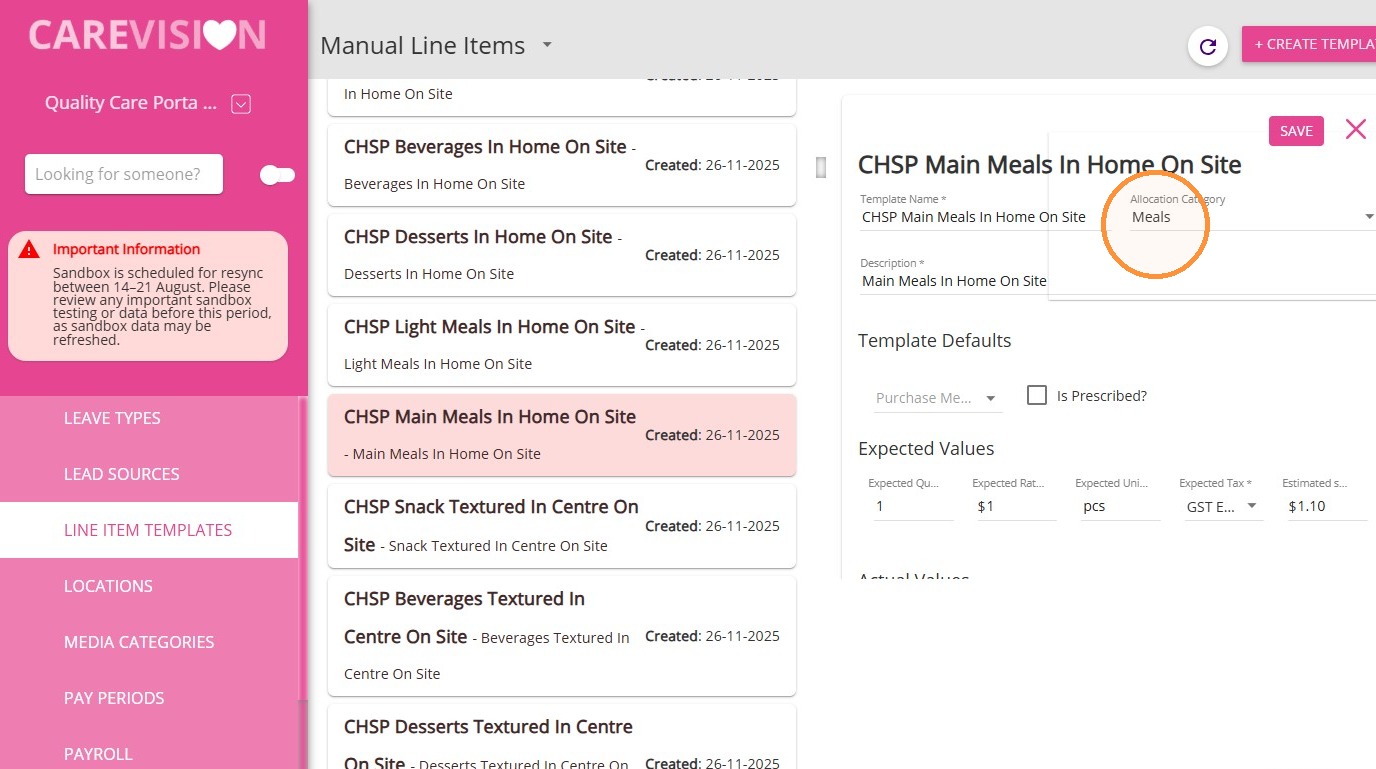
If they have not yet been set up, CareVision will update the CHSP Line Item Templates for Meals in preparation for the 11 August rollout. See the sample below.
Allocation Category
CareVision will also add a “Meals” Allocation Category to the templates in your Head Office.
Review Reference Codes
Review all template details and reference codes to ensure they are correct.
Relevant reference codes:
- Ref 41 – CHSP DEX Meals Provided
- Ref 42 – CHSP DEX Texture Modified Items
- Ref 43 – CHSP DEX Meal Type Fields
- Ref 44 – CHSP DEX Meals Cooked Offsite
References
Texture Modified Items
Texture Modified Items
This field identifies whether a meal was prepared using a different method to modify its consistency for a specific dietary need.
What You Need to Do
Please make sure your organisation’s Meal Line Item Templates are configured according to the guidance provided last year. See the Config Workbook for more information about the configuration setup.
If they have not yet been set up, CareVision will update the CHSP Line Item Templates for Meals in preparation for the 11 August rollout. See the sample below.
Allocation Category
CareVision will also add a “Meals” Allocation Category to the templates in your Head Office.
Review Reference Codes
Review all template details and reference codes to ensure they are correct.
Relevant reference codes:
- Ref 41 – CHSP DEX Meals Provided
- Ref 42 – CHSP DEX Texture Modified Items
- Ref 43 – CHSP DEX Meal Type Fields
- Ref 44 – CHSP DEX Meals Cooked Offsite
References
Meal Type Fields
Meal Type Fields
This reporting element records variations in the types of meals delivered by a funded organisation during a reporting period. Available meal types are Main Meal, Light Meal, Dessert, Beverage, and Snack.
What You Need to Do
- Add the relevant Line Item Templates to the booking. Record each meal type and quantity separately. Not required when Meals Provided is No.
- Please make sure your organisation’s Meal Line Item Templates are configured according to the guidance provided last year. See the Config Workbook for more information about the configuration setup.
If they have not yet been set up, CareVision will update the CHSP Line Item Templates for Meals in preparation for the 11 August rollout. See the sample below.
Allocation Category
CareVision will also add a “Meals” Allocation Category to the templates in your Head Office.
Review Reference Codes
Review all template details and reference codes to ensure they are correct.
Relevant reference codes:
- Ref 41 – CHSP DEX Meals Provided
- Ref 42 – CHSP DEX Texture Modified Items
- Ref 43 – CHSP DEX Meal Type Fields
- Ref 44 – CHSP DEX Meals Cooked Offsite
References
Meal Cooked Off Site
Meal Cooked Off Site
This field identifies whether meals were prepared away from the funded organisation’s own premises.
What You Need to Do
- Add the relevant Line Item Templates to the booking. Not required when Meals Provided is No.
- Please make sure your organisation’s Meal Line Item Templates are configured according to the guidance provided last year. See the Config Workbook for more information about the configuration setup.
If they have not yet been set up, CareVision will update the CHSP Line Item Templates for Meals in preparation for the 11 August rollout. See the sample below.
Allocation Category
CareVision will also add a “Meals” Allocation Category to the templates in your Head Office.
Review Reference Codes
Review all template details and reference codes to ensure they are correct.
Relevant reference codes:
- Ref 41 – CHSP DEX Meals Provided
- Ref 42 – CHSP DEX Texture Modified Items
- Ref 43 – CHSP DEX Meal Type Fields
- Ref 44 – CHSP DEX Meals Cooked Offsite
References
Engagement Time Spent with Client
Engagement Time Spent with Client
This field records, in minutes, time spent building connection and trust with the client through interactions with workers or volunteers, in addition to delivering the service.
What is recorded
The number of minutes spent actively engaging or interacting with the client during the service. This is not necessarily the same as the total booking duration.
Examples include:
- Talking with the client while delivering a meal
- Assisting the client with a meal
- Conducting a check-in
- Interacting with the client during transport
CareVision capture method
Note: The ability to record engagement minutes on bookings will be introduced and is pending release.
Actions
- Define what the organisation considers active client engagement.
- Decide which worker or team will be responsible for recording the minutes.
- Determine how workers will measure engagement separately from total service time.
- Develop a process for third-party and subcontracted services.
- Decide whether approved default values would be appropriate for repeatable service types.
Trip Distance
Trip Distance
This field records, in kilometres, the distance travelled from the agreed pick-up location to the agreed destination. For a group trip, it includes travel from the first pick-up point through any additional pick-up points to the agreed destination.
CareVision capture method
Recorded in Distance Travelled with Client (Distance).
 For more information, see Track Travel in a Booking.
Trip Travel Time
Trip Travel Time
This field records, in hours and minutes, the travel time from the agreed pick-up location to the agreed destination. For a group trip, it includes travel from the first pick-up point through any additional pick-up points to the agreed destination.
CareVision capture method
Recorded in Distance Travelled with Client (Time).
For more information, see Track Travel in a Booking.
Gender Identity Requirements
This reporting element records the client’s gender in accordance with the standard data definitions developed by the Australian Bureau of Statistics (ABS).
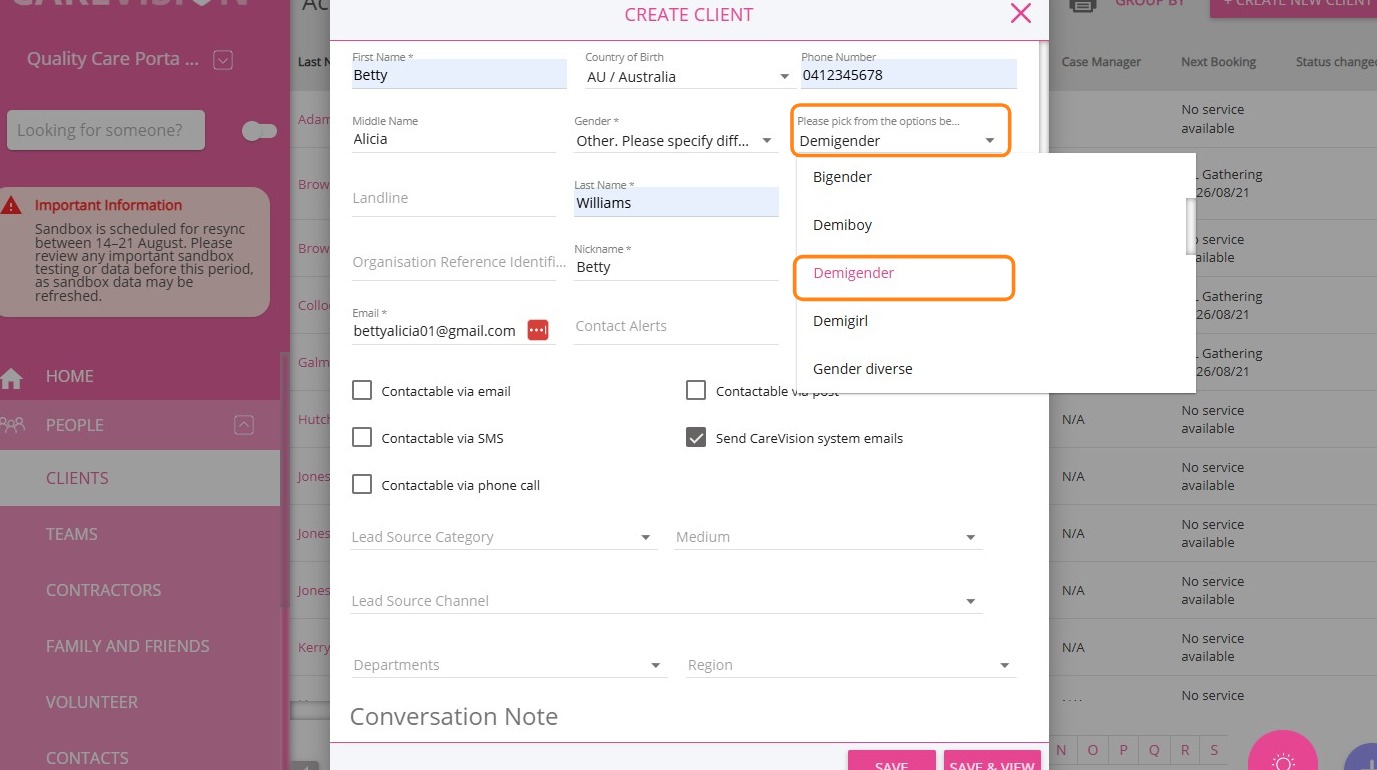
CareVision will support additional gender identity options in client profiles to meet the updated DEX requirements.
Updated Gender Field
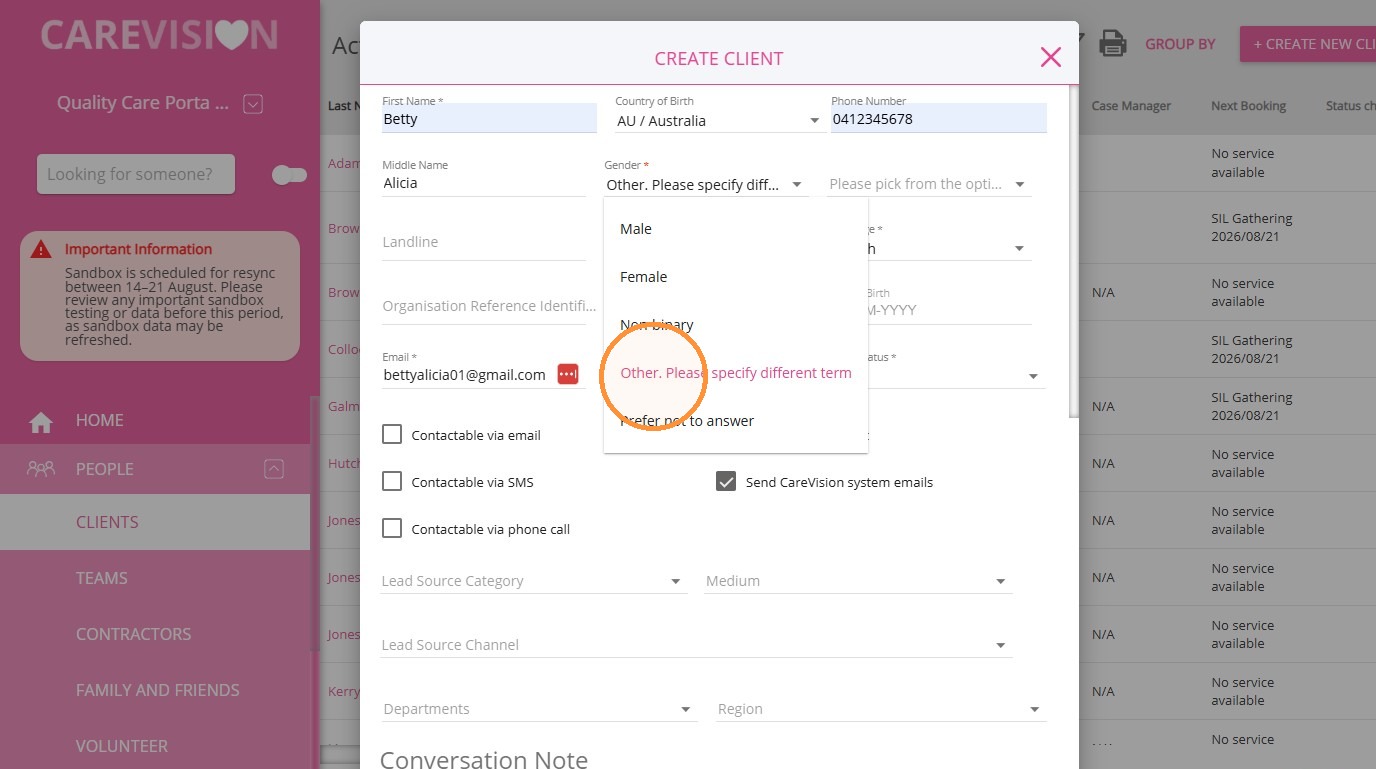
The Other option in the Gender field is now supported, allowing you to specify a person’s gender identity.
- In the Gender field, select Other, Please specify different term
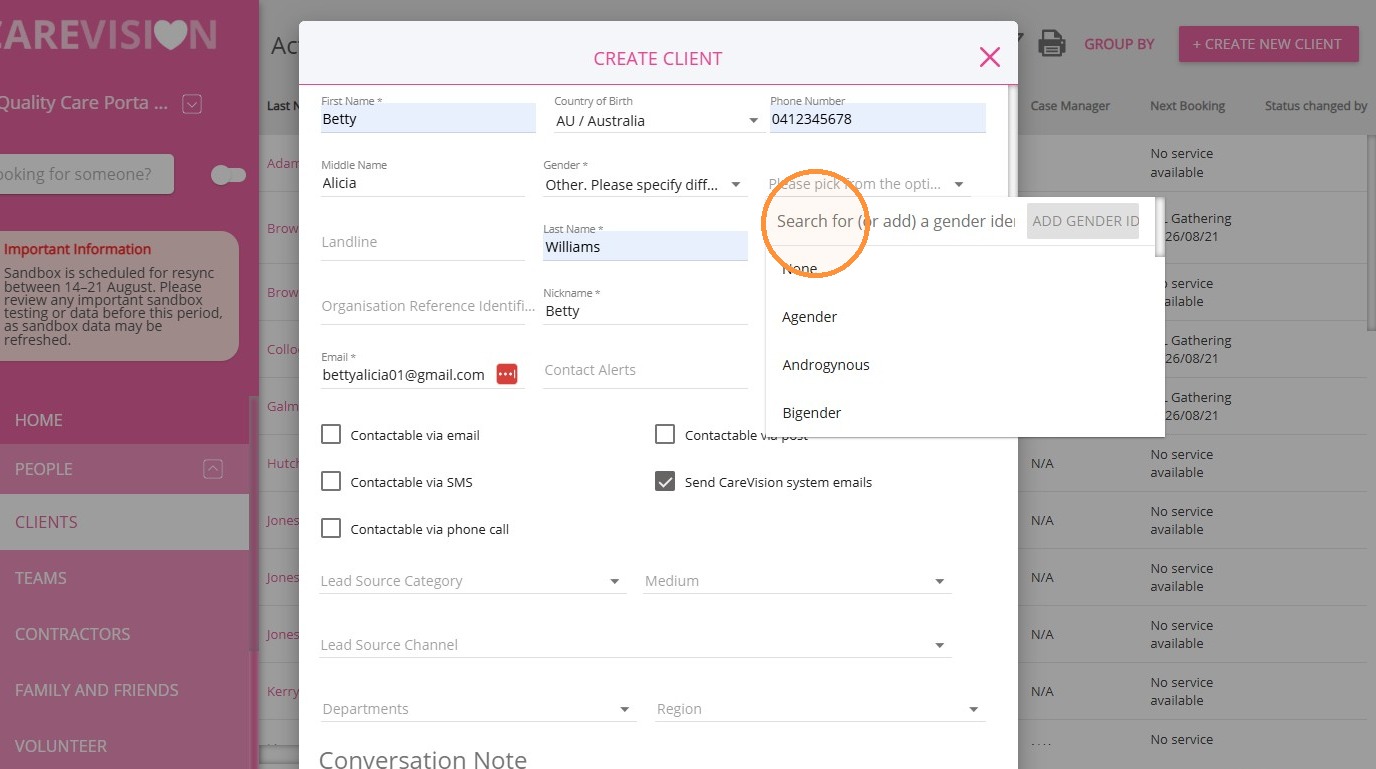
- Use the field on the right to search for an existing gender identity.
- If the gender identity is not available, click Add Gender ID to create it.
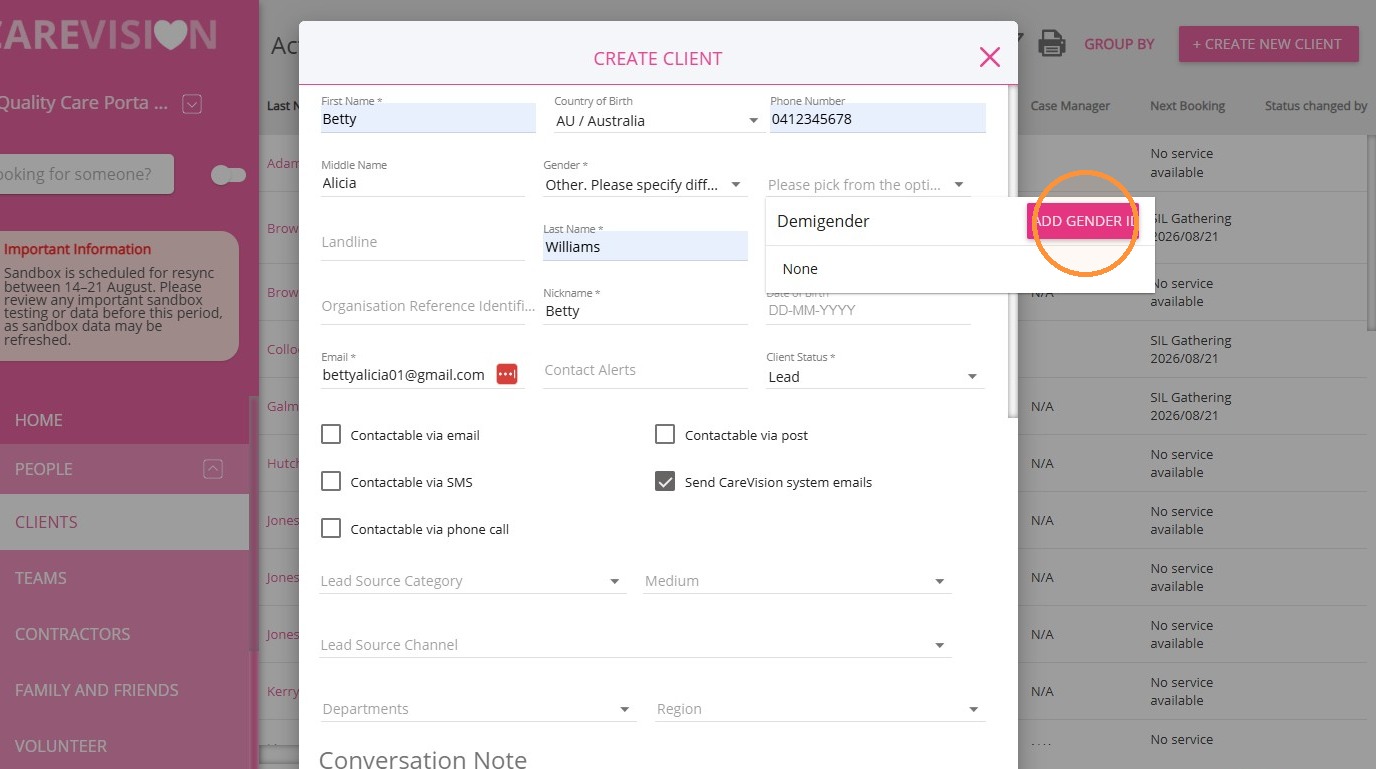
- Once added, the gender identity will appear in the field and be available for future selection.
For more information about DEX Stage 3 changes, contact the CareVision Support Team.