Managing Gap Payments When Client Funding Is Exhausted
Q: How do we manage clients whose funding has been exhausted or is insufficient, and who have agreed to pay the remaining balance privately?
A: In CareVision, you don’t need to create a separate “private” profile for the client. Instead, you can manage this by adding two funding sources to the same client profile and using variance transactions to track any shortfalls.
Add two funding sources to the client:
- Their main funding (Example: SAH)
- A private (self-funded) funding source
When services are delivered, charges can be split based on the available funding and what the client has agreed to pay.
Q: What are variance transactions and why are they important?
A: Variance transactions show the difference between what was expected to be covered and what was actually paid.
They are important because they help you:
- Identify gaps where funding did not fully cover a service (based on Hours/Units × Rate columns)
- Highlight any remaining amount that needs to be paid privately
We recommend regularly reviewing variance transactions to track billing gaps and keep all services accurately claimed.
Steps to download variance transactions:
- Go to Actions > Claims Management
- Select and click on the relevant Claim ID
- Once the claim is finalized, locate the Status and Actions column
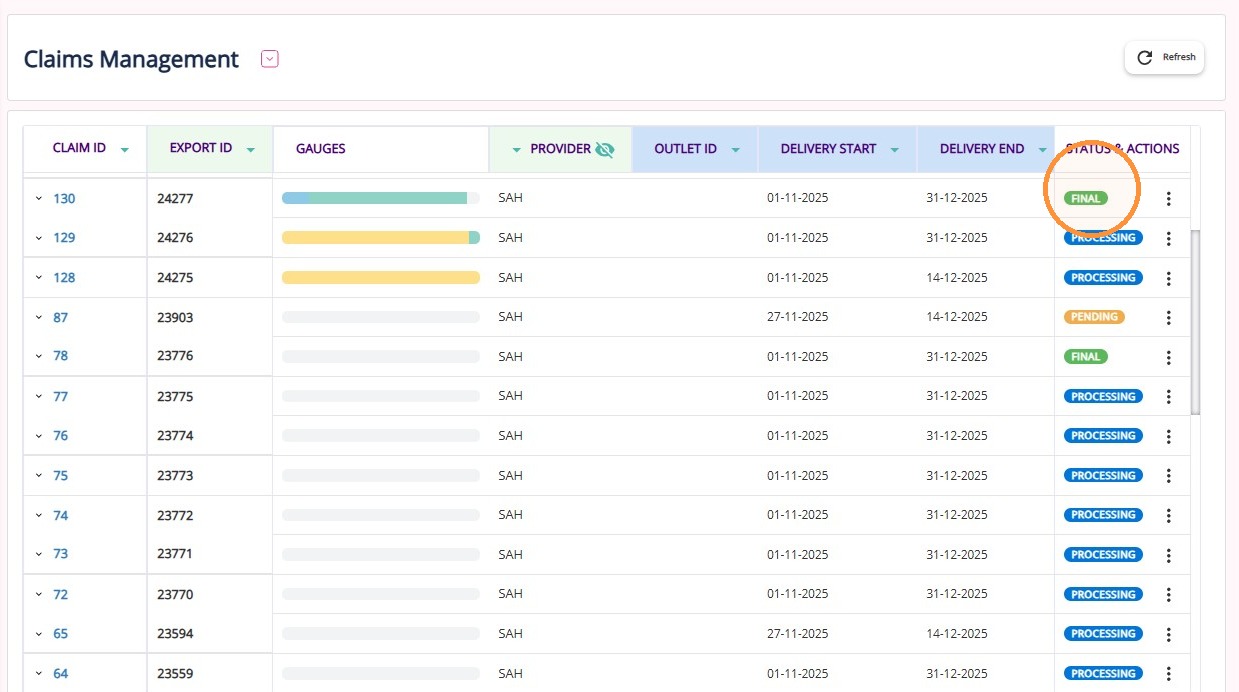
- Click Download Invoice File
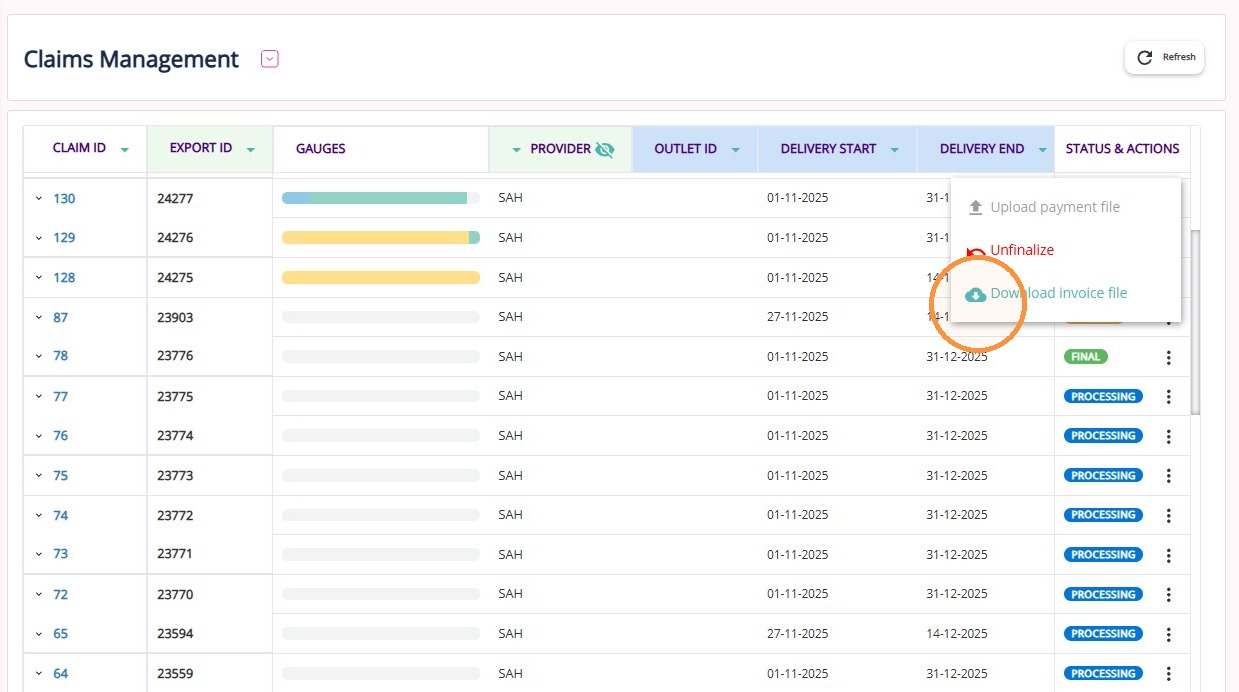
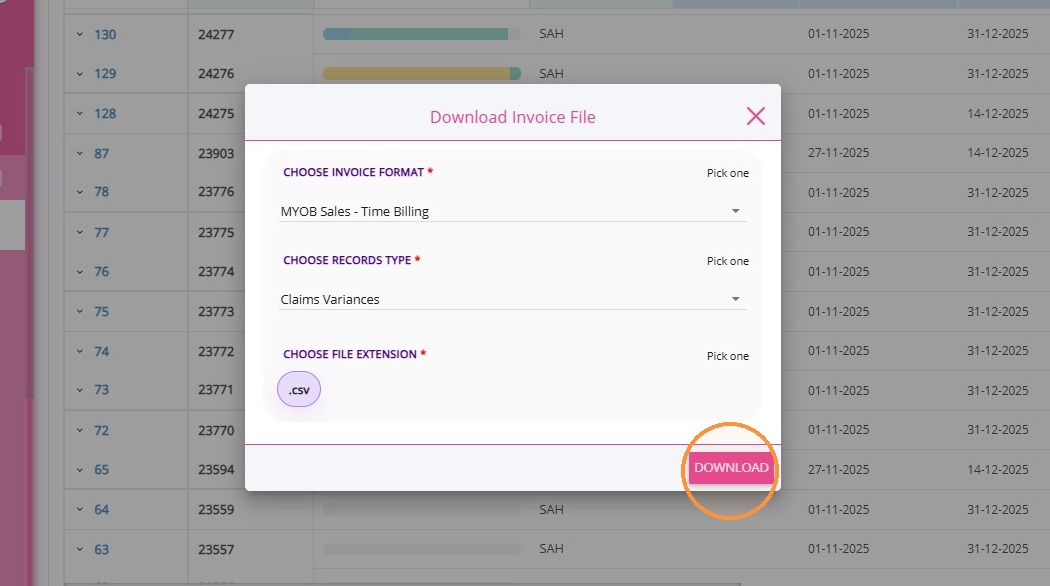
- Choose your preferred Invoice Format
- In the Choose Records Type field, select Claims Variances
- Choose CSV as the file format
- Click Download
Note:
Variance transactions include two types of items:
- Accepted items: Where the payment determination is less than the claimed amount. The difference will appear in the variance file.
- Dispute and exclude items: These usually have a $0 payment. They won’t appear on the SAH statement and should be managed using the variance file. If appropriate arrangements are in place, organisations may bill these amounts to the client privately.