Generate Meal and Transport Documents for Social Group Events
This topic explains how to generate the Meals Delivery and Transport Run documents for social group events. This helps support accurate meal preparation and transport coordination for social group events.
Keywords: social group events, meal delivery document, transport run document, generate event documents, client transport details, event attendance management, dietary requirements report, transport planning document, community event documentation
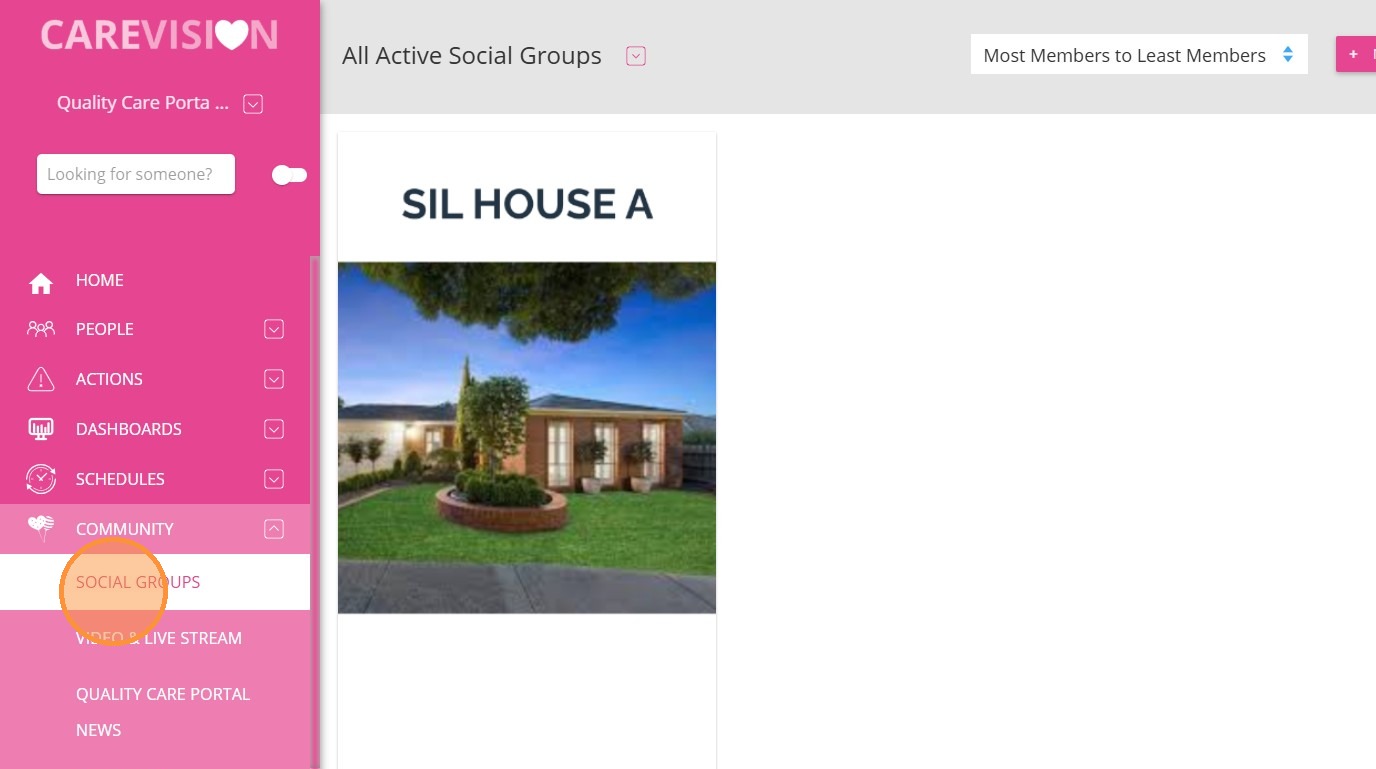
1. Go to Community > Social Groups and select a social group.
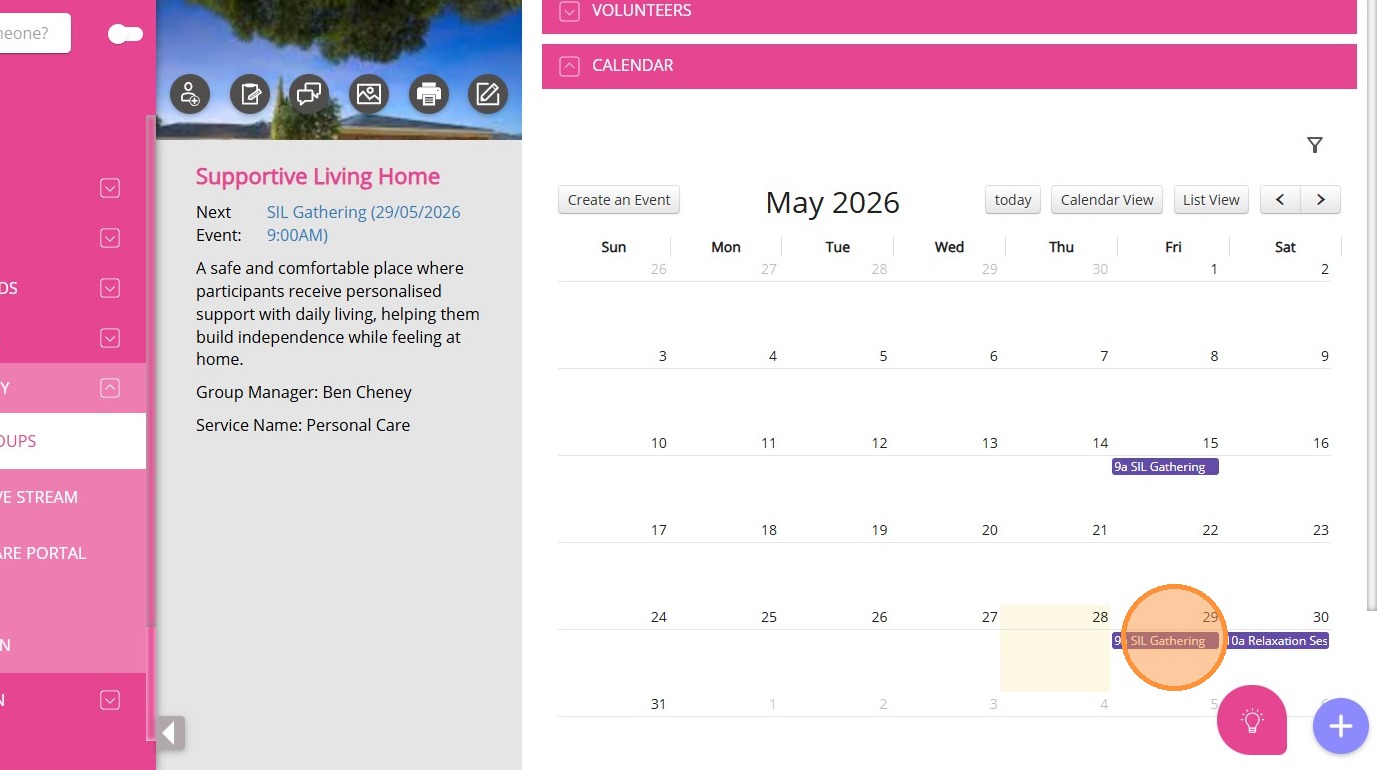
2. Click on a published event.
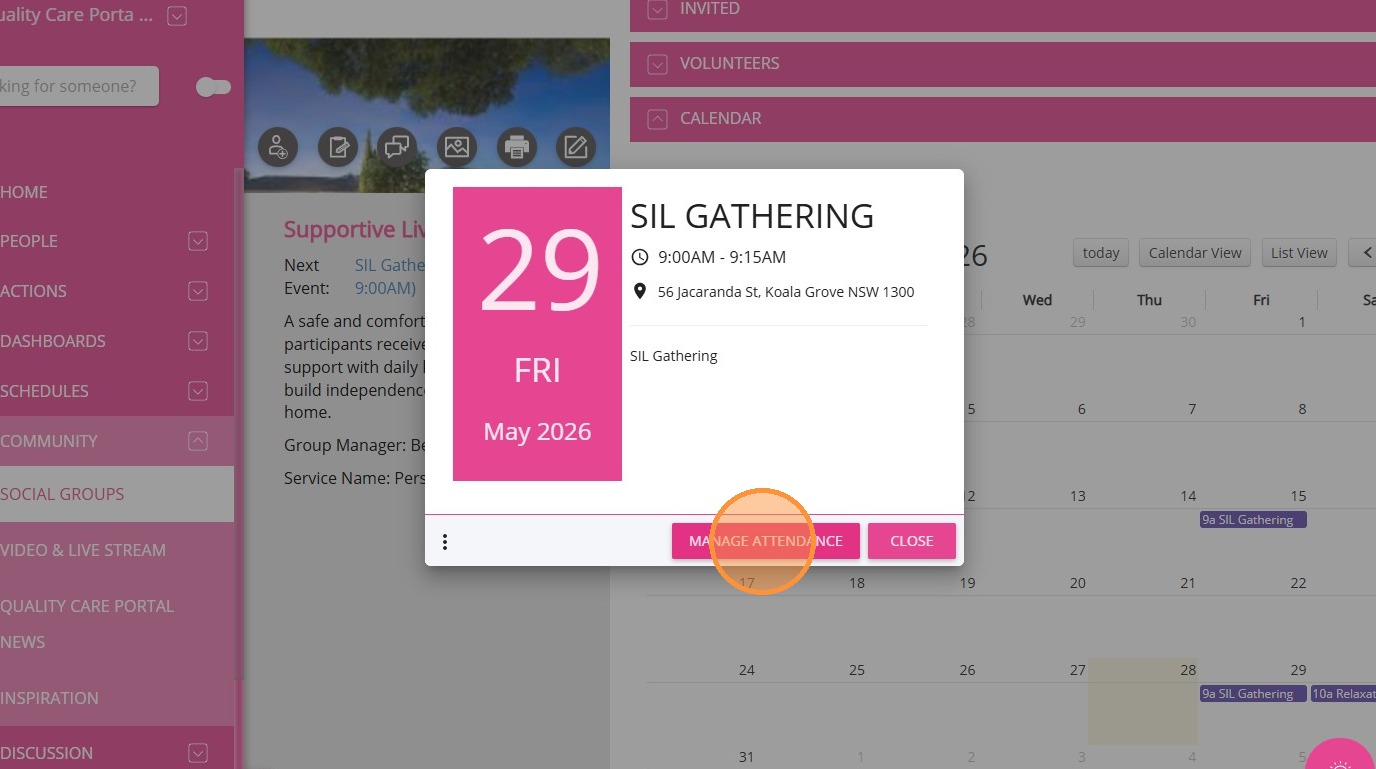
3. Select Manage Attendance.
Printing Options
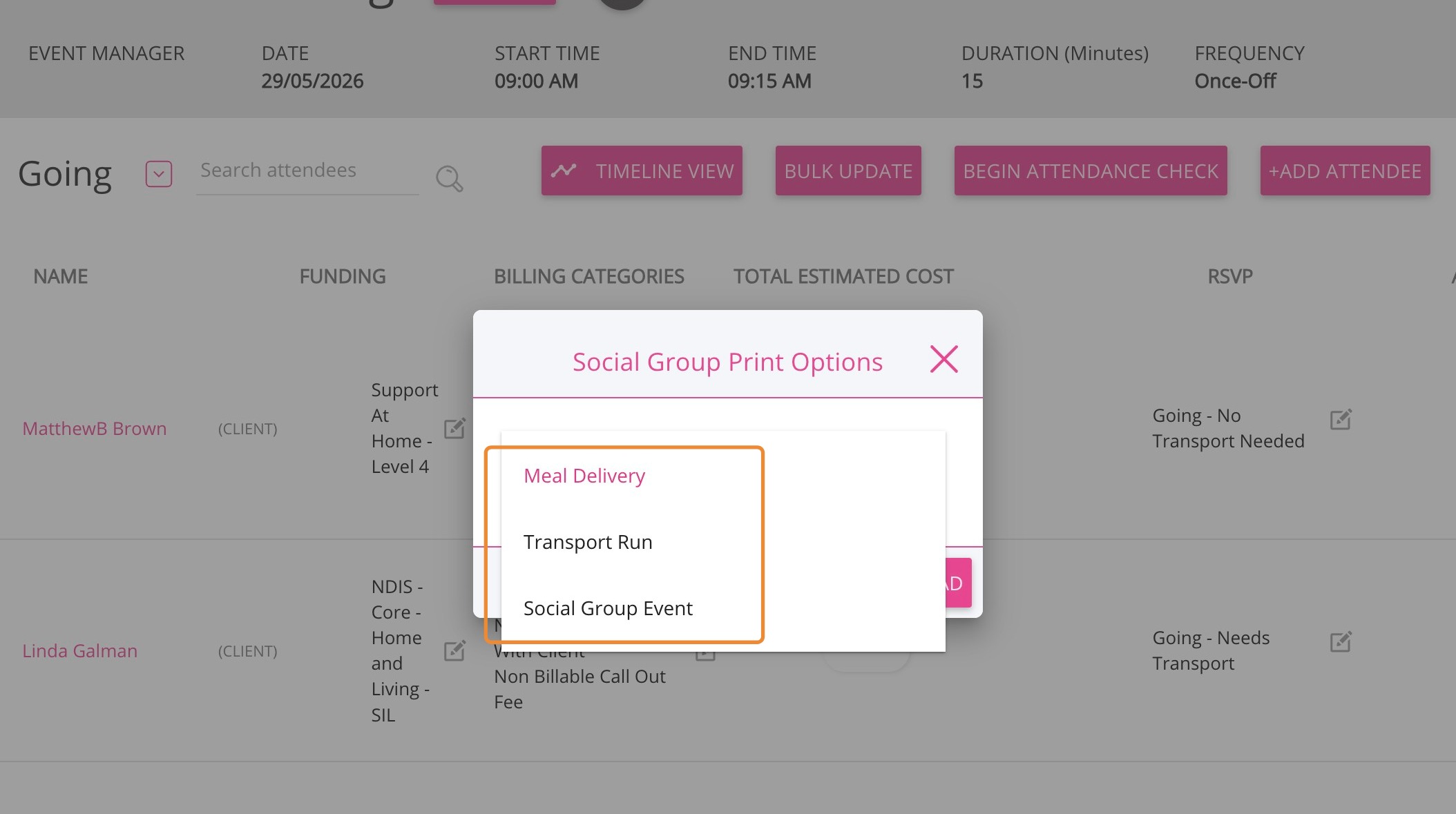
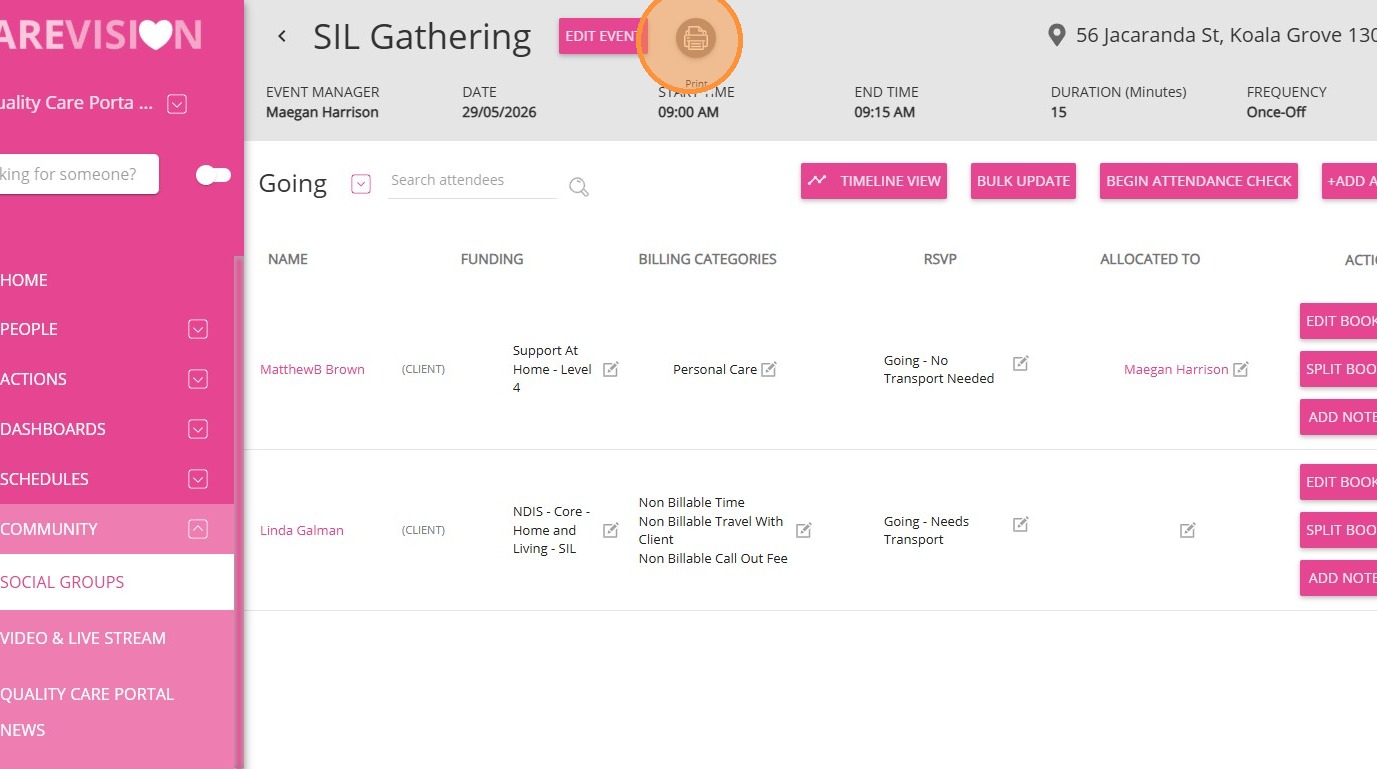
1. Click the Print icon next to Edit Event.
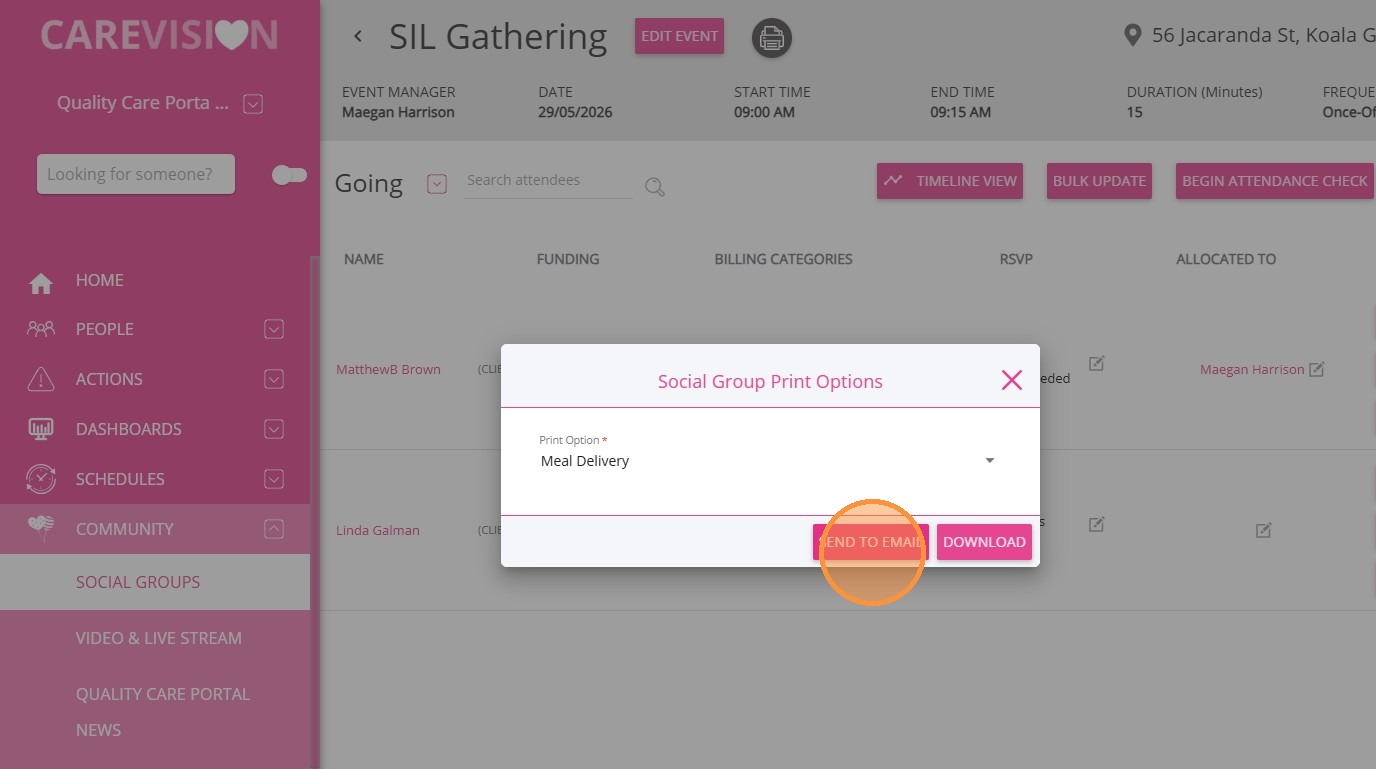
2. In the Print Option field, select either Meals Delivery or Transport Run.
Note: Make sure your organisation has a logo uploaded to avoid errors when downloading the print file.
3. Click Send to Email to send the document to the event manager
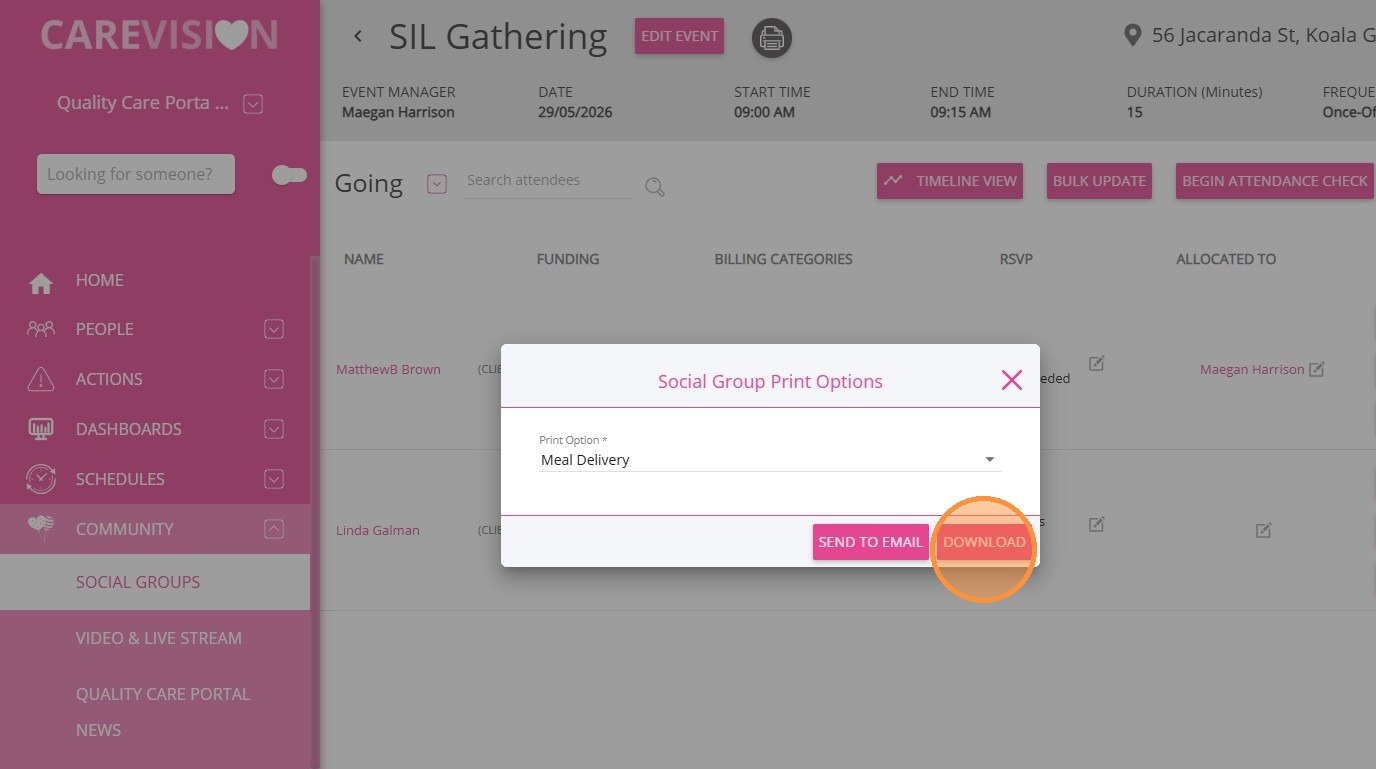
4. Click Download to save the document as a PDF.
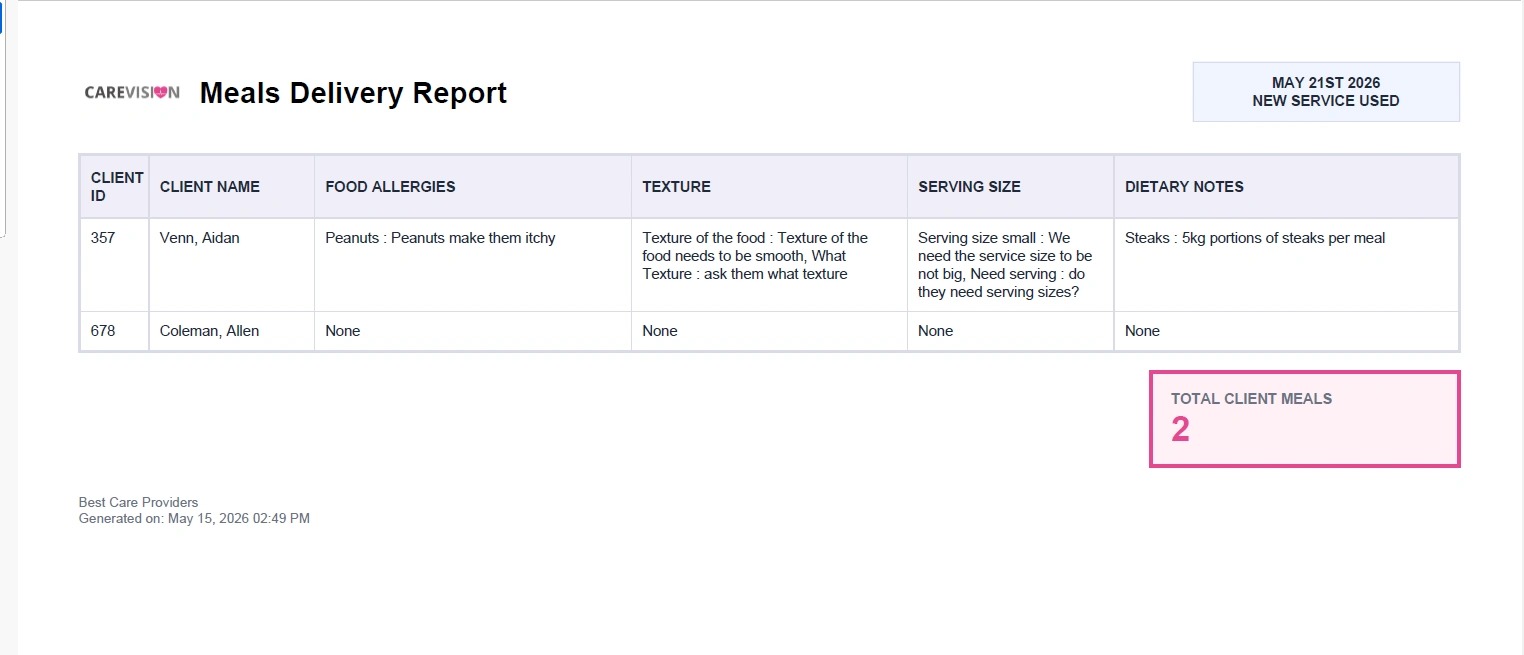
Sample Meals Delivery Report
This document provides details to support meal preparation and delivery for participants. The system pulls information from the Allergies and Special Dietary Requirements section of the client profile.
The report includes:
- Client ID and name
- Food allergies
- Texture requirements
- Serving size
- Dietary notes
| Column | Source | Logic / Rules |
| Client ID | User ID in CareVision | Direct field mapping |
| Client Name | Client Profile (Detailed Profile) | Format as: Last Name, First Name |
| Food Allergies | Allergies and Special Dietary Requirements | Include all entries classified as allergies or dietary requirements, formatted as comma-separated values |
| Texture | Allergies and Special Dietary Requirements | Include only entries where the dietary requirement name exactly matches or contains the keyword "Texture" |
| Serving Size | Allergies and Special Dietary Requirements | Include only entries where the dietary requirement name exactly matches or contains the keyword "Serving Size" |
| Dietary Notes | Allergies and Special Dietary Requirements + Client Groups | Include all dietary requirement entries excluding those identified as "Texture" or "Serving Size" + append Meal Requirements Client Group Notes |
Sample Transport Report Document
The Transport Run document outlines participant transport arrangements for the event. It accounts for participants who require transport and those who do not.
It includes:
- Event address
- Client ID and name
- Pickup and drop-off details
- Contact information (telephone and mobile)
- Alerts and mobility type
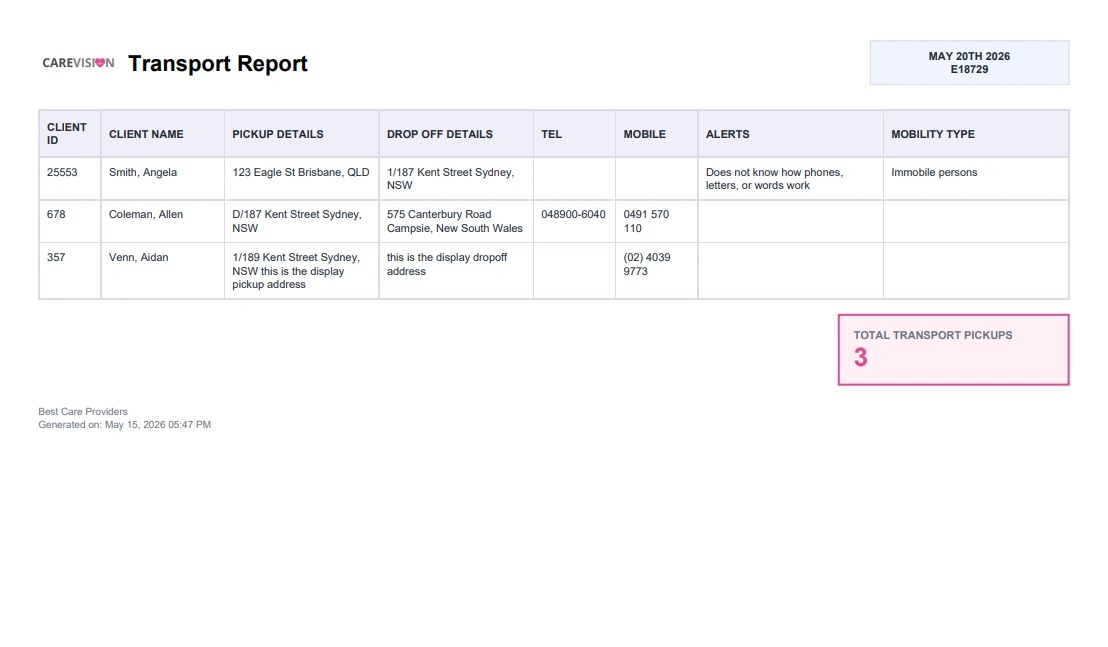
Note: Fill in the event’s start location and end location for accurate transport details in the printout.

| Column | Source | Logic / Rules |
| Client ID | User ID in CareVision | Direct field mapping |
| Client Name | Client Profile (Detailed Profile) | Format as: Last Name, First Name |
| Pickup Details | Booking | Use Start Location |
| Drop Off Details | Booking | Use End Location; if empty, fallback to Start Location |
| Tel | Client Profile (Detailed Profile) | Use Landline Number |
| Mobile | Client Profile (Detailed Profile) | Use Mobile Number |
| Alerts | Client Profile + Client Groups | Combine Client Contact Alerts + Transport Notes (Client Group Notes) |
| Mobility Type | Client Groups | From Group Set "Mobility Type", include Client Group Name where it matches: "Independent - Non-Assisted" or "Independent with Assistance" |
This topic explained how to generate Meals Delivery and Transport Run documents for social group events. For more information about generating event documents, contact the CareVision Support Team.
Related Articles
Manage RSVPs for Social Group Events
This topic explains how to manage participant RSVP statuses for social group events in CareVision. Keywords: social group events, manage rsvp, event attendance tracking, rsvp status update, participant management, social group calendar, event ...
Mark Attendance and Add Notes in Social Groups
This topic explains how to record participant attendance and add case notes for social group events. Recording attendance and notes supports accurate documentation, billing, and participant tracking. Keywords: mark attendance, social group events, ...
Use Bulk MPAS for Social Group Events
This topic explains how to use Bulk Member Planned Attendance Schedule (MPAS) to manage a client’s attendance across multiple social group events. Bulk MPAS allow you to assign multiple event attendances for a client in one process. Keywords: bulk ...
How to Set Up Client MPAS
Social group events help participants, such as elders, NDIS participants, and individuals involved in respite centers, Supported Independent Living (SIL) households, and group activity programs, stay connected by engaging with others who share ...
Getting Started with Social Groups
A social group is a feature that allows your organisation to bring together clients who share common interests or require similar services. These groups can be created for various purposes, such as organising activities, coordinating services, or ...
Request an Article or Guide
We are keen to know what you want to know more about? Let us know on chat or raise a ticket for an article or topic you would like covered in more detail. We have a team of technical writers and learning content creators keen for your suggestions.