Use Bulk MPAS for Social Group Events
This topic explains how to use Bulk Member Planned Attendance Schedule (MPAS) to manage a client’s attendance across multiple social group events. Bulk MPAS allow you to assign multiple event attendances for a client in one process.
Keywords: bulk mpas, member planned attendance schedule, social group events, client attendance management, bulk scheduling system, event booking management, social group scheduling, attendance automation, split schedule bookings, carevision social groups
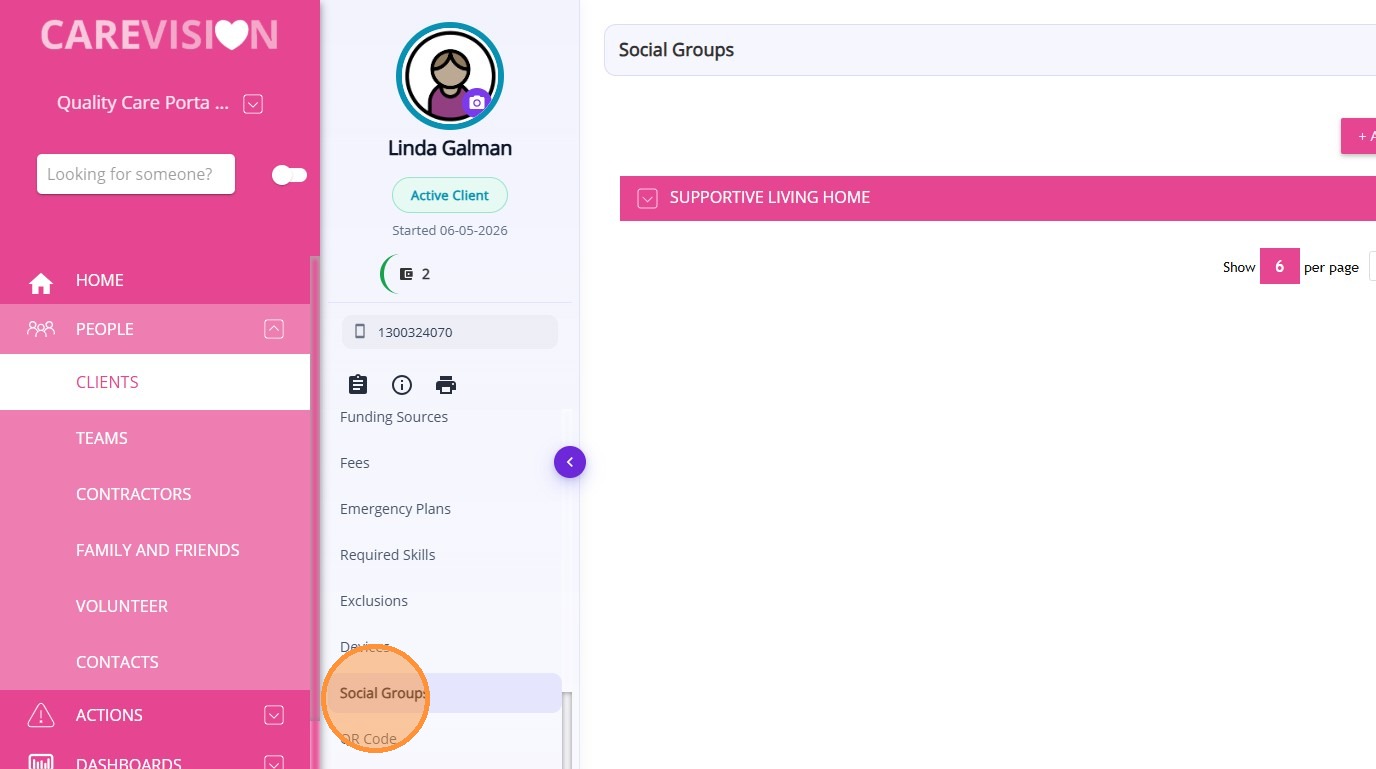
1. Go to the Client Profile > Social Groups.
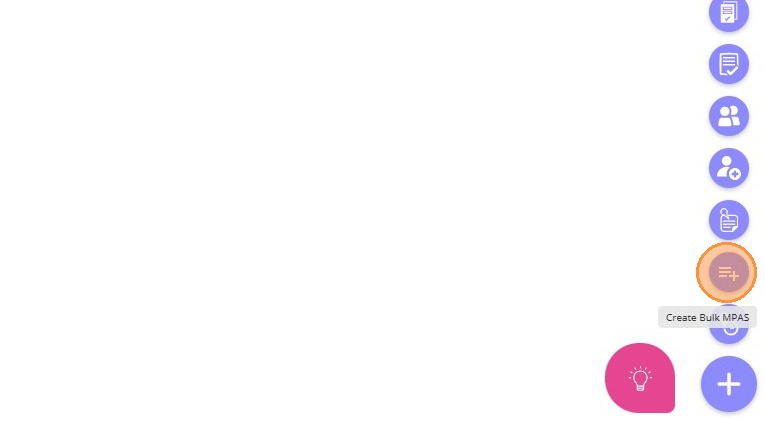
- (Alternative) Click the plus (+) icon or Quick Actions button and select Create Bulk MPAs.


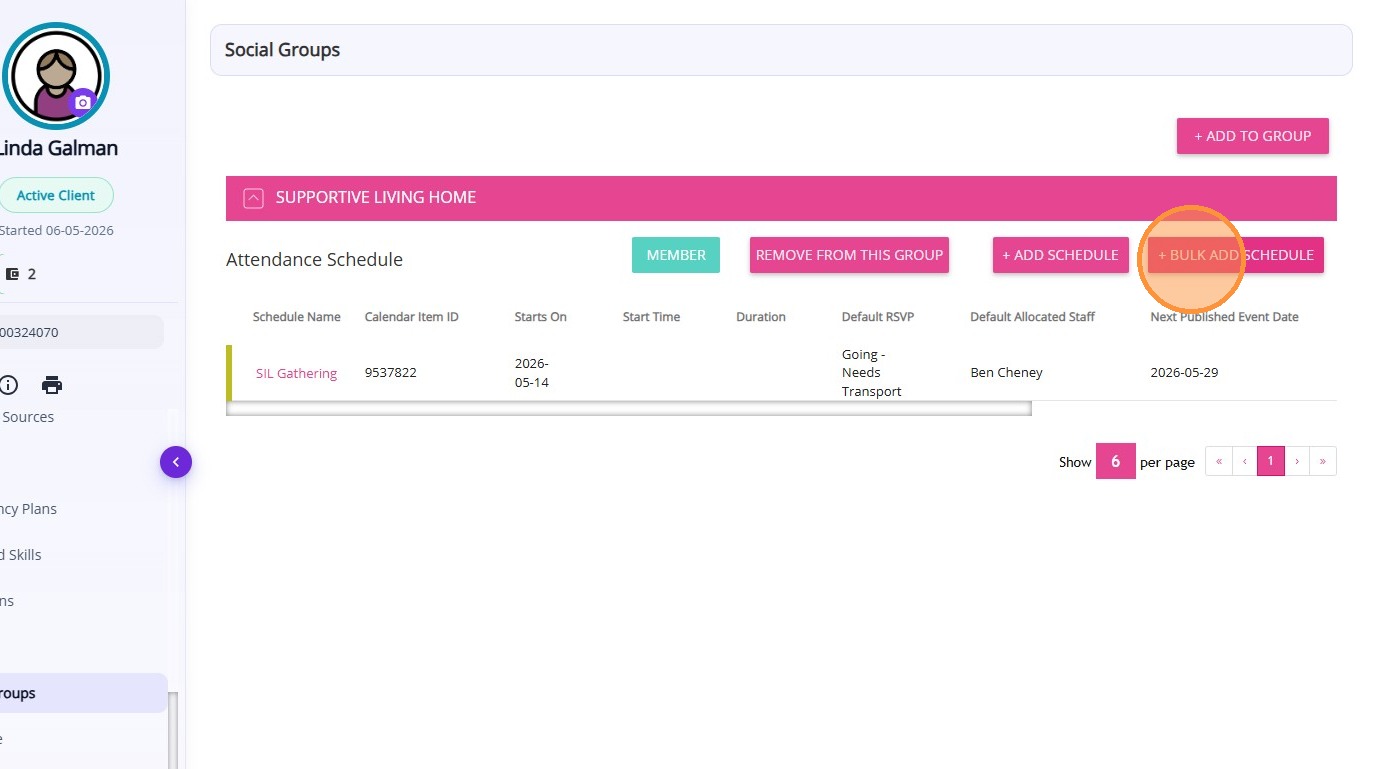
2. Click +Bulk Add Schedule.

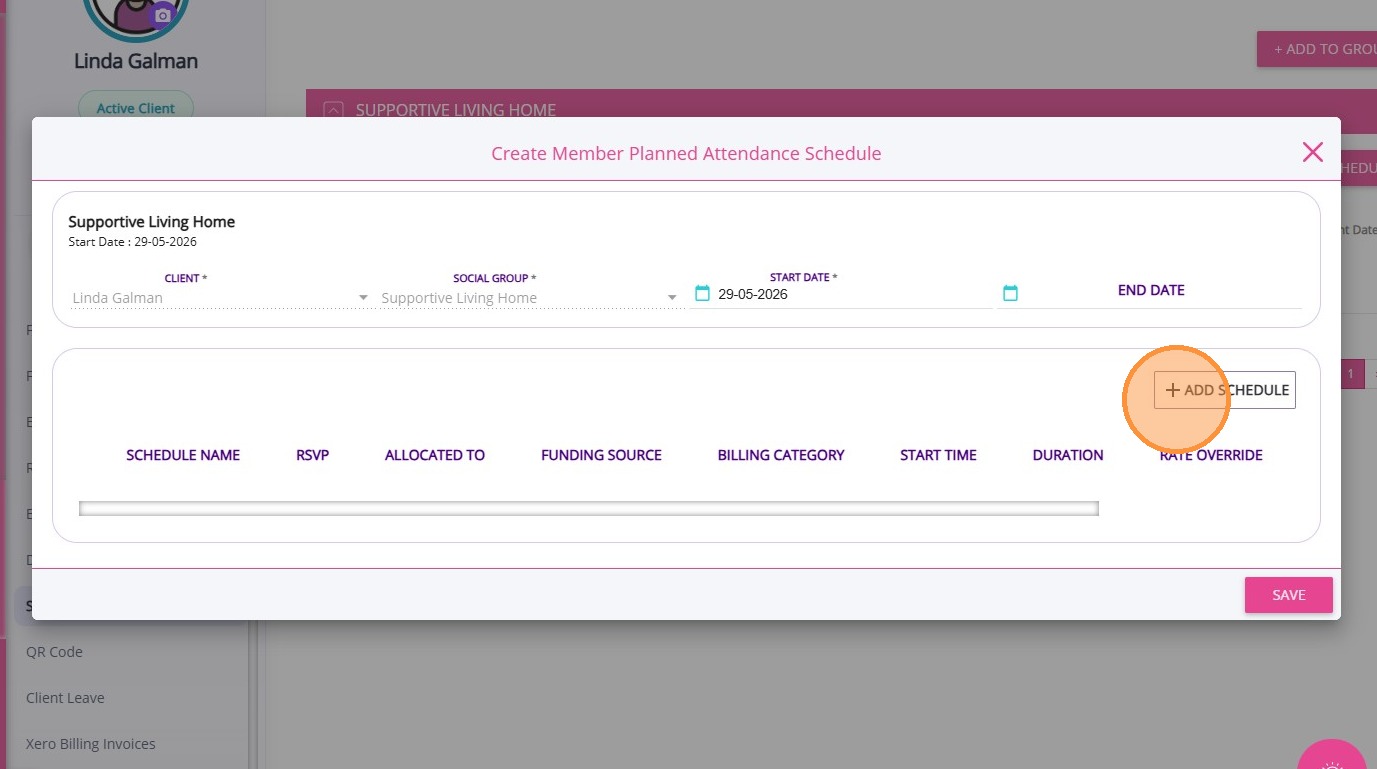
The Create Member Planned Attendance Schedule modal will appear.
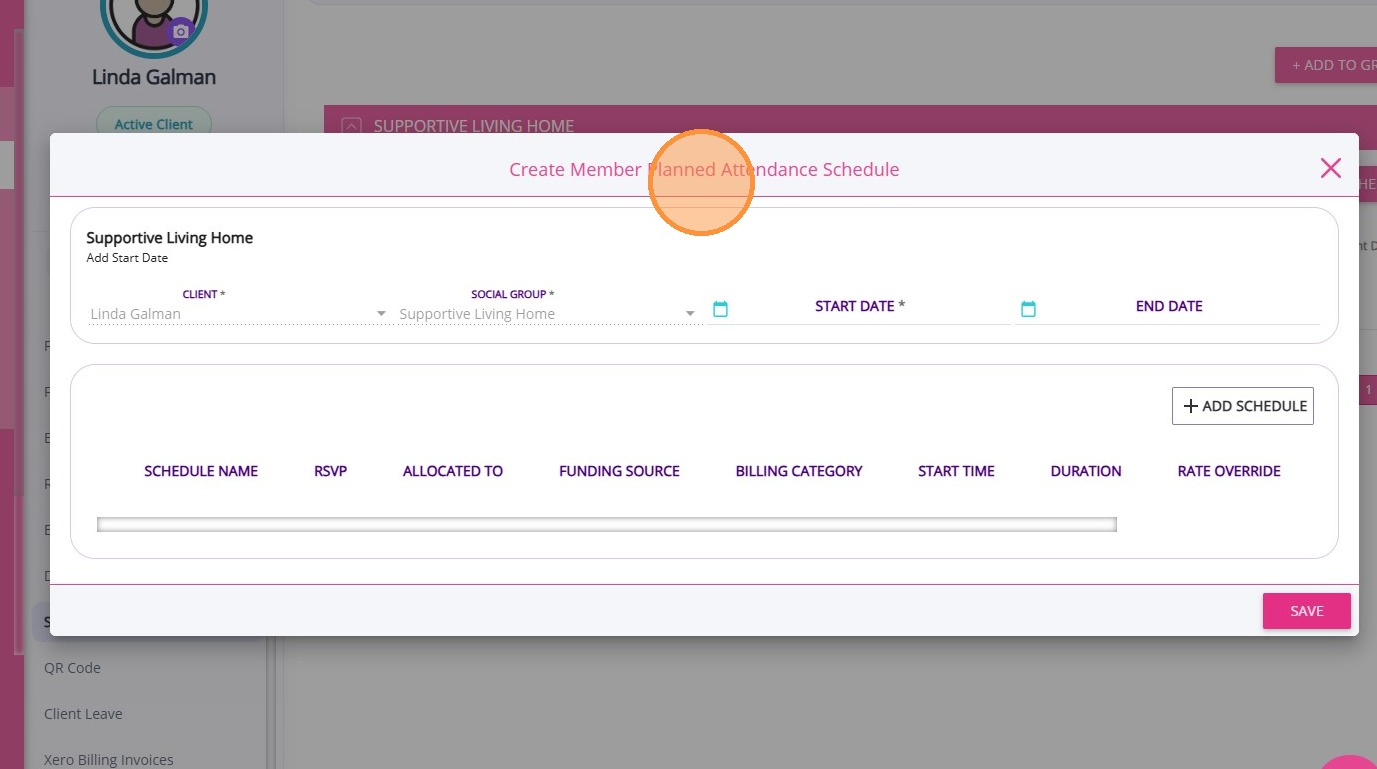
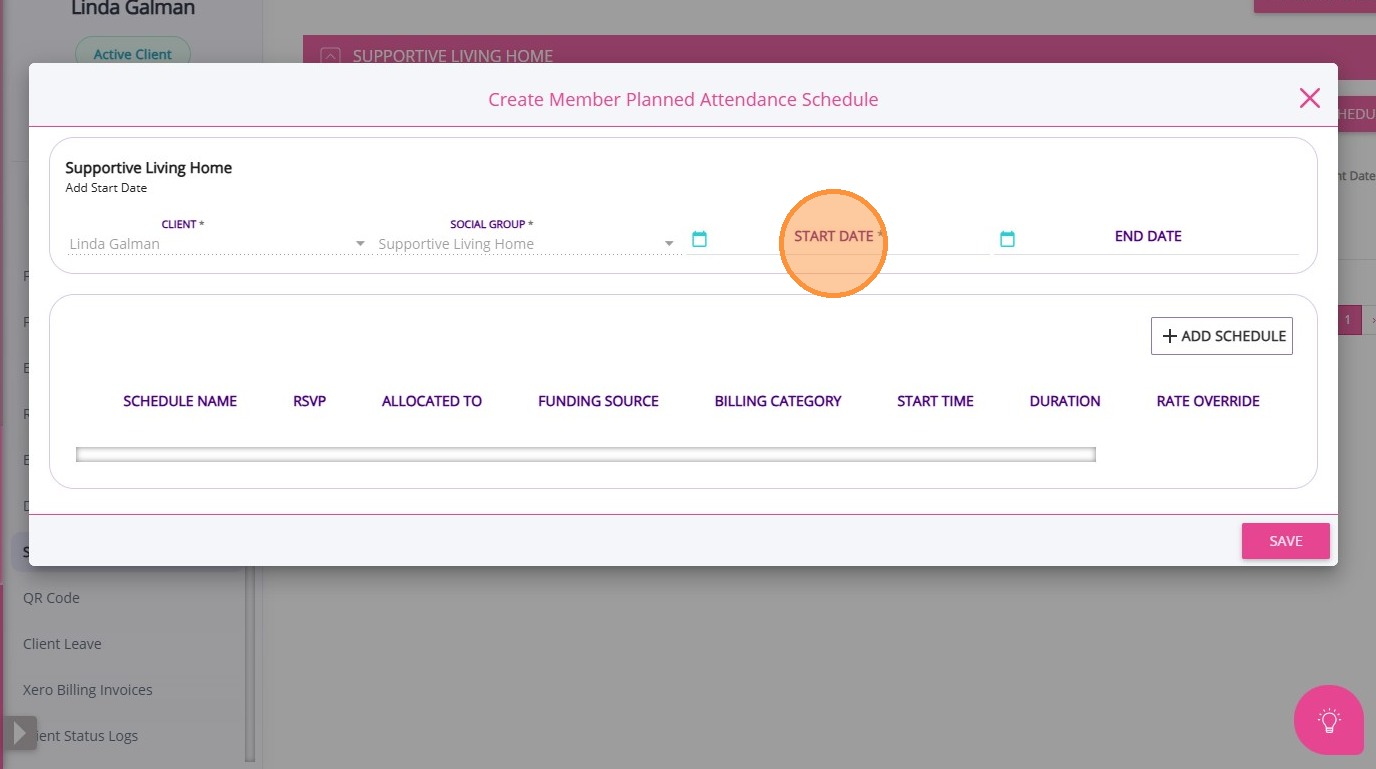
3. Specify the Start Date of the MPAS.

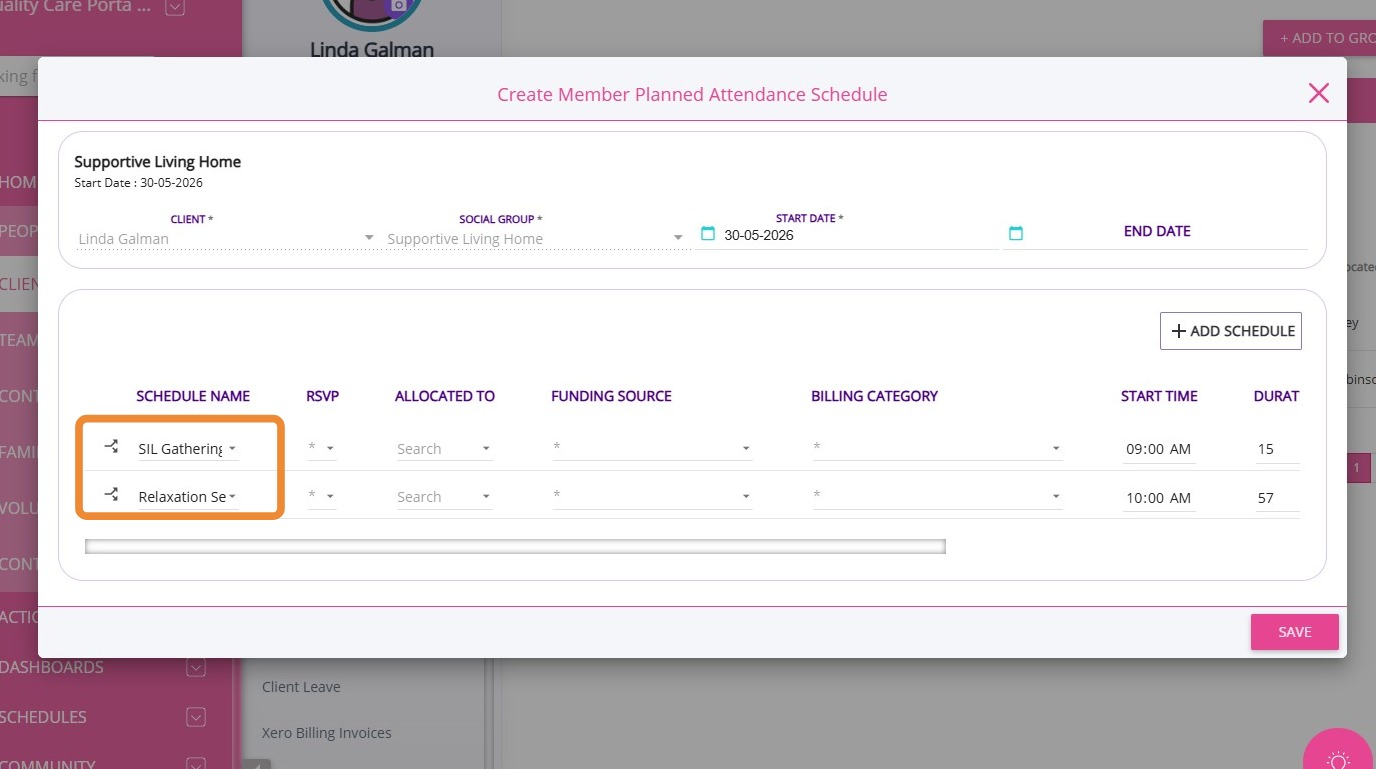
5. Under the Schedule Name column, select the relevant social group events. You can add the client to multiple social group events
Split Schedule in Bulk MPAs
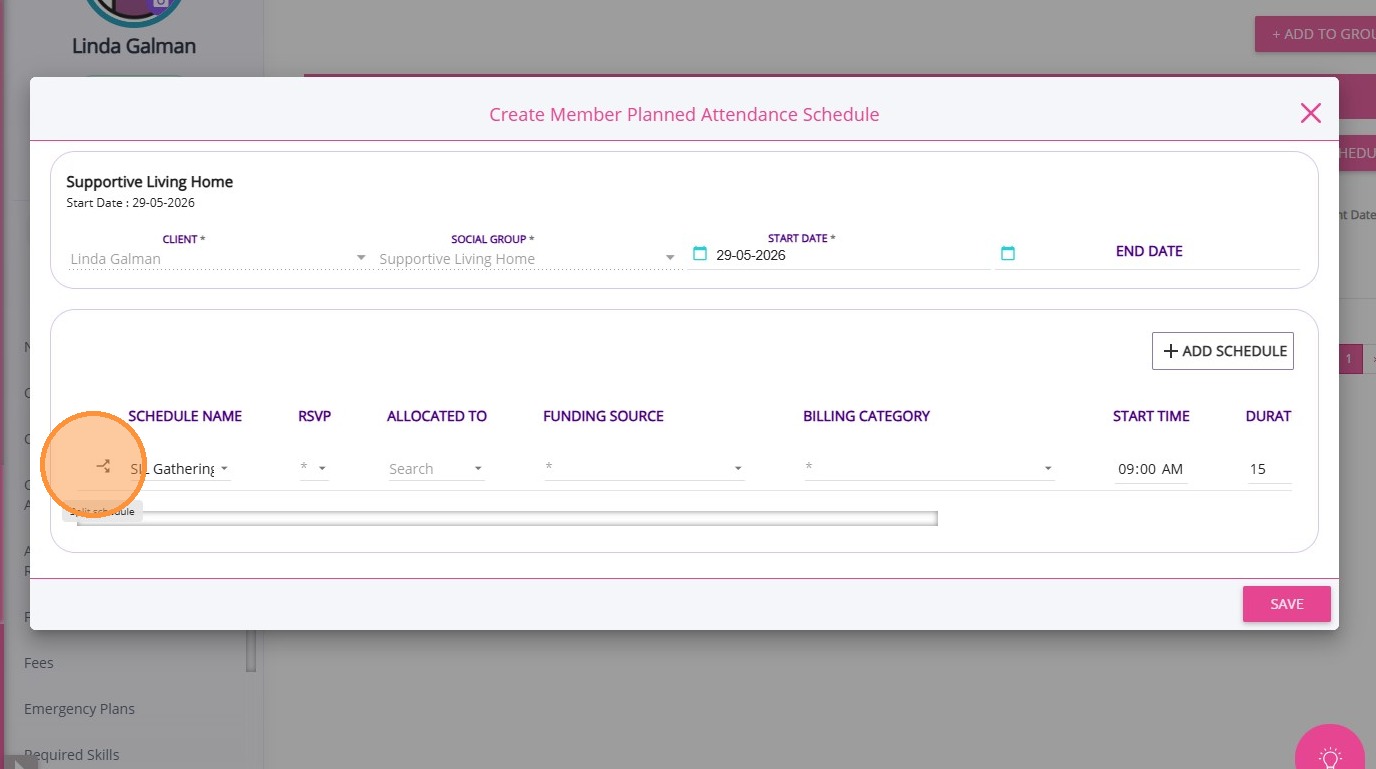
You can split a single social group event into multiple ad hoc bookings if needed.
1. Click the split icon to the left of the event name.

2. In the Start Time column, specify the times for each split.
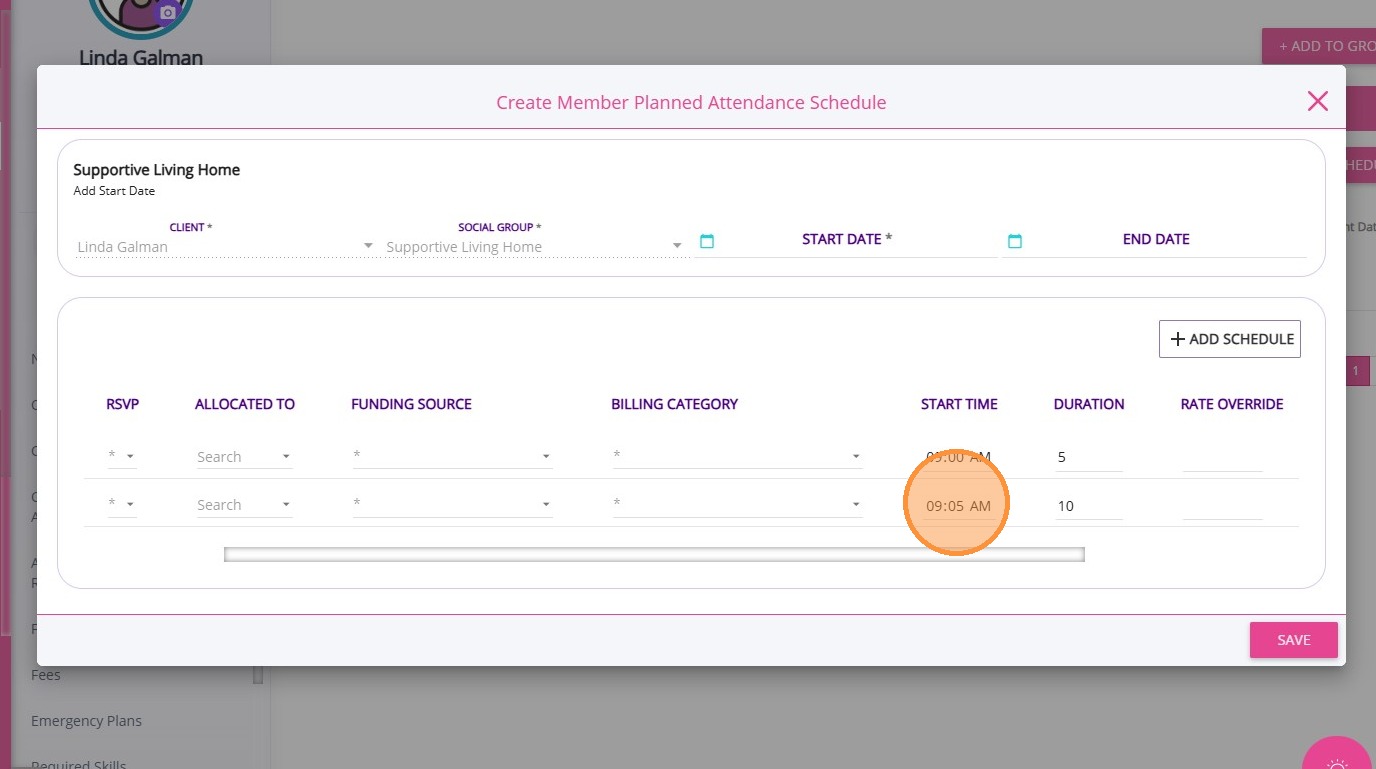
The Duration column will automatically calculate based on the split times.
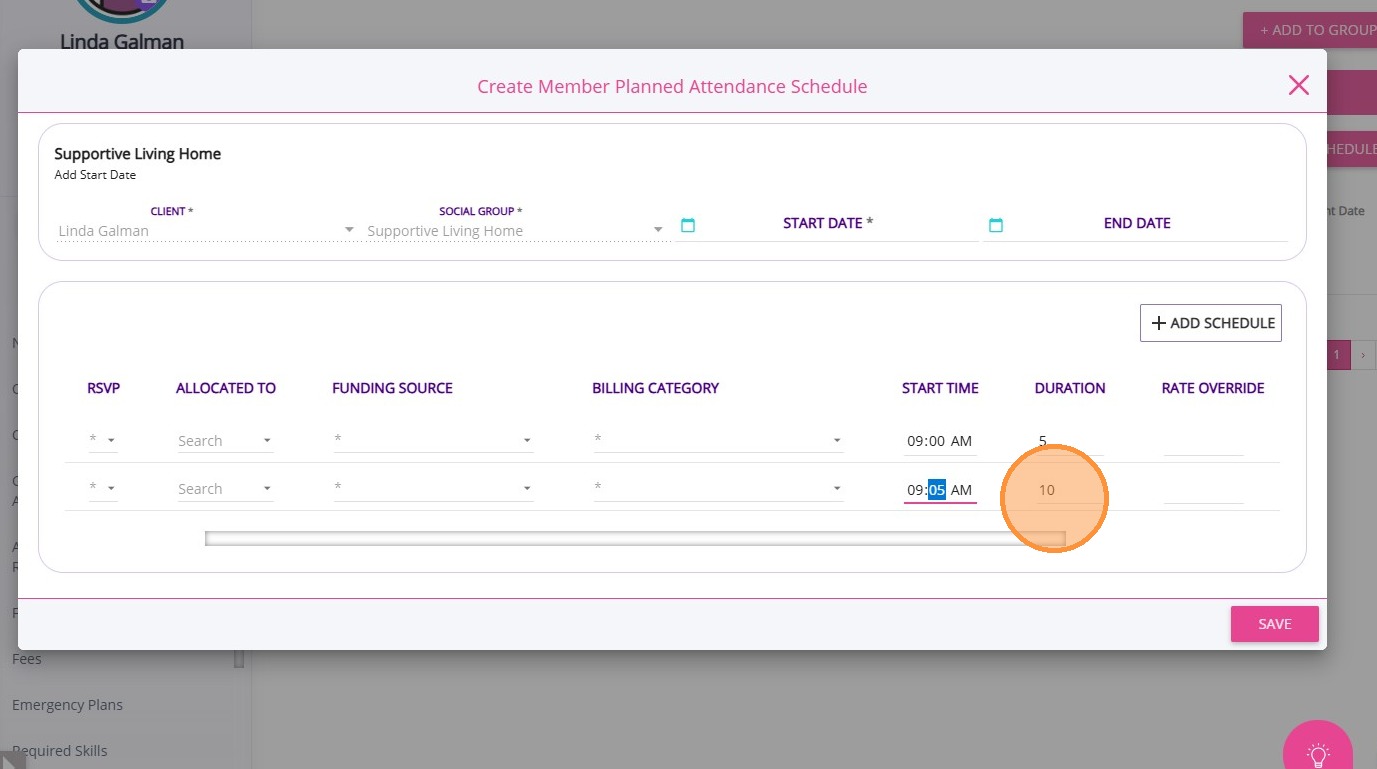
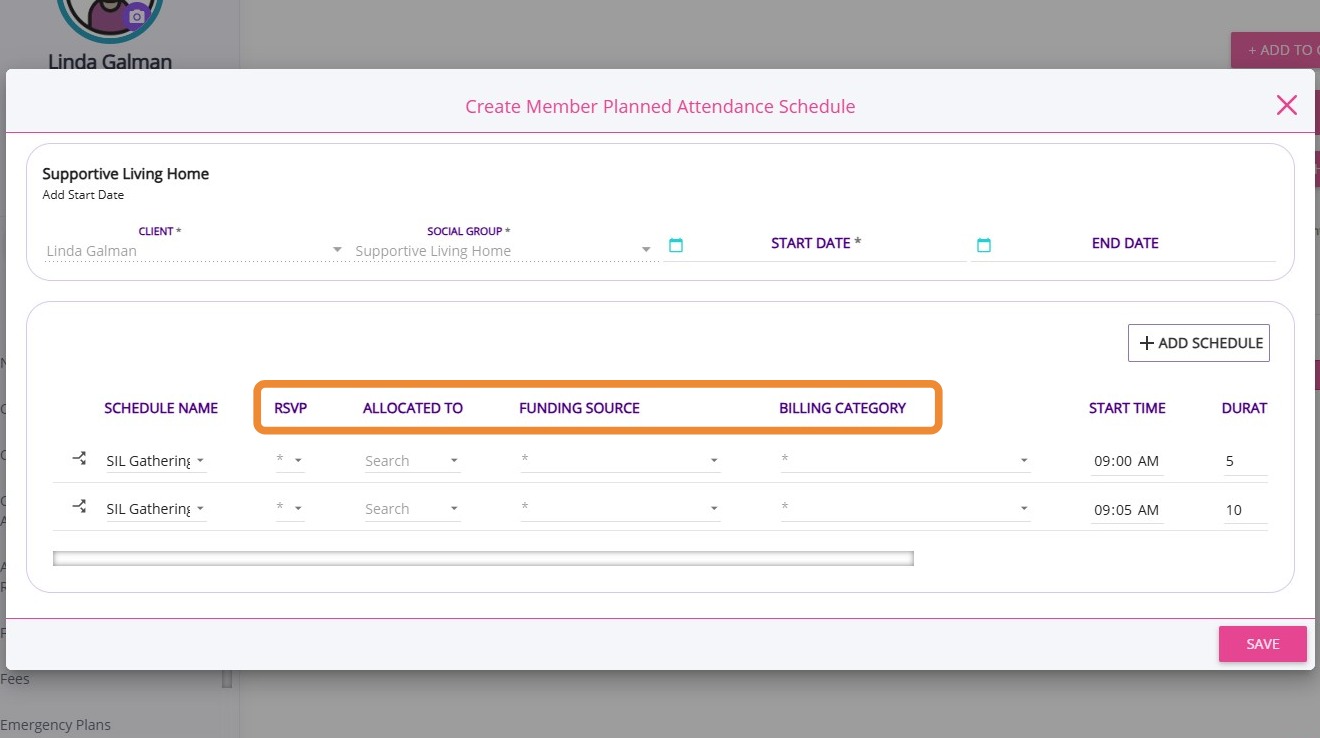
3. Complete the remaining fields as required and click Save.
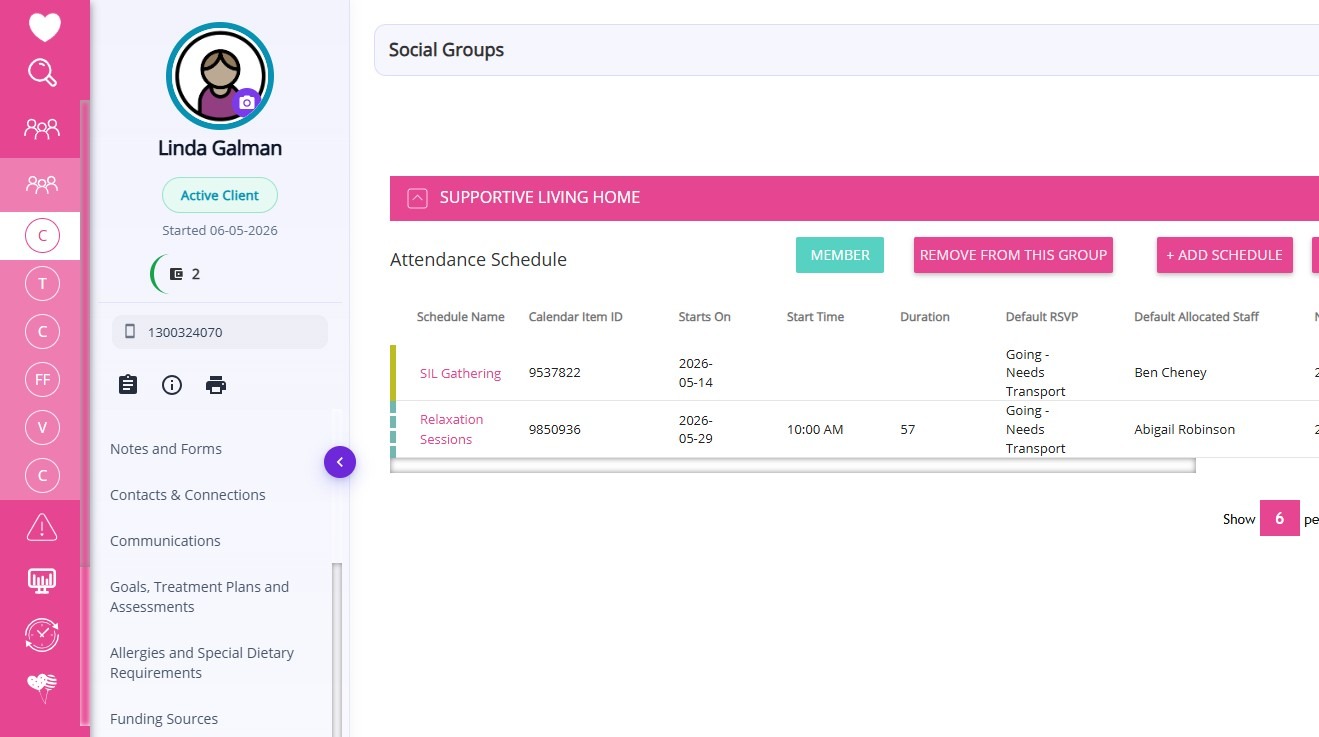
The social group events to which the client is added are reflected in their profile under Social Groups.
This topic explained how to use Bulk MPAs to manage multiple social group event attendances for a client, including splitting schedules when needed. For more information about using Bulk MPAs, contact the CareVision Support Team.
Related Articles
How to Set Up Client MPAS
Social group events help participants, such as elders, NDIS participants, and individuals involved in respite centers, Supported Independent Living (SIL) households, and group activity programs, stay connected by engaging with others who share ...
Client Member Planned Attendance Schedule (MPAS)
What is MPAS? MPAS is short for Member Planned Attendance Schedule. It is a record created on a client profile regarding their planned attendance at events within a group they are a member of. It allows a client to be a member of the group to pre set ...
Getting Started with Social Groups
A social group is a feature that allows your organisation to bring together clients who share common interests or require similar services. These groups can be created for various purposes, such as organising activities, coordinating services, or ...
Mark Attendance and Add Notes in Social Groups
This topic explains how to record participant attendance and add case notes for social group events. Recording attendance and notes supports accurate documentation, billing, and participant tracking. Keywords: mark attendance, social group events, ...
Generate Meal and Transport Documents for Social Group Events
This topic explains how to generate the Meals Delivery and Transport Run documents for social group events. This helps support accurate meal preparation and transport coordination for social group events. Keywords: social group events, meal delivery ...
Request an Article or Guide
We are keen to know what you want to know more about? Let us know on chat or raise a ticket for an article or topic you would like covered in more detail. We have a team of technical writers and learning content creators keen for your suggestions.