Quotes Modal Improvements

Quotes Modal Improvements

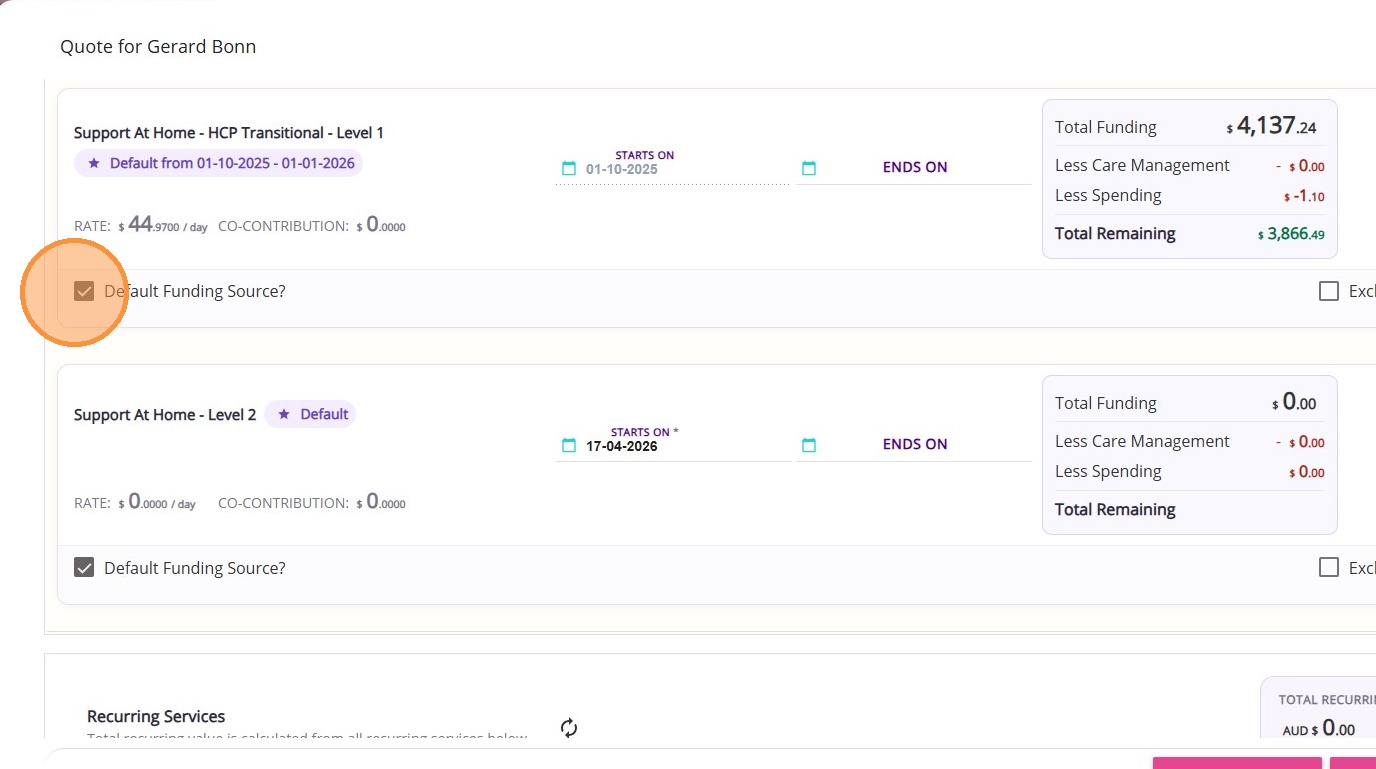
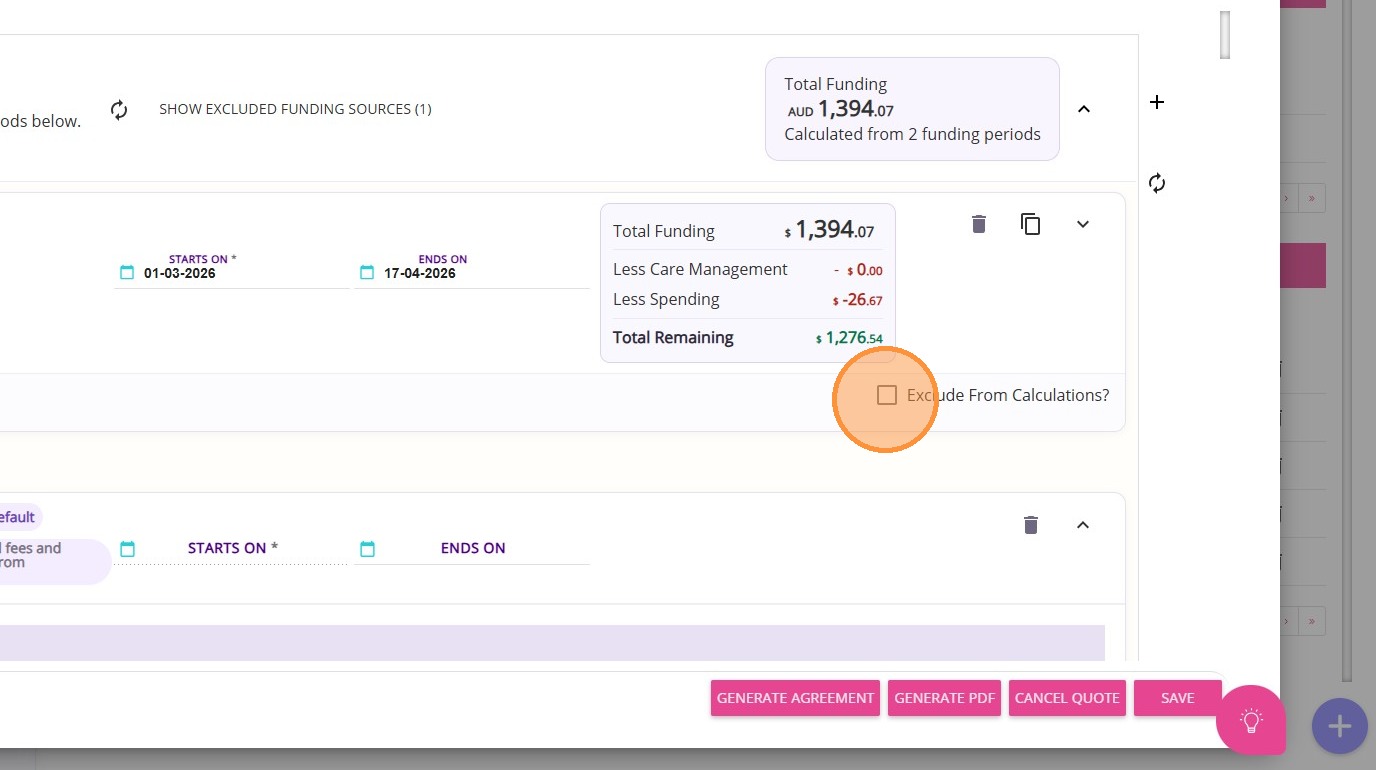
The Quotes modal has been improved to provide a better experience when creating and managing quotes. Below is a summary of the key changes before and after the update.

Keywords: quotes modal, quote management, funding sources, recurring services, once off items, quote calculations, funding period, quote summary, quote changes, quote improvements

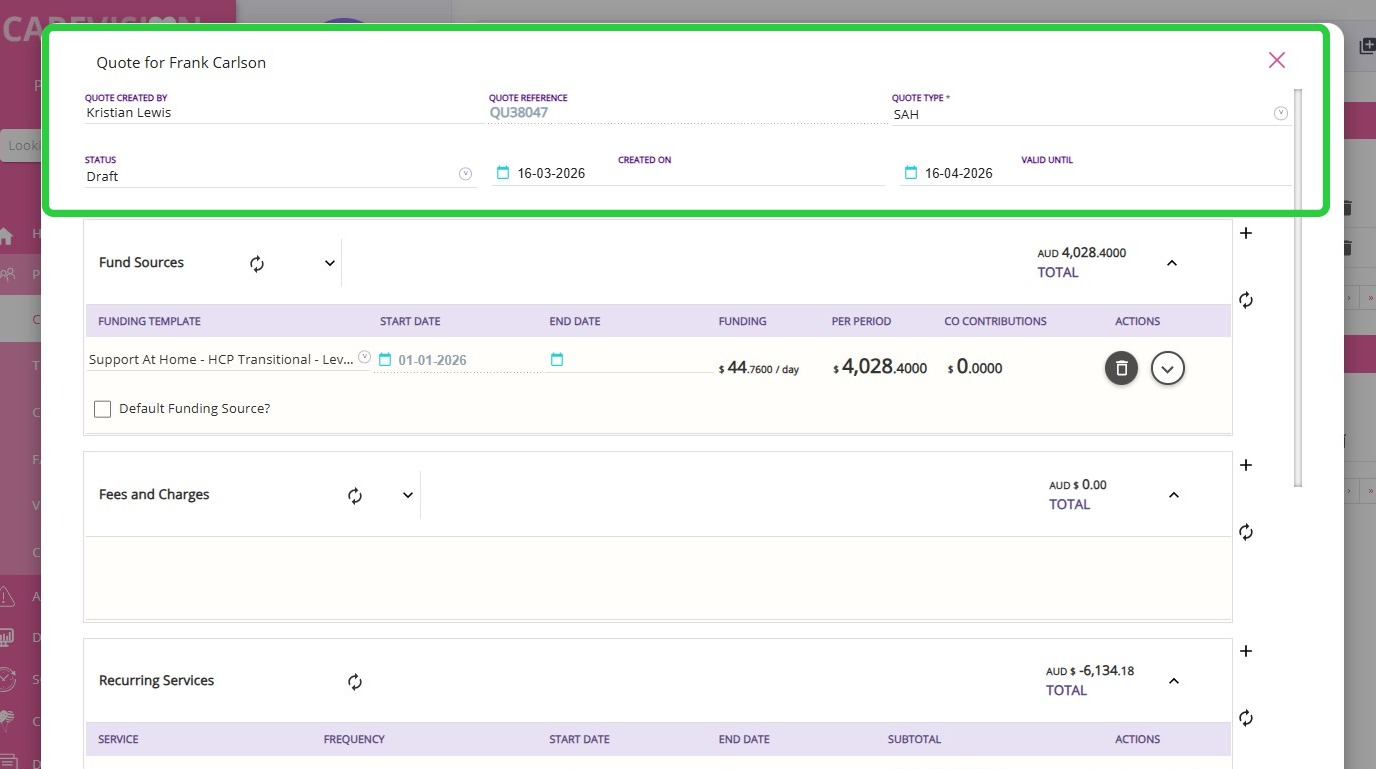
I. Quote Header

  1. Before: The Quote Header included several fields, including Quote Start Date and Quote End Date.
  2. After:
    1. 6 fields have been retained
    2. Quote Start Date and Quote End Date fields have been removed.

The Quote Header has been updated with the following fields.
FieldDescription
Quote Created ByName of the person who generated the quote. This field is auto-populated.
StatusIndicates the current stage of the quote:
Draft: Initial status when a quote is created. It is used for preparation and internal review. Can be printed for internal purposes.
Open: Quote is ready for the client, allows generation and printing of the contract or agreement.
Accepted: Client has formally accepted the quote based on organisational policy and configuration.
Accepted Verbally: Client has provided verbal acceptance of the quote.
Cancelled: Quote is void and no longer active.
Rejected: Quote has been declined by the client.
Quote ReferenceUnique identifier assigned to the quote.
Created OnDate the quote was created.
Valid UntilBy default, quote validity is set to 30 days from the date of creation. This is the period during which the quoted prices and services are guaranteed. The validity period can be adjusted if needed, for example, if the client requires additional time to review or approve the quote.
Quote TypeSpecifies the type or category of the quote.

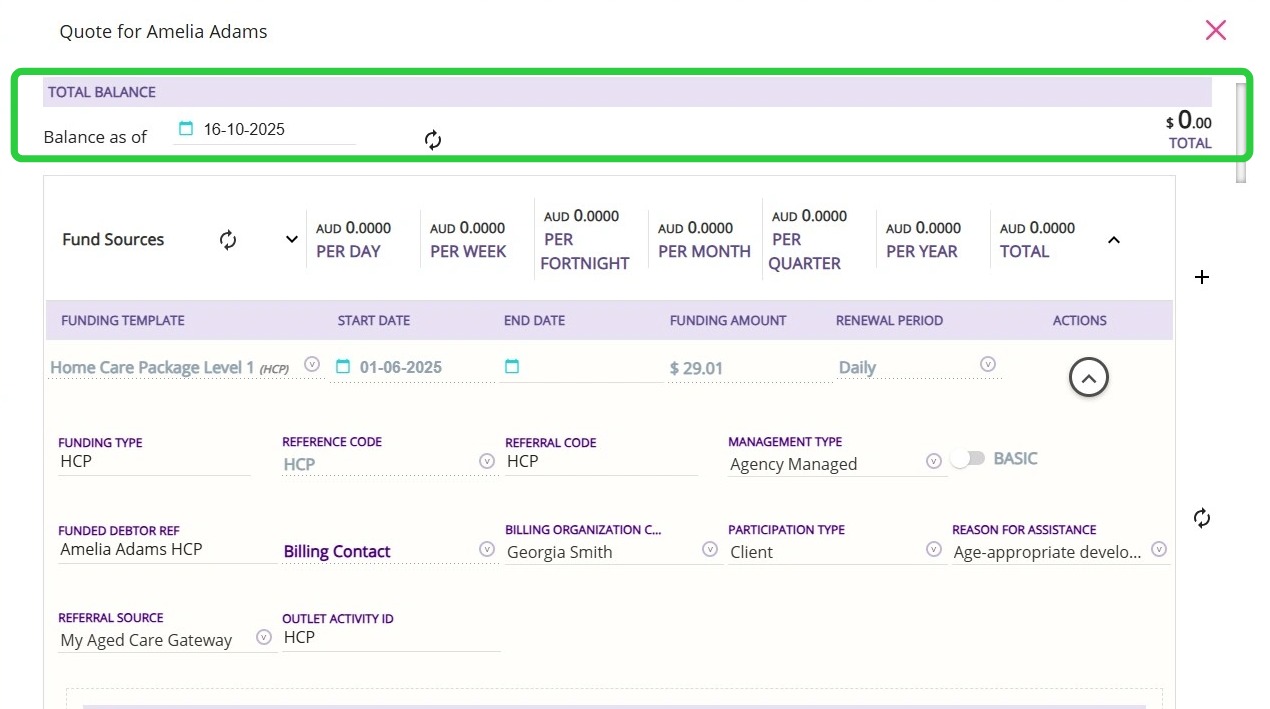
II. Total Balance Section

  1. Before: The Total Balance section was displayed, including the Balance as of date.

  1. After: The Total Balance section has been removed, including the Balance as of display.

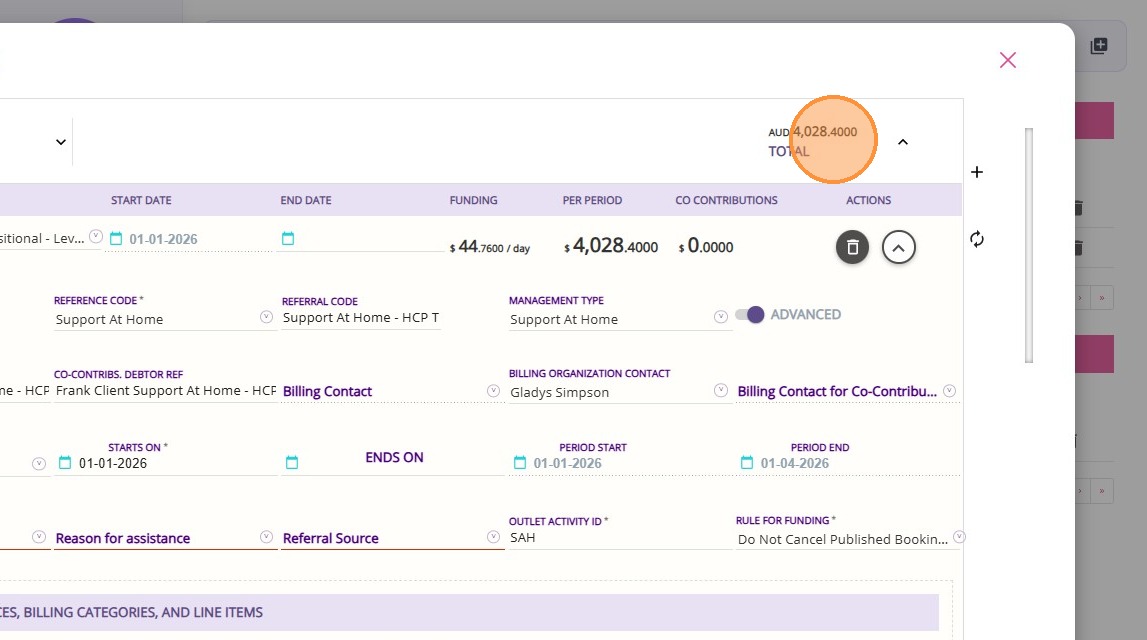
III. Cost Breakdown

  1. Before: Fund Sources, Fees and Charges, and Recurring Services sections displayed costs across multiple time periods: Per Day, Per Week, Per Fortnight, Per Month, Per Quarter, Per Year
  2. After: These sections now display Totals only, with the multi-period breakdown removed.

IV. Fund Sources Section

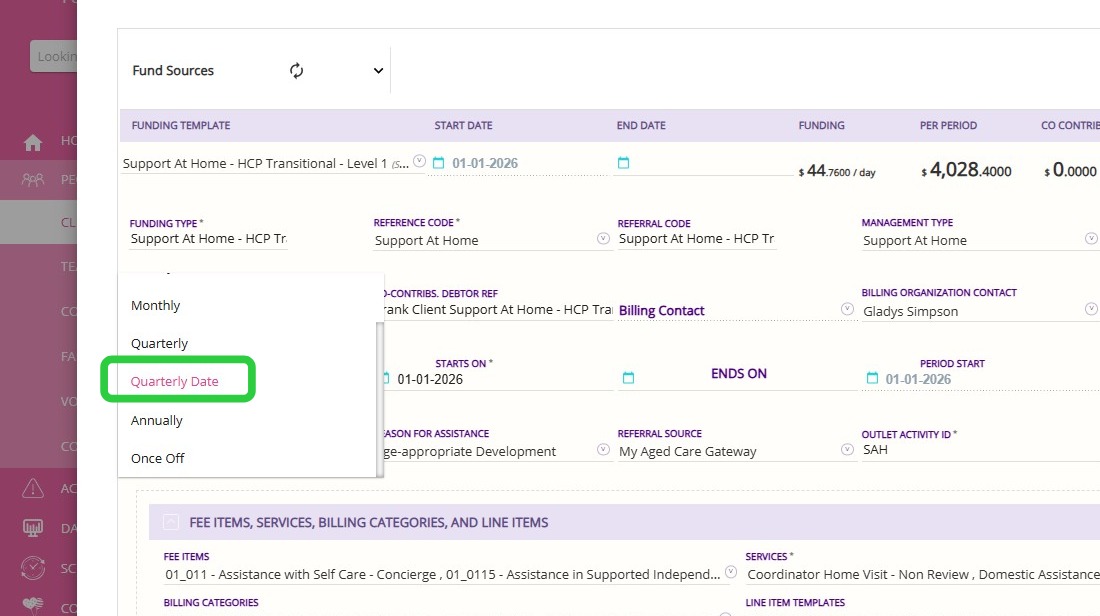
Funding Period Field
  1. Before: Under the Funding Sources section, the Funding Period field did not include a Quarterly Date option.
  2. After: Under the Funding Sources section, the Funding Period field now includes a new option called Quarterly Date. This option also appears on Funding Source templates and Client Funding Source.


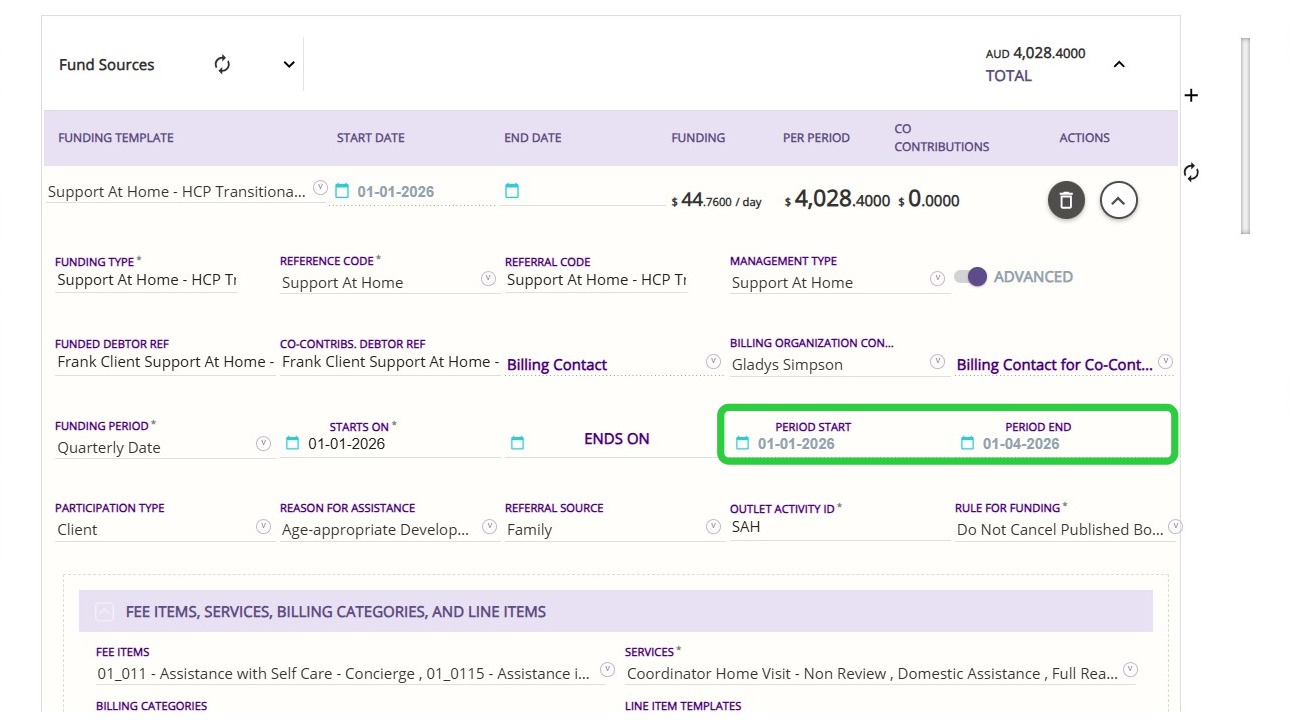
Quote Date Field 
  1. Before: Quote Start Date and Quote End Date fields were available and used for calculations.
  2. After: The Quote Start Date and Quote End Date fields have been removed. Under the Funding Sources section, the Period Start and Period End fields are now used as the basis for calculations across funding sources, fees, recurring services, and once-off services.

V. Fees and Charges Section

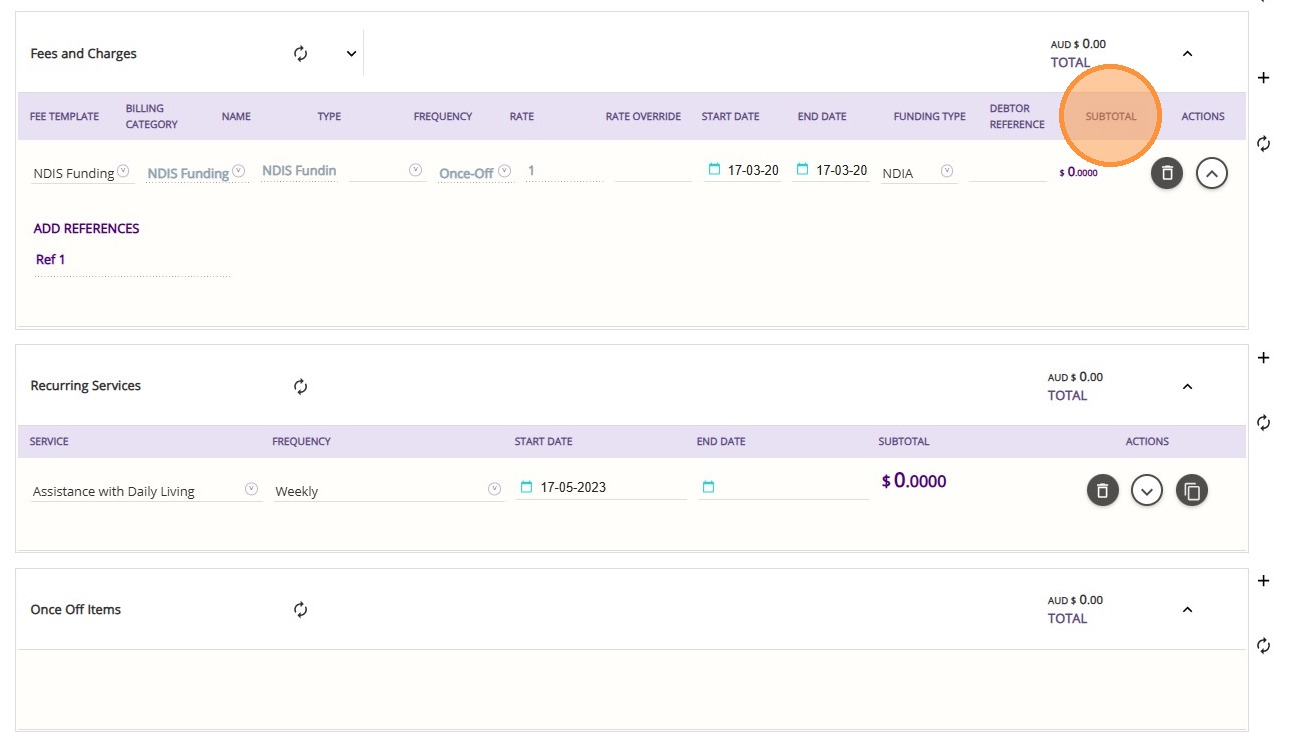
Subtotal Column
  1. Before: The Subtotal column was not displayed.
  2. After: The Subtotal column is now available and displays calculated subtotals for each fee item.

VI. Recurring Services Section

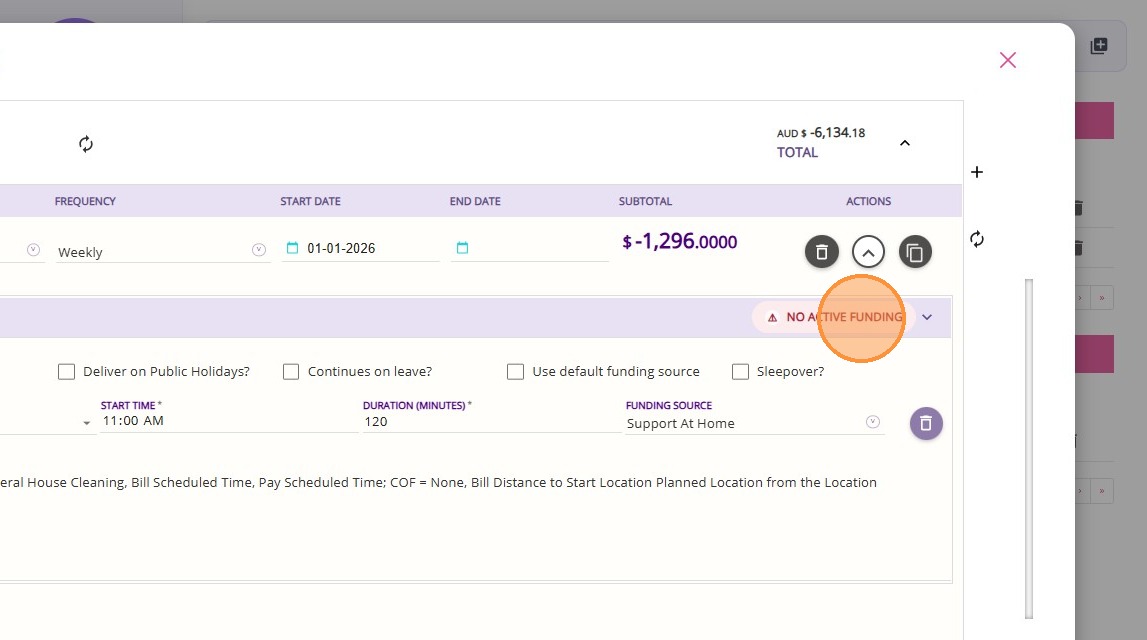
Funding Status Flags
  1. Before: No funding status flags were available in the Recurring Services or Once Off Items sections.
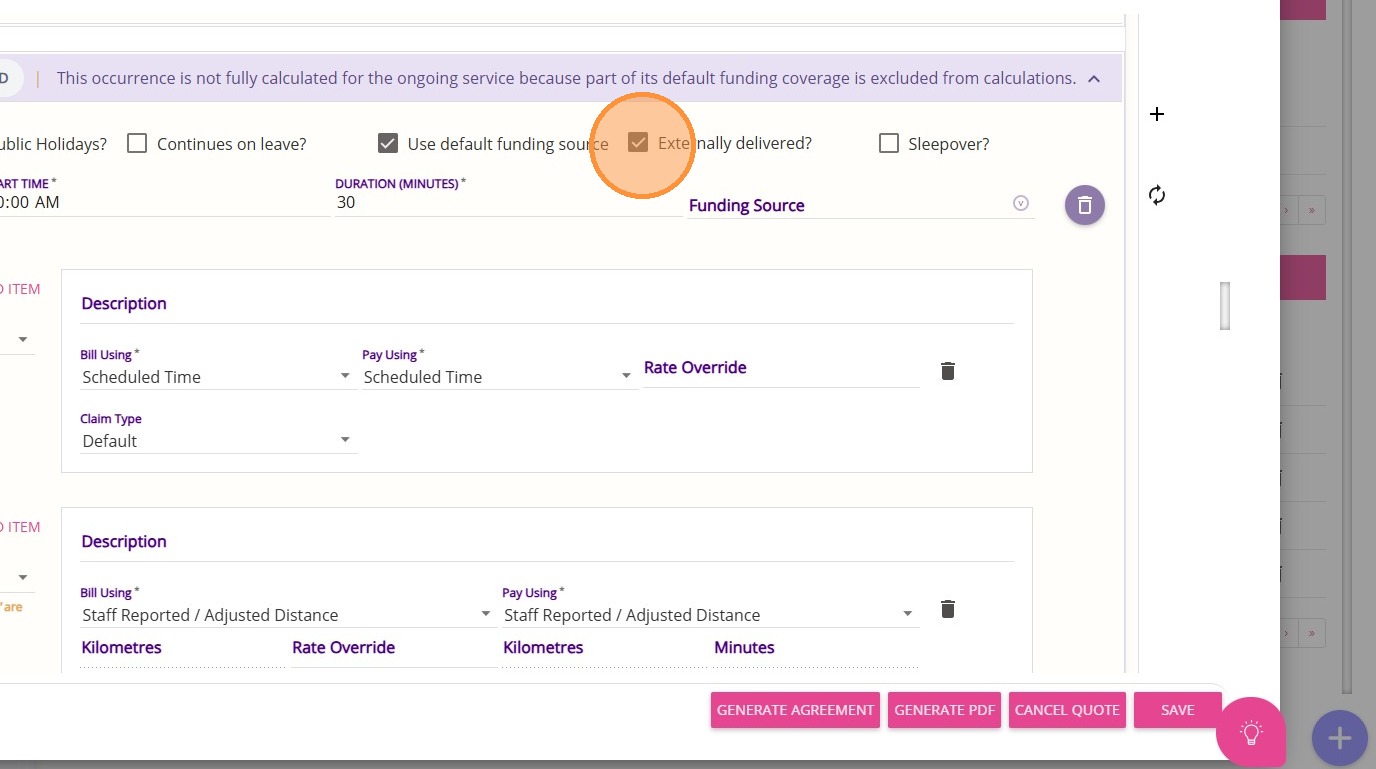
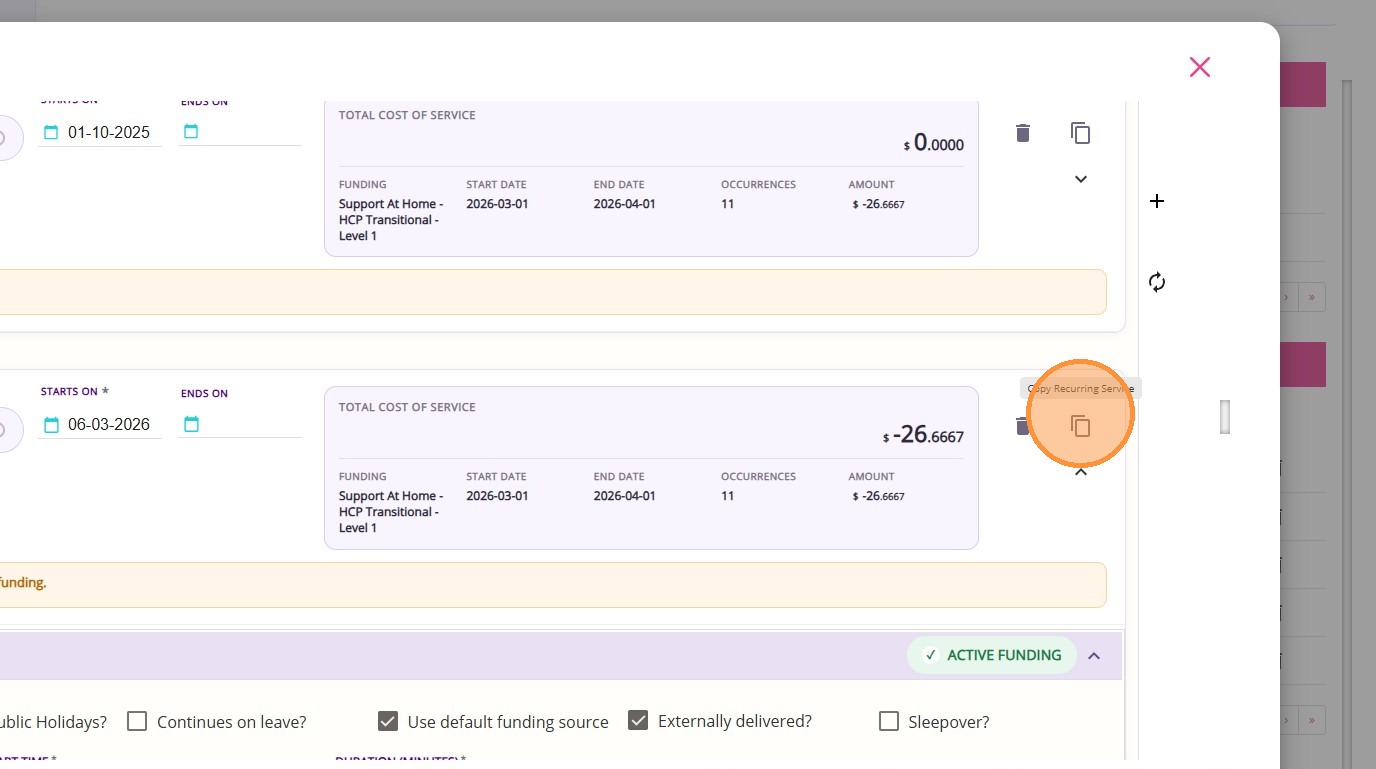
  2. After: In the Recurring Services and Once Off Items sections, the following flags have been added: 
    1. Active Funding: Indicates that a valid funding source is linked and falls within the defined funding period, allowing the service or item to be billed.
    2. No Active Funding: Indicates that no funding source is linked, meaning the service or item is not covered for billing.
    3. Expired Funding: Indicates that the linked funding source is outside its valid period, so it can no longer be used for billing.
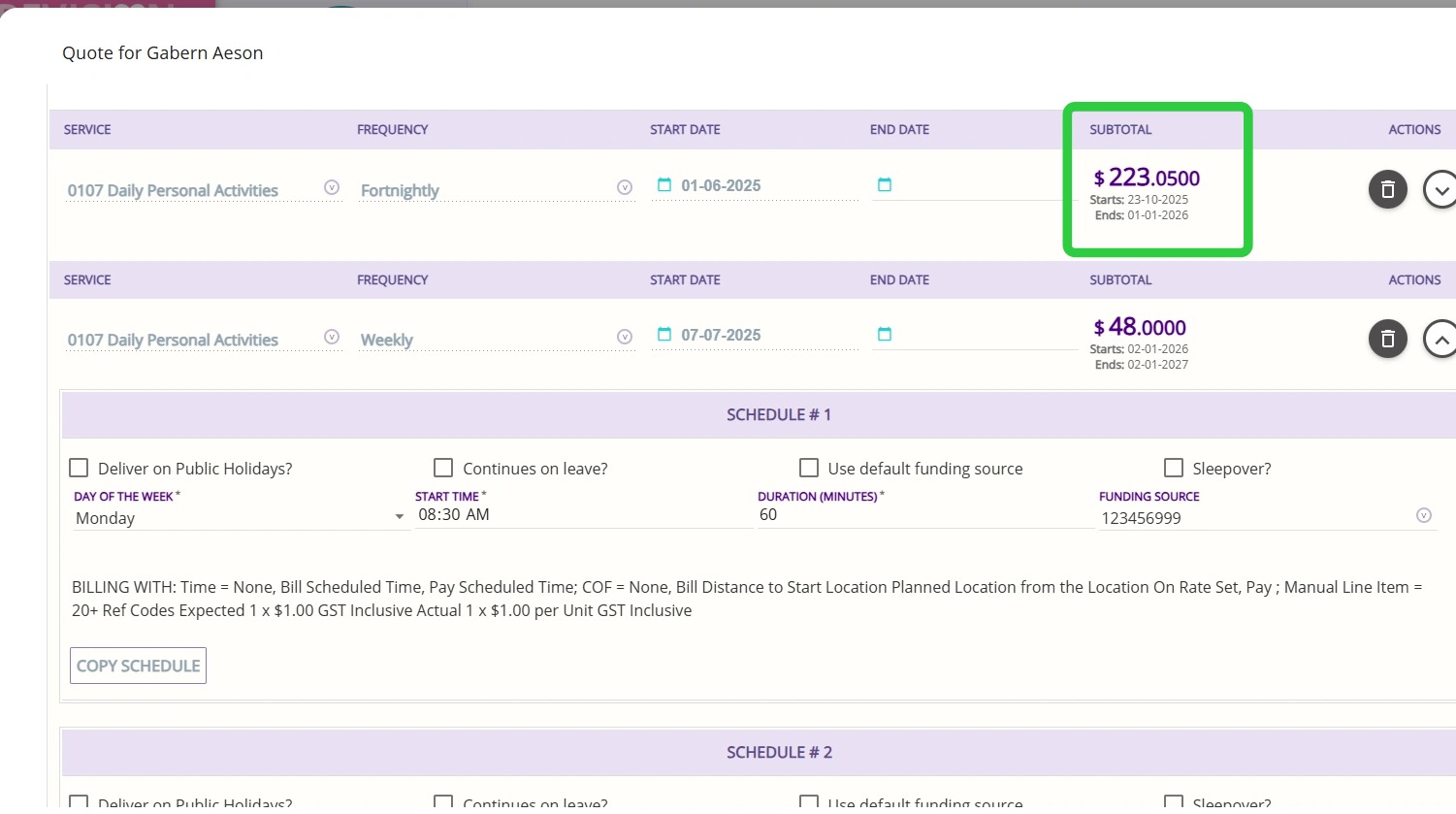
Subtotal Date Display
  1. Before: The Subtotal column did not display start and end dates for quoted services.
  2. After: For services quoted for a client, the Subtotal column now displays the start and end dates based on the Starts On and Ends On fields. If no funding source is selected, no dates will be displayed.

VII. Once Off Items Section

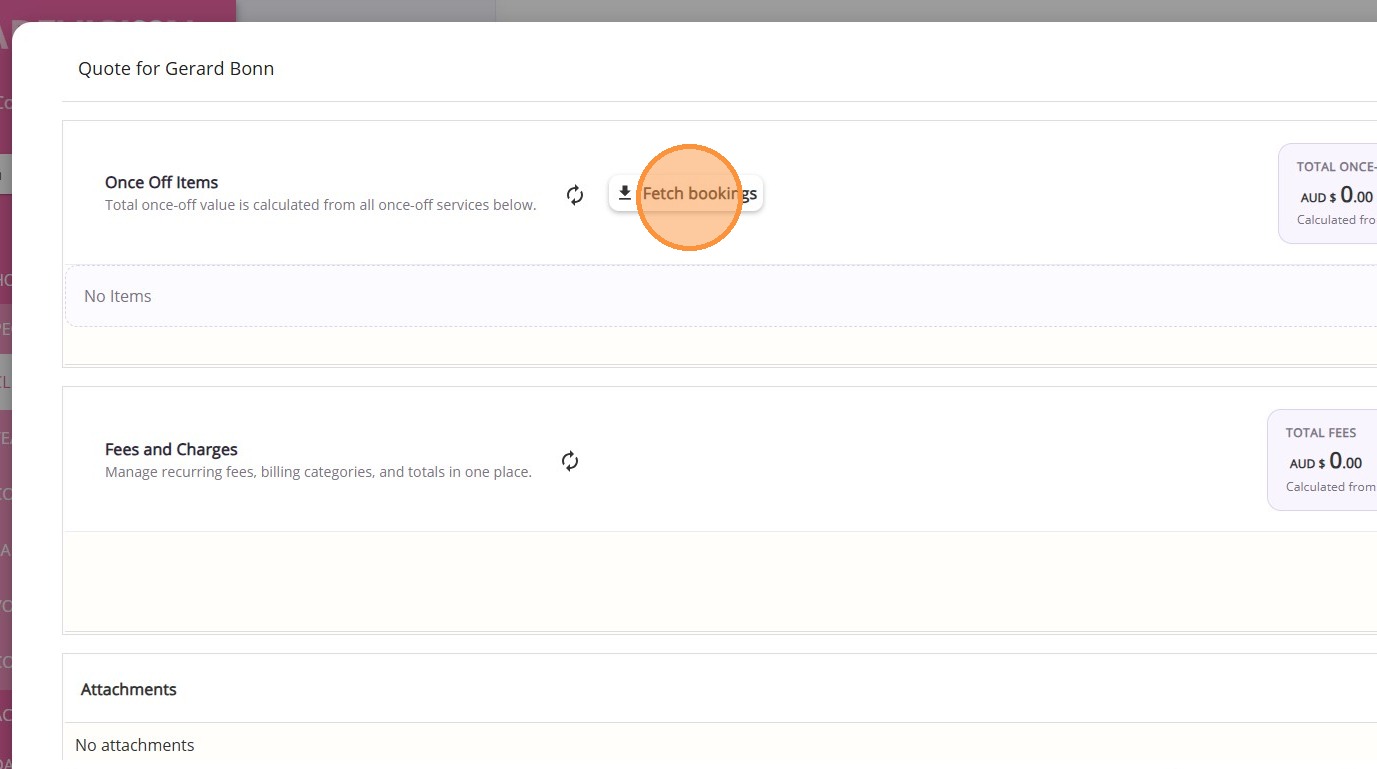
Improved calculation accuracy for once-off items, with totals now generated correctly.

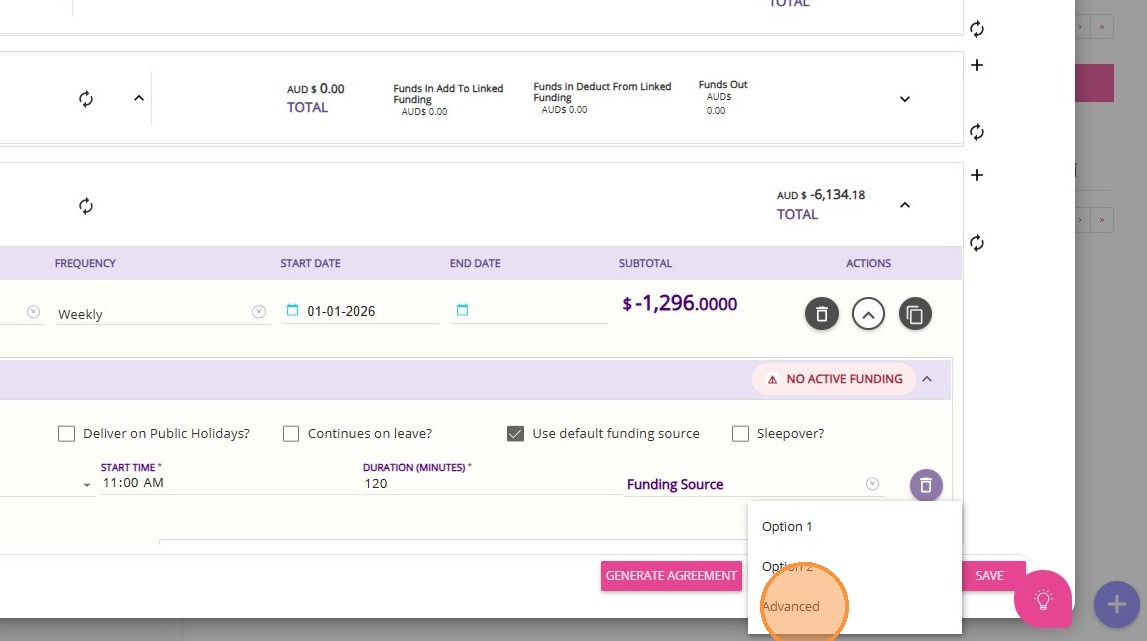
VIII. Generate Quotes

Click Generate PDF and select the Advanced option to view the latest changes to quote printouts.
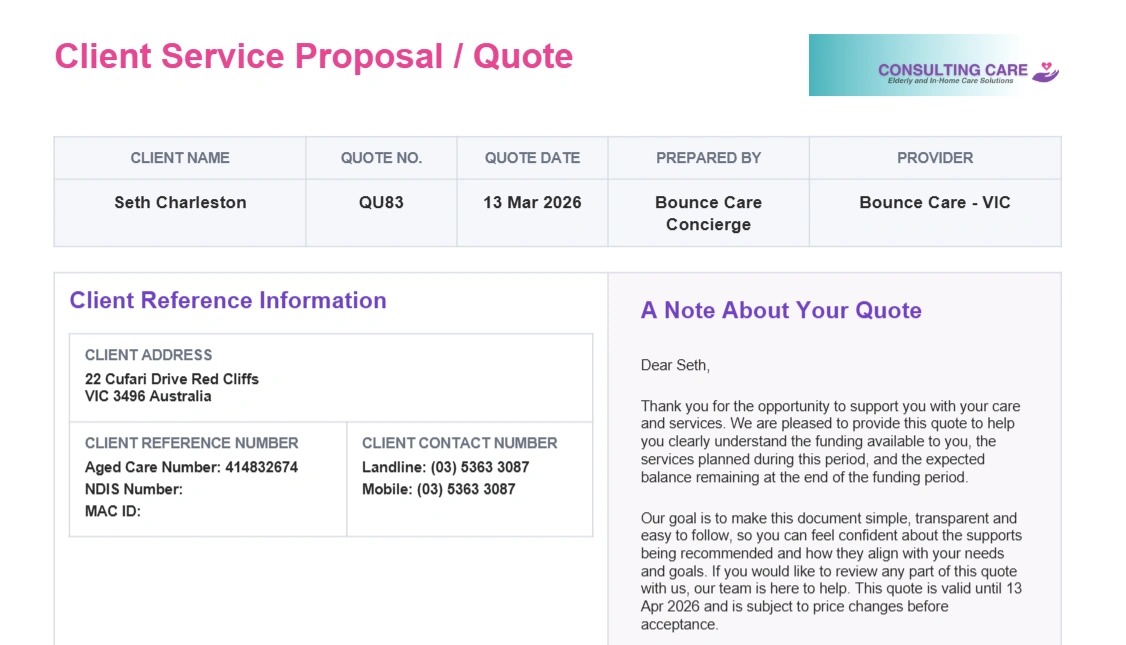
IX. New Quote Print Format

The quote print format has been improved to enhance clarity, readability, and overall presentation.
Sample Quote Print Format
New Quote Print Format
The quote print format has been updated to provide a clearer and more structured view of key information:
  • Quote Header: Displays the client name, quote number, quote date, prepared by, and provider details.
  • Client Reference Information: Includes the client’s address and contact details.
  • Client Note: A side note is included to help explain the purpose of the quote to the client.
Each funding area is presented in its own section, including:
  • Funding Source Details: Shows the funding source name and its current status (e.g. active).
  • Co-contribution: Displays any client contribution amounts.
  • Services and Fees: Lists all quoted services and associated costs.
  • Expected Balance: Provides a projected remaining balance for the funding source

NotesNote: If a quote includes multiple funding areas, each funding area will be presented as a separate section, showing its available funding and associated services.


Other Improvements

  1. Improved consistency in handling income/funding, spending, and balances.
  2. Improved GST calculations when switching line items from inclusive to exclusive.
  3. Improved behavior of “Use Default Funding,” particularly for first-time setups and newly created or assigned funding.
  4. Improved requote date handling to ensure dates are set accurately.
  5. Improved application of rate overrides from the underlying funding source when requoting.

Upcoming Improvements

Deploying to production in March
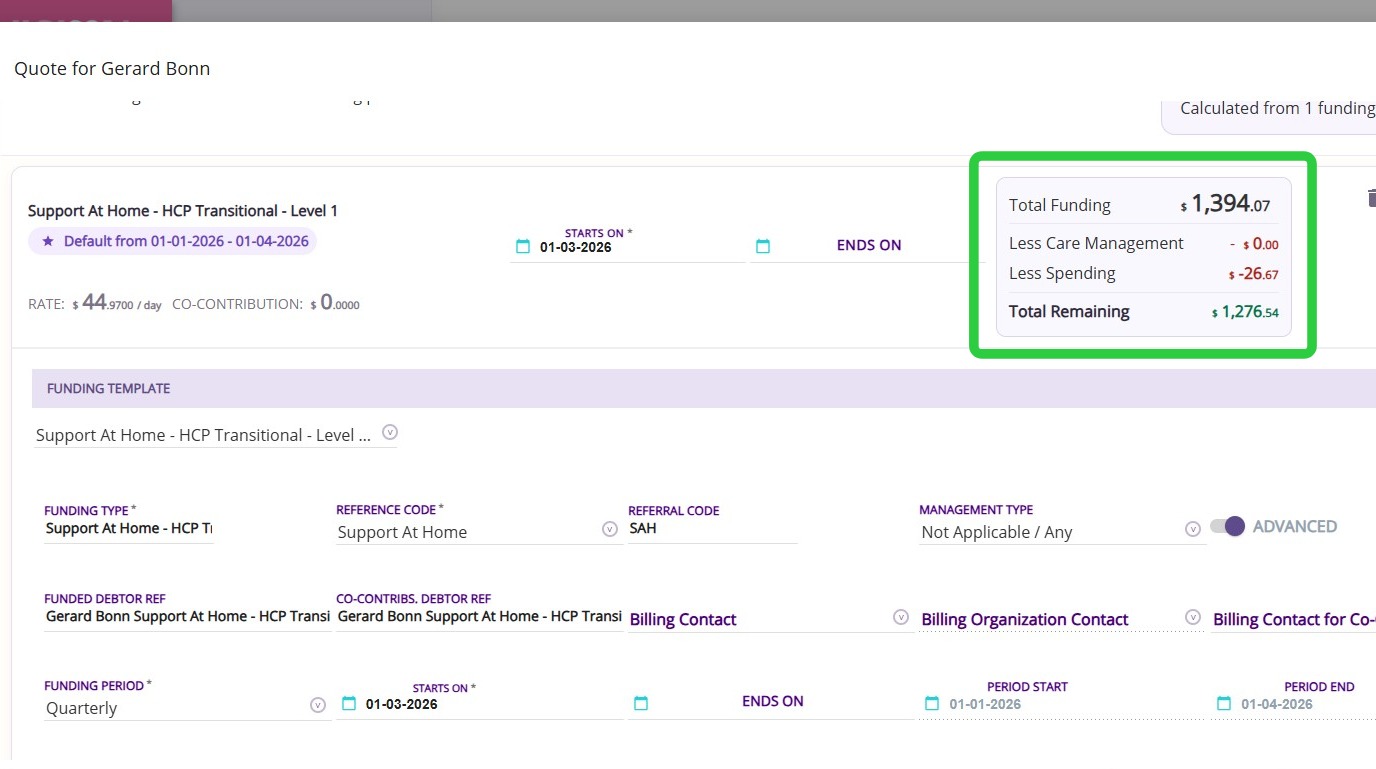
  1. Unallocated amounts will appear on quotes
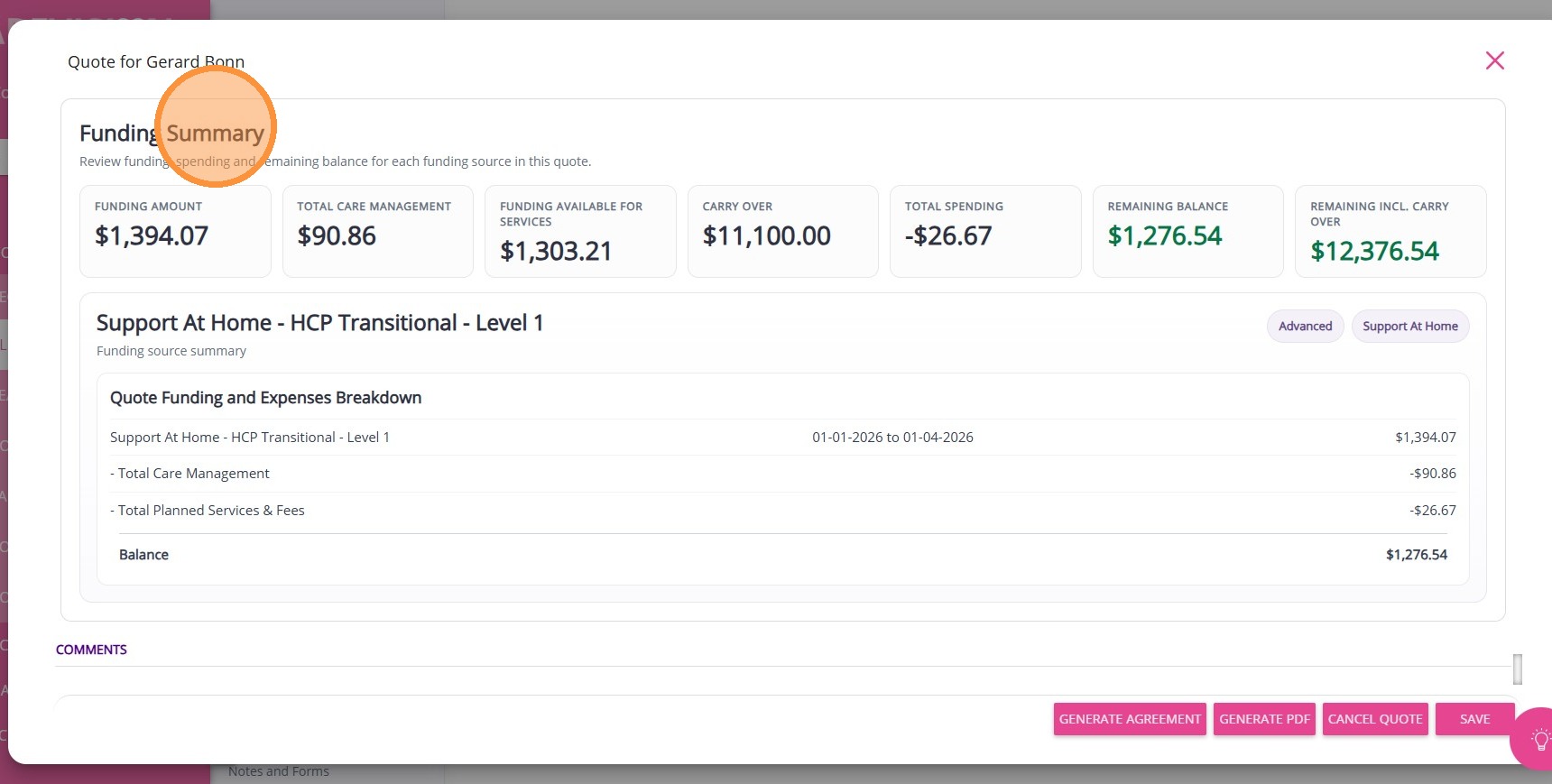
  2. Enhancements to the Quote Summary
  3. Improved handling of period dates for quote fees
  4. Co-contribution will be included in the quote format
  5. Items with a rate override will be correctly calculated, even without a selected billing category
  6. Existing ad hoc bookings will align with the funding source start and end dates, provided they fall within the selected quarter/period
    • Related Articles

    • Requoting or Upgrading Client Package Using Quotes and Contracts

      Requoting / Client Package Upgrades There are some cases when there's a need to update or upgrade the client's care plan package. Naturally, this can be done directly under the client's profile. However, if there are several items that needs to be ...
    • Notifications for Lead Management and Client Onboarding

      Lead to Onboarding Workflow Organisations regularly receive new client leads and it is important that the proper team is notified at the appropriate stage of the lead nurture and client onboarding process so they can follow up on and complete the ...
    • Build and Manage Quotes and Budgets for Clients

      Managing a client's budget is important to ensure no one is left out of pocket and to ensure that clients get the most out of their funding and assist them achieve their goals. CareVision's Quote and Budget capability allows you to build out quotes ...
    • Budget/Quotes and Contracts Section in Client Profile

      The Budget/Quotes and Contracts section in the Client Profile displays all quotes created for the client and is used to manage client quotes and service agreements in CareVision. This section is one of the areas where users can create quotes for the ...
    • Support Coordination Time Log Management and Claiming

      National Disability Insurance Scheme (NDIS) Support Coordinators assist clients in accessing and managing the support they need. Support Coordinators ensure that all client engagement hours are accurately recorded and compliant with program ...

    Request an Article or Guide

    We are keen to know what you want to know more about? Let us know on chat or raise a ticket for an article or topic you would like covered in more detail. We have a team of technical writers and learning content creators keen for your suggestions.