People
In CareVision, People refers to users who interact with or have access to the CareVision portal or CareVision Plus mobile app. In the portal, the People section in the left navigation organizes users into several categories: Clients, Teams, Contractors (Add-on), Family and Friends, Volunteers, and Contacts. Each category reflects a different way people relate to or use the system, and understanding these differences helps manage users and set up the system effectively.
Keywords: people, clients, teams, contractors, family, friends, volunteers, contacts, user management
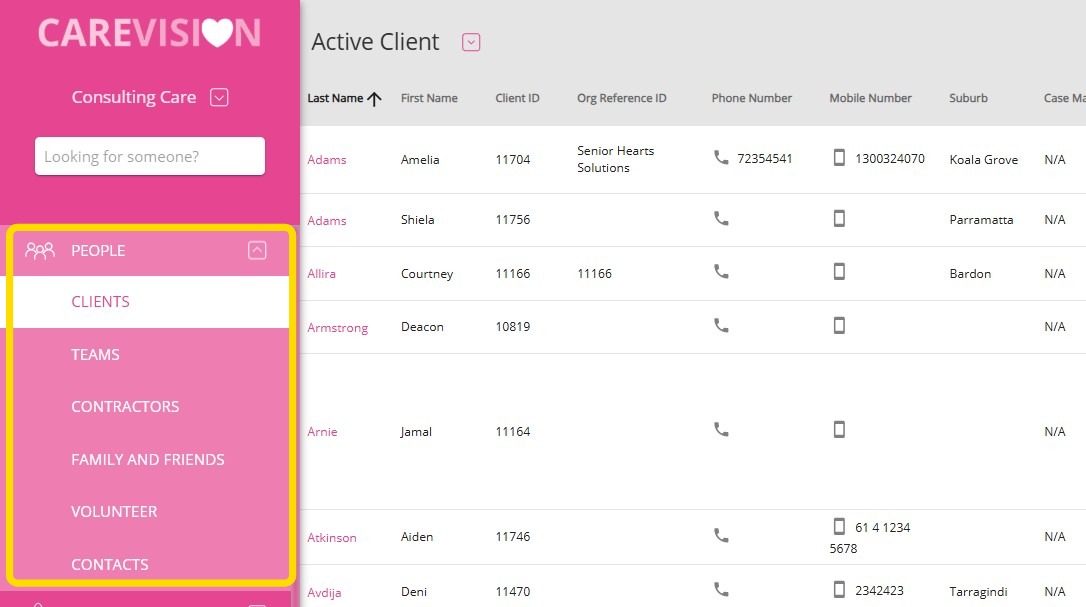
Who Are People in the System?
Clients
Clients are people who receive care and services, funded by government or private sources. For example, an elderly person receiving home care or a client supported through a government health program would be a client.
Teams
Teams include staff members who form the care organization. Roles can include Care Manager, Care Coordinator, Scheduler, HR, Finance/Billing and Claiming Administrator, Personal Care Worker, Registered Nurse, Physiotherapist, and Occupational Therapist. For instance, a Care Manager oversees client care plans, while a Scheduler arranges staff schedules and visits.
Contractors (Add-on)
Contractors are available if the organization uses the contractor module. Care organizations may hire contractors to provide specific services. Contractors can be directly employed staff, independent providers, or personnel from subcontractor companies, depending on service needs. For example, a home cleaner working on a contract basis would be a contractor.
Family and Friends
This group includes family members, guardians, or others involved in a client’s care. They can access information and communicate with staff. For example, a client’s daughter might log in to check care updates or message the care team.
Volunteers and Contacts
Contacts can have different types, reflecting key roles in a client’s life. Some contact types are for reference, while others affect system functions and outputs. For example:
Finance/Billing Contact: This contact manages client finances and can be assigned to a funding source for billing. If someone manages finances for a client, fields like Billing Contact, Billing Organisation Contact, and Billing Contact for Co-Contribution need to be completed.