Manage RSVPs for Social Group Events
This topic explains how to manage participant RSVP statuses for social group events in CareVision.
Keywords: social group events, manage rsvp, event attendance tracking, rsvp status update, participant management, social group calendar, event invitations, transport assistance rsvp
Prerequisites
- A social group must be set up.
- A social group event must already be published.
Note: A published event appears in purple, while an unpublished event appears in pink.
Steps
1. Navigate to Community > Social Groups and select a social group.
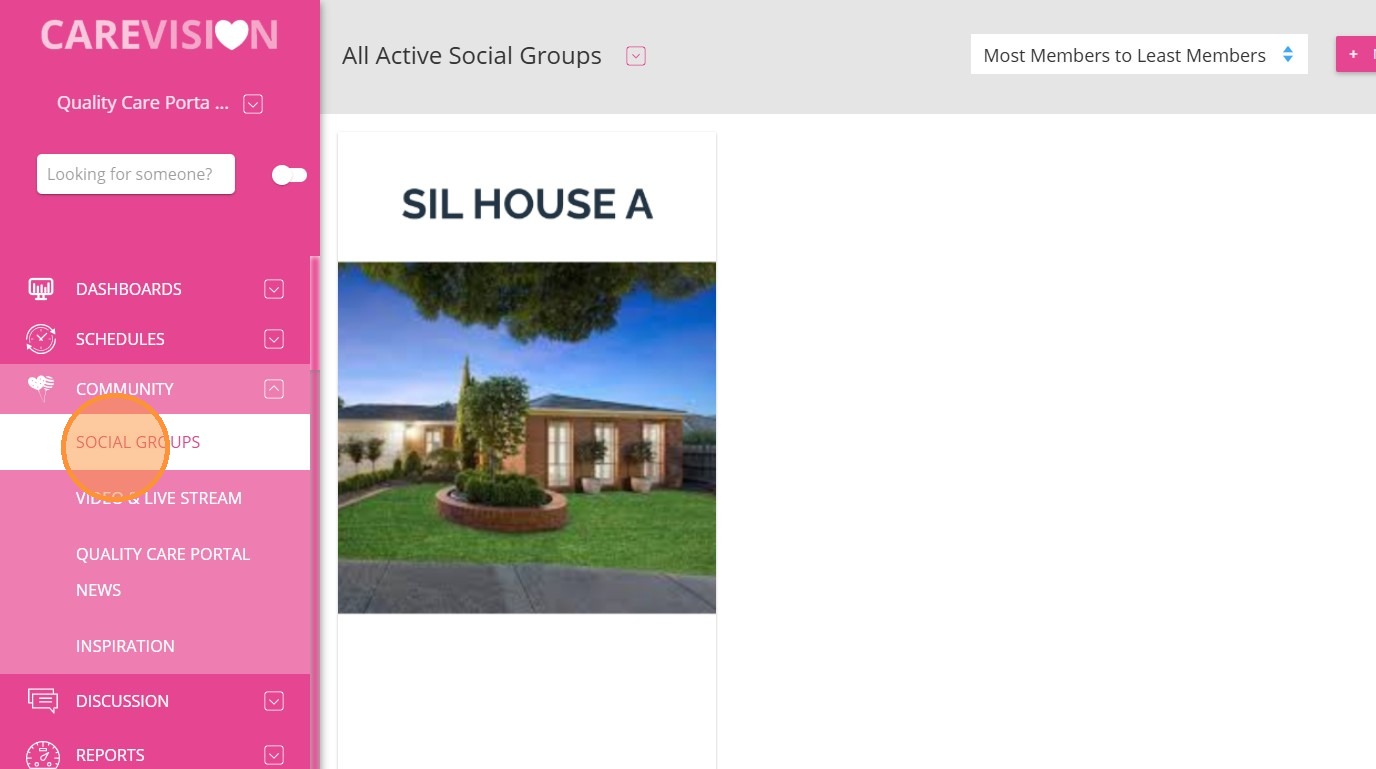
2. Go to the Calendar section.
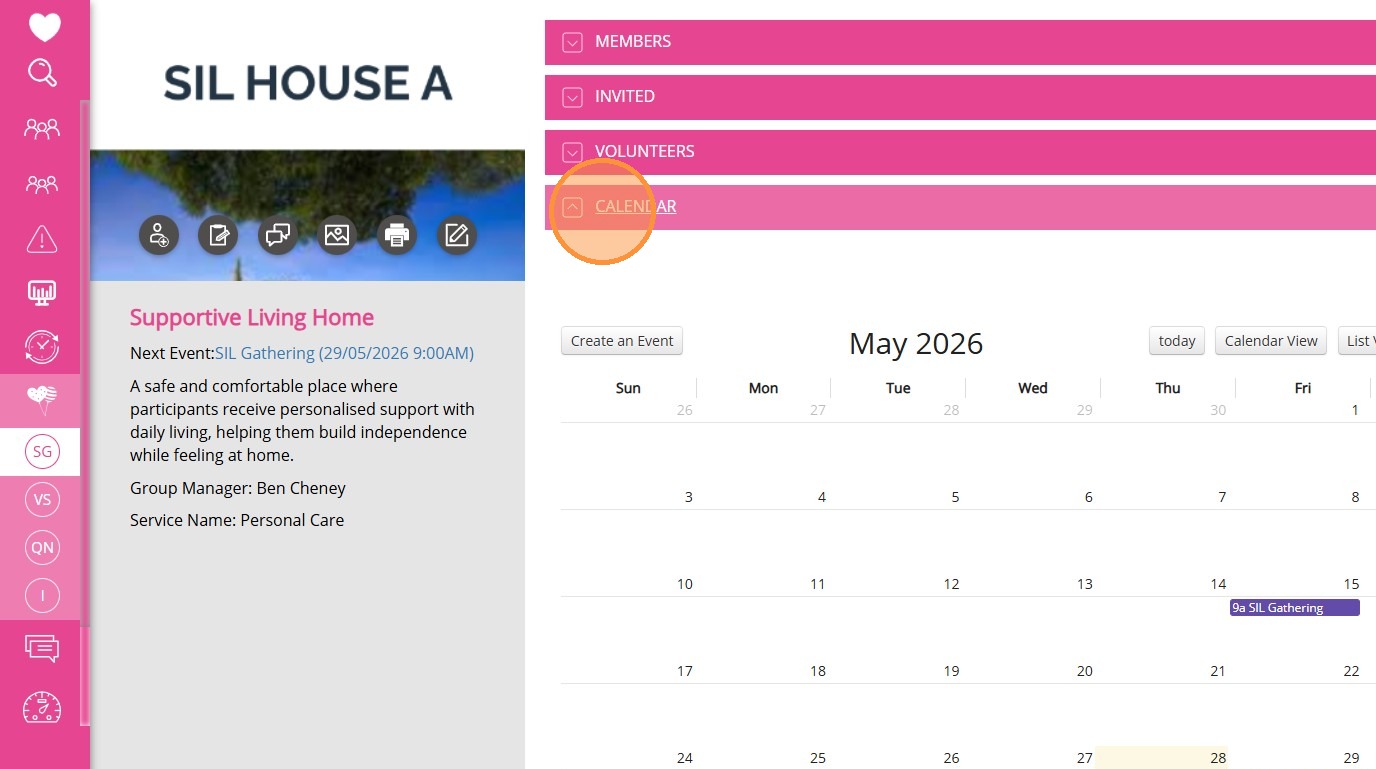
3. Click on a published event.
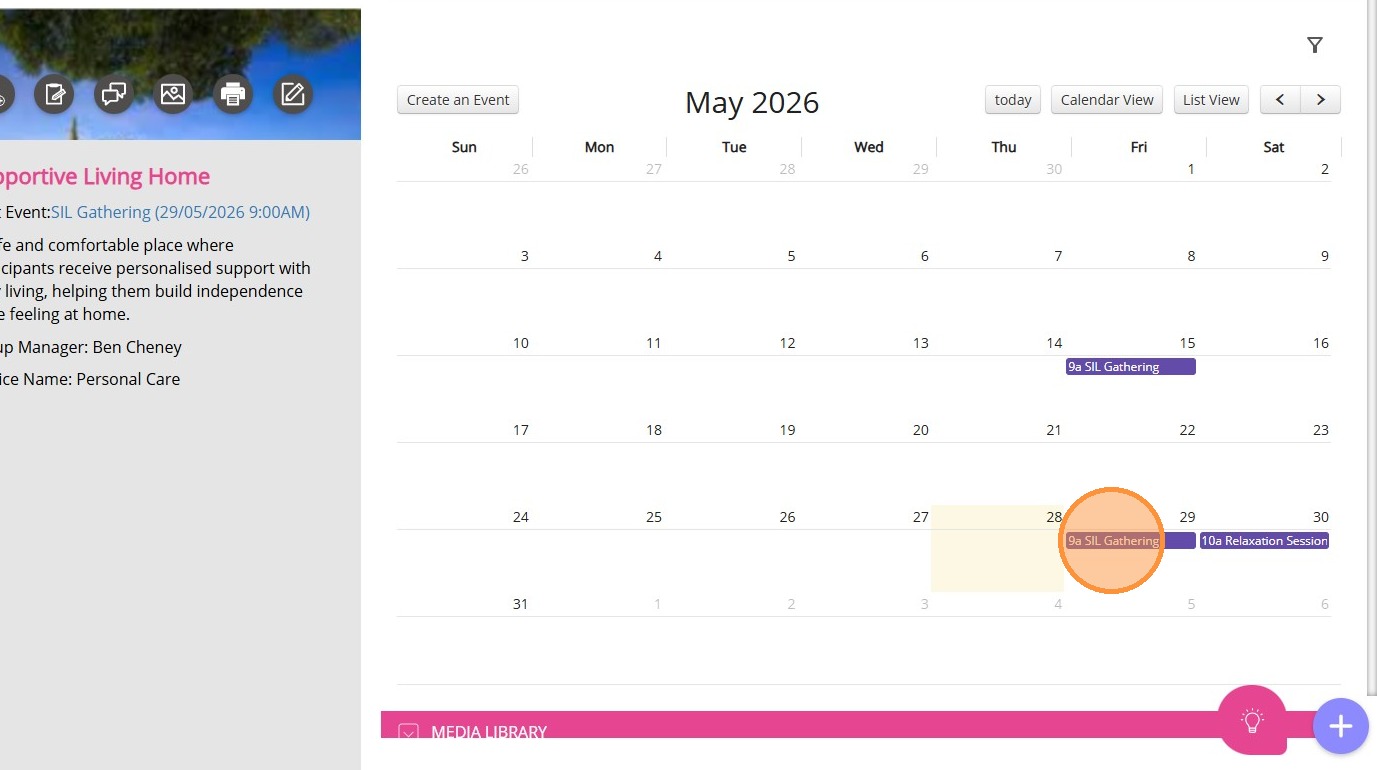
4. Select Manage Attendance.
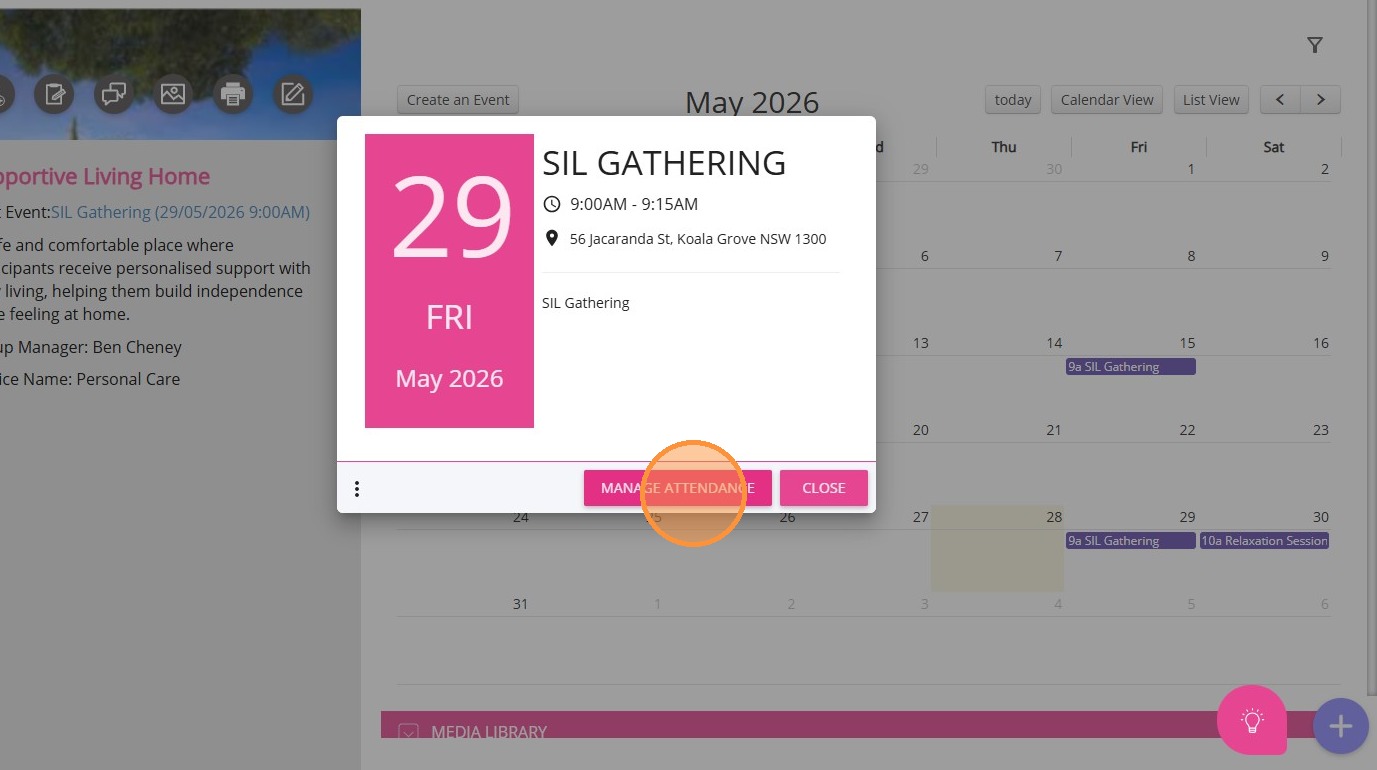
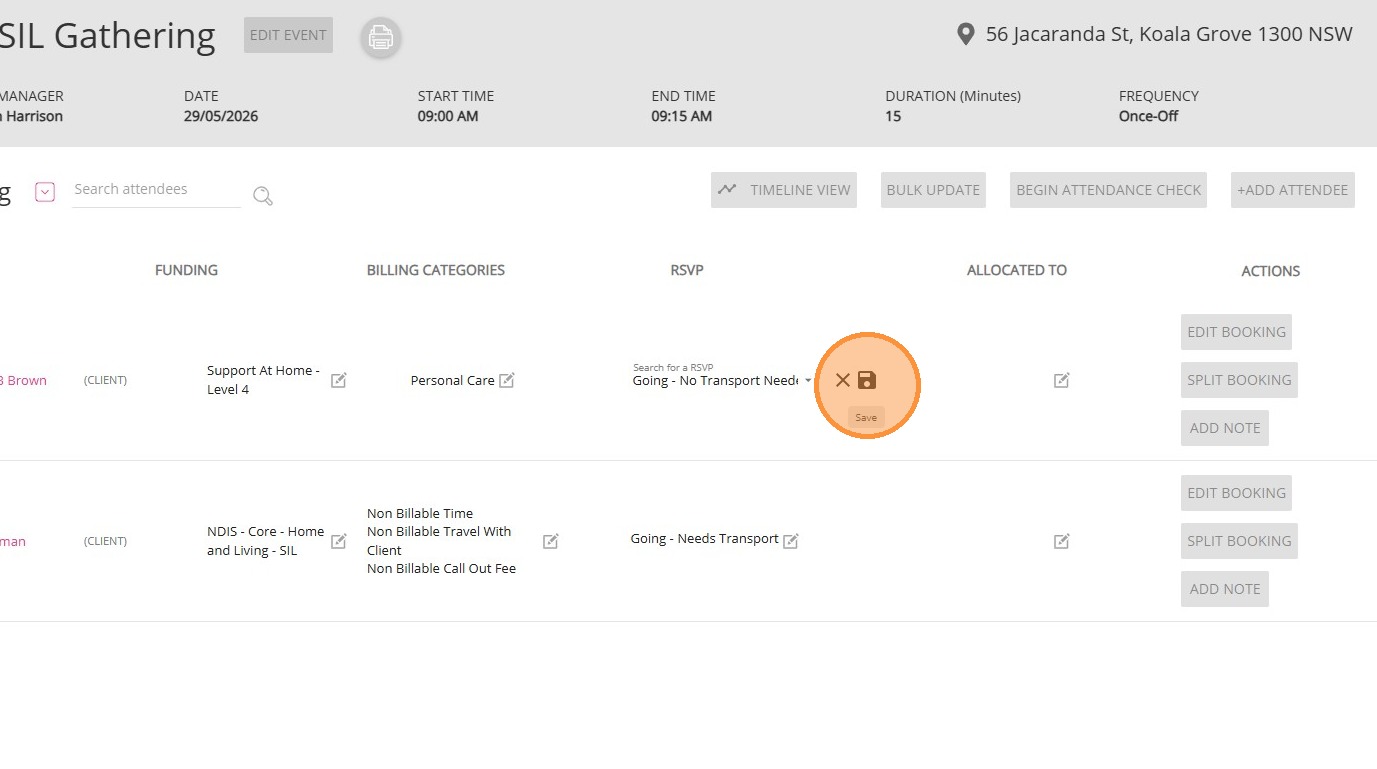
5. In the RSVP column, click the Edit icon and choose the appropriate option:
- Going - Needs Transport: The participant will attend the event and requires transport assistance.
- Going - No Transport Needed: The participant will attend the event and does not require transport.
- Invited: The participant has been invited to the event.
- Not Going: The participant has declined the invitation and will not attend the event.
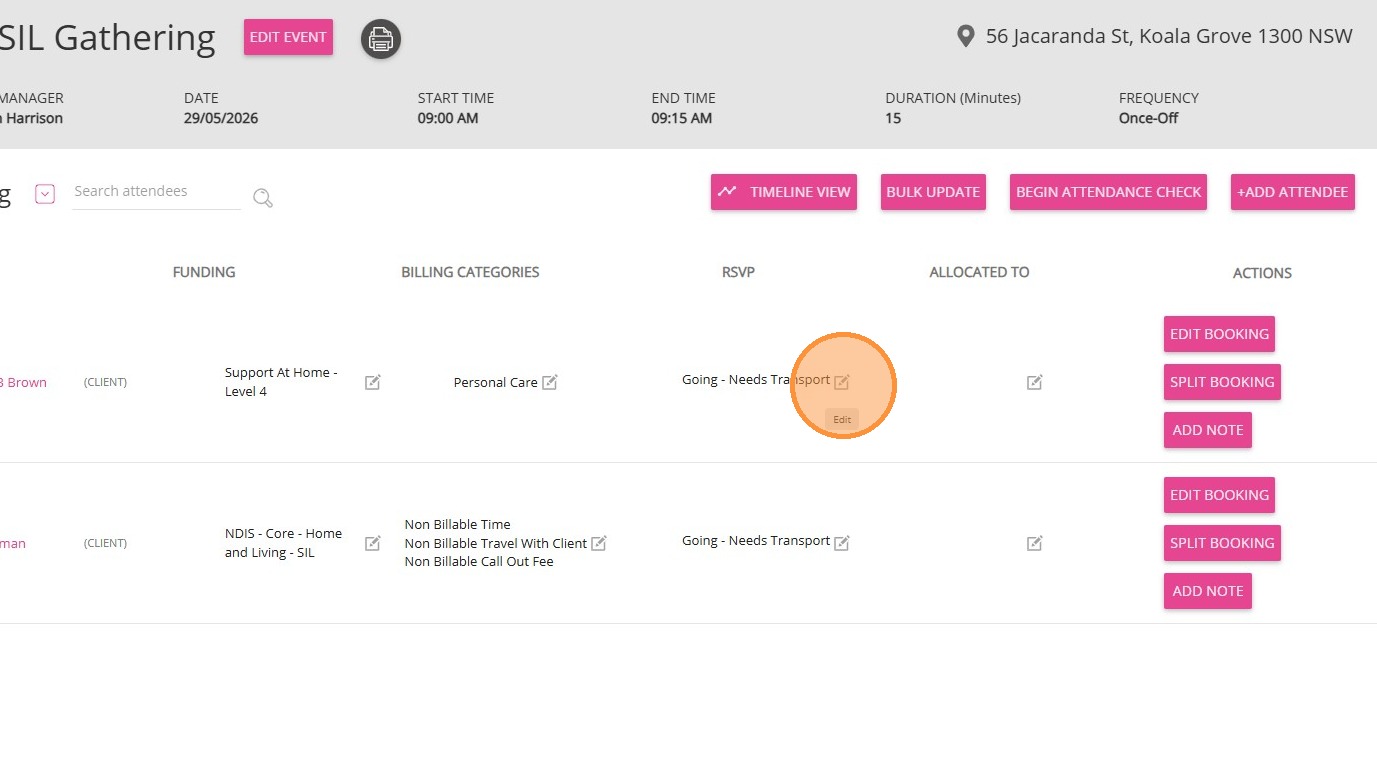
6. Click the Save icon to apply your changes.
\
This topic walked you through how to manage RSVPs for social group events, helping improve attendance tracking and coordination of participant needs. For more information about managing RSVP statuses for social group events, contact the CareVision Support Team.
Related Articles
Generate Meal and Transport Documents for Social Group Events
This topic explains how to generate the Meals Delivery and Transport Run documents for social group events. This helps support accurate meal preparation and transport coordination for social group events. Keywords: social group events, meal delivery ...
Mark Attendance and Add Notes in Social Groups
This topic explains how to record participant attendance and add case notes for social group events. Recording attendance and notes supports accurate documentation, billing, and participant tracking. Keywords: mark attendance, social group events, ...
Use Bulk MPAS for Social Group Events
This topic explains how to use Bulk Member Planned Attendance Schedule (MPAS) to manage a client’s attendance across multiple social group events. Bulk MPAS allow you to assign multiple event attendances for a client in one process. Keywords: bulk ...
Display Social Group Events in Timeline View
This topic explains how to view and filter participant attendance using the Timeline view in social group events. This helps provide a clear visual overview of attendance, making it easier to track and manage participants. Keywords: event timeline ...
Getting Started with Social Groups
A social group is a feature that allows your organisation to bring together clients who share common interests or require similar services. These groups can be created for various purposes, such as organising activities, coordinating services, or ...
Request an Article or Guide
We are keen to know what you want to know more about? Let us know on chat or raise a ticket for an article or topic you would like covered in more detail. We have a team of technical writers and learning content creators keen for your suggestions.