How to Update Subsidy Rates
Subsidy rates must be updated to reflect the latest government-issued funding changes. As of 1 October 2026, new Support at Home rates apply.
This topic outlines how to manually update your billing category rates in CareVision to maintain accurate rate calculations.
Keywords: subsidy rate update, support at home rates, billing categories, update billing rates, rate effective date, government funding rates, billing setup, archived rate sets, active rate set update, subsidy rate management
Step 1. Navigate to Billing Categories
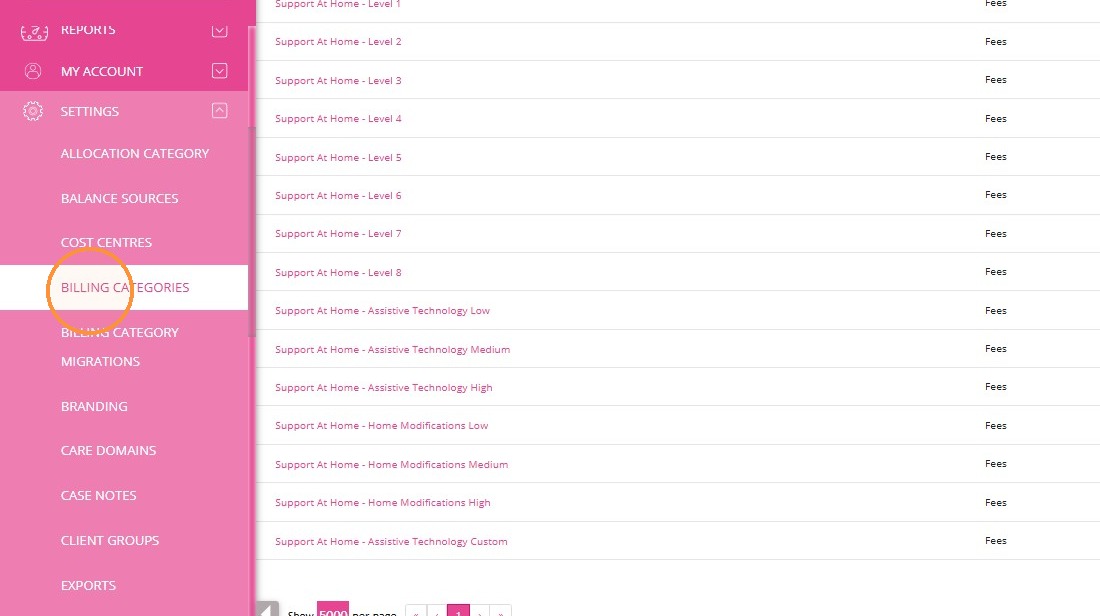
Go to Settings > Billing Categories.
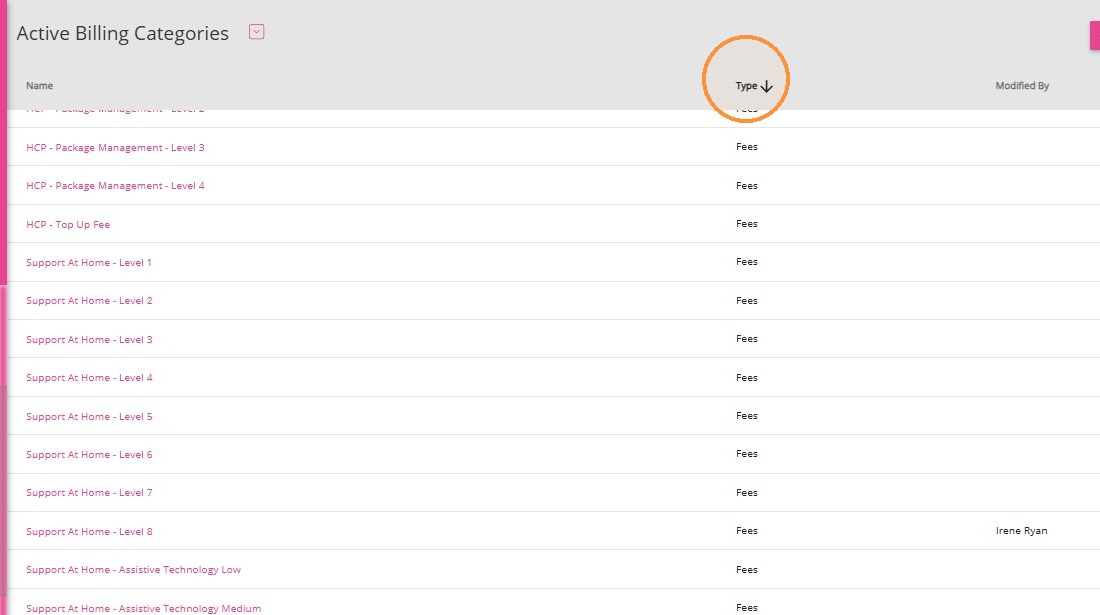
In the Active Billing Categories section, click the Type column to display only Fees.
Step 2. Locate the Relevant Billing Category
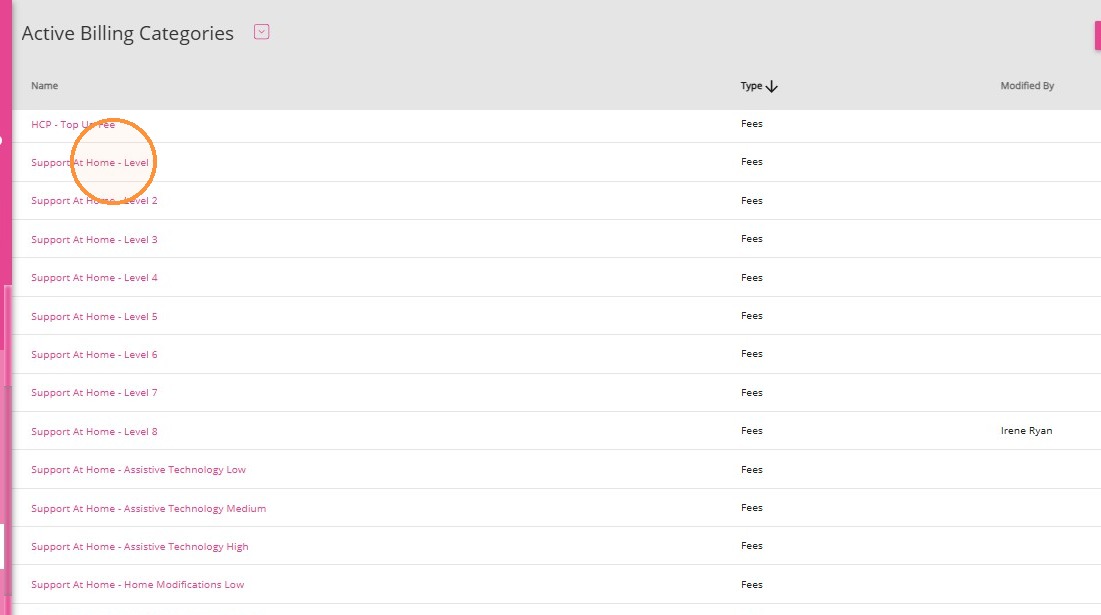
Identify the applicable Support at Home billing category. Example: Support at Home – Level 1
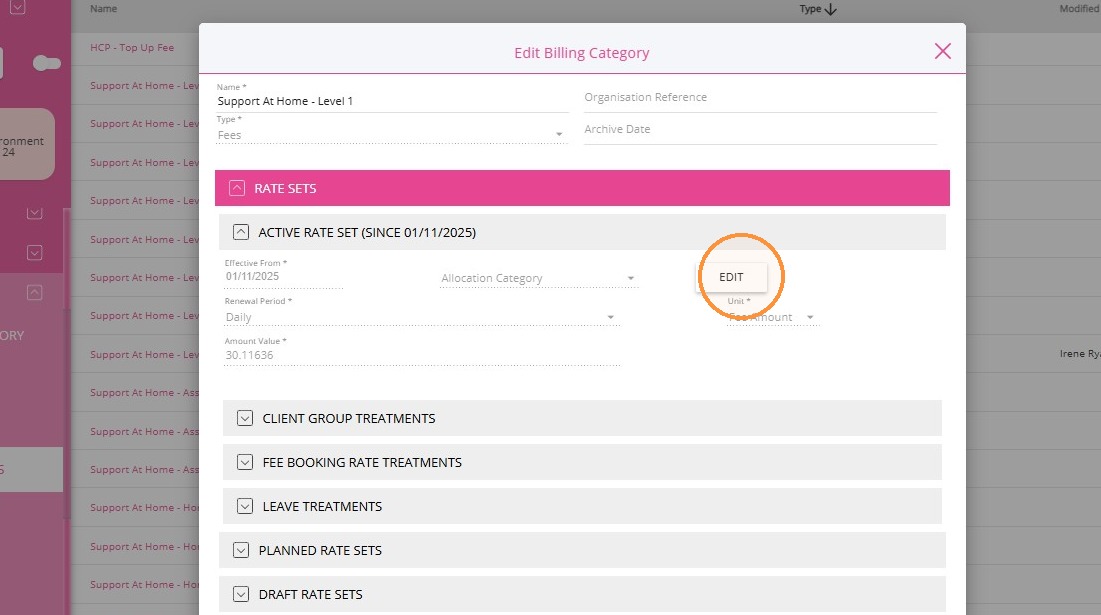
Click Edit on the Active Rate Set
Step 3. Update the Rate Details
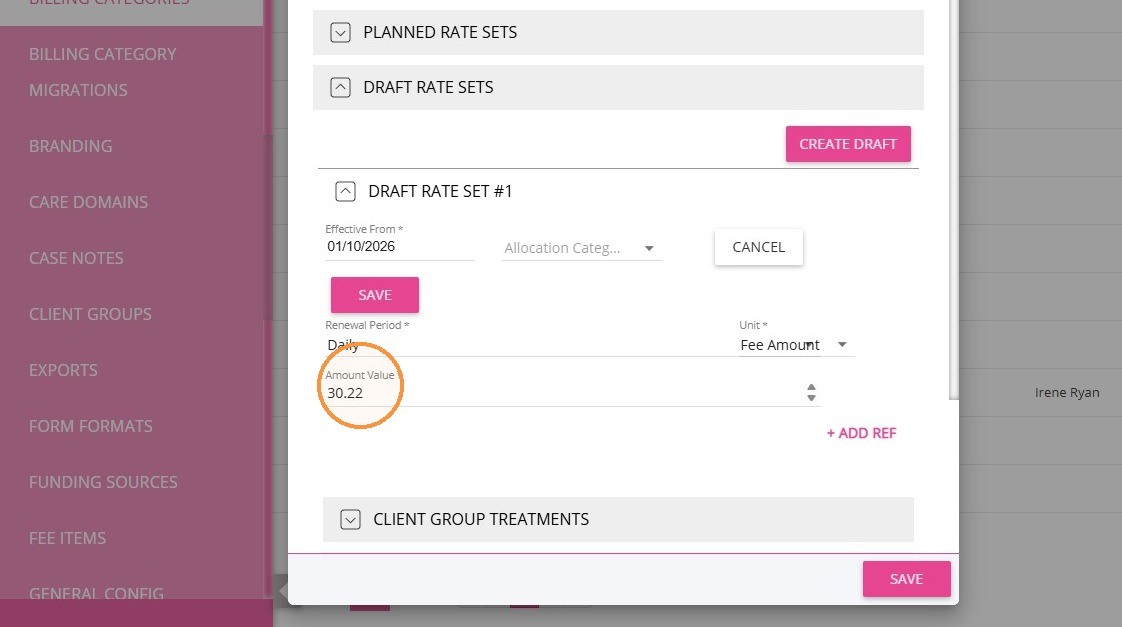
In the Amount Value field, enter the updated rate.

For complete rates, refer to Schedule of Subsidies and Supplements for Support at Home.
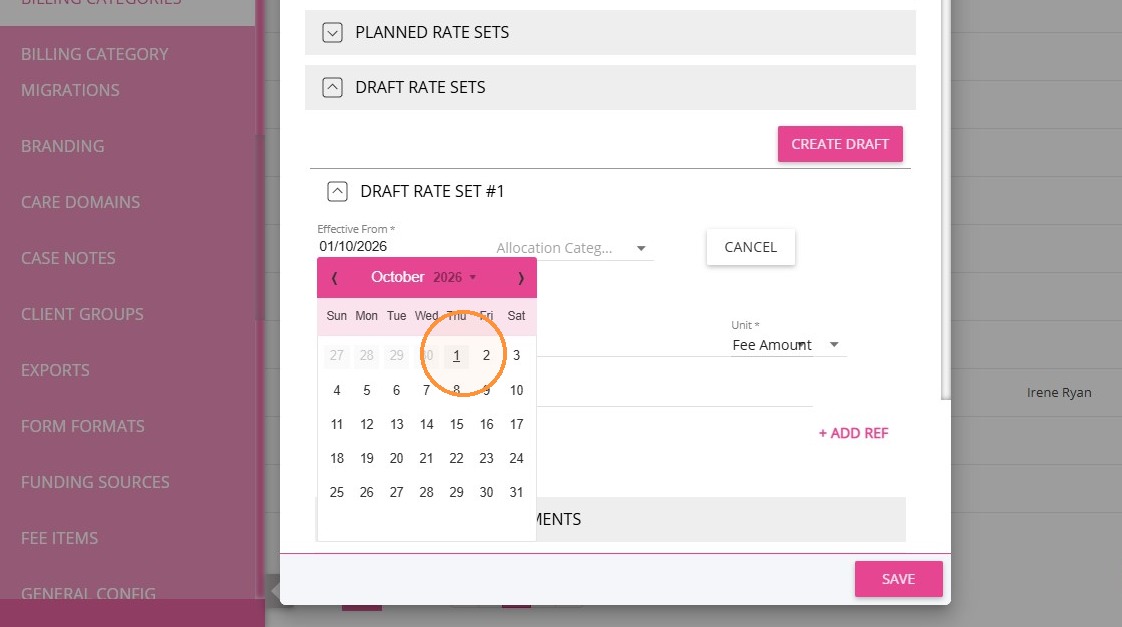
In the Effective From field, select 1 Oct 2026.
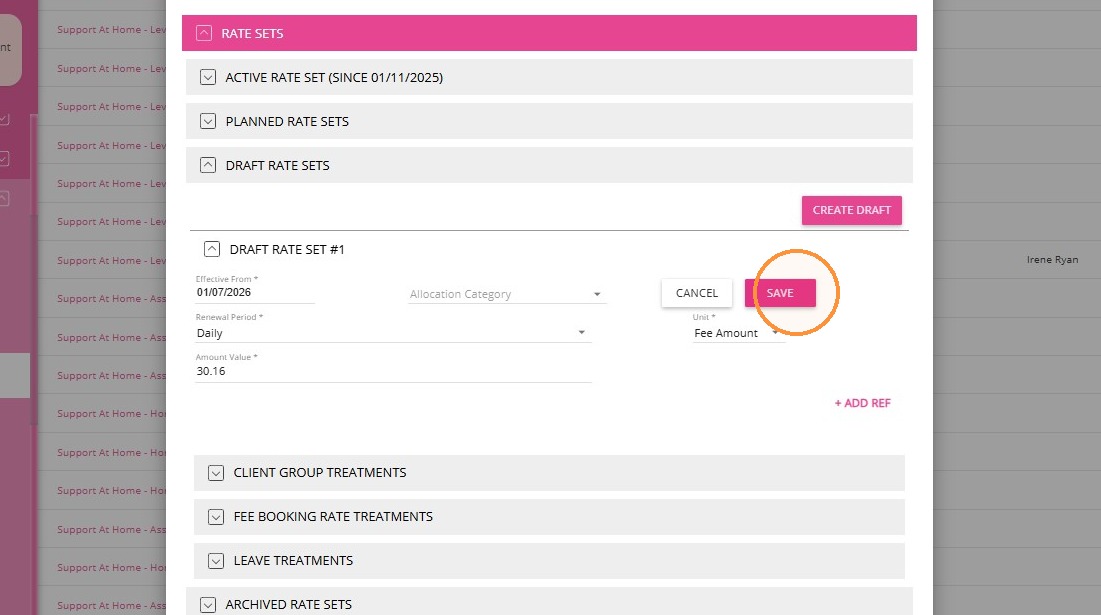
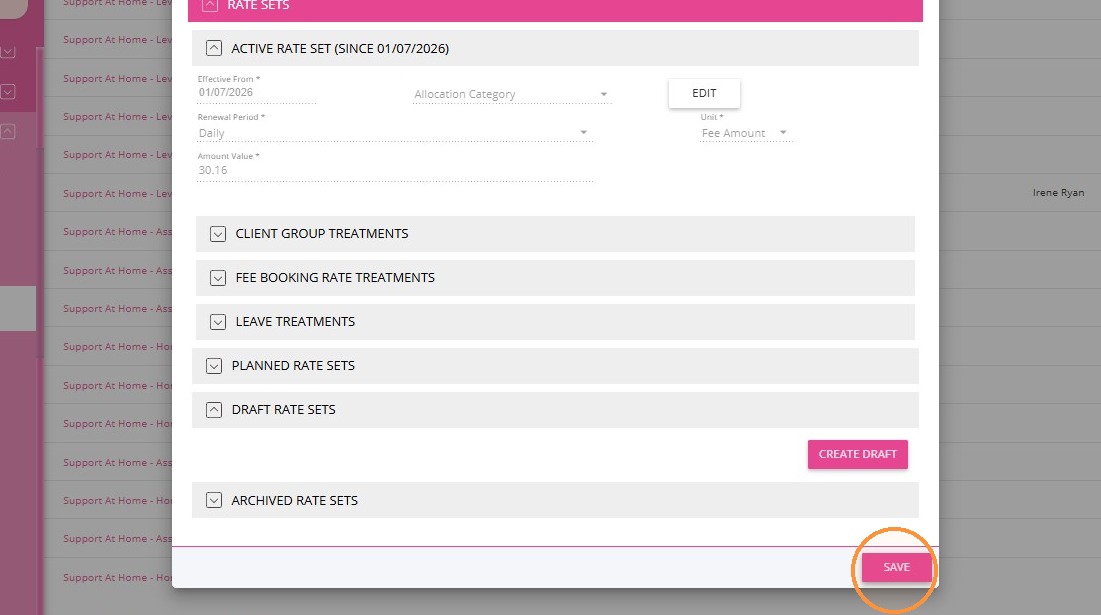
Click Save.
Step 4. Publish the Updated Rate
Click Publish.
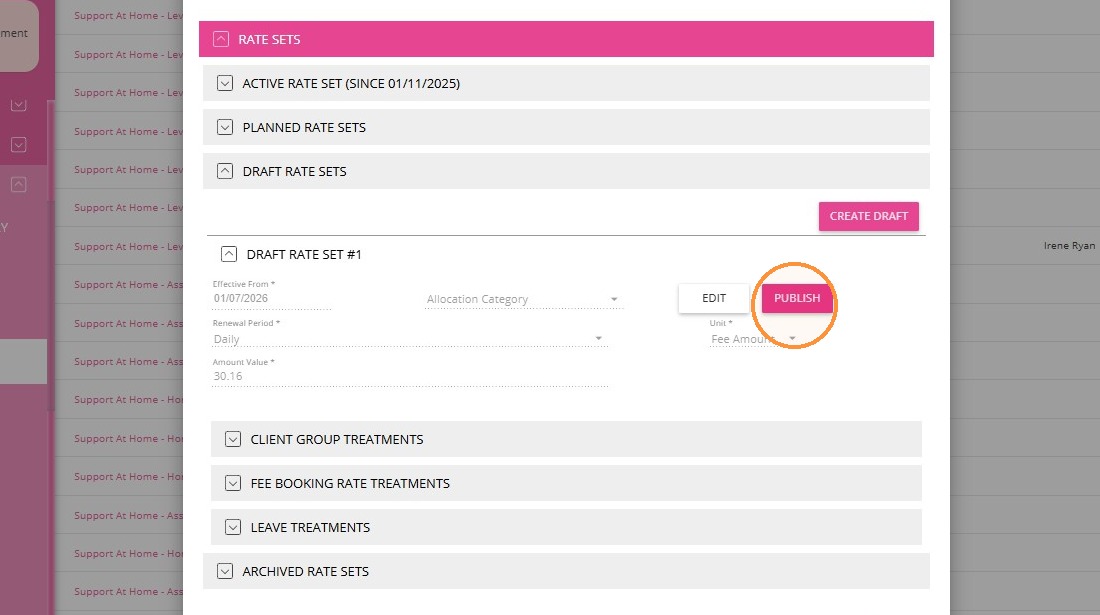
Click Save again to confirm the rate update.
Step 5. Repeat for All Applicable Categories
- Repeat steps 2-4 for each Support at Home billing category requiring a rate update.
- Confirm all rates align with the government’s updated rate schedule effective 1 October 2026.
Other Funding
To update rates for other funding types, such as Assistance Dog Maintenance and supplements for participants residing in MM 6 and MM 7, see the detailed instructions below by clicking each topic.
Assistance Dog Maintenance
For Assistance Dog Maintenance funding, this is already set up in your account. To update the rate:
1. Go to Settings > Billing Categories. Filter the billing categories by Fee Type.
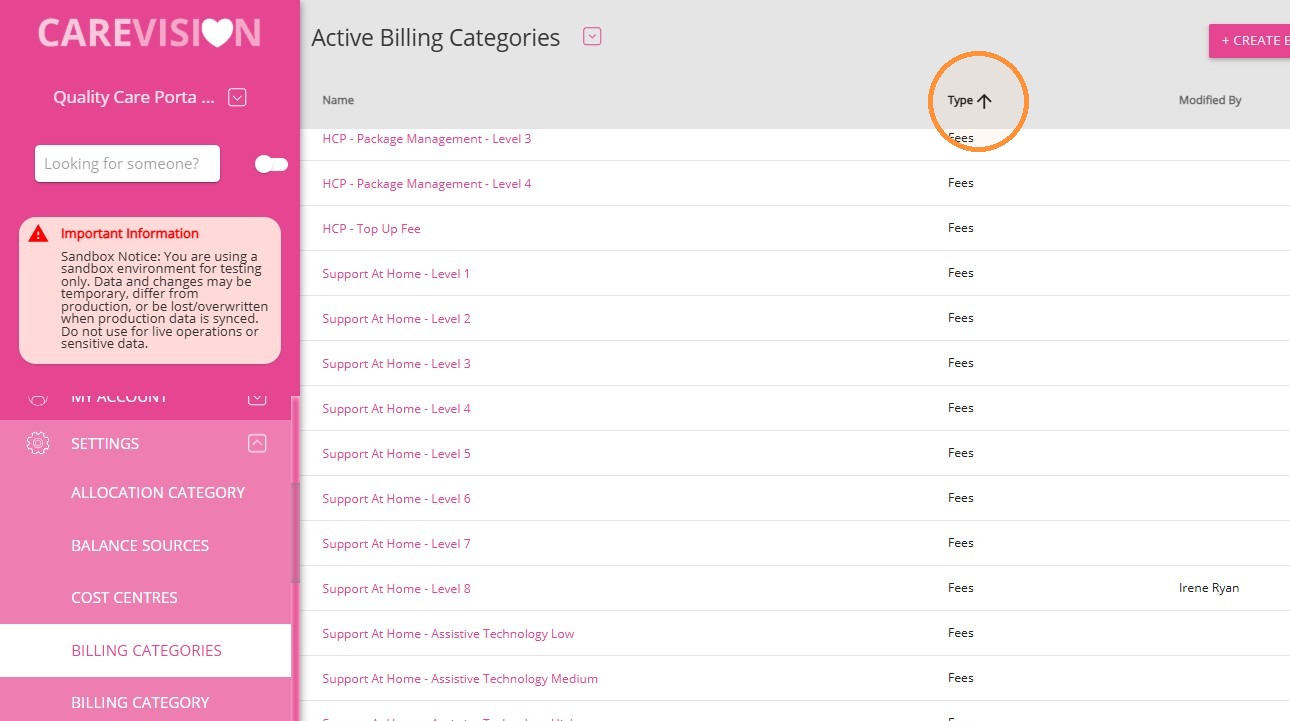
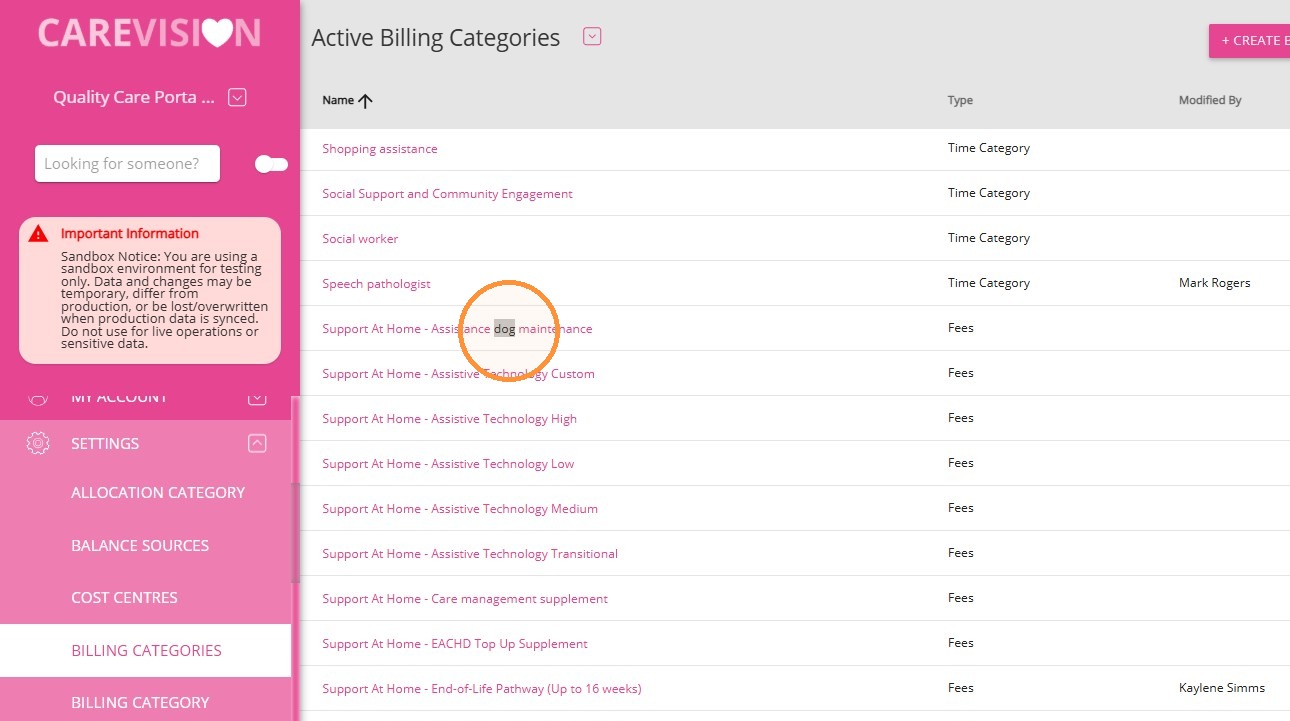
2. Find the relevant billing category, for example, Support at Home – Assistance Dog Maintenance.
3. Click Edit.
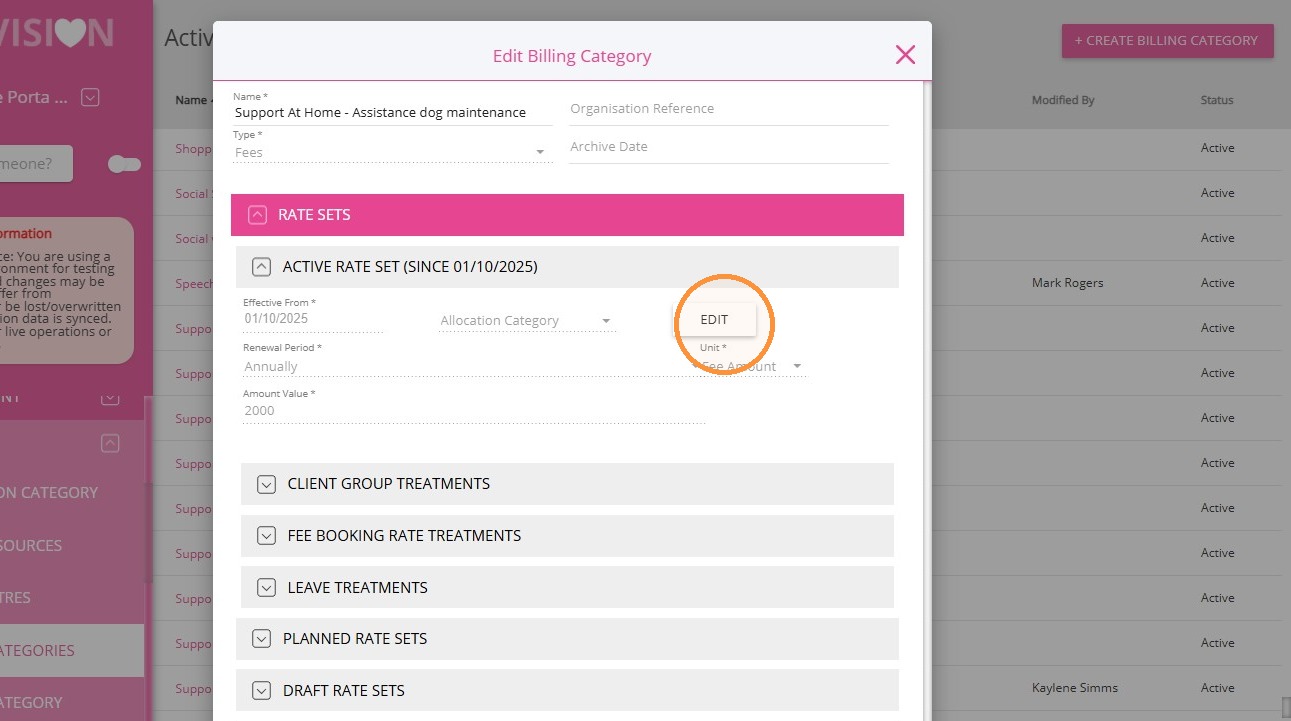
4. Change the Effective From Date to 1 Oct 2026.
5. Update the Amount Value to the new budget amount, for example, $2,052
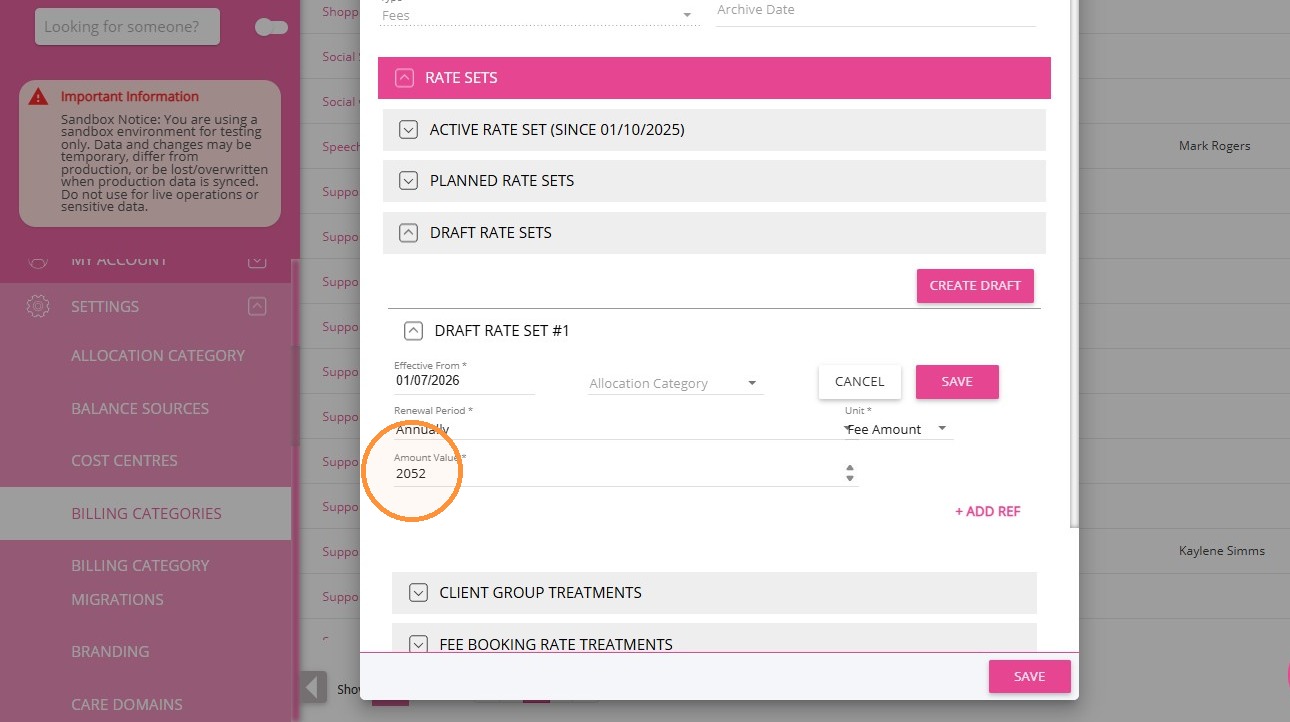
6. Click Save.
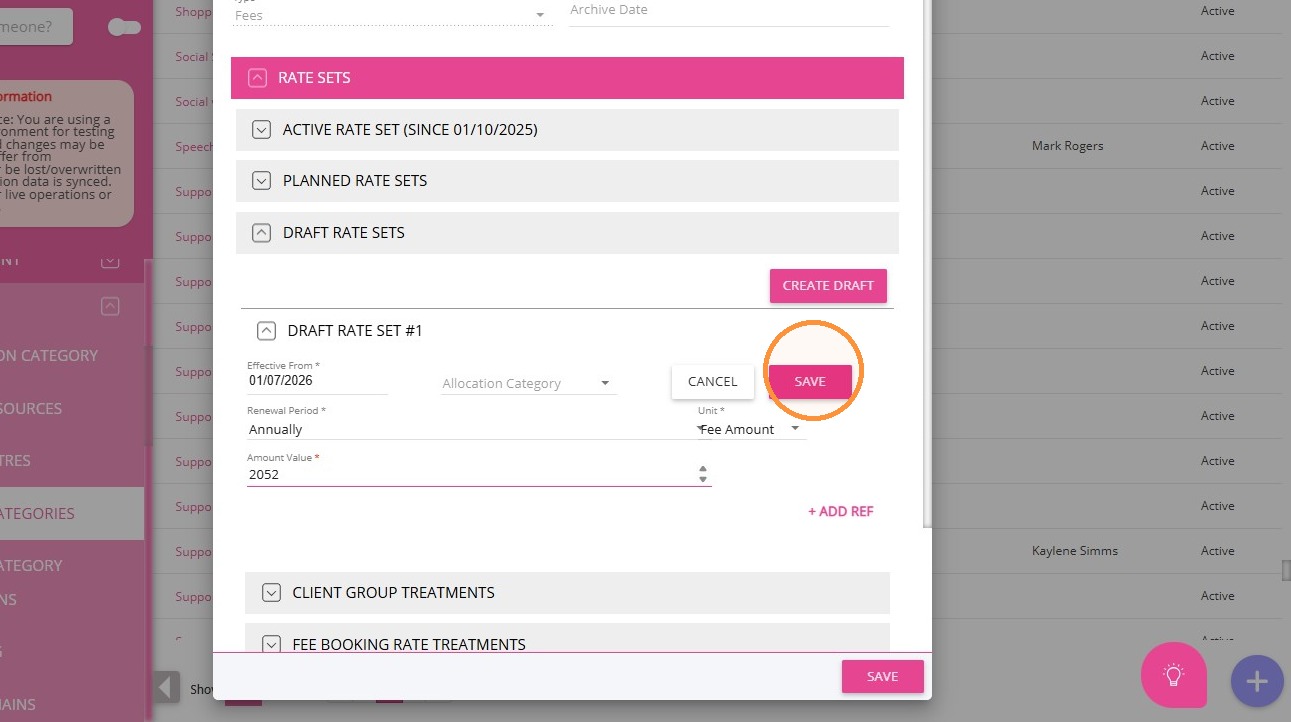
7. Click Publish.
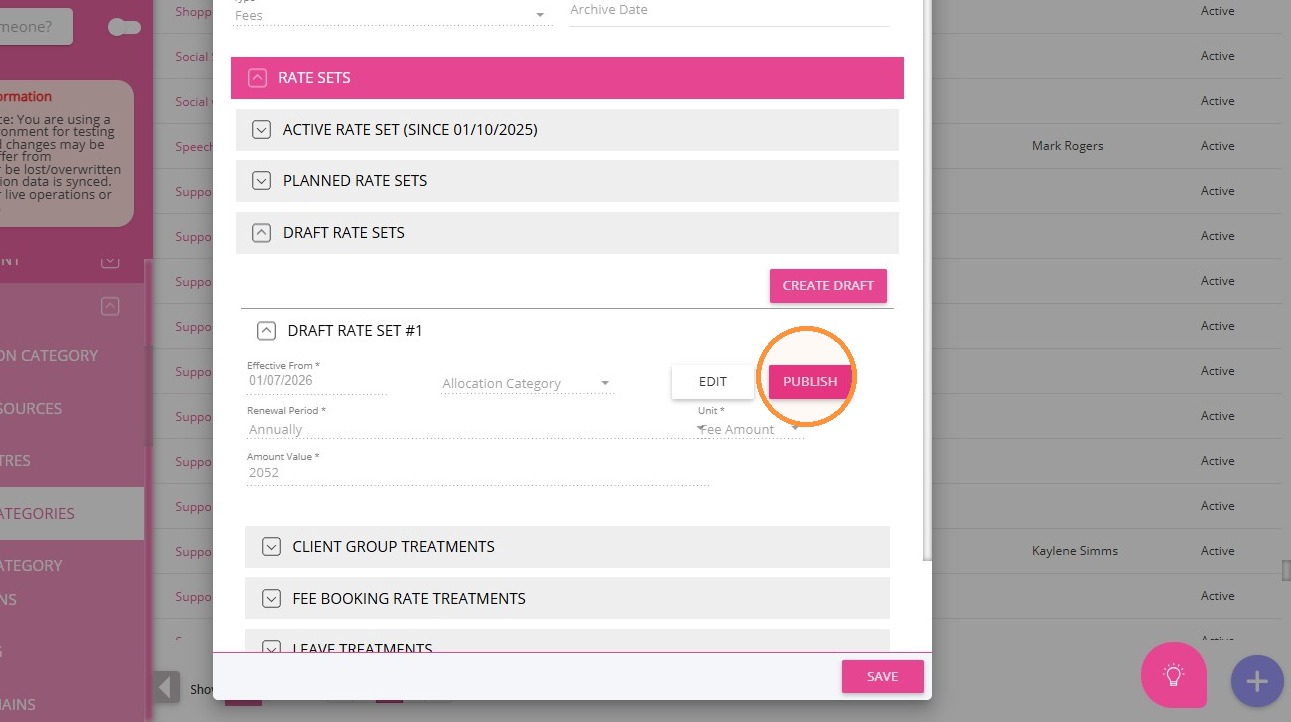
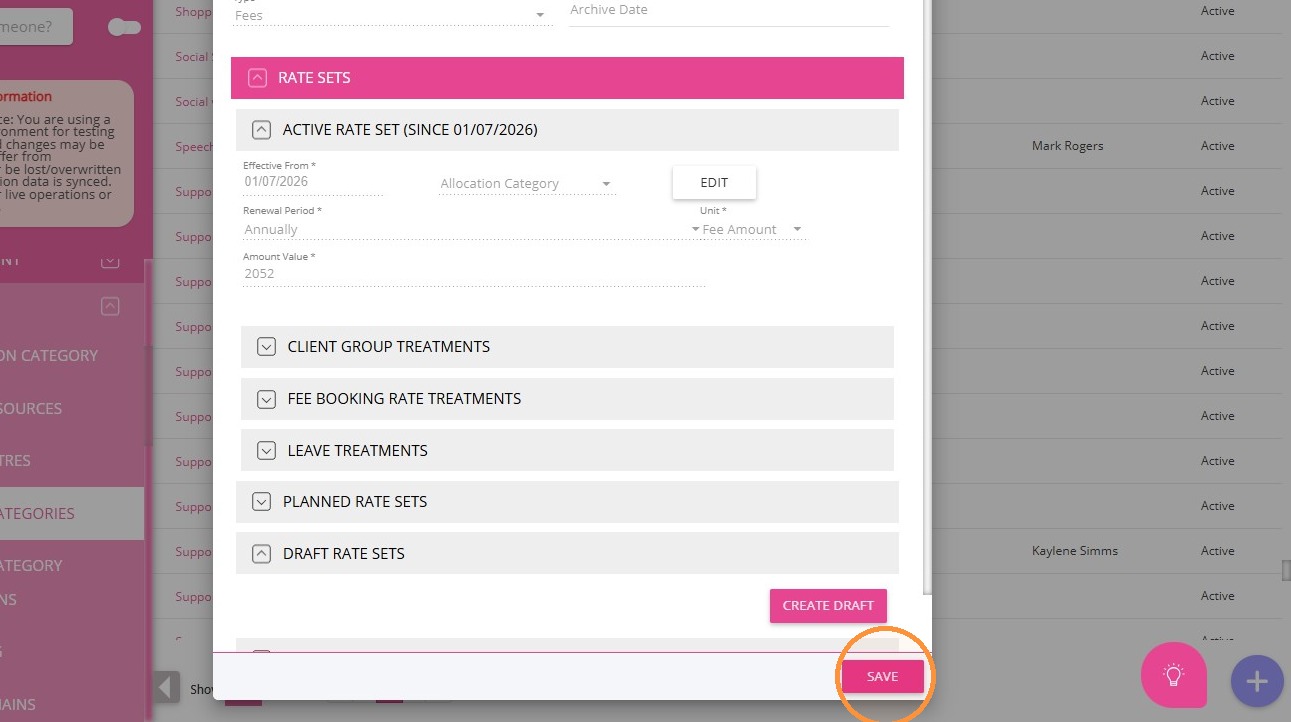
8. Click Save again to confirm the changes.
Supplement for Participants Residing in MM 6 and MM 7
Modified Monash Model (MMM)
Supplement Funding for Participants Residing in MM 6 and MM 7

Note: There are two approaches to setting up MMM Supplement: either use client groups as outlined below, or add an additional funding fee item. Either approach works.
I. Create a Group Set
1. In the left navigation pane, select Settings > Client Groups.
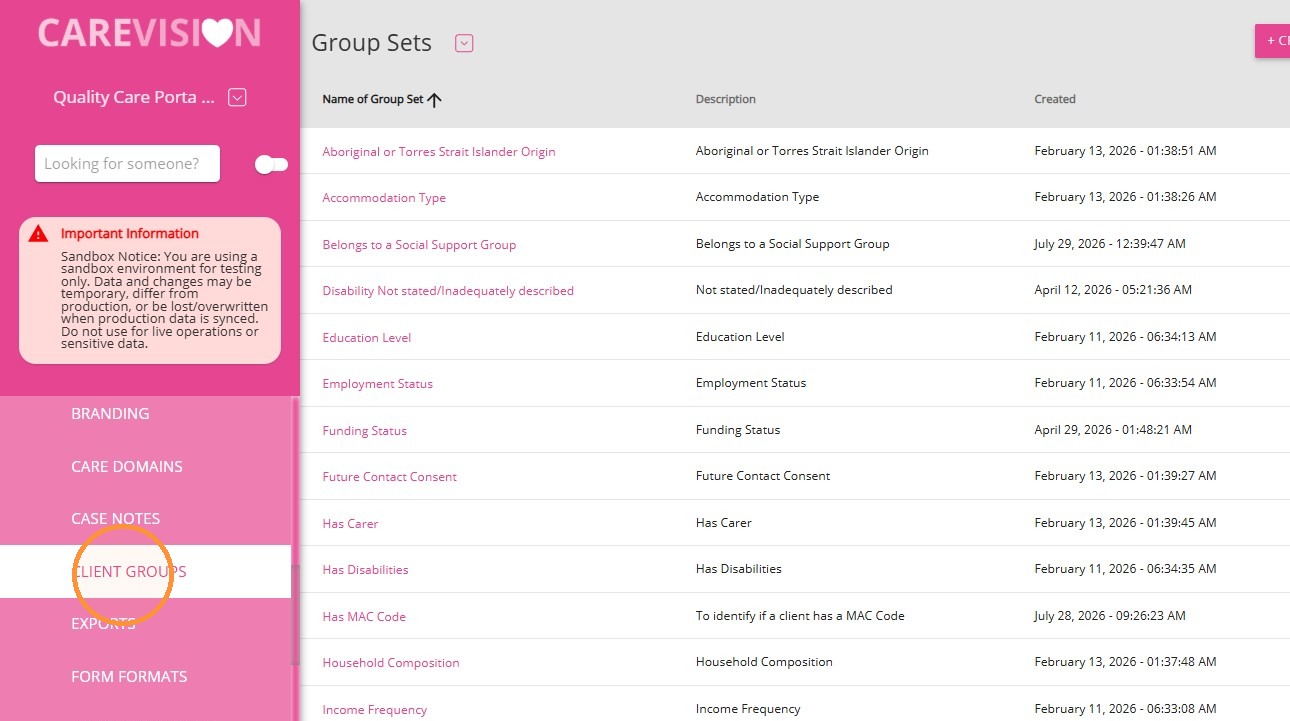
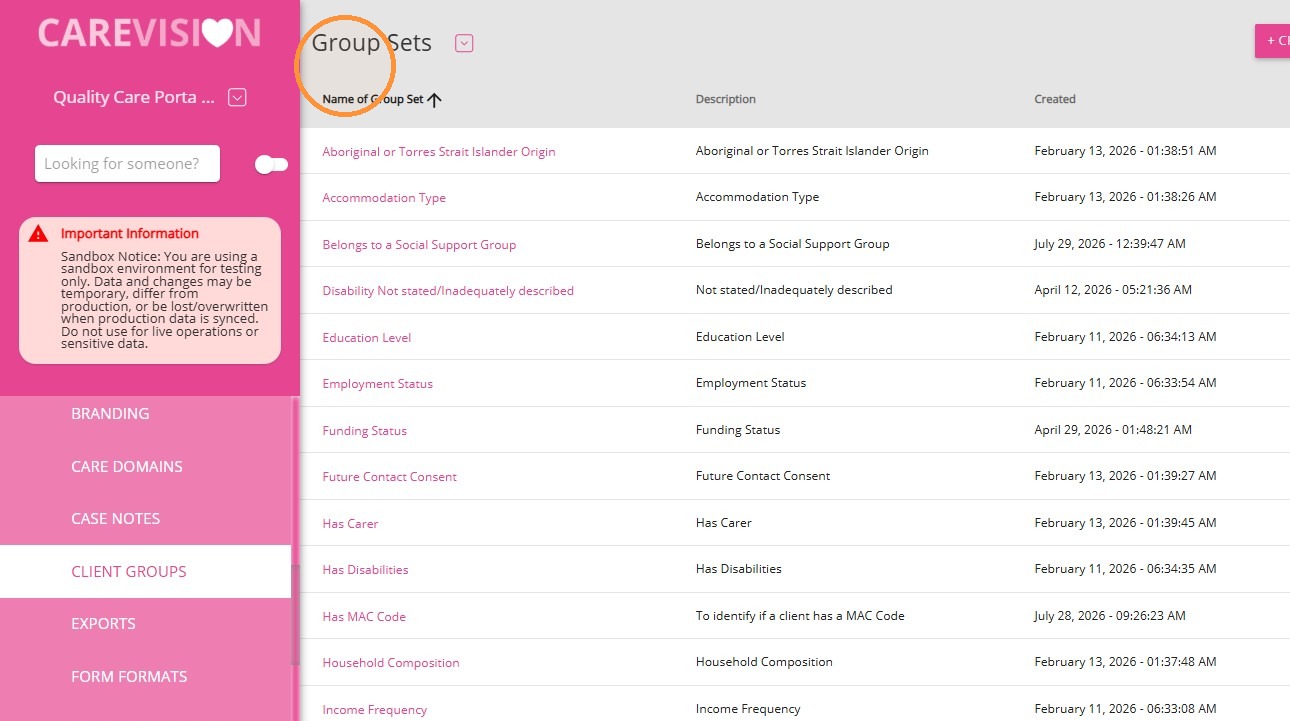
2. From the dropdown at the top of the page, select Group Sets.
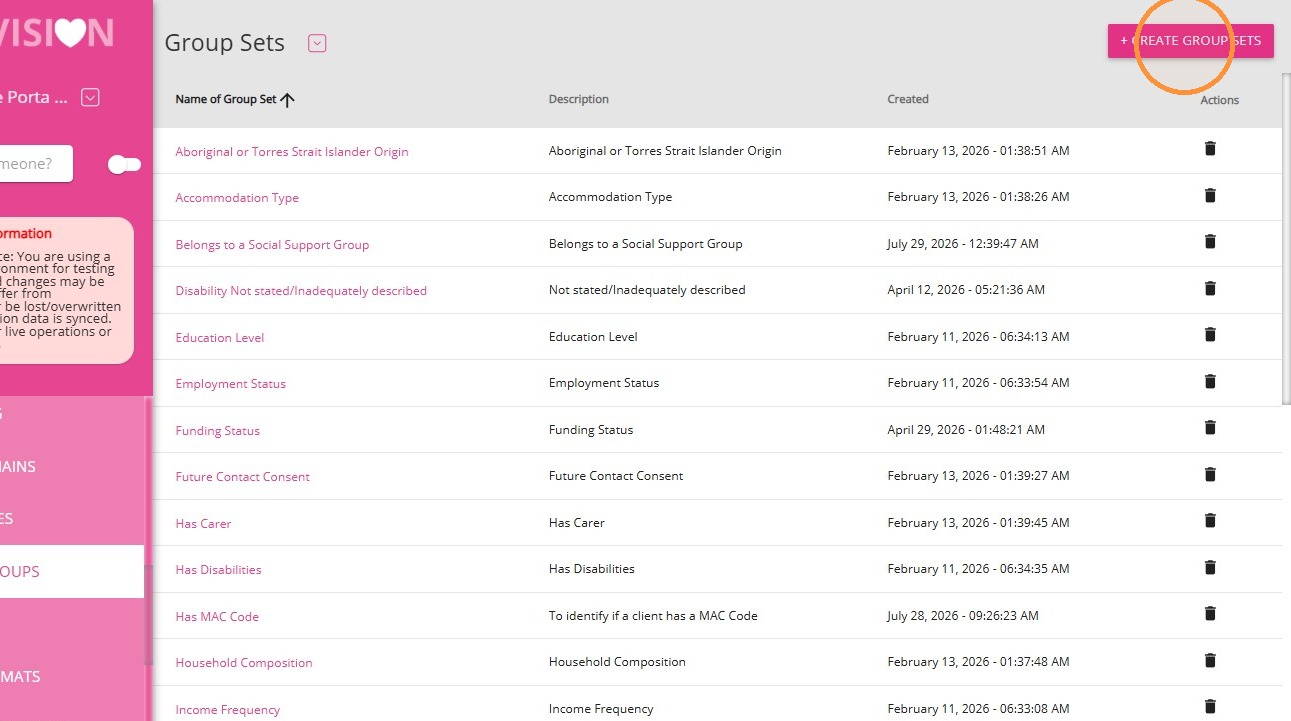
3. Click + Create Group Sets.
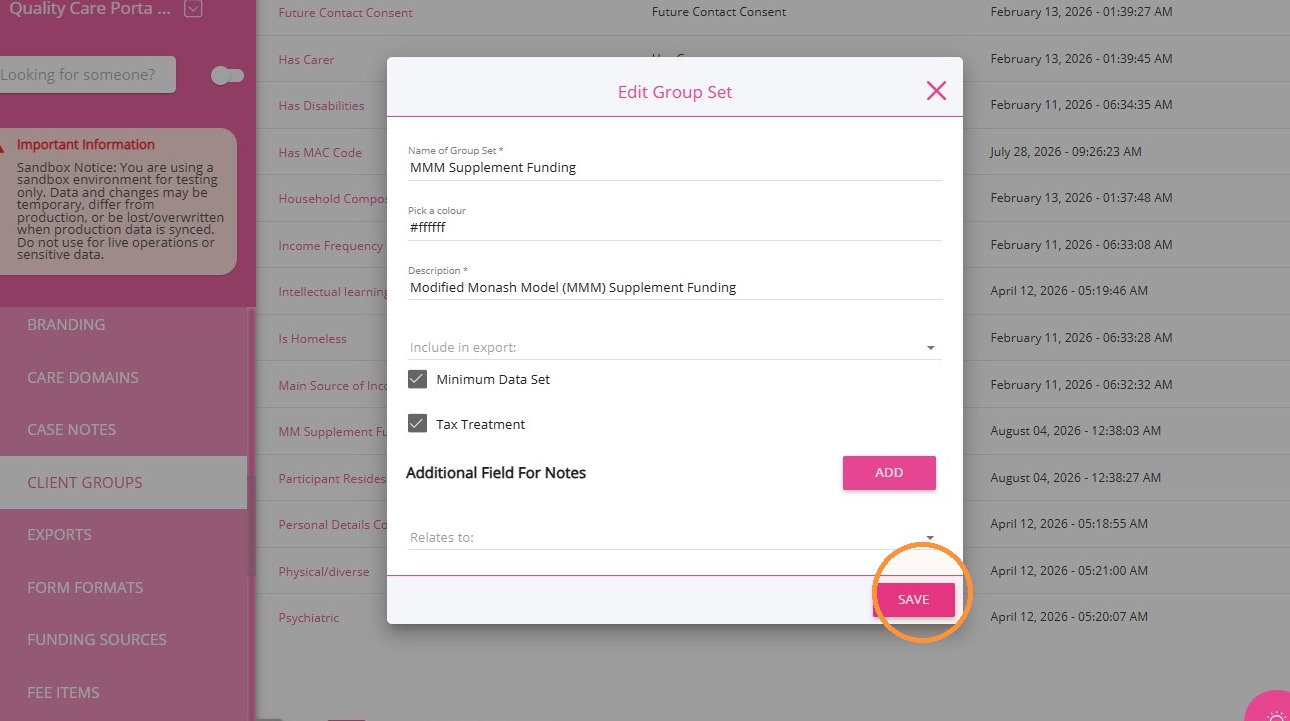
4. Complete the following fields:
Name of Group Set: Enter MMM Supplement Funding.
Description: Enter a short description.
Tick the following checkboxes:
- Minimum Data Set
- Tax Treatment
5. Click Save.
II. Create Client Groups
Create two separate client groups: MMM6 and MMM7.
1. From the dropdown at the top of the page, select Client Groups.
2. Click + Create Client Group.
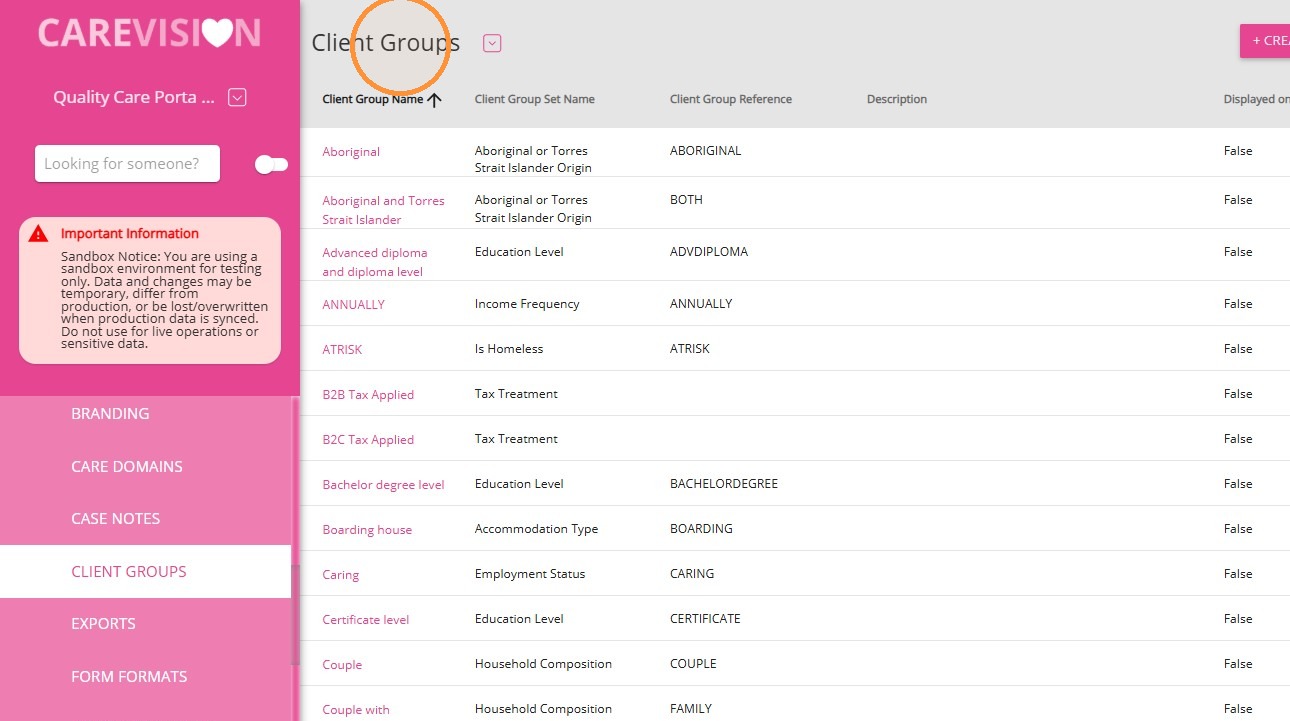
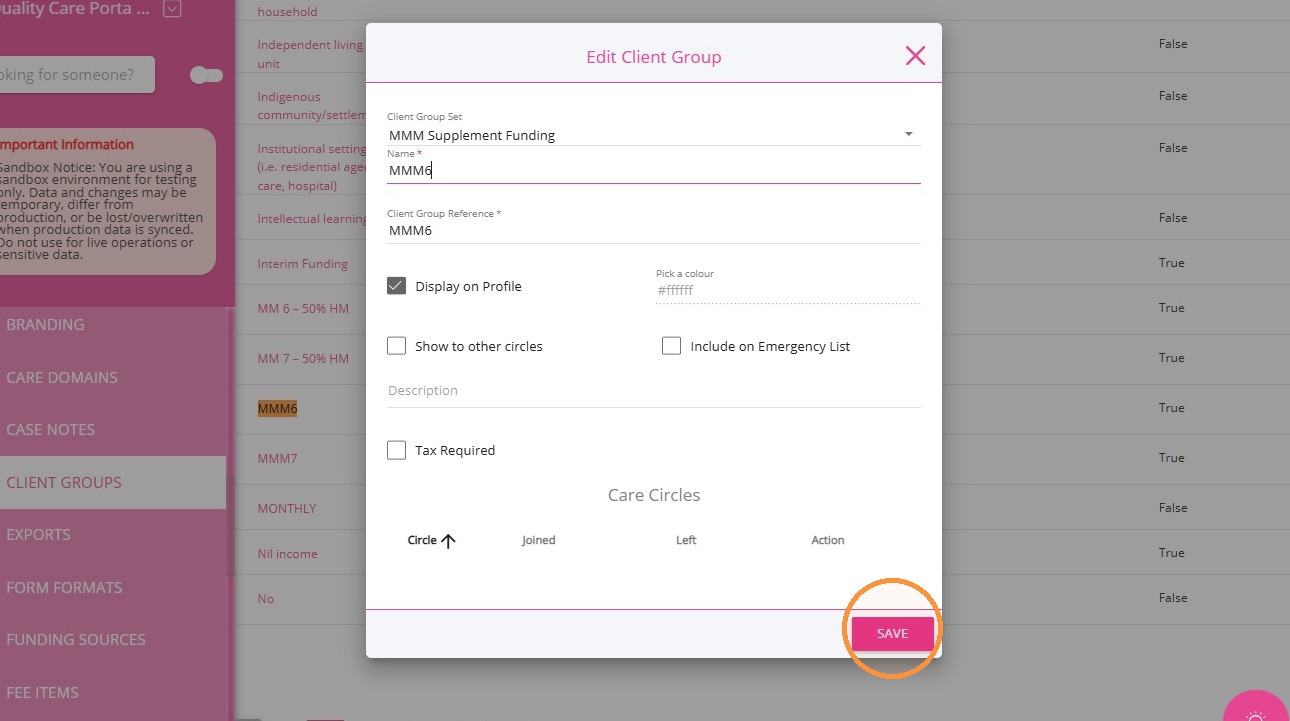
3. Create the MMM6 client group:
- In the Client Group Set field, select MMM Supplement Funding.
- In the Name field, enter MMM6.
Tick the Display on Profile checkbox.- Tick the Tax Required checkbox.
- Complete the remaining fields as required.
- Click Save.
4. Click + Create Client Group again.
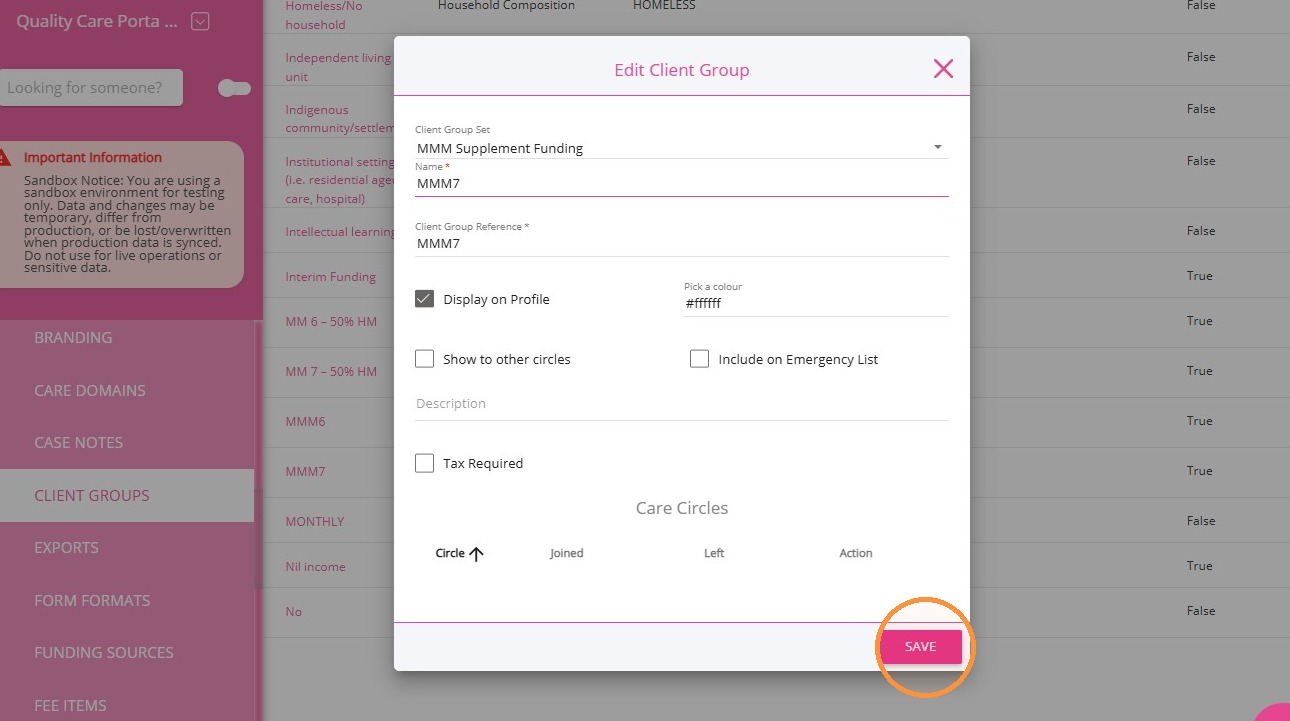
5. Create the MMM7 client group:
- In the Client Group Set field, select MMM Supplement Funding.
- In the Name field, enter MMM7.
- Tick the Display on Profile checkbox.
- Tick the Tax Required checkbox.
- Complete the remaining fields as required.
- Click Save
III. Apply Client Group Treatments to Fee Billing Categories
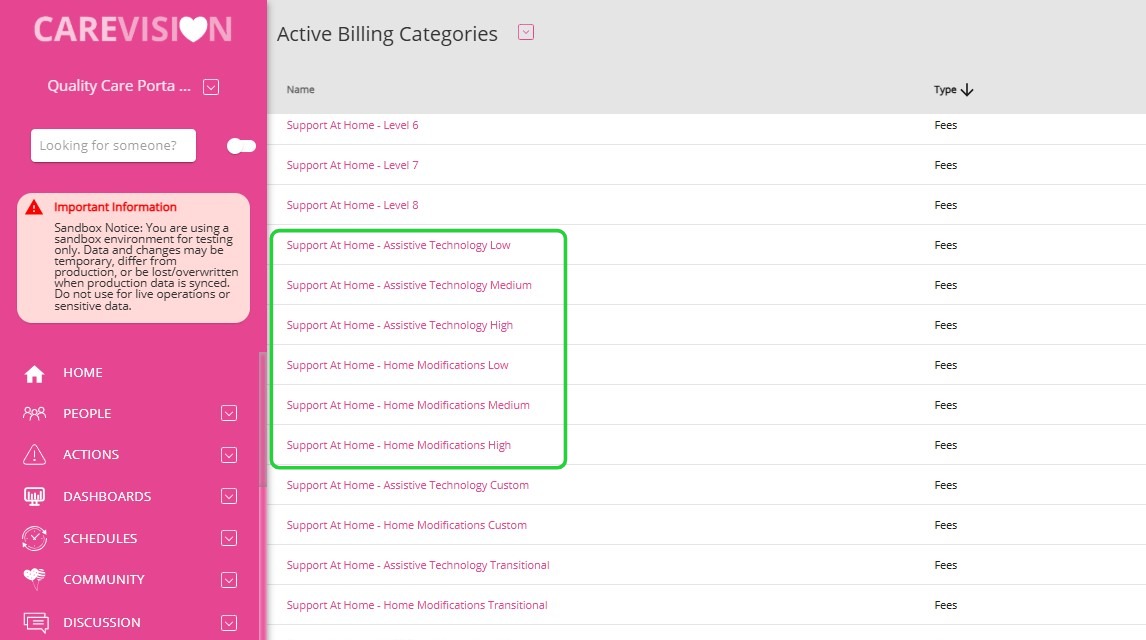
Apply the MMM6 and MMM7 client group treatments to each of the following fee billing categories:
- Support at Home – Assistive Technology Low
- Support at Home – Assistive Technology Medium
- Support at Home – Assistive Technology High
- Support at Home – Home Modifications Low
- Support at Home – Home Modifications Medium
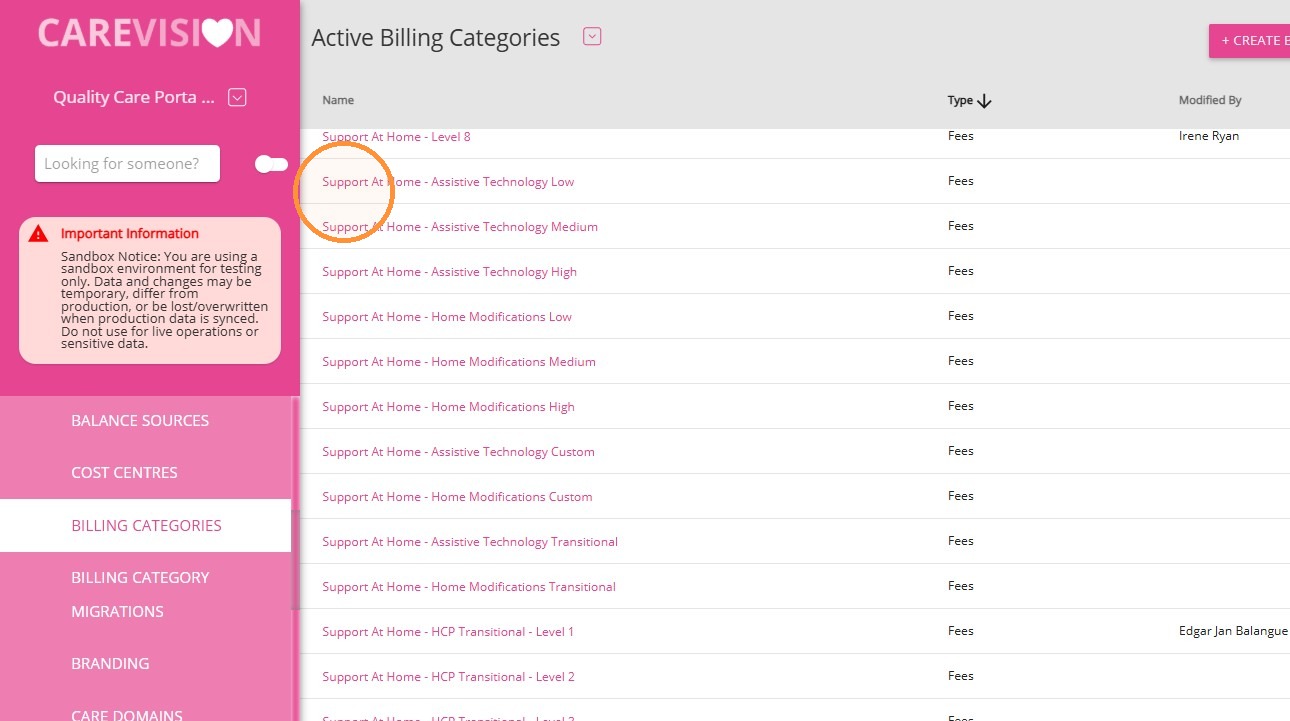
For each billing category:
1. Click Edit beside the billing category.
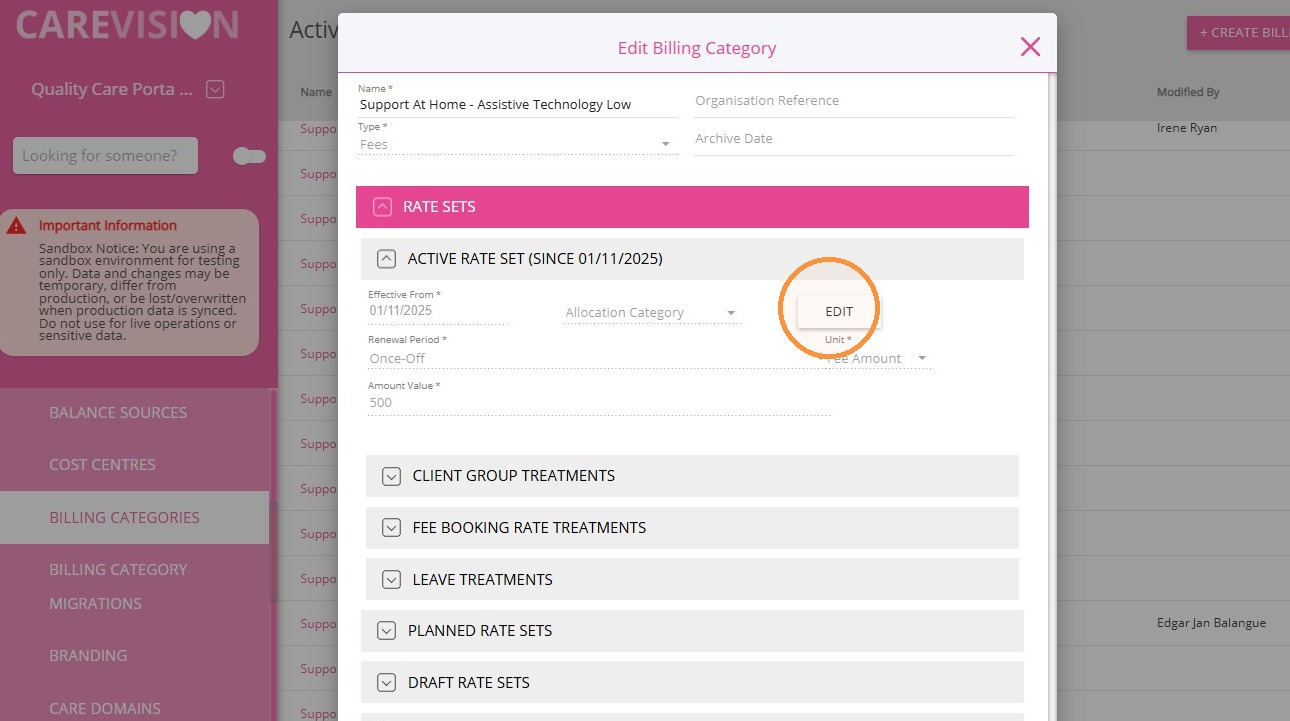
2. Set the Effective From field to 1 Oct 2026.
3. Click Add Client Group Treatment.
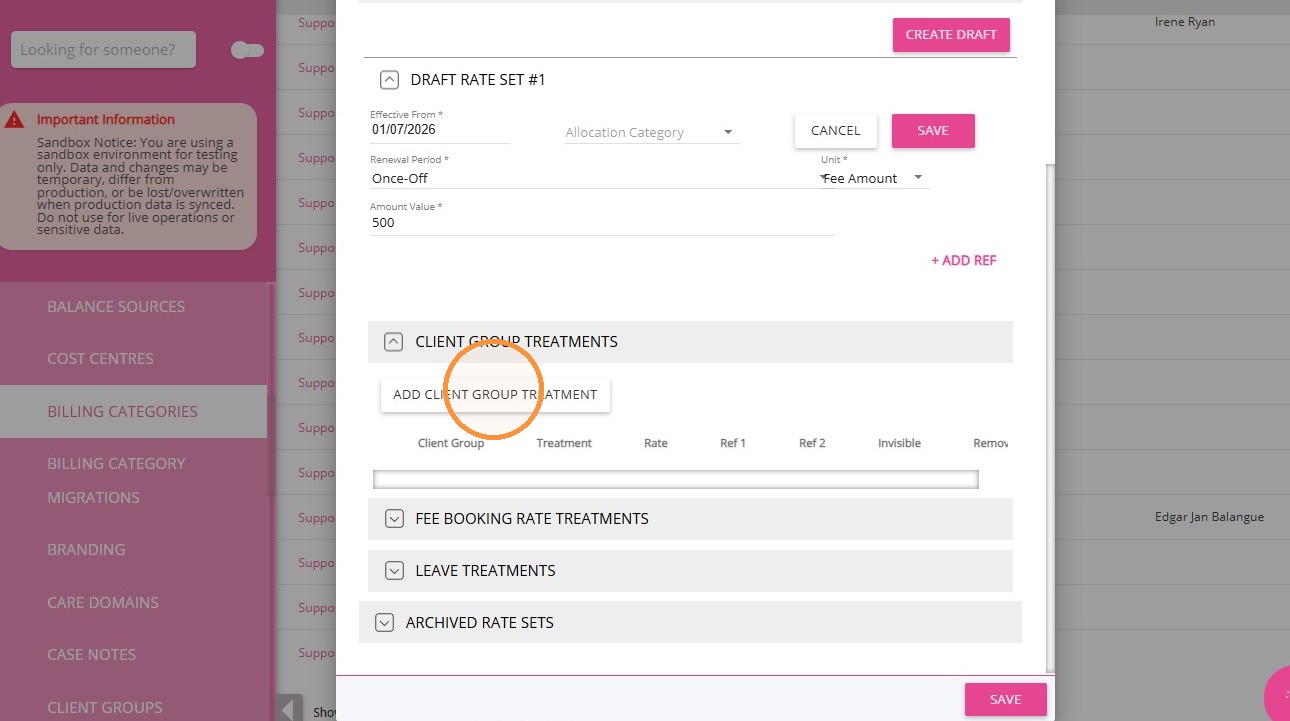
4. Configure the MMM6 treatment:
- Set Client Group to MMM6.
- Set Treatment to % fee.
- Set Rate to 50.
- Select the Invisible checkbox.
5. Click Add Client Group Treatment again.
6. Configure the MMM7 treatment:
- Set Client Group to MMM7.
- Set Treatment to % fee.
- Set Rate to 50.
- Select the Invisible checkbox.
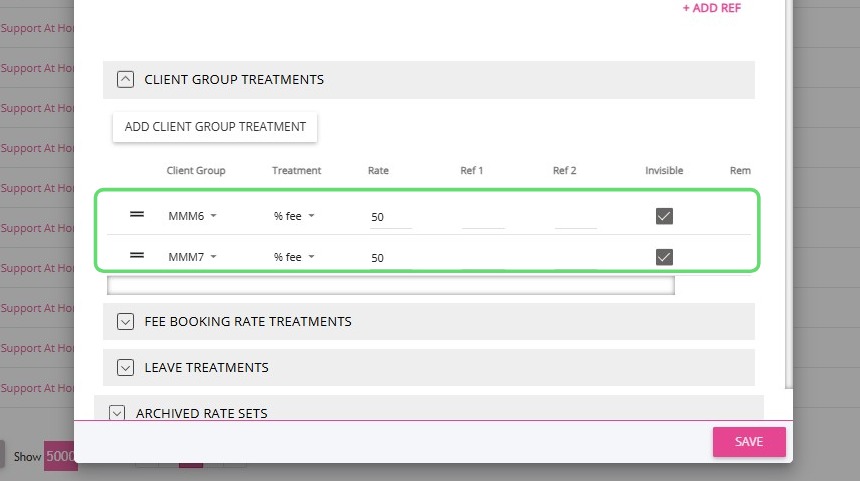
7. Click Save.
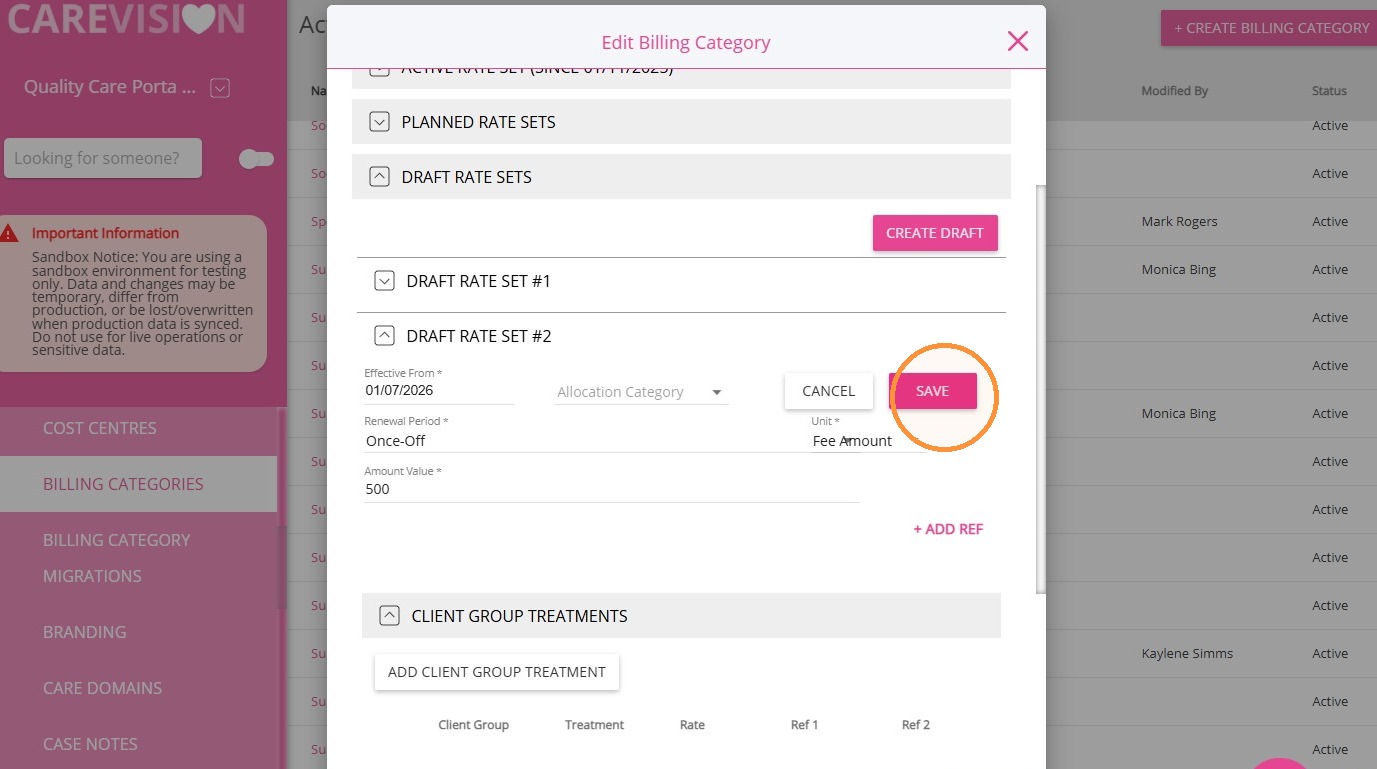
8. Click Publish.
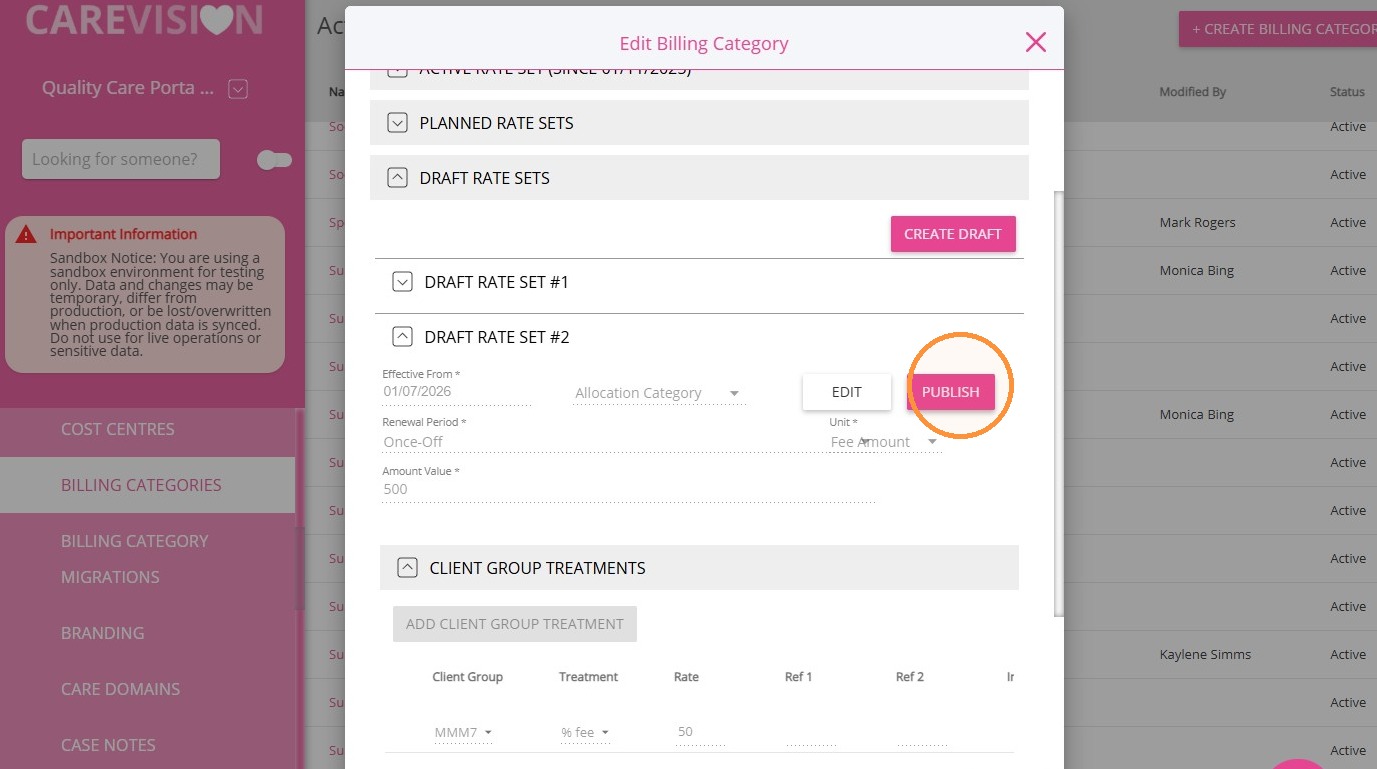
9. Scroll down and click Save again.
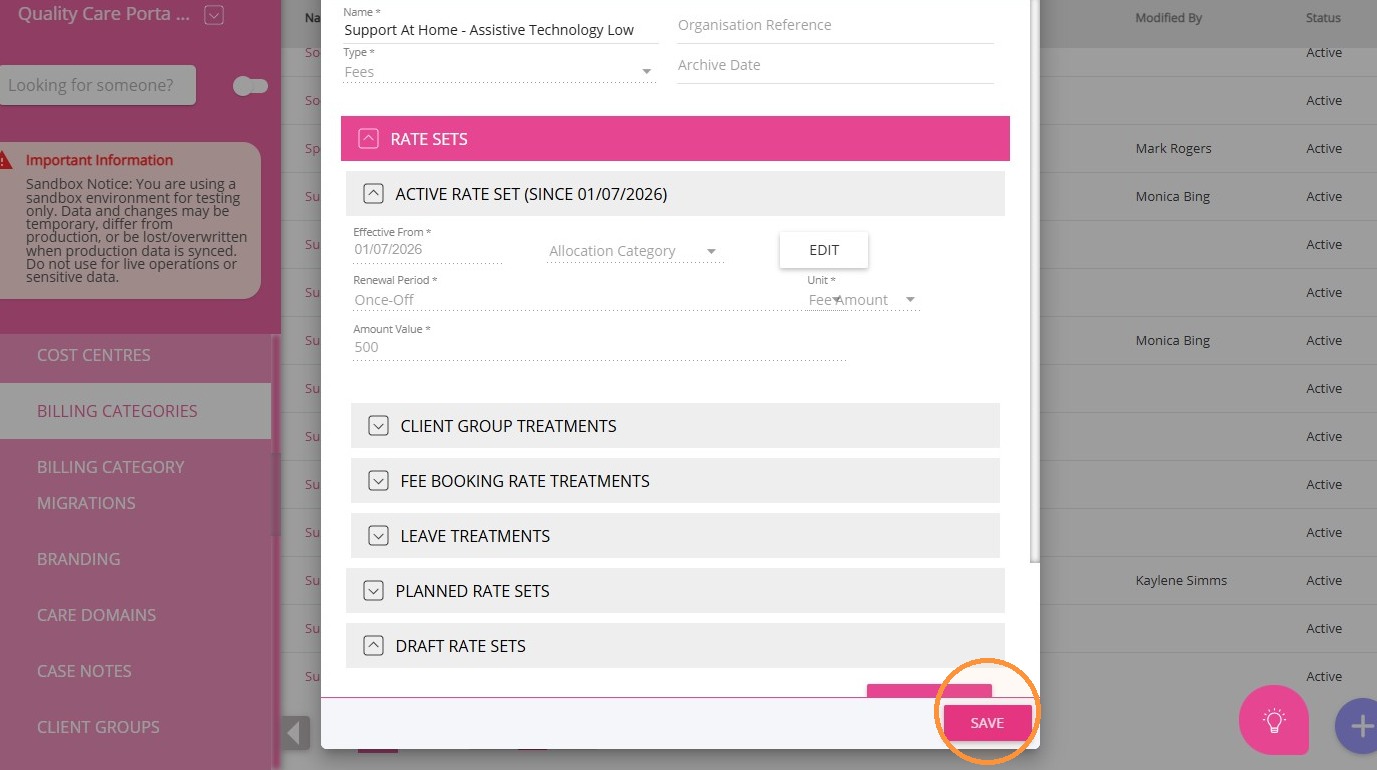
Repeat these steps for each remaining AT-HM funding tier.
IV. Apply the Supplement Funding to the Client Profile
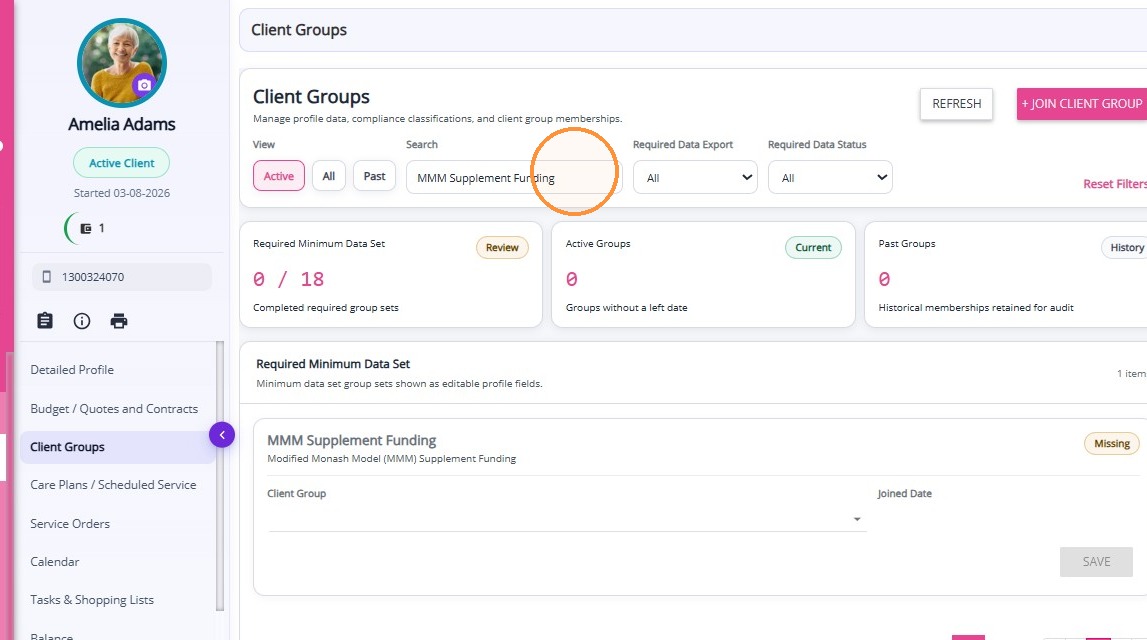
1. Go to the Client Groups section of the client’s profile.
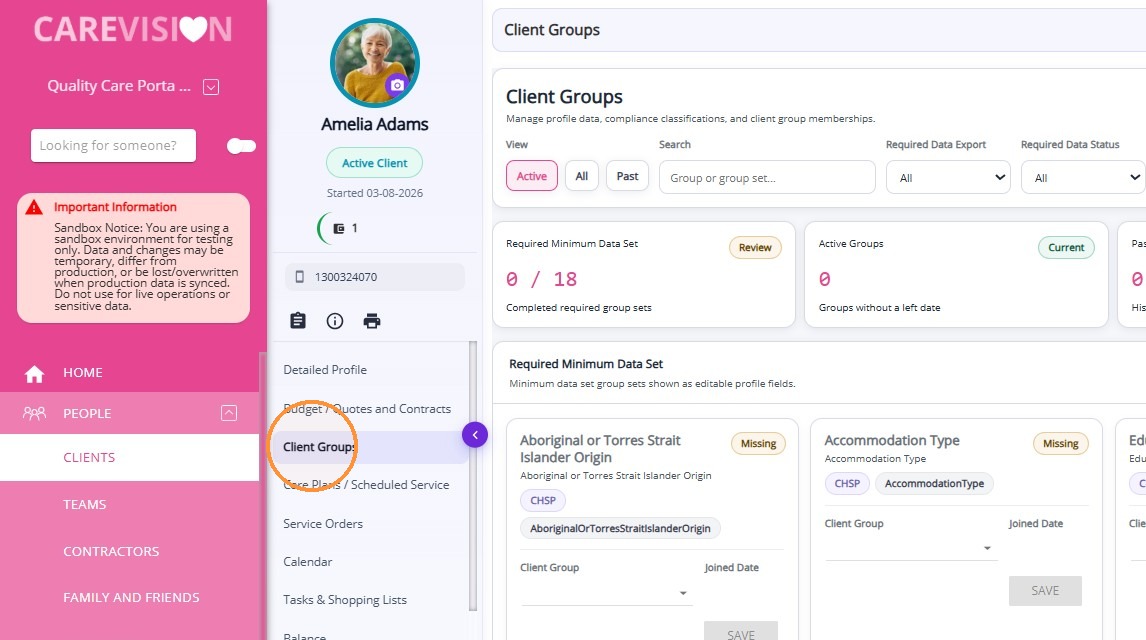
2. In the search bar, find the recently created group set named MMM Supplement Funding.
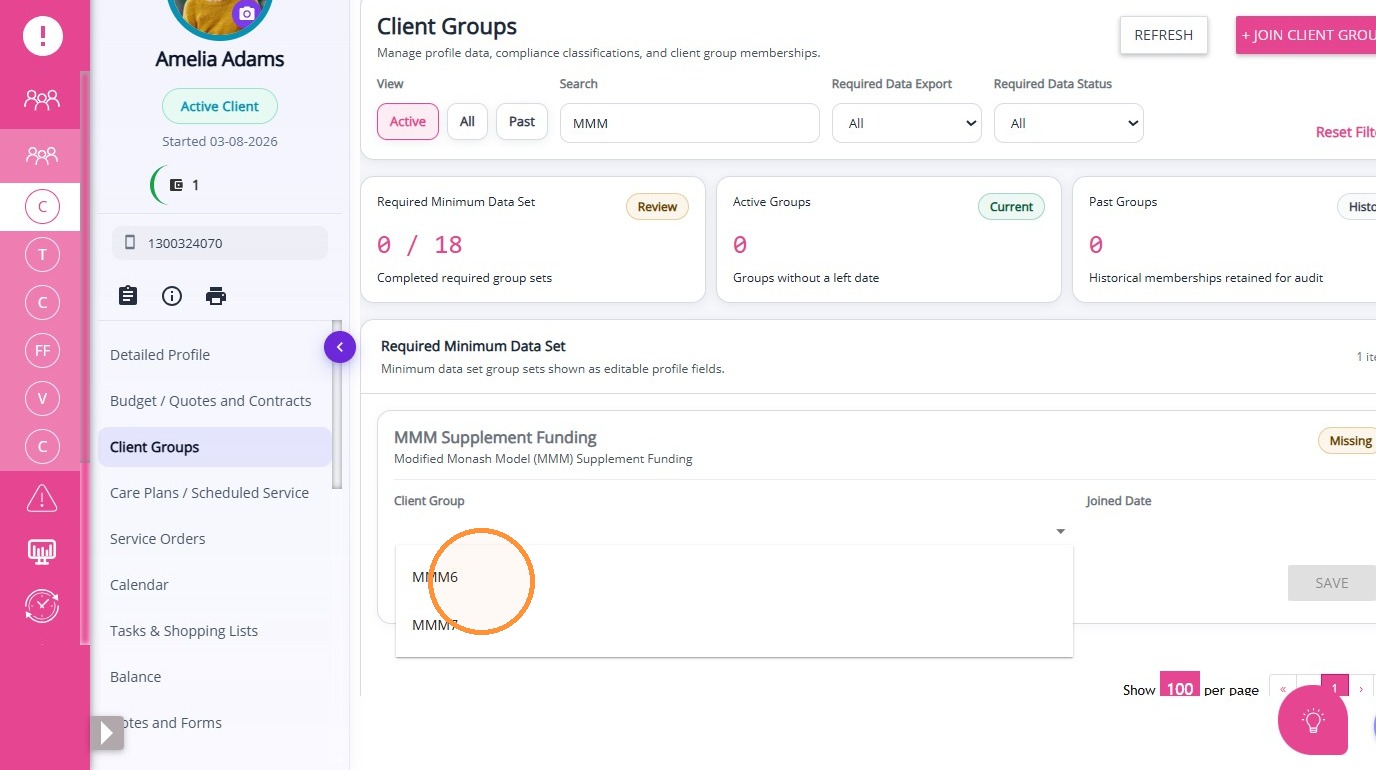
3. Select the appropriate client group:
- Select MMM6 if the client resides in an MM 6 location.
- Select MMM7 if the client resides in an MM 7 location.
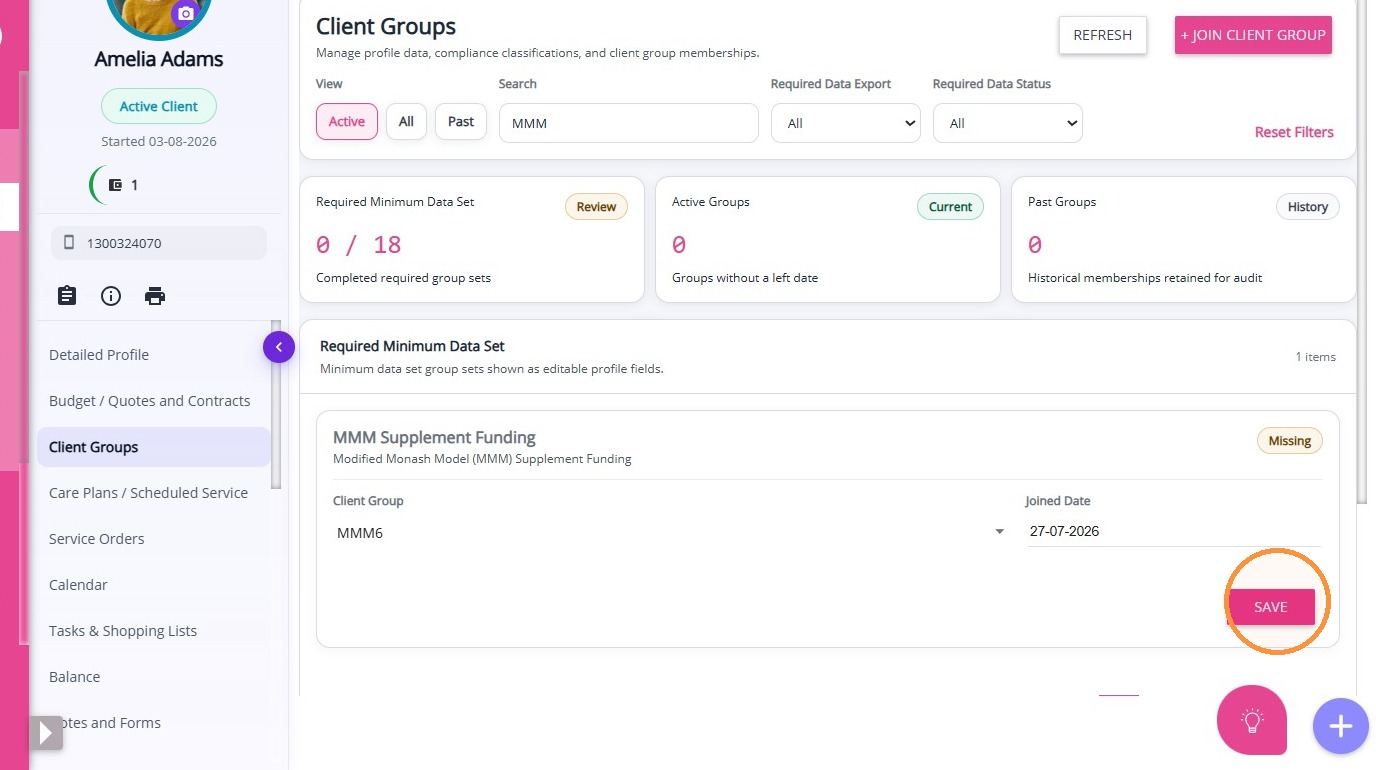
4. Set the Joined Date as required. The field defaults to the current date.
5. Click Save.
Under Client Group Memberships, confirm that the client has been successfully added to the appropriate client group within MMM Supplement Funding.
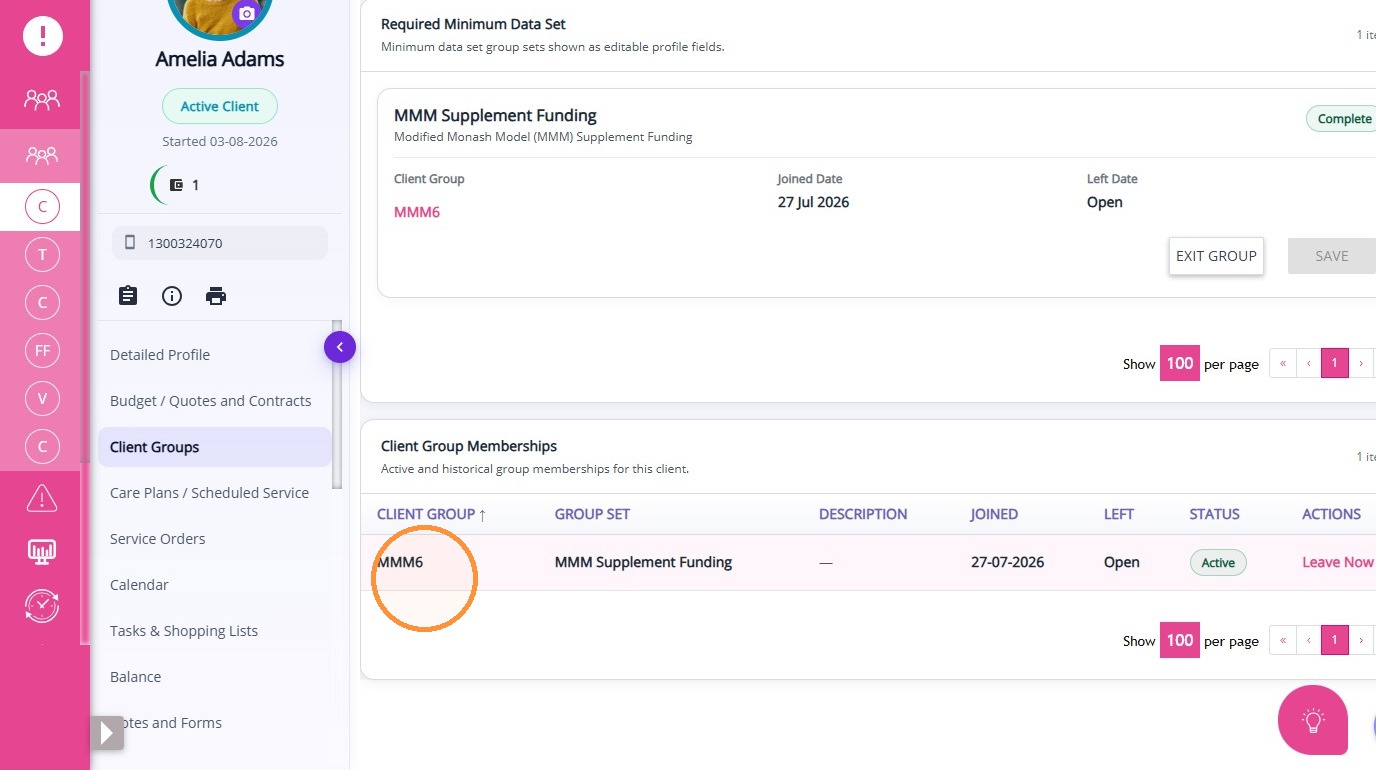
Note: If a client is eligible for MMM Supplement Funding, add them to the appropriate client group before creating a quote.
What Happens After the Update
The Active Rate Set will reflect the new rate effective from 1 Oct 2026
The previous rate will move to the Archived Rate Sets section
- Historical bookings will continue using the previous rate based on its original effective period
- New or updated bookings will apply the new active rate from its effective date
Note: CareVision is currently developing functionality that will allow your organisation to download active rates, update them, and upload the file to apply changes. We will provide updates once it becomes available.
This topic walked you through updating subsidy rates in the Billing Categories section. For more information about updating subsidy rates, contact the CareVision Support Team.