How to Schedule a Buddy Shift
Buddy shifts provide a structured way to onboard new staff while maintaining continuity of care for clients. This topic describes what a buddy shift is and how to schedule it in the Scheduling Board.
Keywords: buddy shift, schedule board, duplicate shift, non-billable shift, billing and payroll, domestic assistance, staff allocation, scheduling recommendation, support worker training, carevision scheduling
What is a Buddy Shift?
A buddy shift is when an additional staff member joins a client’s scheduled shift for training or coaching.
This is commonly used when:
- A new staff member is onboarding
- A staff member requires additional support or performance coaching
- The client still receives support as usual
- The primary staff member remains responsible and billable
- The buddy staff member is additional and non-billable
Scenario:
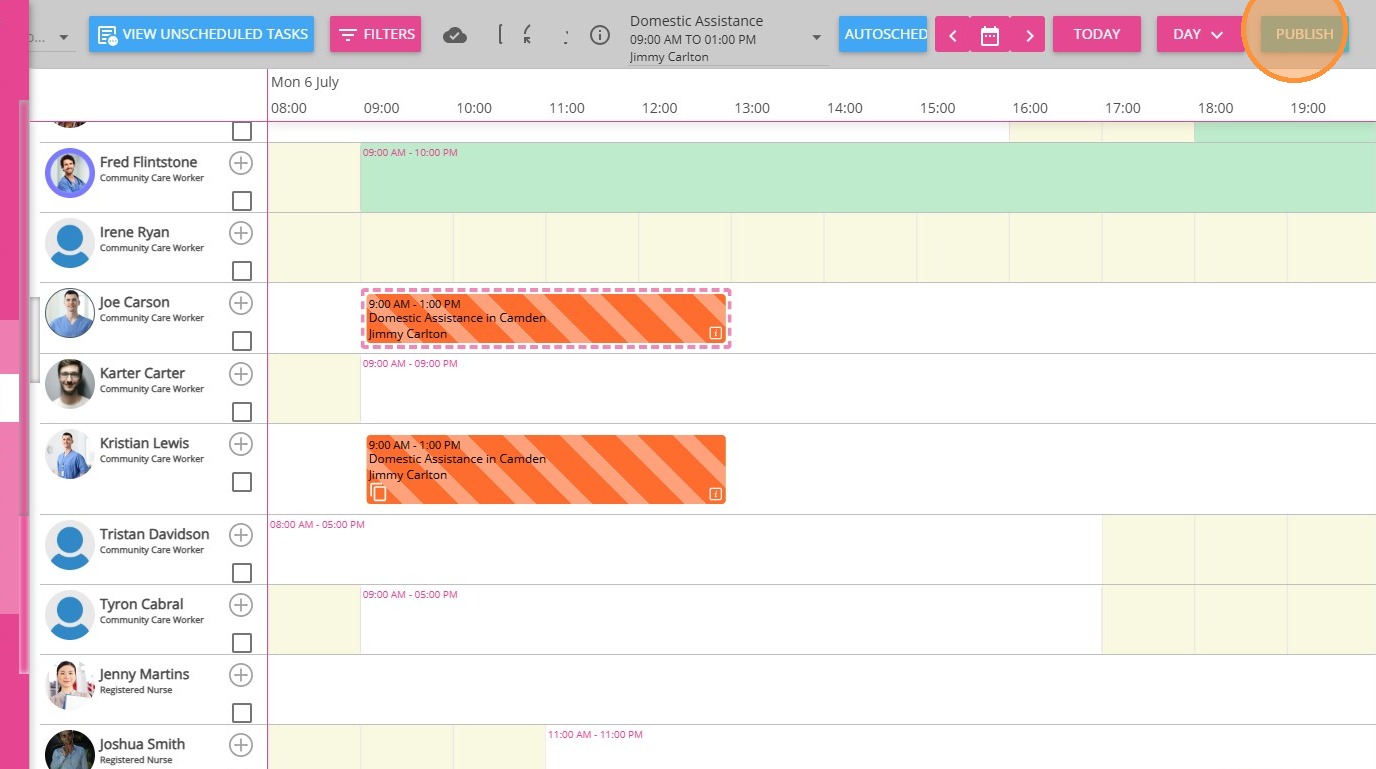
Jimmy Carlton has a scheduled Domestic Assistance shift with Kristian. Joe, a new staff member, joins the same shift to observe and learn how to support Jimmy. Joe is present for training purposes only, so their shift is not billed to the client.
Original Shift (Billable)
- Staff Member: Kristian Lewis
- Role: Primary support for Jimmy Carlton
- Billing: Standard billable support shift
Buddy Shift (Non-Billable)
- Staff Member: Joe Carson
- Role: Shadowing Kristian while supporting Jimmy Carlton
- Billing: Non-billable (training purposes)
How to Schedule a Buddy Shift
Create the Buddy Shift
1. Go to Schedules > Teams or Teams V2.
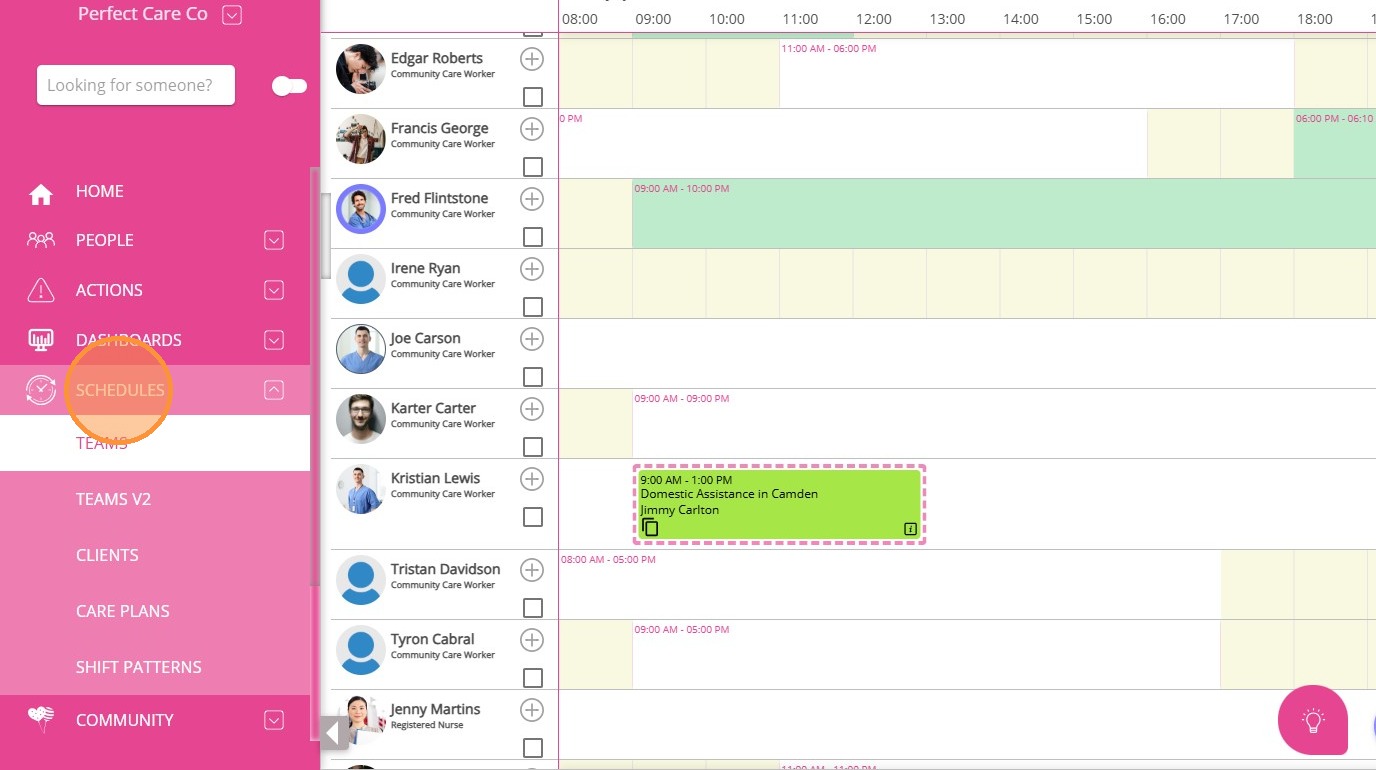
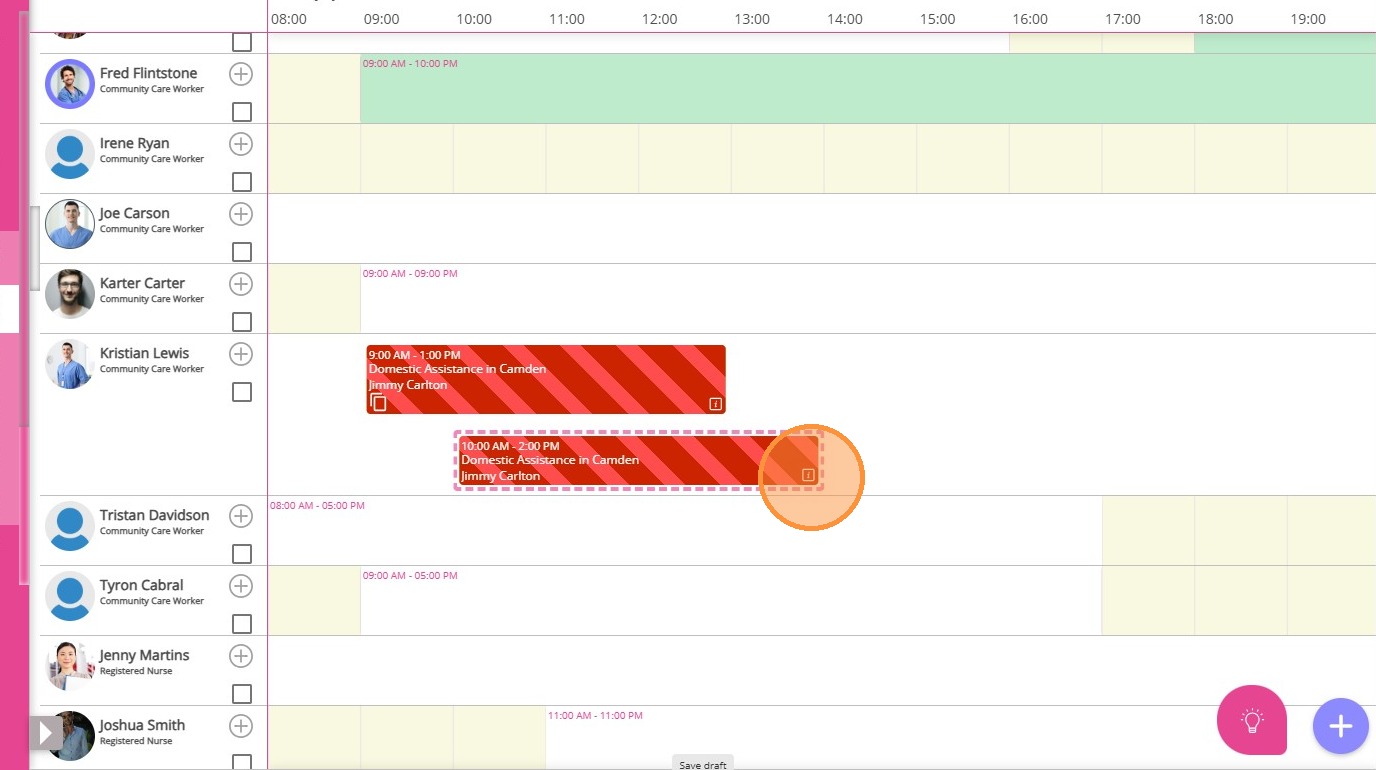
2. Locate the existing shift that the buddy staff member will join.
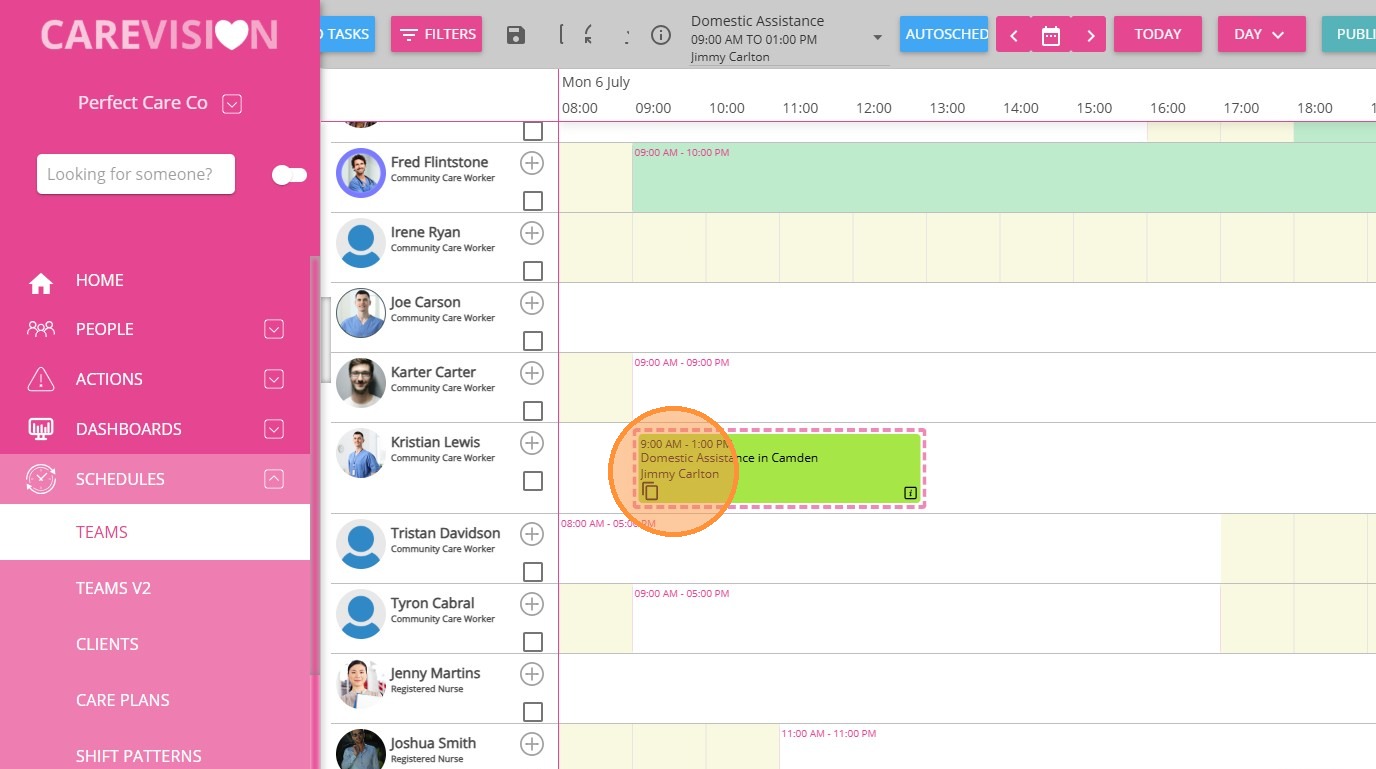
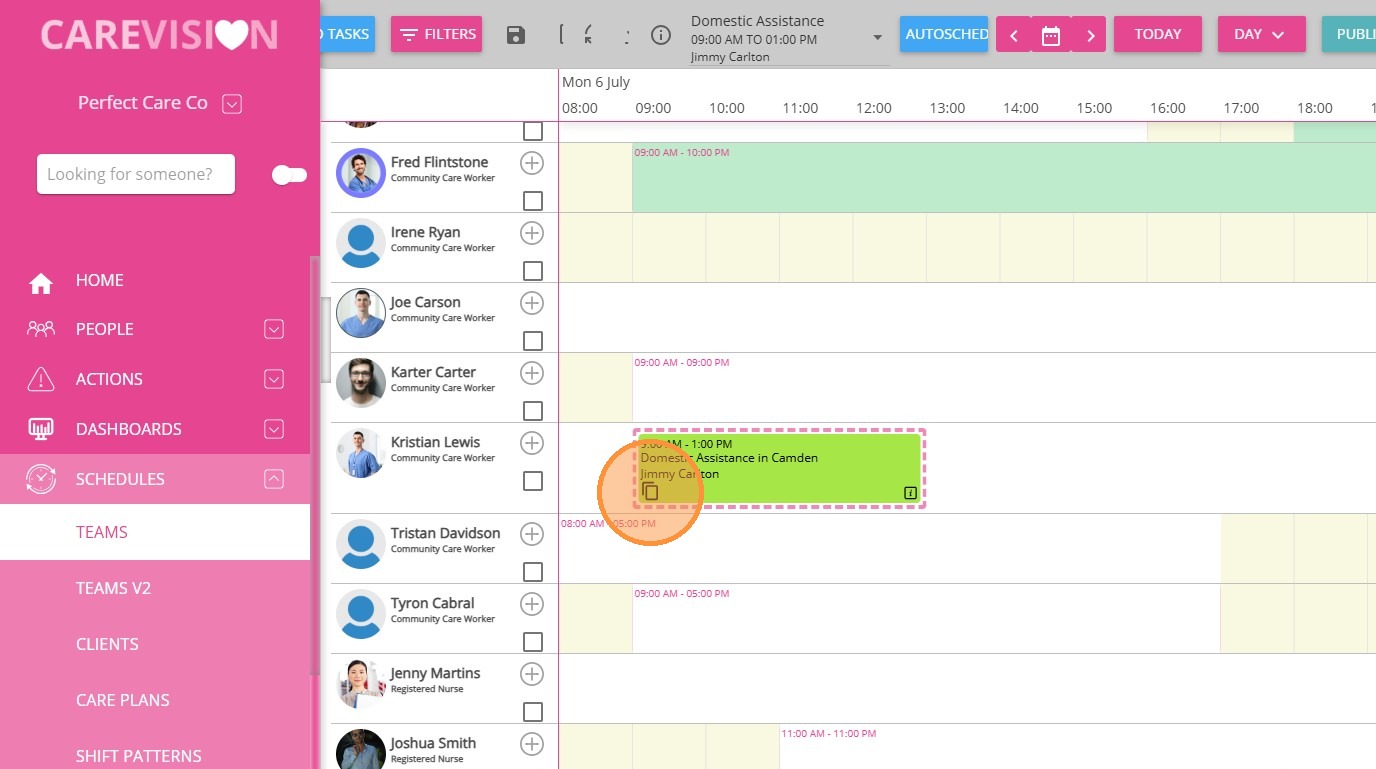
3. Click the duplicate icon in the lower left of the shift card to create a copy.
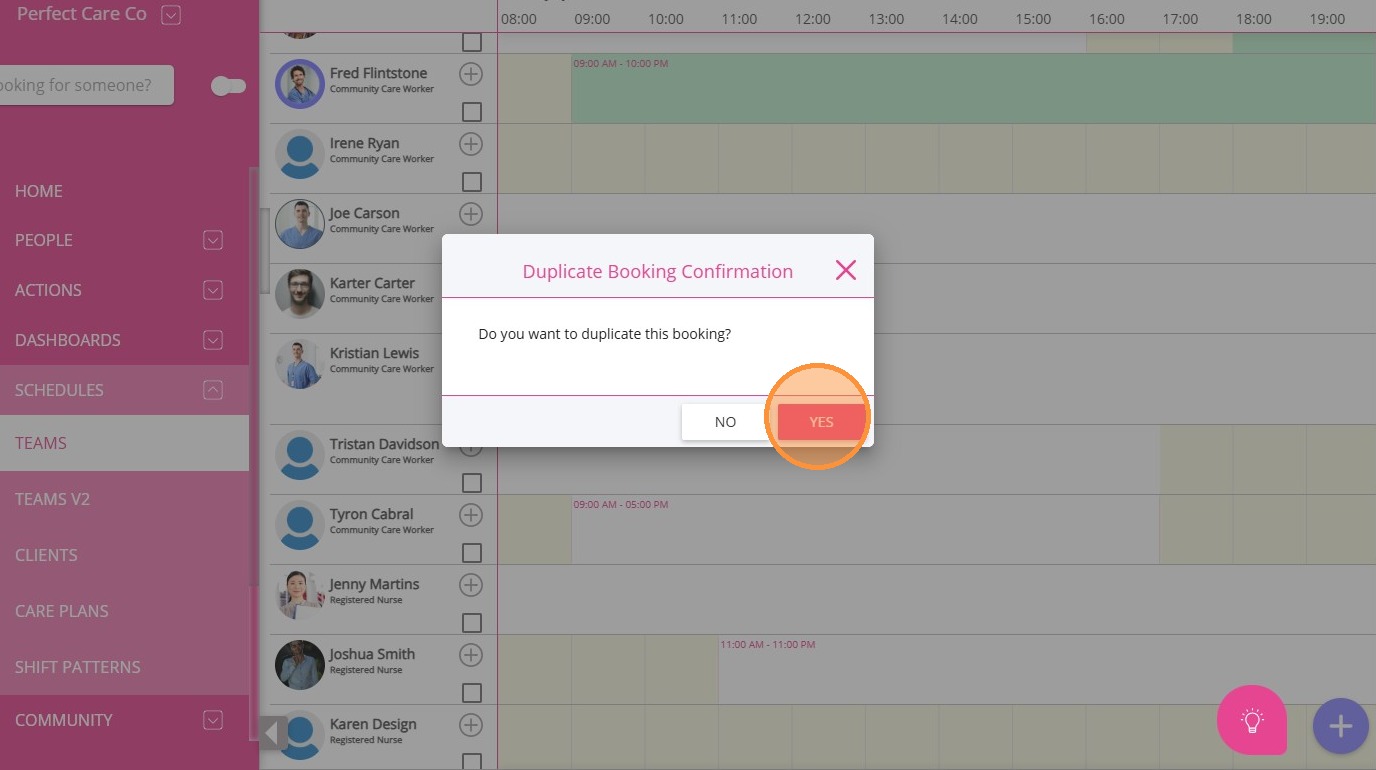
4. When prompted to duplicate the booking, click Yes.
5. Open the duplicated shift by clicking the “i” icon in the lower right corner.
Assign the Buddy Staff Member
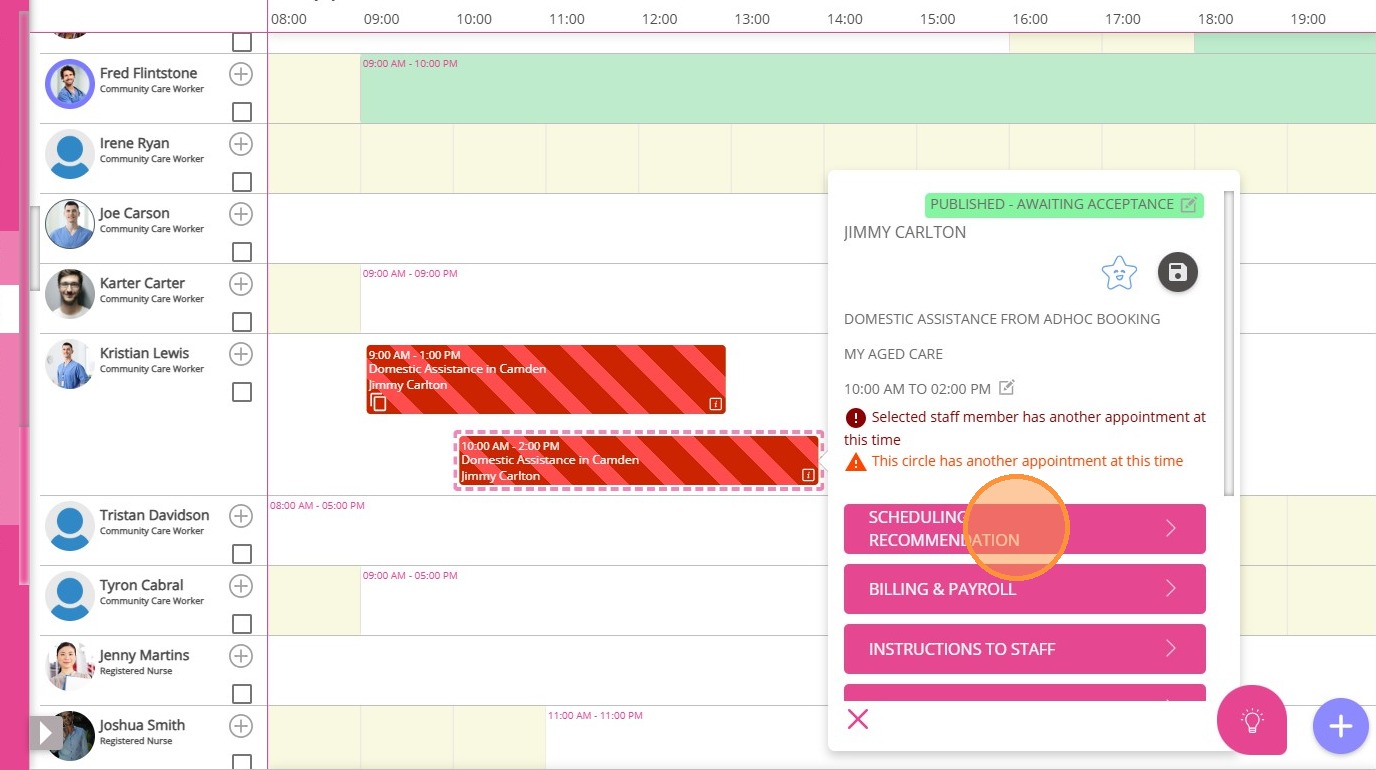
1. Click Scheduling Recommendation.
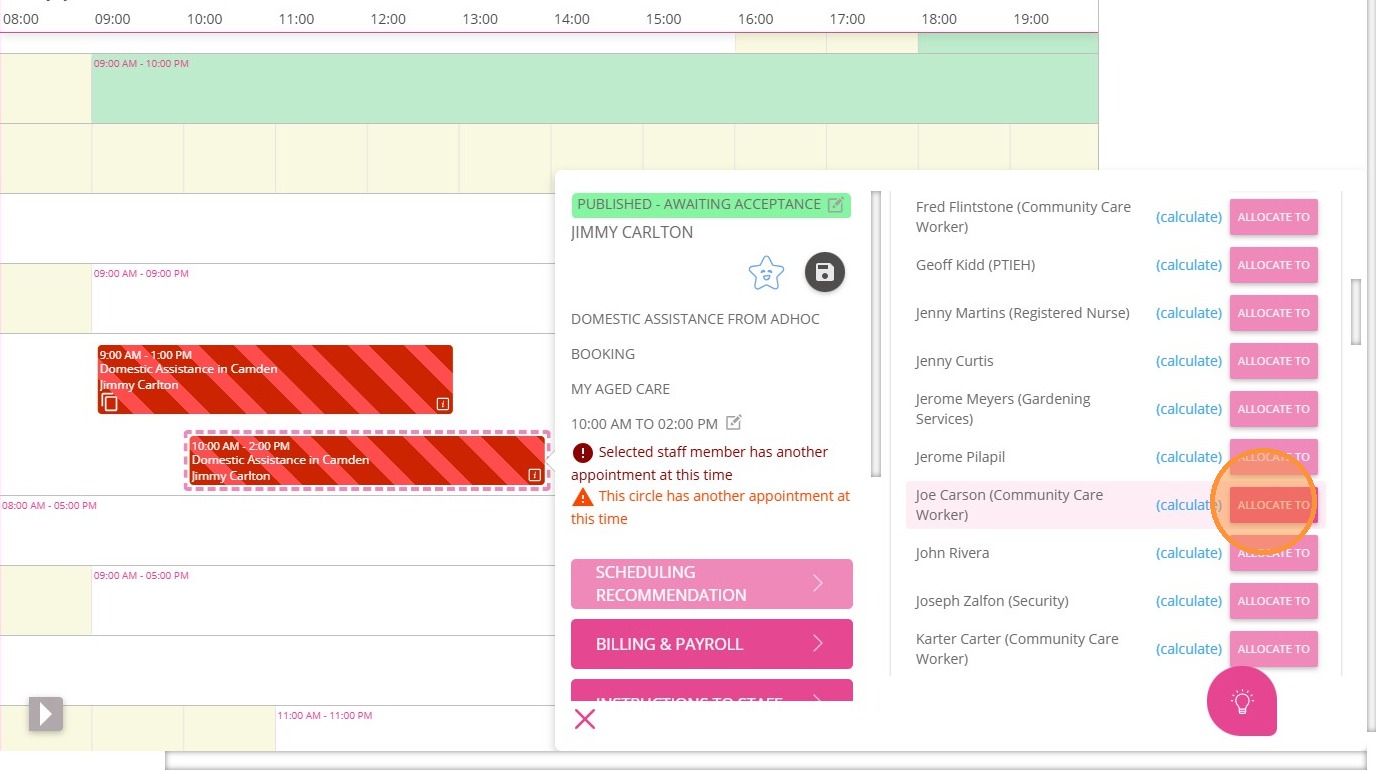
2. Allocate the shift to the buddy staff member.
Update Billing & Payroll Details
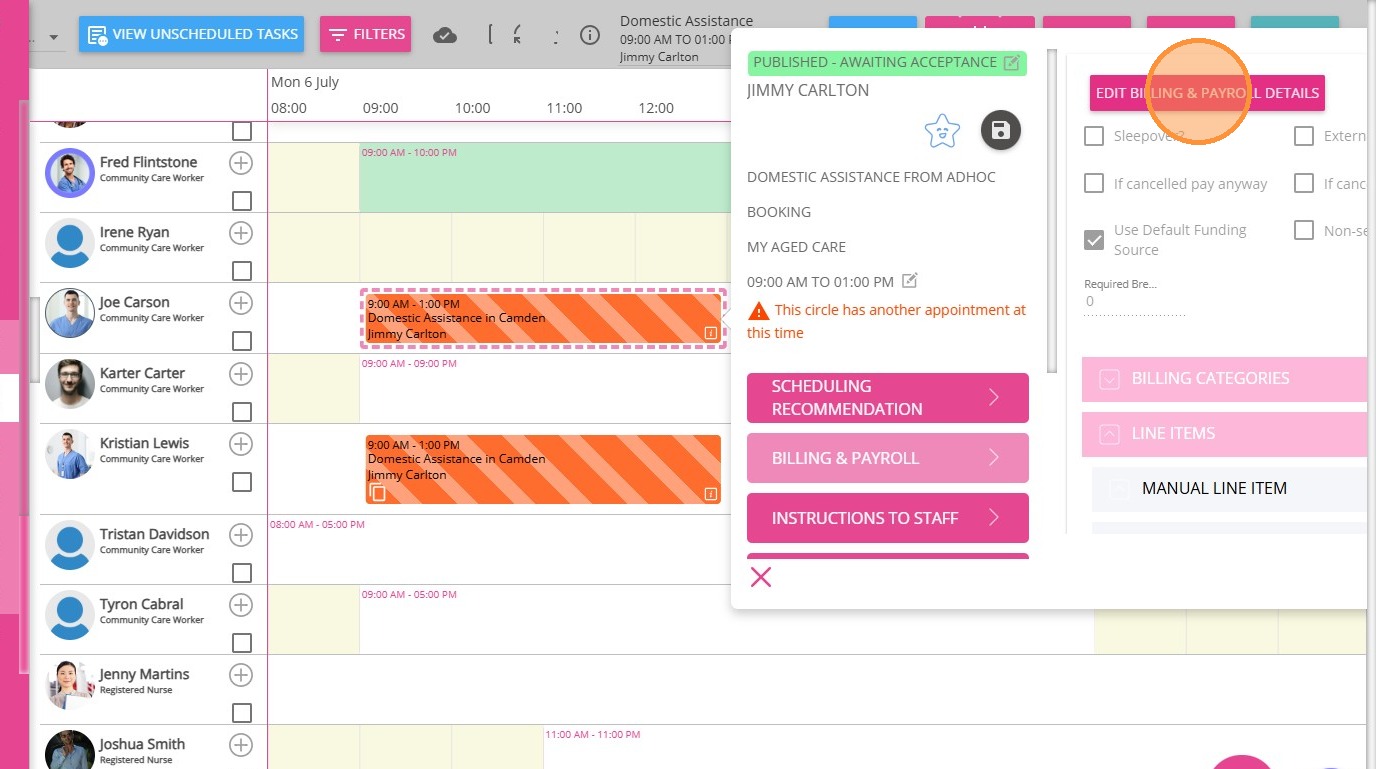
1. Select Billing & Payroll.
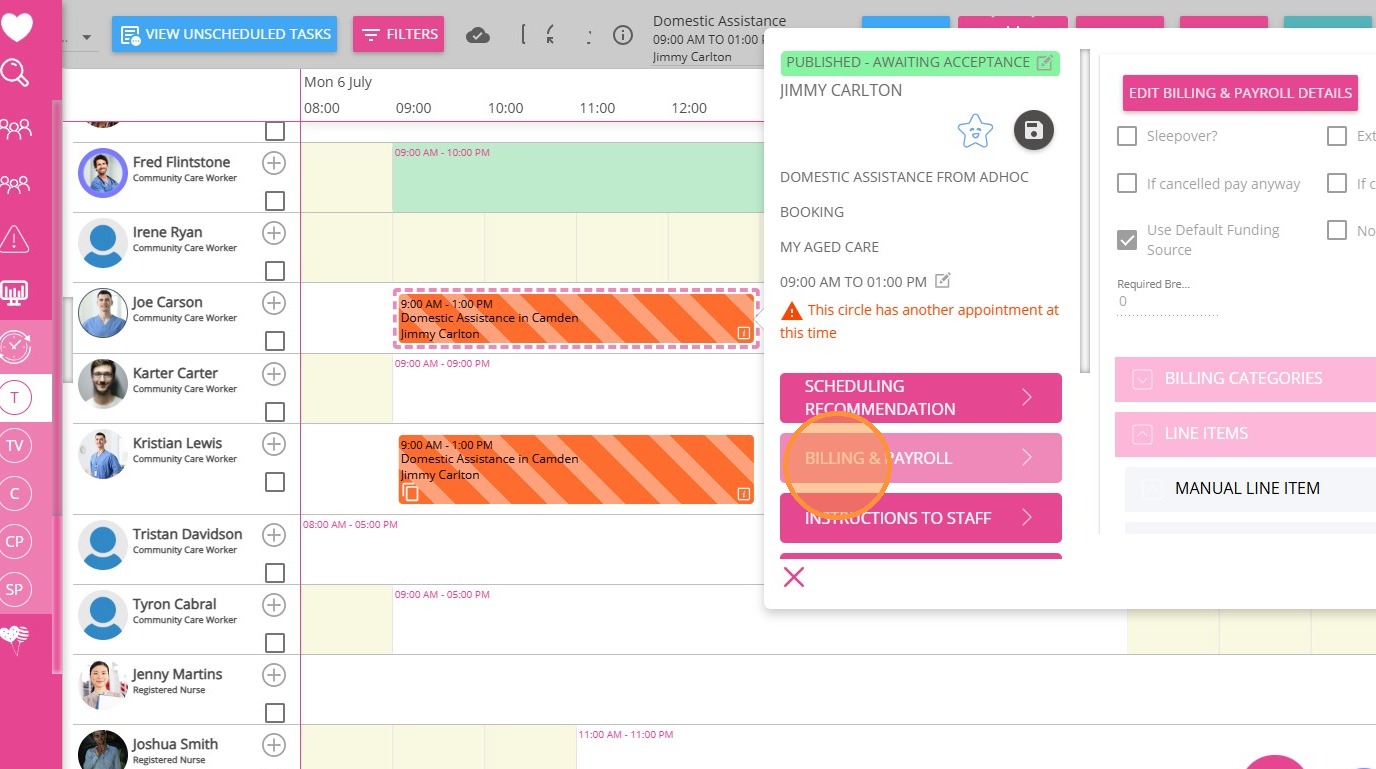
2. Click Edit Billing & Payroll Details.
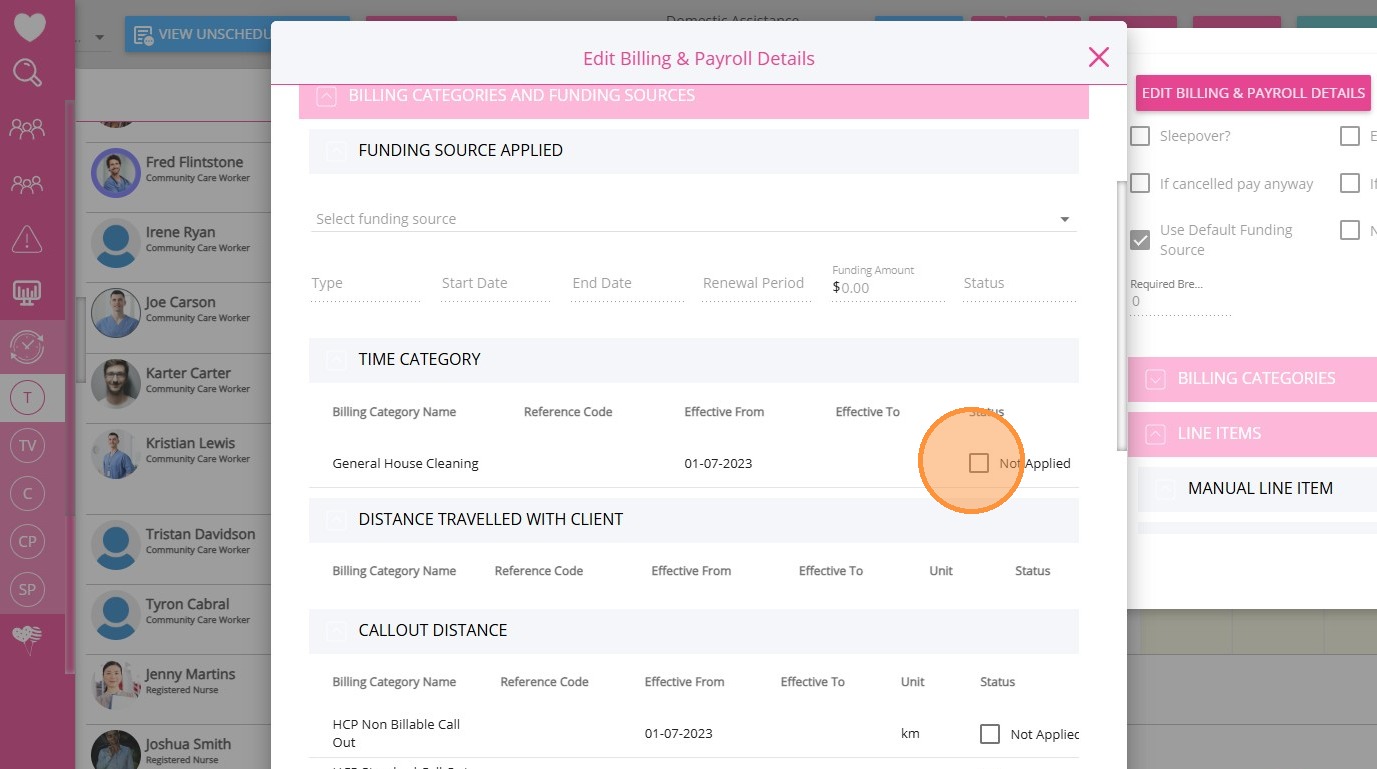
3. In the Billing Categories and Funding Sources section, untick any existing billing categories to remove current billing rates.
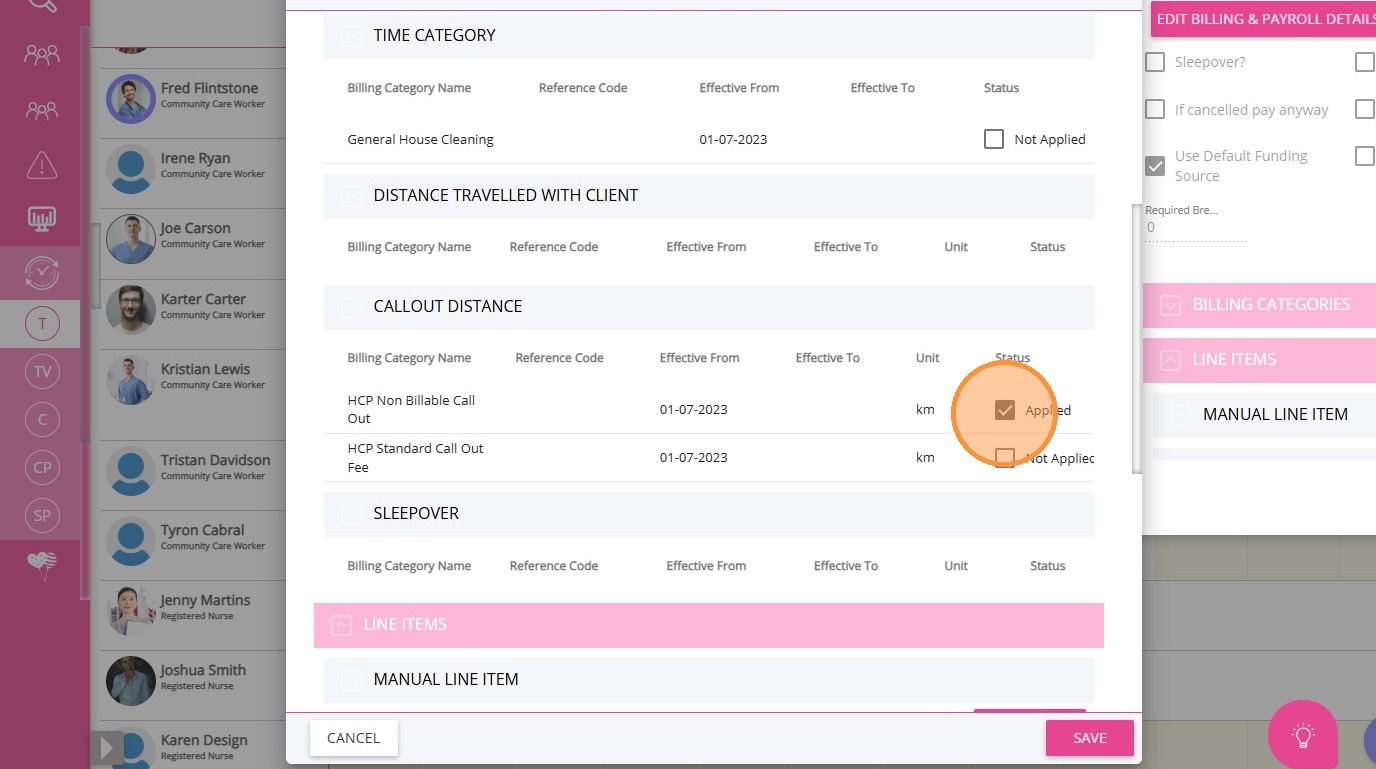
4. Select a Non-Billable billing category.
Review Shift Details
Review the shift details (date, time, service details) to ensure they match the original shift.
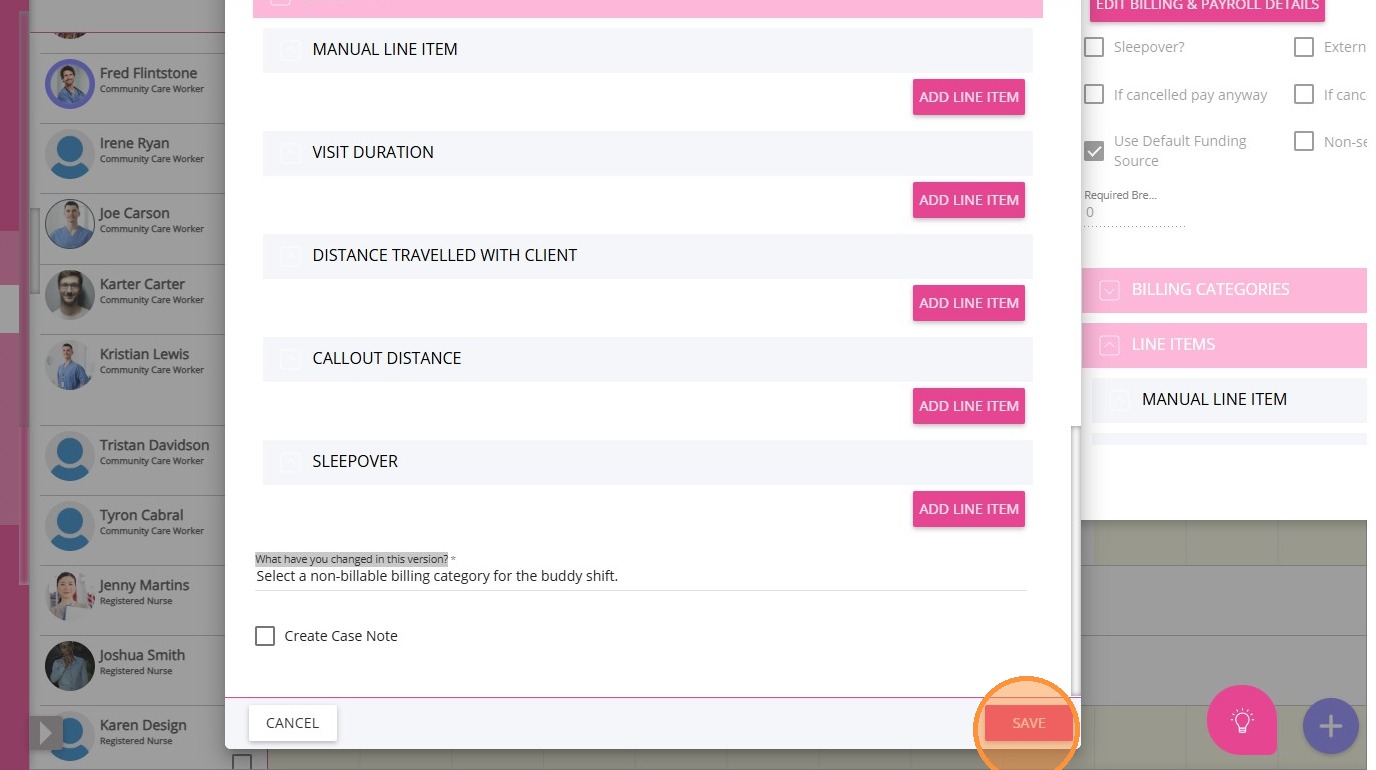
1. Fill in the What have you changed in this version? field.
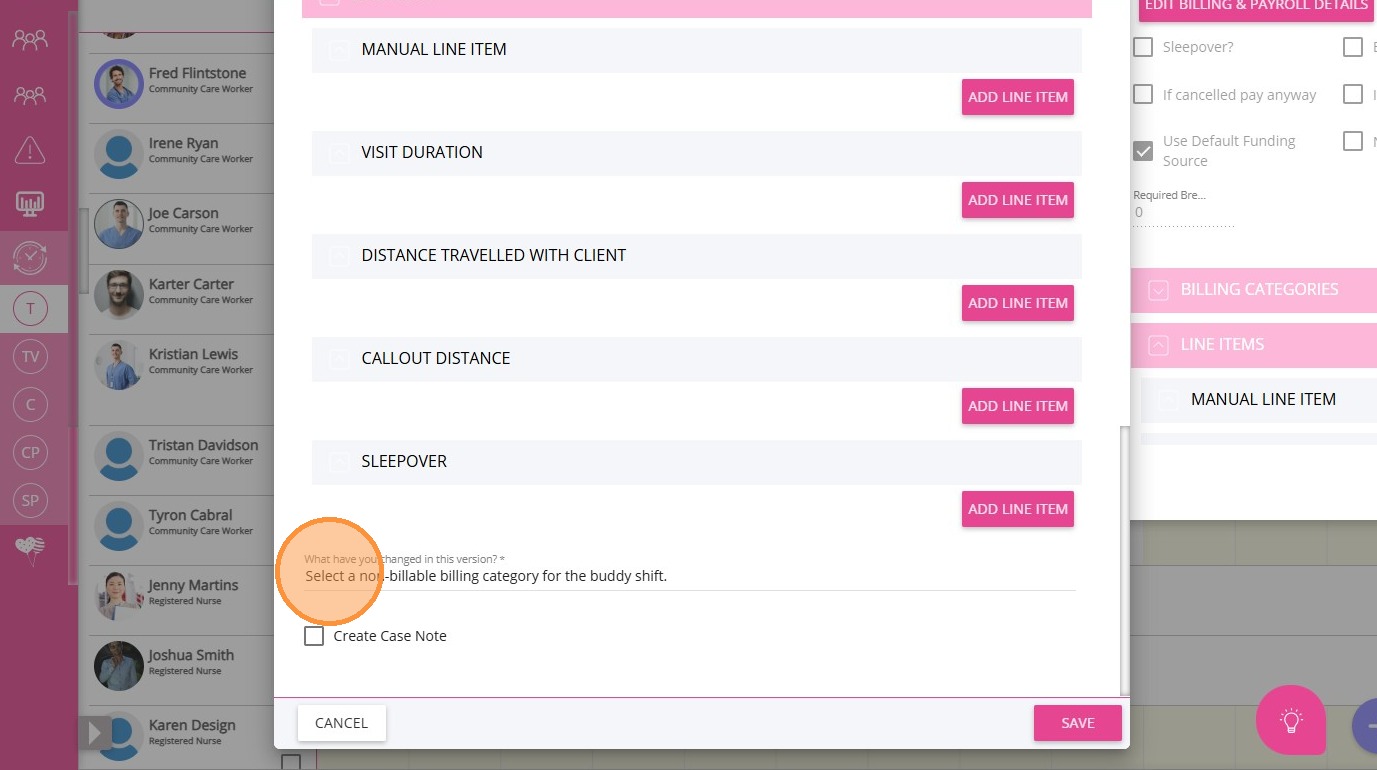
2. Click Save.
3. Publish the schedule.
This topic explained what a buddy shift is and walked you through how to schedule a non-billable buddy shift in the Scheduling Board. For more information about buddy shifts or scheduling, contact the CareVision Support Team.