Balance Section in Client Profile
The Balance section in the Client Profile displays all balance records associated with the client’s account.
Keywords: client balance management, client funding balance, care management balance tracking, client account balance, funding balance period, client financial records, client funding income, care service account balance, client statement balance, client funding tracking
The Balance section allows organisations to track and manage a client’s account balances across different funding sources and time periods. It provides visibility into available funding, previous balances, and income received during a specific period.
To view balance records from the Client Profile:
- Open the Client Profile.
- Select Balance.
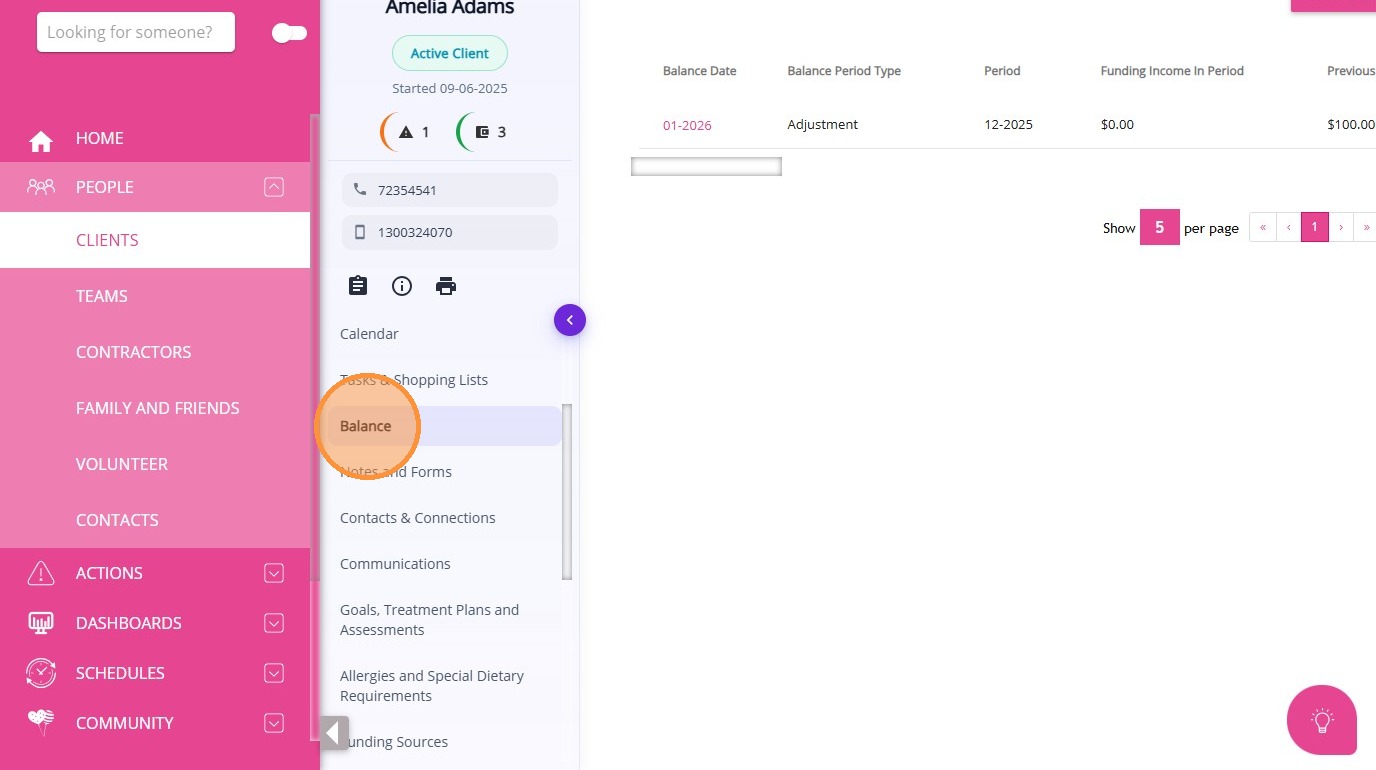
A balance record represents the financial status of a client’s funding account during a defined period. It includes information about the balance carried forward, the funding received within the period, and the applicable balance period type. These balances may originate from different funding sources configured within the system.
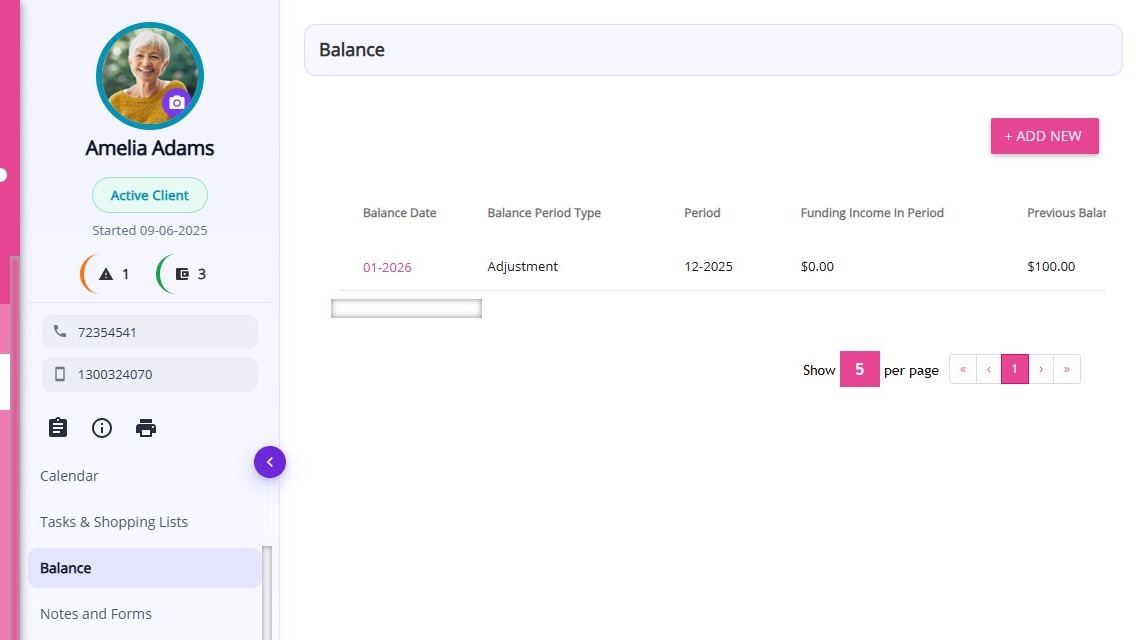
From this section, you can:
- View all existing balance records for the client
- Review funding income and previous balances for each period
- Access key balance details related to funding periods and balance types
Examples of balance records include:
- A monthly funding balance for a client’s care services
- A quarterly funding balance linked to a specific funding source
- A balance record showing previous carry‑forward funds
- A balance entry reflecting funding income received during the period
A table is displayed showing the details of each balance record for the client. The table includes the following information:
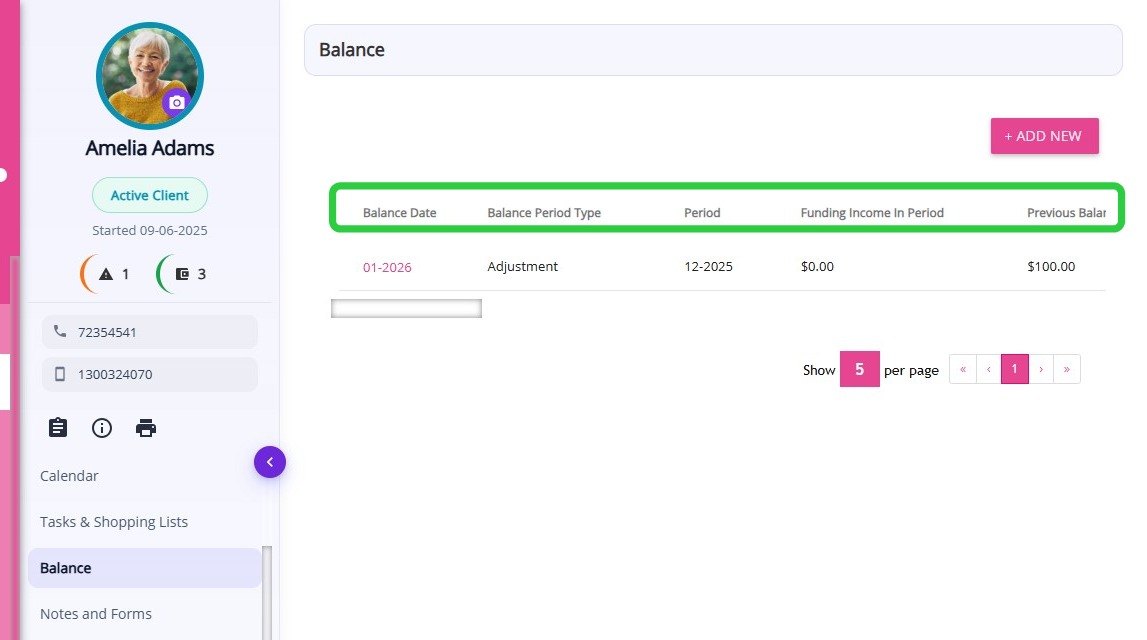
| Column | Description |
| Balance Date | The date associated with the balance record. |
| Balance Period Type | The type of period used to calculate the balance (for example, monthly or quarterly). |
| Period | The specific time period the balance record applies to. |
| Funding Income in Period | The total funding received during the specified period. |
| Previous Balance | The balance amount carried forward from the previous period.
|
Related Articles
Service Orders Section in Client Profile
The Service Orders section in the Client Profile displays all ad hoc bookings for the client. Keywords: service orders, client profile bookings, ad hoc bookings, one time service booking, client service orders, care management booking, service order ...
Care Plans/Scheduled Service Section in Client Profile
After a quote is accepted, a draft Client Care Plan is automatically created in the Care Plans/Scheduled Service section of the Client Profile. This section is used to set up and manage the client’s service schedule, which is later used for rostering ...
Detailed Profile Section in Client Profile
The Detailed Profile section in the client profile provides an overview of each client, supporting personalized care and efficient communication. This topic describes the Detailed Profile section and explains how to complete client profile details. ...
Notes and Forms Section in Client Profile
The Notes and Forms section in the Client Profile displays all notes and submitted forms associated with the client. Keywords: client notes management, client forms tracking, care management forms, client case notes, healthcare documentation forms, ...
Goals, Treatment Plans and Assessments Section in Client Profile
The Goals, Treatment Plans and Assessments section in the Client Profile displays all care goals, treatment plans, and assessment records associated with the client. Keywords: client goals management, treatment plans carevision, client assessments ...
Request an Article or Guide
We are keen to know what you want to know more about? Let us know on chat or raise a ticket for an article or topic you would like covered in more detail. We have a team of technical writers and learning content creators keen for your suggestions.