FAQ: What are the new filters in the Social Group Calendar?

FAQ: What are the new filters in the Social Group Calendar?

What are the new filters in the Social Group Calendar?

The new filter in Community > Social Groups > Calendar allows you to separately control whether you see published shifts or unpublished shift patterns. This makes it easier to understand what has already been scheduled versus what is still planned.


How do I use the Shift Pattern filters?

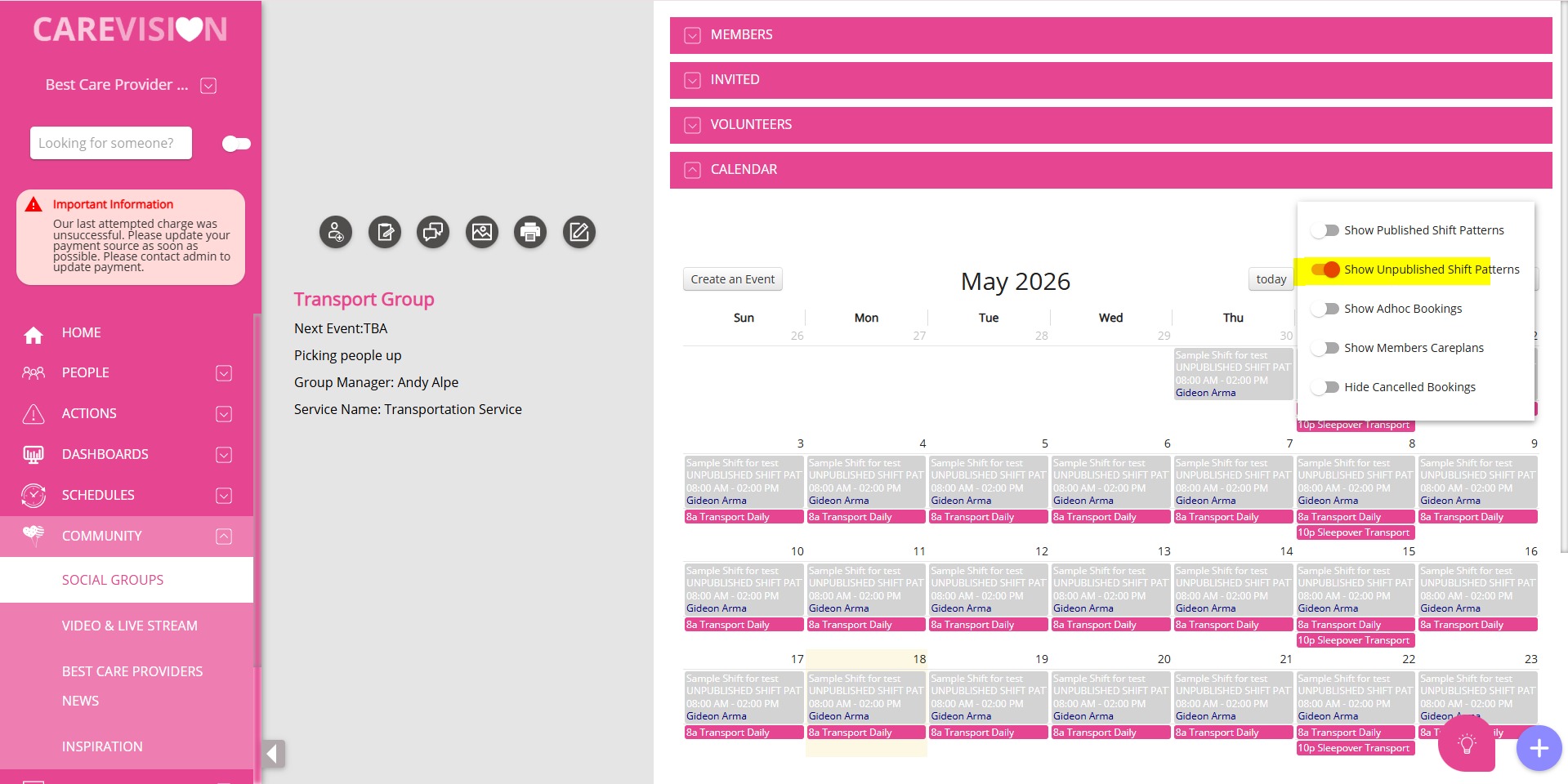
If Show Unpublished Shift Patterns is turned on, only unpublished recurring shift pattern placeholders will be displayed (shown as grey items).

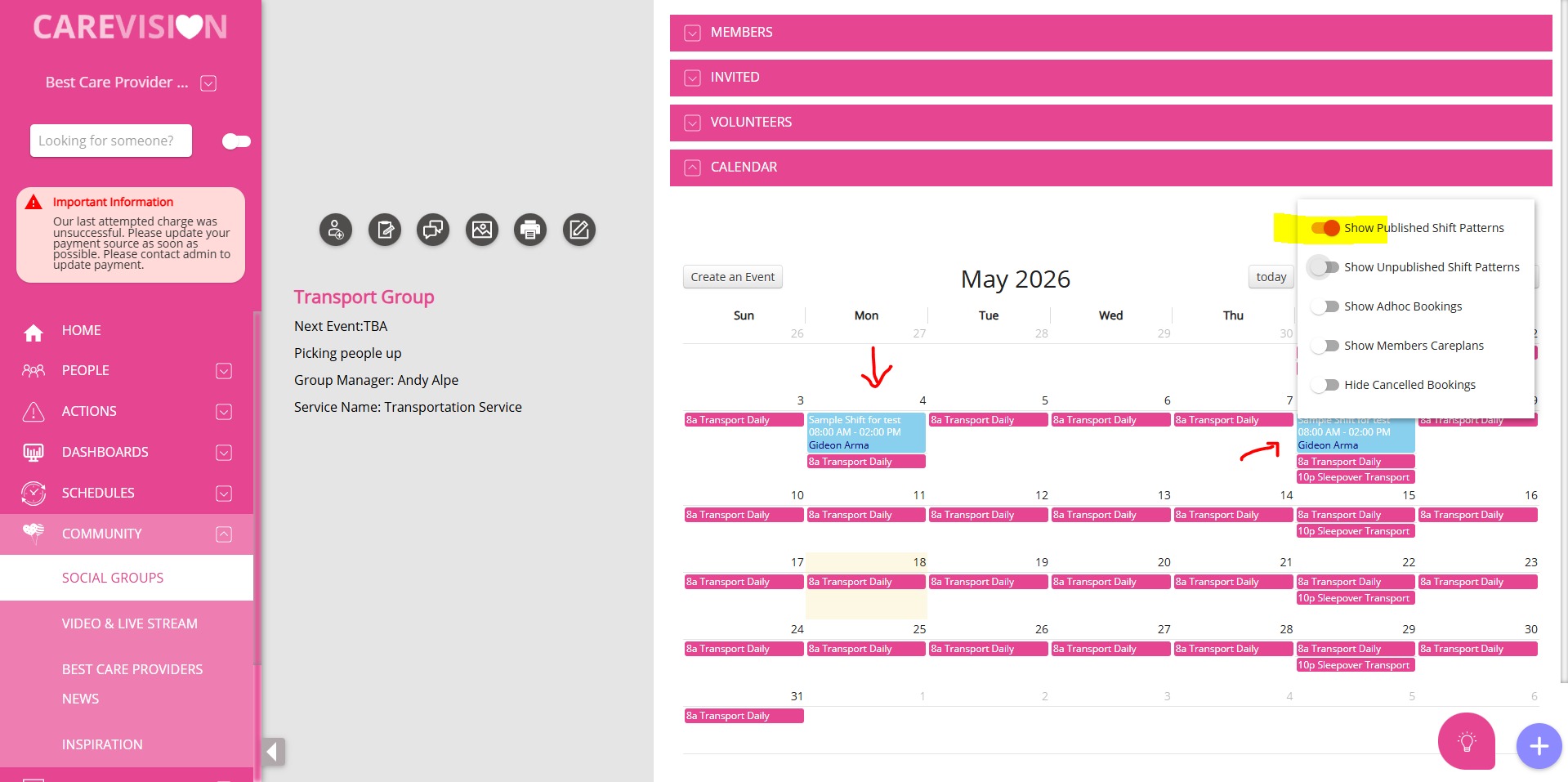
If Show Published Shift Patterns is turned on, only published/generated shift instances will be displayed (shown as blue items).

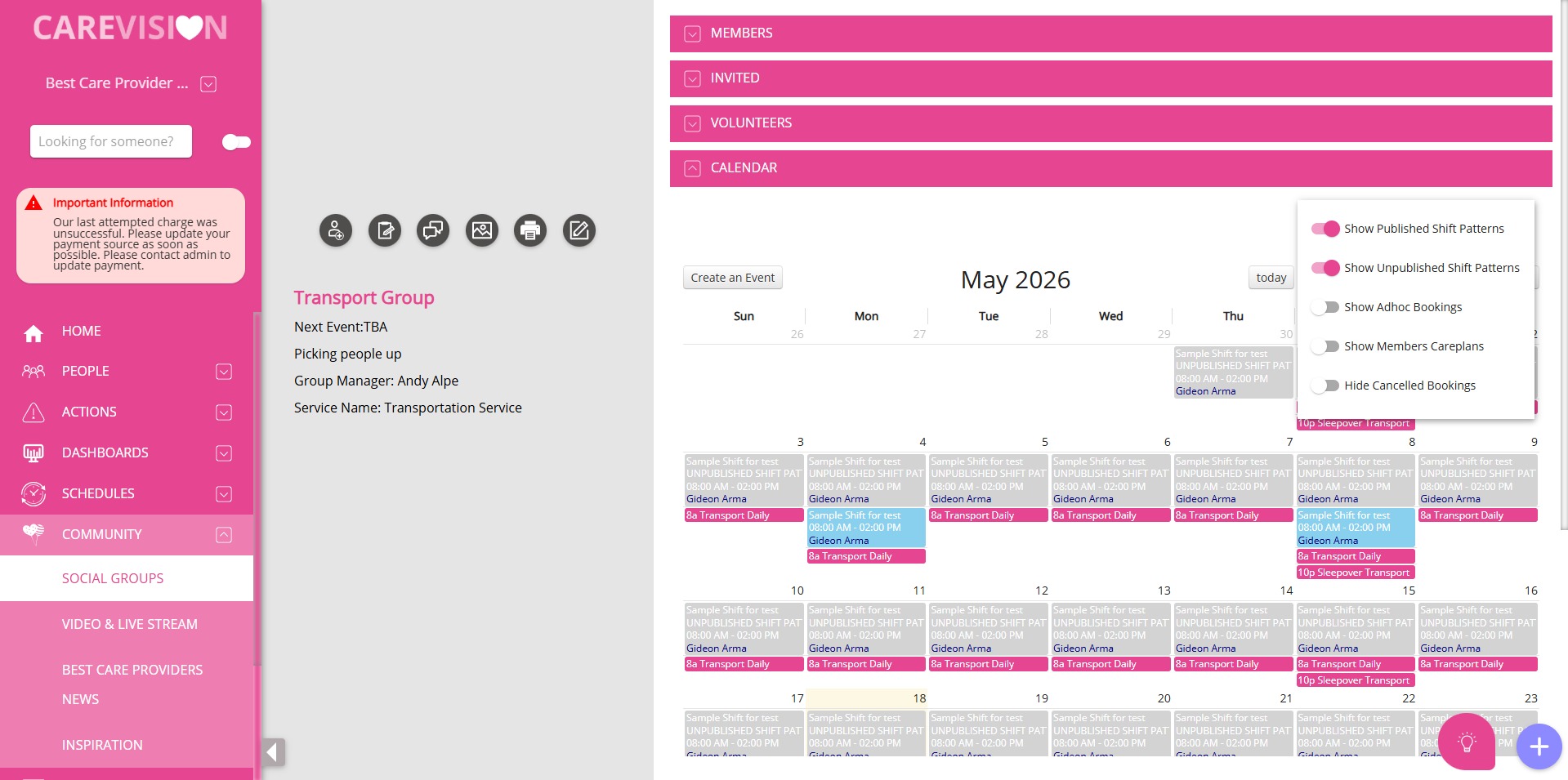
If both filters are turned on, both unpublished recurring placeholders (grey) and published/generated shift instances (blue) will be displayed together on the calendar.
    • Related Articles

    • FAQ: How to Setup Social Groups in CareVision?

      OVERVIEW Organisations that offer group programs to promote social and community participation will reap the benefits of CareVision's Social Groups module. CareVision allows the organisations to create social groups to cater to the care recipients' ...
    • FAQ: New Rates are coming, how to update Billing Categories?

      On the left-side navigation panel, go to Settings > Billing Categories Look for the Billing Category that you need to update. Open it by clicking the Billing Category Name. Highlighted would be the Active Rates, which is what is being used by the ...
    • FAQ: How to Install CareVision Mobile App?

      Apple (iOS) Click the Apple store Search for the ‘CareVision Plus' and click ‘Install/Get’ Open the app and input your credentials Android Open ‘Playstore’ Search for ‘Care Vision Plus’ and Click the Install button Open the app and log-in using your ...
    • FAQ: How to Setup Care Domain, Goals, Condition and Treatment Plans in CareVision?

      FAQ: How to Setup Care Domain, Goals, Condition and Treatment Plans in CareVision? OVERVIEW It's important to have a conversation with your clients about their goals, what they would like to achieve, and how they would like to achieve their goals. ...
    • FAQ: How to setup Notifications in CareVision

      FAQ: How to setup Notifications in CareVision Answer: Go to https://newportal.carevision.com/ Username and Password is the same as what you use in CareVision Management Portal Click Settings Click Notifications Settings Type in the notification you ...

    Request an Article or Guide

    We are keen to know what you want to know more about? Let us know on chat or raise a ticket for an article or topic you would like covered in more detail. We have a team of technical writers and learning content creators keen for your suggestions.