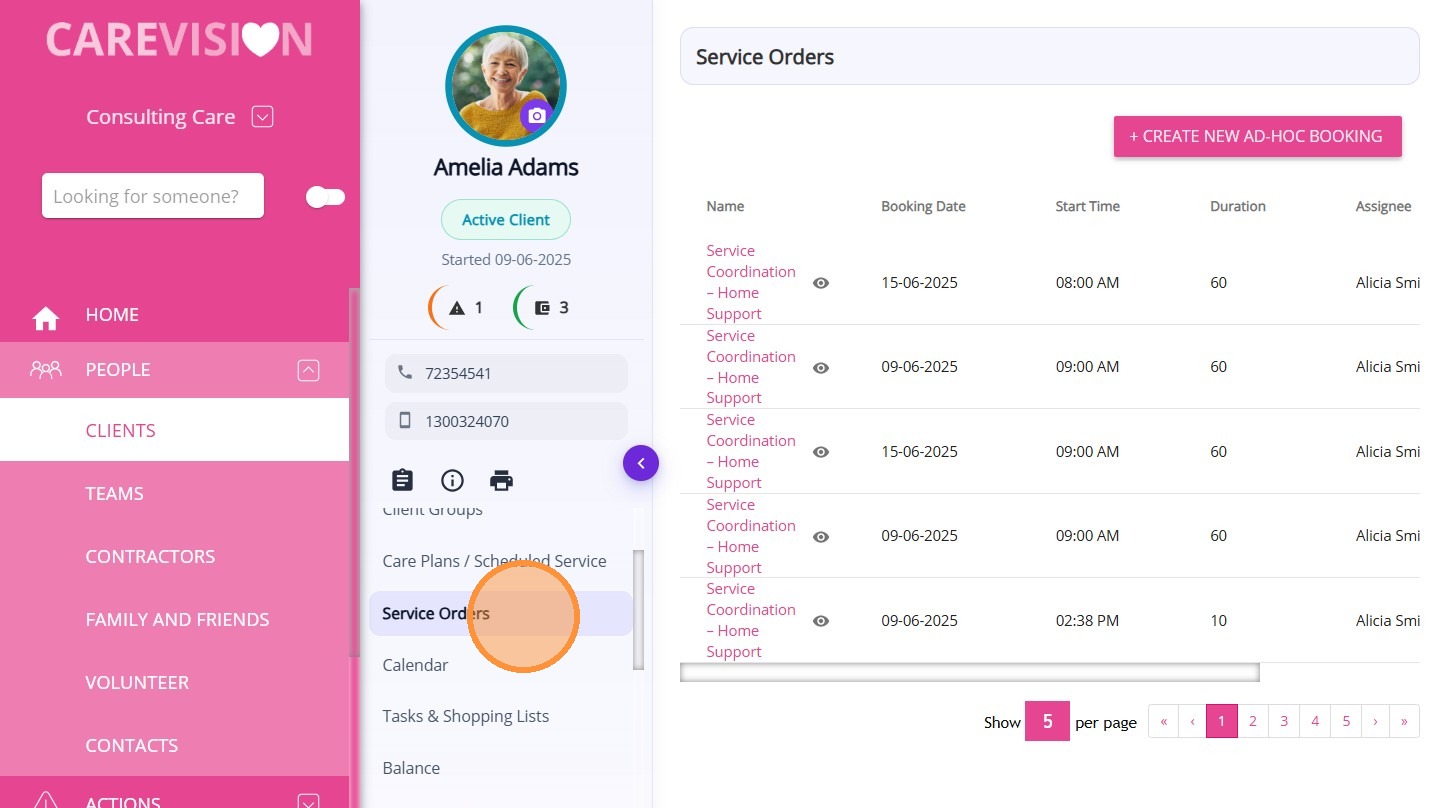
Service Orders Section in Client Profile

Service Orders Section in Client Profile

The Service Orders section in the Client Profile displays all ad hoc bookings for the client.

Keywords: service orders, client profile bookings, ad hoc bookings, one time service booking, client service orders, care management booking, service order management, client service scheduling, external service booking, care plan service requests

Ad hoc bookings are services that do not occur on a regular schedule and are separate from the client’s regular care plan services. They are typically created for services that happen occasionally or only once.

To view an ad‑hoc booking from the client profile:
  1. Open the Client Profile.
  2. Select Service Orders.

From this section, you can view all existing ad‑hoc bookings for the client. You can click +Create New Ad‑hoc Booking to add a new one.
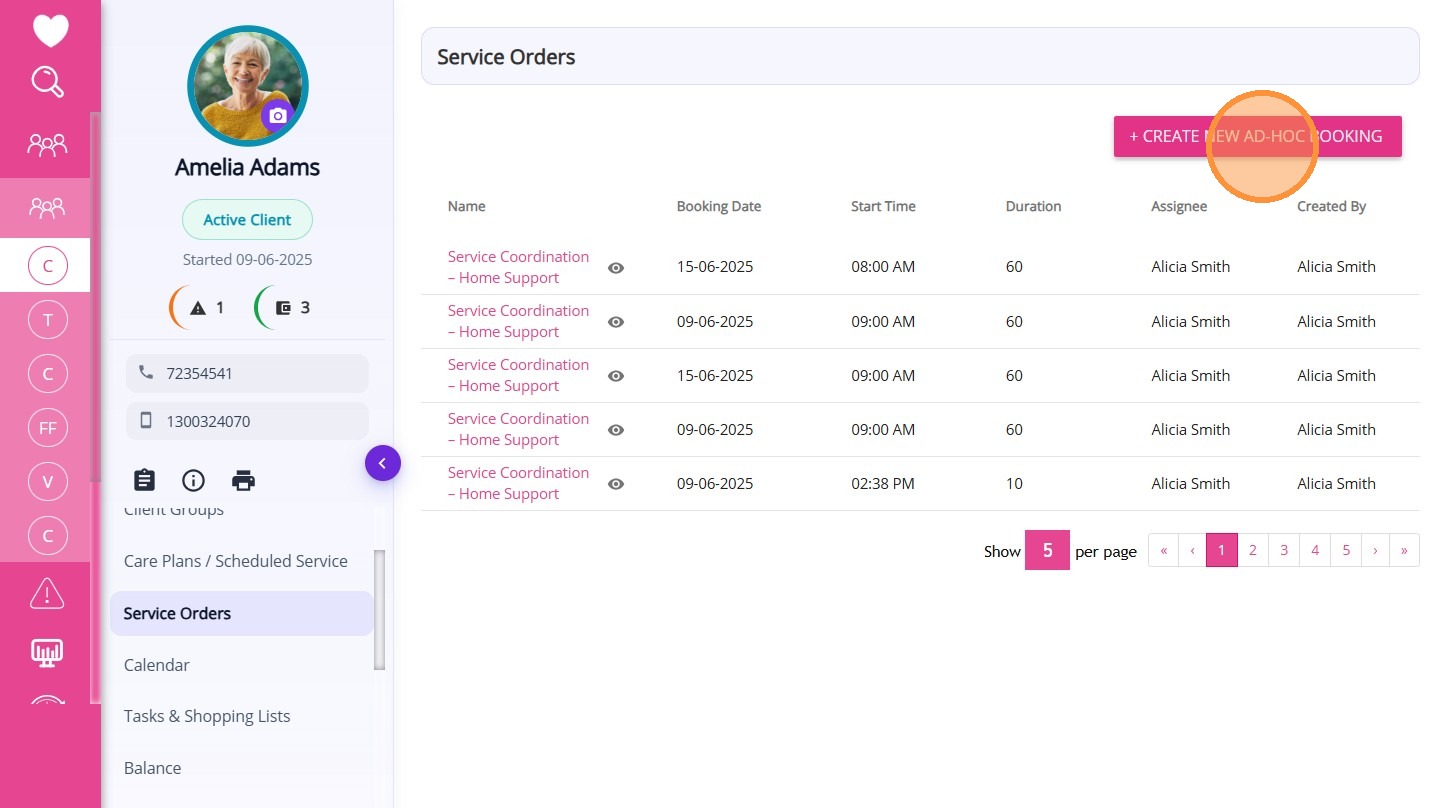
Examples of ad‑hoc bookings include:
  1. Emergency or urgent services
  2. Temporary services added for a short period
  3. Annual or one‑off services that occur on irregular dates each year
  4. Services delivered by external or third‑party providers
A table is displayed showing the details of each ad‑hoc booking for the client. The table includes the following information:
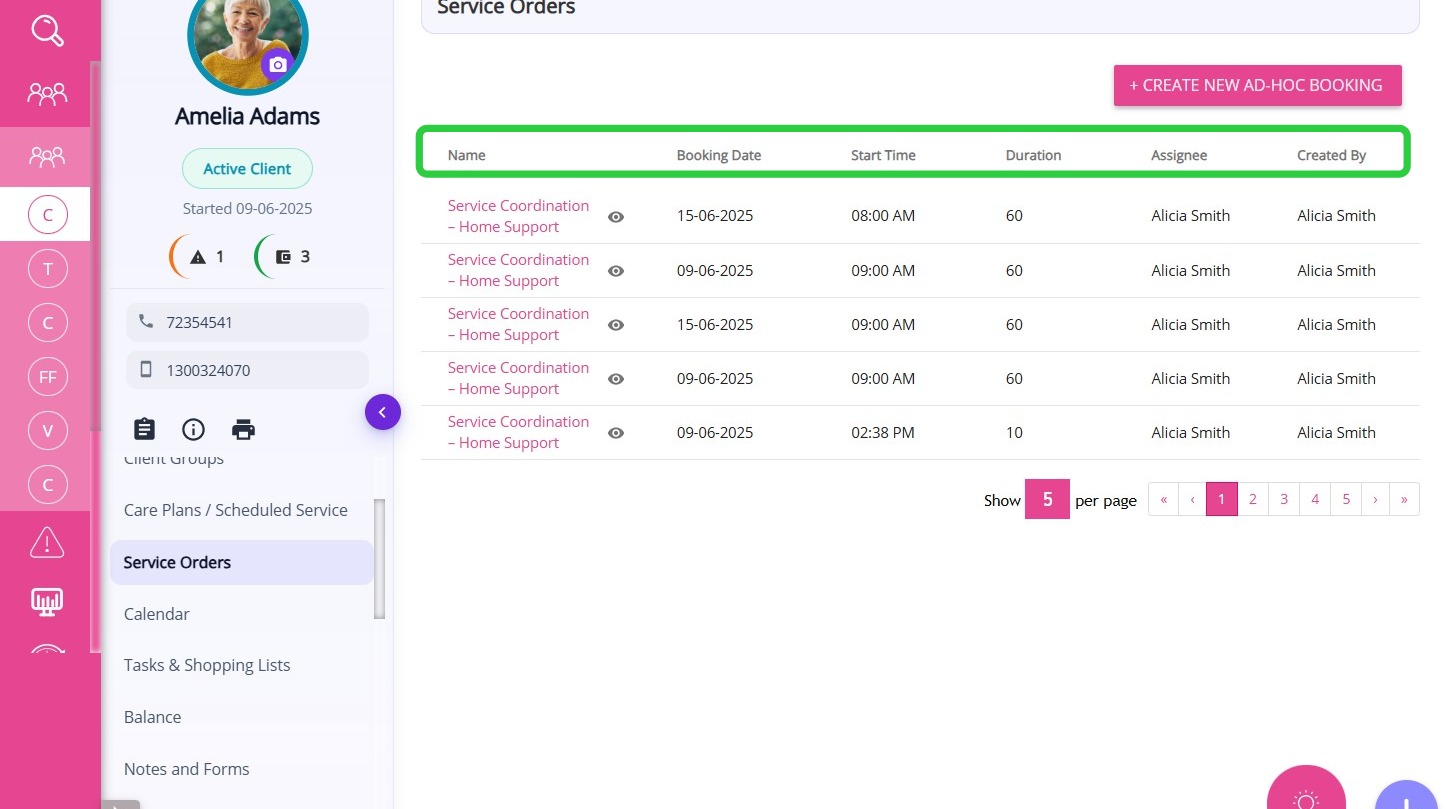


ColumnDescription
NameThe name of the ad‑hoc service booking.
Booking DateThe date when the service is scheduled to occur.
Start TimeThe scheduled start time of the service.
DurationThe total length of time the service is scheduled for.
AssigneeThe staff member or service provider assigned to deliver the service.
Created By
The user who created the ad‑hoc booking in the system.

    • Related Articles

    • Calendar Section in Client Profile

      The Calendar section in the Client Profile displays all scheduled client services and bookings in a calendar or list format. Keywords: client calendar view, service booking calendar, client schedule management, care service calendar, client ...
    • Care Plans/Scheduled Service Section in Client Profile

      After a quote is accepted, a draft Client Care Plan is automatically created in the Care Plans/Scheduled Service section of the Client Profile. This section is used to set up and manage the client’s service schedule, which is later used for rostering ...
    • Support Coordination Time Log Management and Claiming

      National Disability Insurance Scheme (NDIS) Support Coordinators assist clients in accessing and managing the support they need. Support Coordinators ensure that all client engagement hours are accurately recorded and compliant with program ...
    • Pausing Client Services & Client Leave

      Client leave occurs when a client cannot receive services for a period of time due to reasons such as social leave, respite, hospital stays, transition care, or other circumstances. During client leave, services are suspended, which may affect ...
    • Detailed Profile Section in Client Profile

      The Detailed Profile section in the client profile provides an overview of each client, supporting personalized care and efficient communication. This topic describes the Detailed Profile section and explains how to complete client profile details. ...

    Request an Article or Guide

    We are keen to know what you want to know more about? Let us know on chat or raise a ticket for an article or topic you would like covered in more detail. We have a team of technical writers and learning content creators keen for your suggestions.