How to Generate Statements in the Settings Area

How to Generate Statements in the Settings Area

You can easily generate client statements of account in the Settings area to review funding sources, track expenses, and support reporting or audits. This feature allows you to download PDF statements for one or multiple clients based on your selected date range and filters.

Keywords: client statement of account, generate client statements, funding report, bulk statement export, PDF client statements, financial statement export, client billing summary, export statements settings


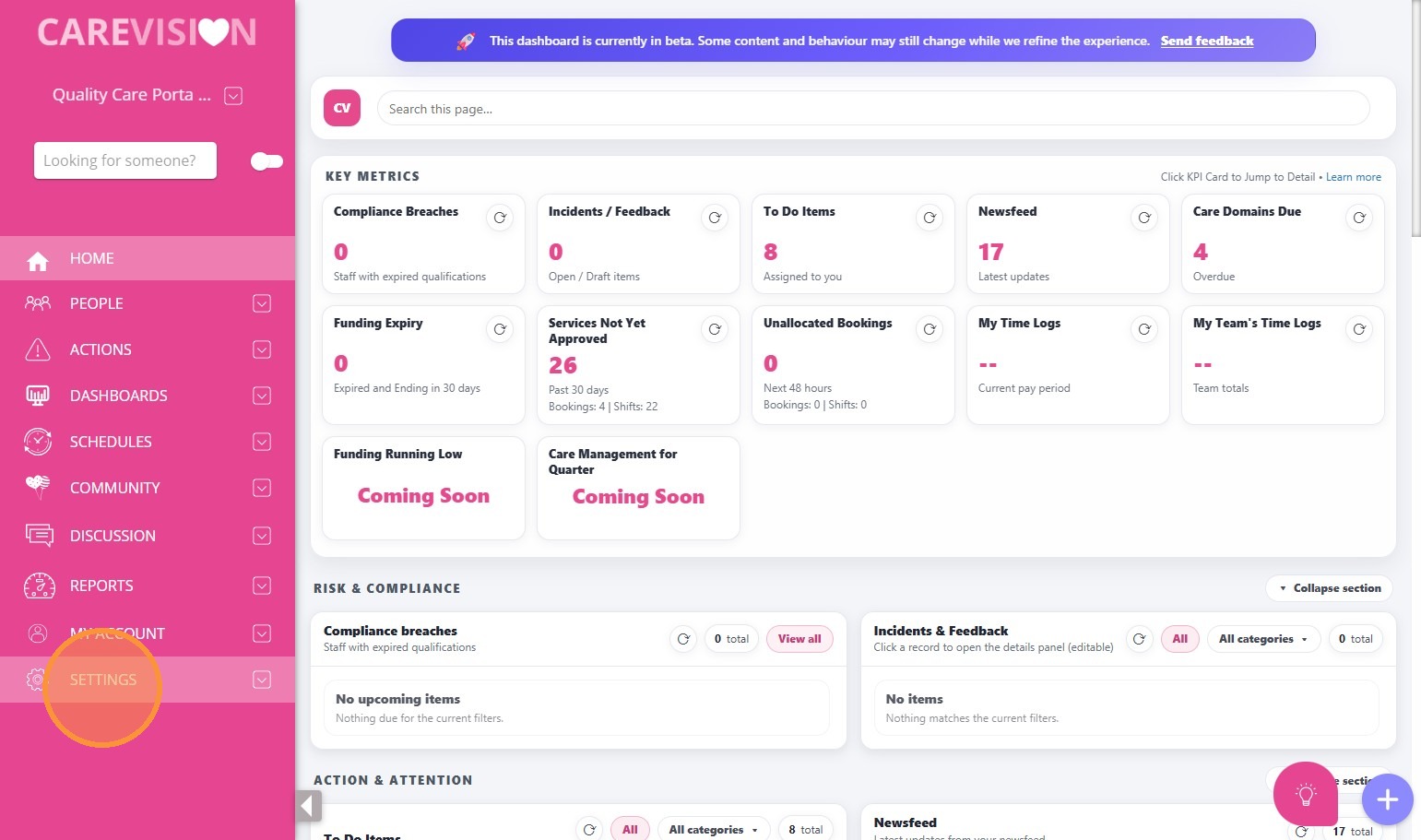
1. Go to Settings.
2. Click Exports.
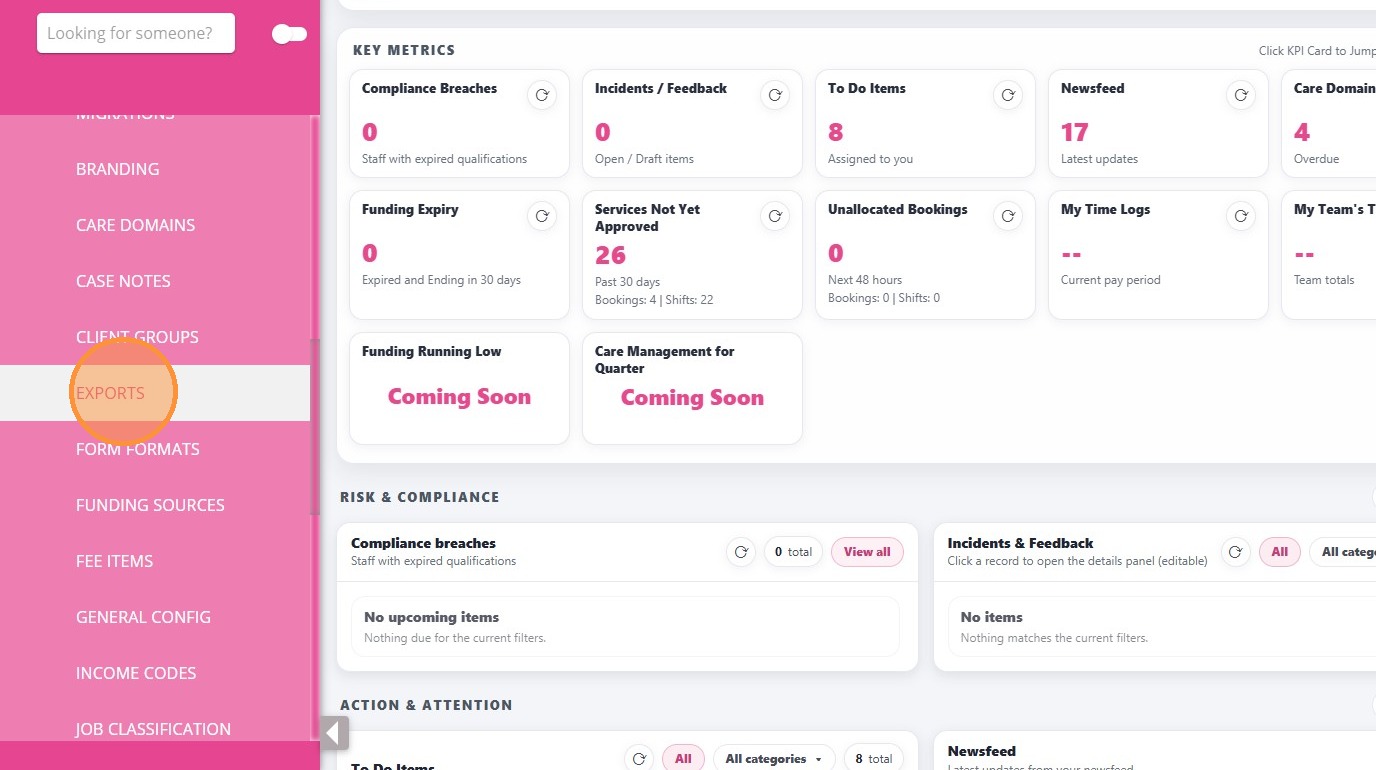
3. In the Generate Export page, complete the required fields:
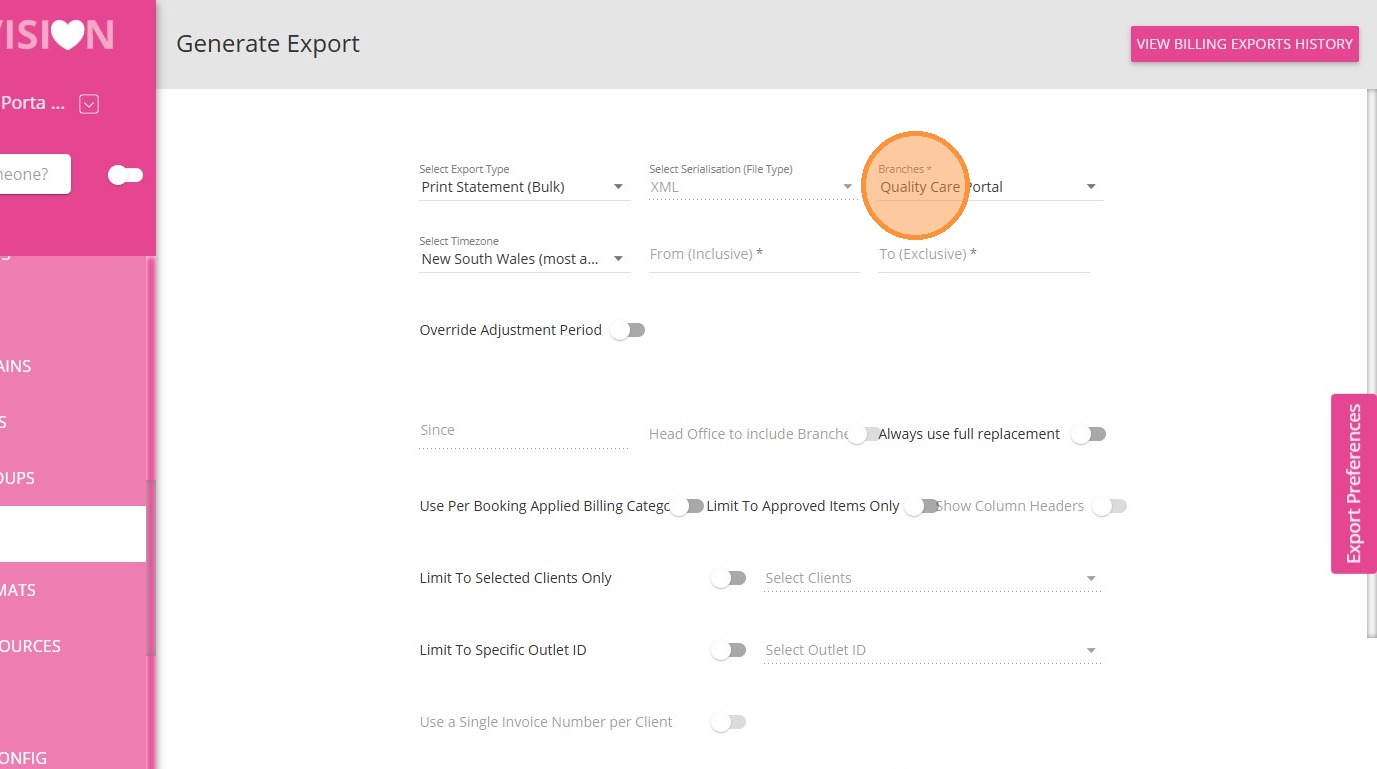
  1. Set Export Type to Print Statement (Bulk).
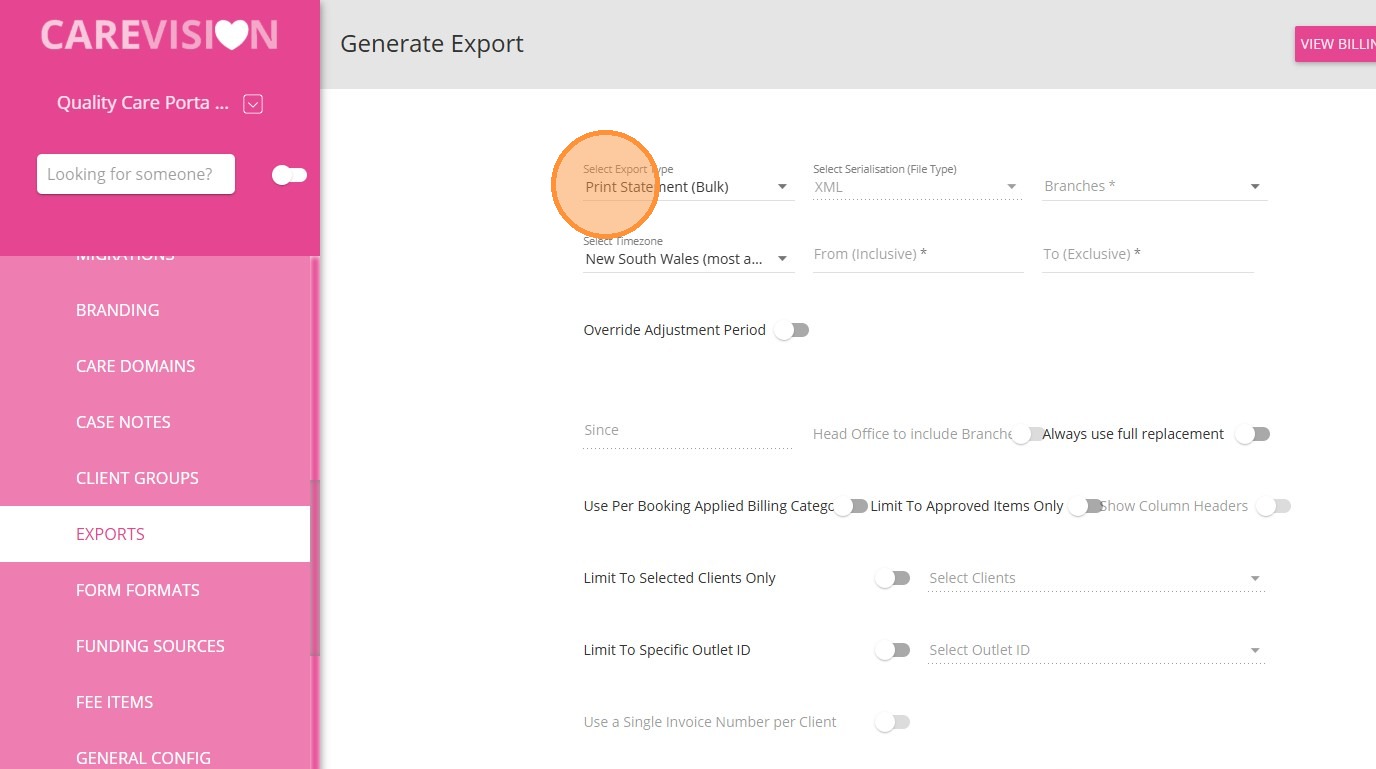
  1. Select the relevant Branch.
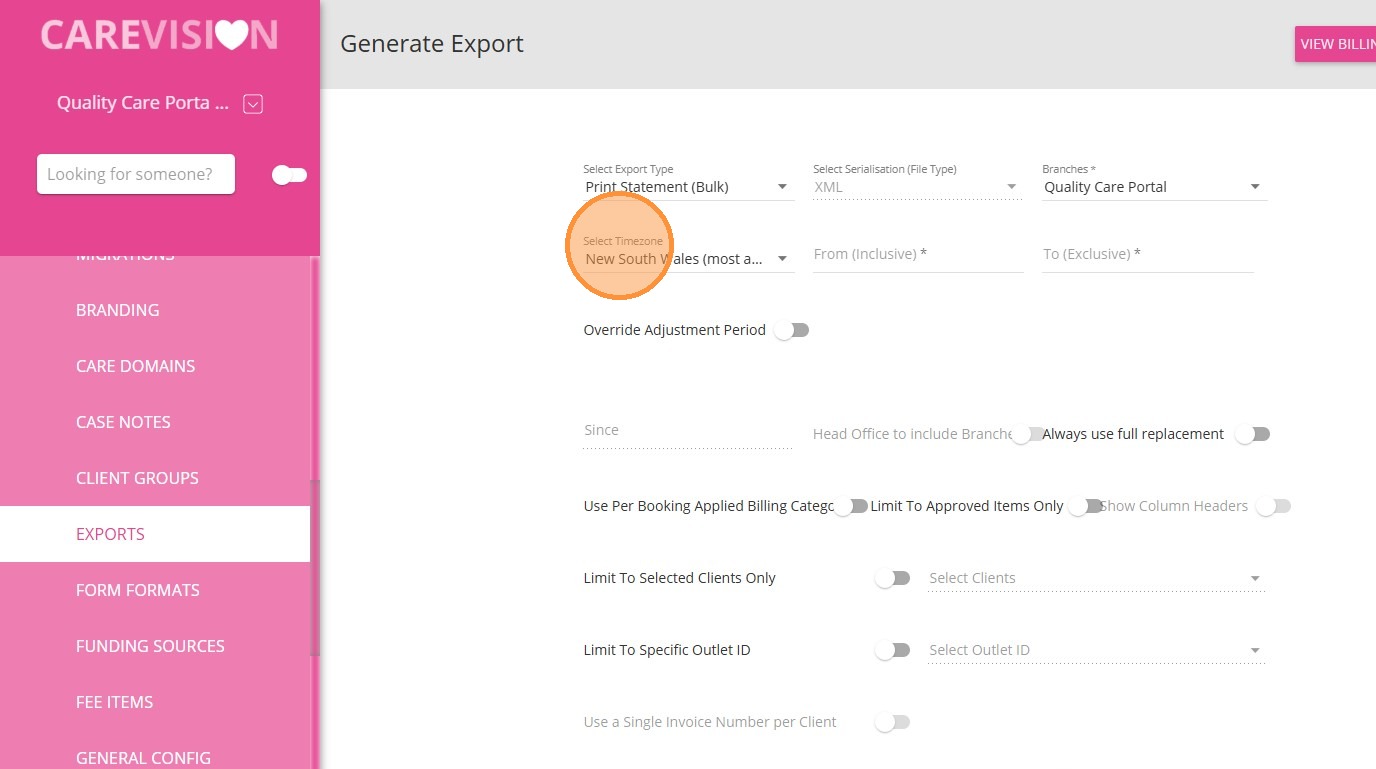
  1. Choose the appropriate Timezone.
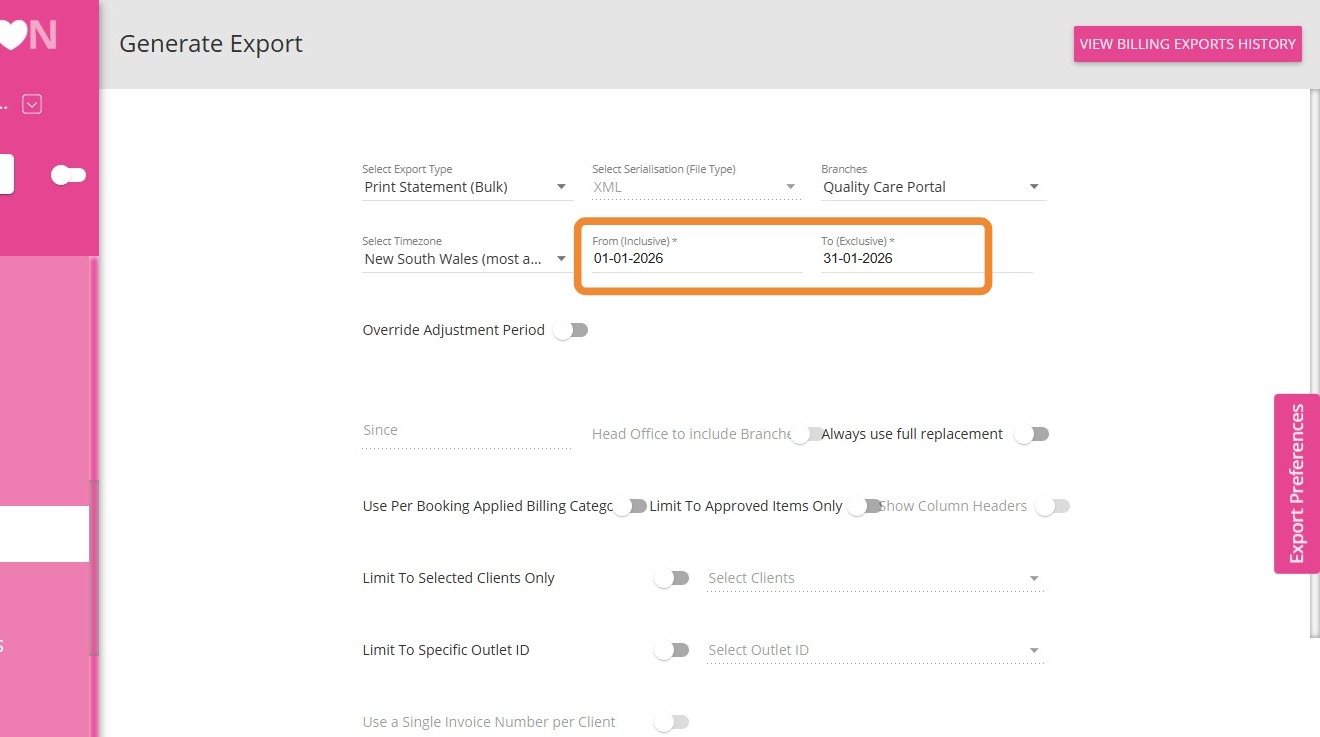
  1. Select the From and To dates.

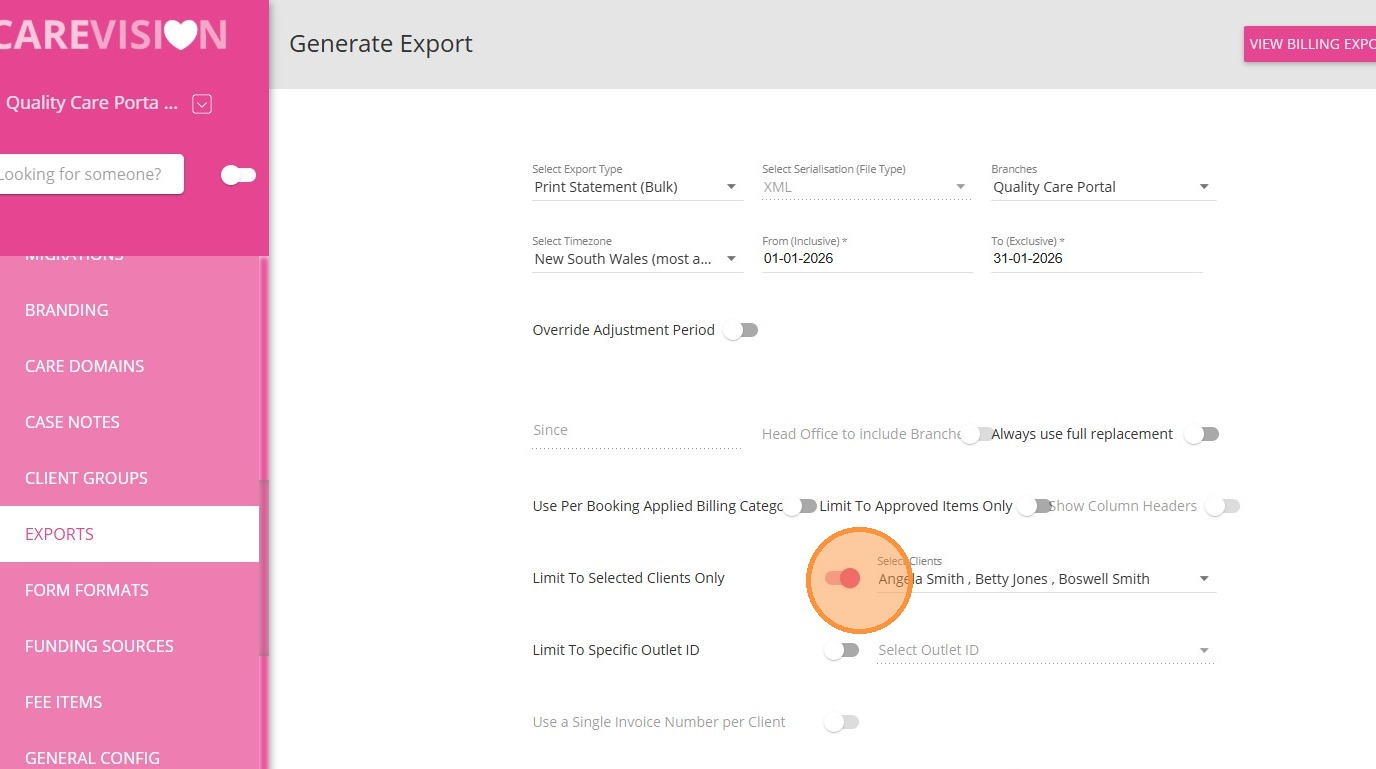
4. (Optional) If you want to limit the statement to specific clients, turn on Limit to Selected Clients, then choose the clients.
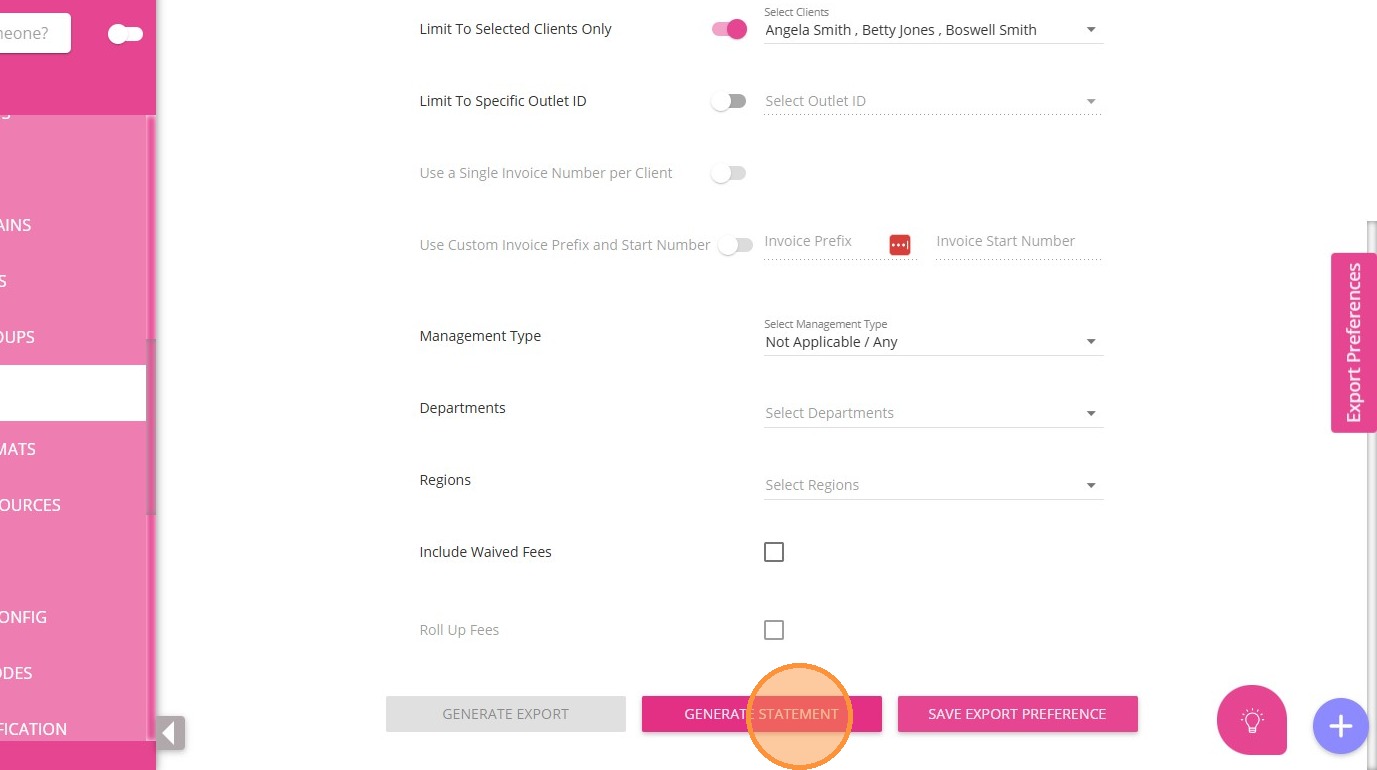
5. Click Generate Statement to download the PDF file.

    • Related Articles

    • Pooled Funding

      Q: What is pooled funding? A: Pooled funding is a portion of a client’s budget that is set aside and combined into a shared pool at the provider level. This pooled amount (Example: Care management) is not spent per individual client but is used by ...
    • How to Create Quotes with Call-Out Distance Fee

      Prerequisites Set up a Callout Fee Billing Category Set up a Callout Fee Billing Category 1. In the left navigation pane, go to Settings > Billing Categories. 2. Make sure you have a billing category with the Type set to Callout Distance. In this ...
    • FAQs: Support at Home Rollover Funding

      Support at Home - Rollover Funding A new fee item, Support at Home - Rollover Funding, has been introduced to the following funding source templates: Support At Home - HCP Transitional - Level 1 to Level 8 Support At Home - Level 1 to Level 8 This ...
    • Missing or Unable to Select Billing Categories on Care Plan

      Things to check if there are missing or unable to Select Billing Categories when creating a Care Plan In this scenario we used a different Service, Funding Source and Billing Category. This basic troubleshooting guide is also applicable to Billing ...
    • FAQ: Update to Support at Home (SAH) Funding Templates

      What is this update about? A system migration has been completed for organisations using Support at Home (SAH) funding templates. This introduces a new fee item to support rollover funding. Where to find the new fee item? 1. Go to the left-hand ...

    Request an Article or Guide

    We are keen to know what you want to know more about? Let us know on chat or raise a ticket for an article or topic you would like covered in more detail. We have a team of technical writers and learning content creators keen for your suggestions.