FAQ: How does leave work for sleepover shifts that include active time?
Question: How does leave work for sleepover shifts that include active time?
Answer: When a sleepover shift includes active work before and/or after the sleep period, the system automatically separates these active portions and excludes the standard sleepover block from leave calculations.
Here’s what happens:
• The booking is identified as a sleepover (moon icon).
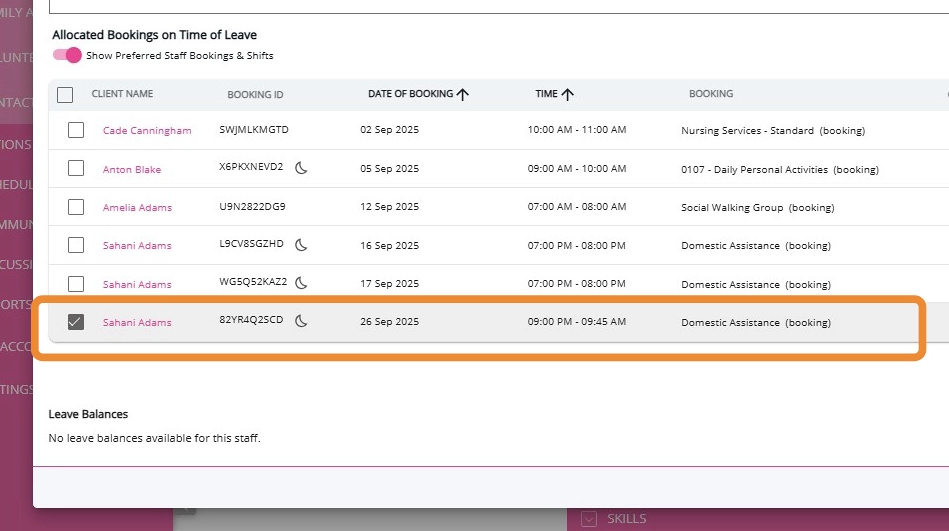
• When you select the booking in a Leave Application, it’s automatically added under Select Days.
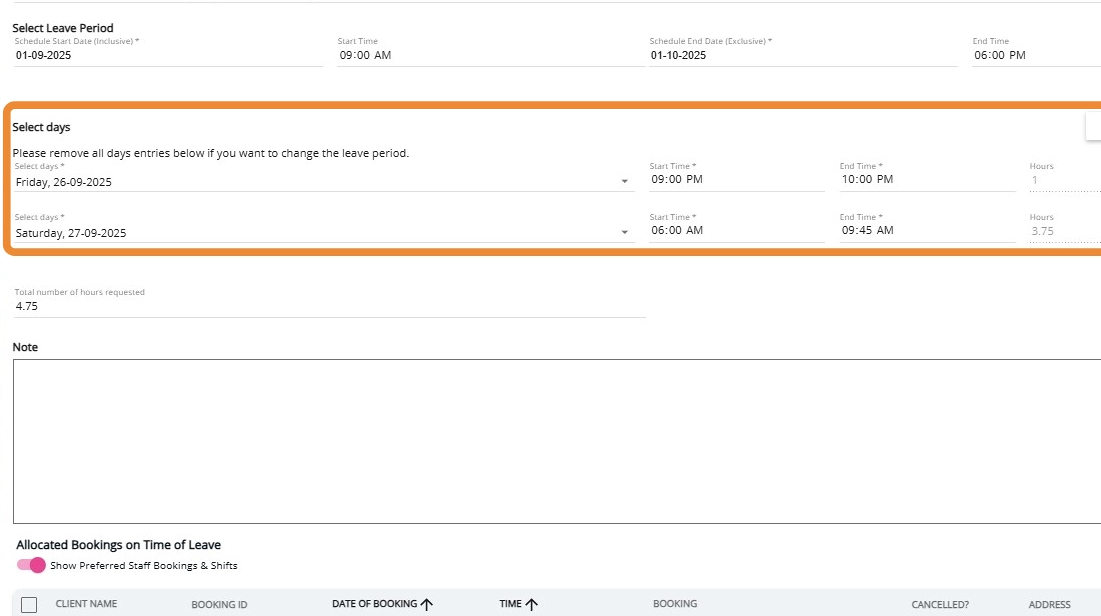
• The system splits the shift into:
Active time before sleep (Example: 9:00 pm – 10:00 pm)

Active time after sleep (Example: 6:00 am – 9:45 am)
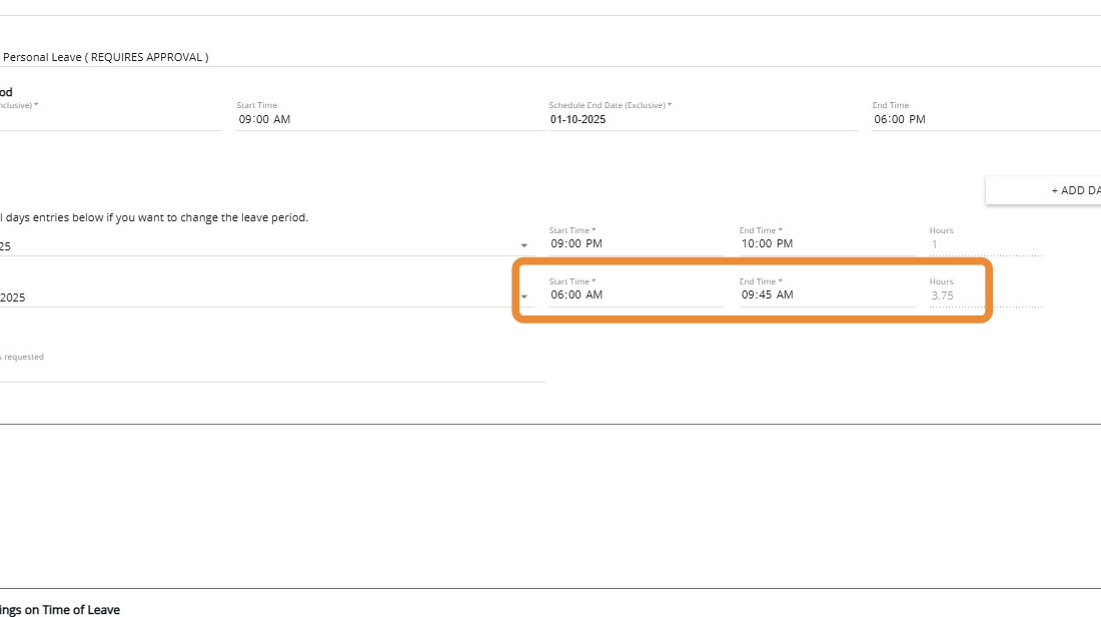
• The standard sleepover period (typically 8 hours) is excluded.
• Only the active hours are counted toward leave.
Example:
1 hour (before sleep) + 3.75 hours (after sleep) = 4.75 total leave hours
1 hour (before sleep) + 3.75 hours (after sleep) = 4.75 total leave hours

This ensures the leave request reflects only payable active time, preventing over- or under-payment and avoiding manual adjustments.